
With every passing project I feel like my basement is being converted from a living only area, to a work and project area. Computers being built, gadgets being taken apart, Lego projects all around. I’m not complaining by any means, but I do feel as my basement becomes populated with more and more tech based projects that the environment is missing something organic, something natural to balance things out.
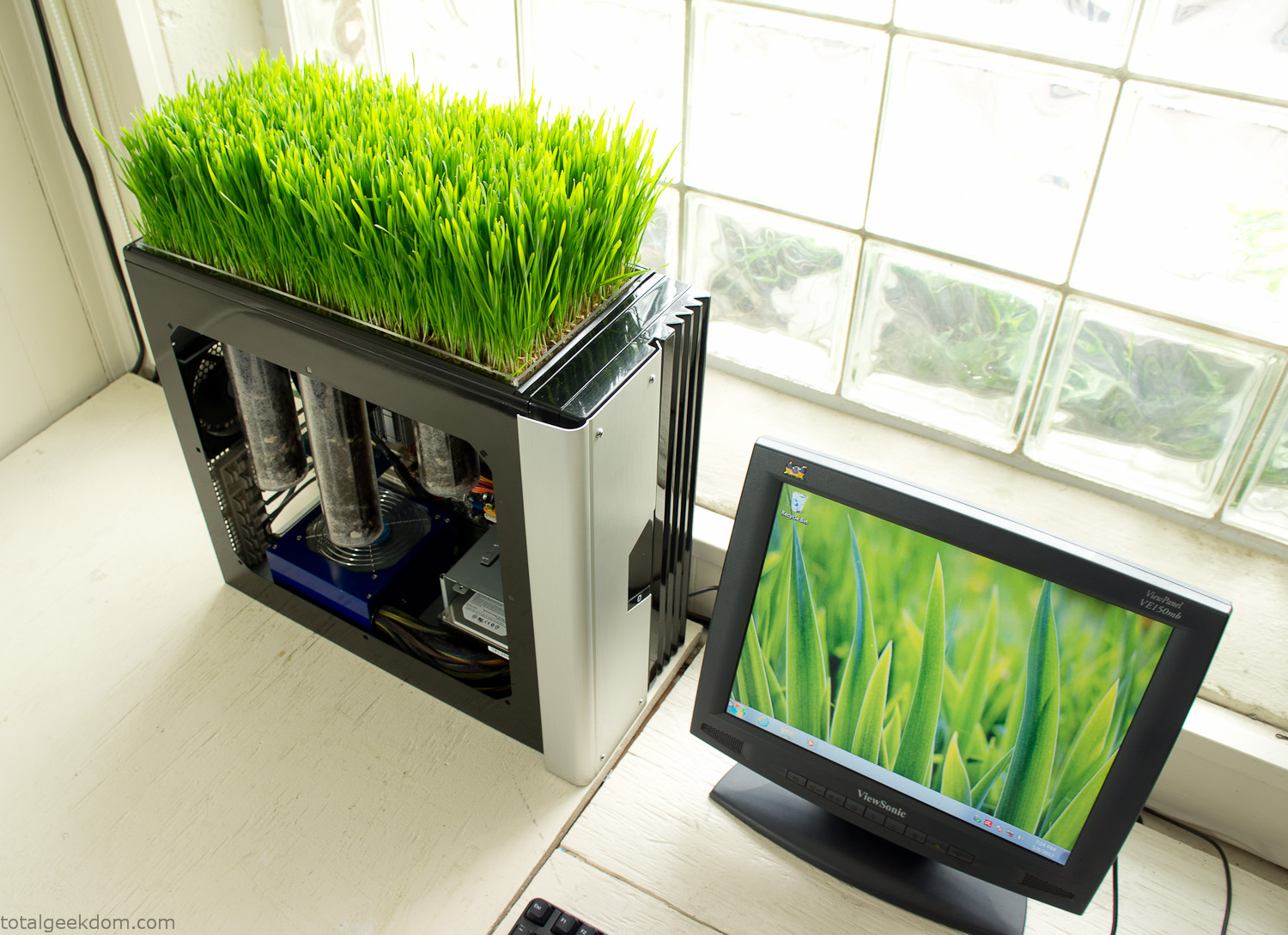
Bio Computer
I’ve been interested in working on a project for while that would combine something tech-based with something organic. Mixing the two elements intrigued me for a while. I’ve wanted to add flowers, or maybe plants of some sort to blend a little bit of nature into the space. I do receive a bit of sunlight through a glass block window, but the temperature in the basement is usually on the colder side. In the winter I don’t really heat the space because the folding farm outputs enough heat to keep the temperature comfortable. I didn’t want to change that aspect so I needed to come up with something that would tolerate slightly cooler temperatures and limited sunlight.
I can’t exactly recall when the idea came to me, but at some point I started wanting to use the heat from a computer as a way to warm the soil and help with germination/growth. I’m about as far from a botanist as it comes, I did some reading online and became pretty interested in the effects of soil temperature on germination/growth. I read different studies and papers from various universities. It was not too long into that process that I became hooked on the idea of using computer heat as a way to control the soil temperature of some sort of living plant life.
As the idea developed further I started looking into wheatgrass as a plant option. There is something clean and natural about the look and idea of a piece of grass growing in my basement. I thought the look would alter the space a little bit and add a bit of color along with something more than just metals and plastics. After reading enough studies and papers on the effects of soil temperature and germination with wheatgrass I felt like I had a good enough handle on the basics to tackle this.
The first step was finding a computer to adapt for the project. Luckily I had a lot of donated computers that people had given me for various project purposes. Most of them didn’t work, but by cobbling together various components from a bunch of different old computers I was able to come up with enough good parts to make a working computer.
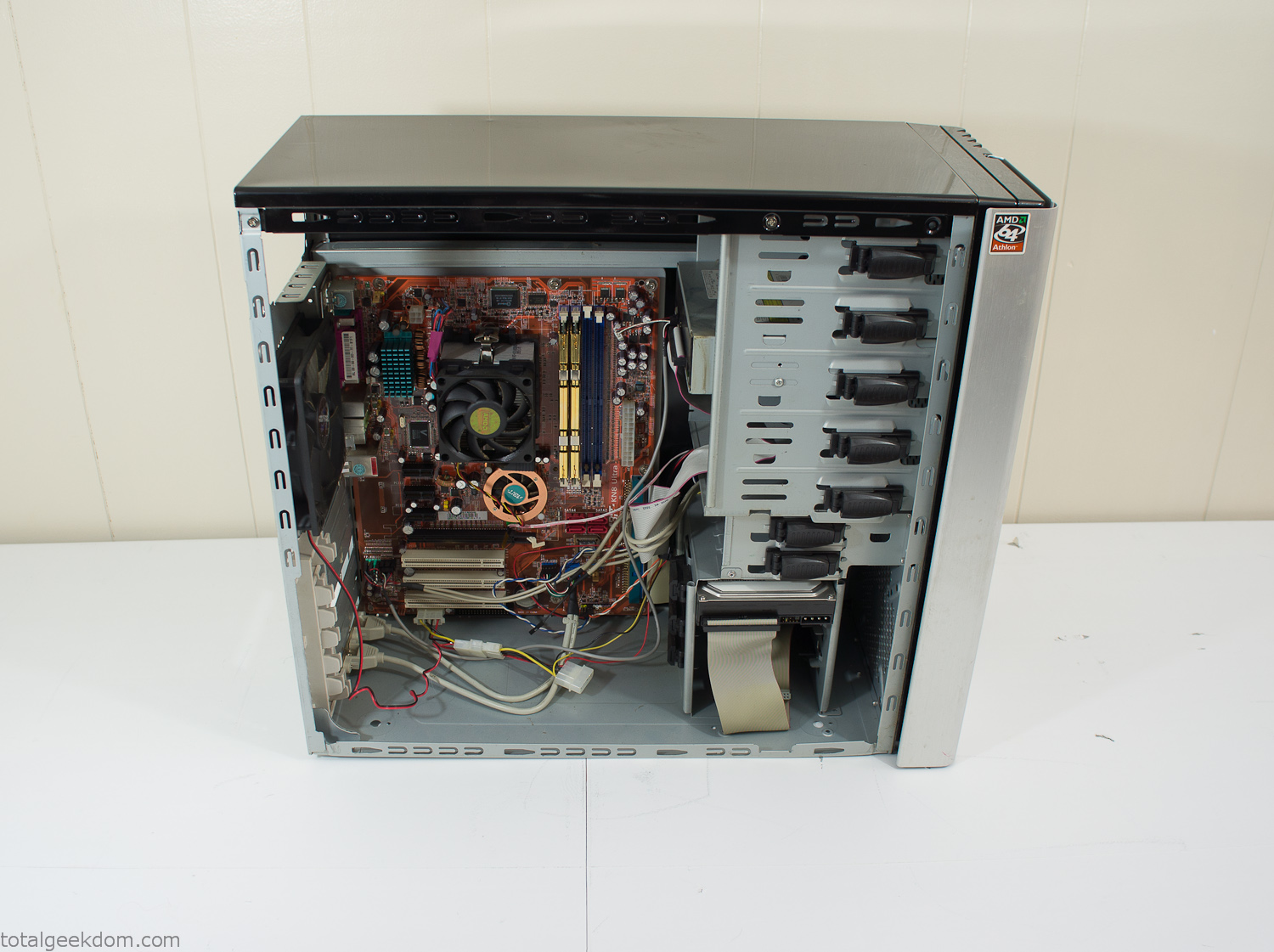
Donor Computer
At the time I was starting to get a formalized plan together for this project, another idea popped into my head. I’ve got a 5 yr. old who is already fairly geeky (just ask him to do his Jabba the Hutt impression for you) but he really does not get that much computer time. He’s getting to an age where he’s more inquisitive about tech stuff and I think he’s ready for his first computer. Since I was already well underway with this project it seemed like a perfect opportunity to orient the computer itself towards a learning tool for him in addition to using it as a way to blend something organic with a piece of technology.
With all of these goals in mind I started tinkering away. The computer hardware itself was nothing fancy, definitely outdated, but perfectly suited towards this project.
CPU- Pentium 4 (3 GHz)
Dell Factory Motherboard
Various Ram Sticks- 2gb
Old Maxtor 120gb IDE Hard Drive
Old FPS Power Supply
Donated Old Computer Case
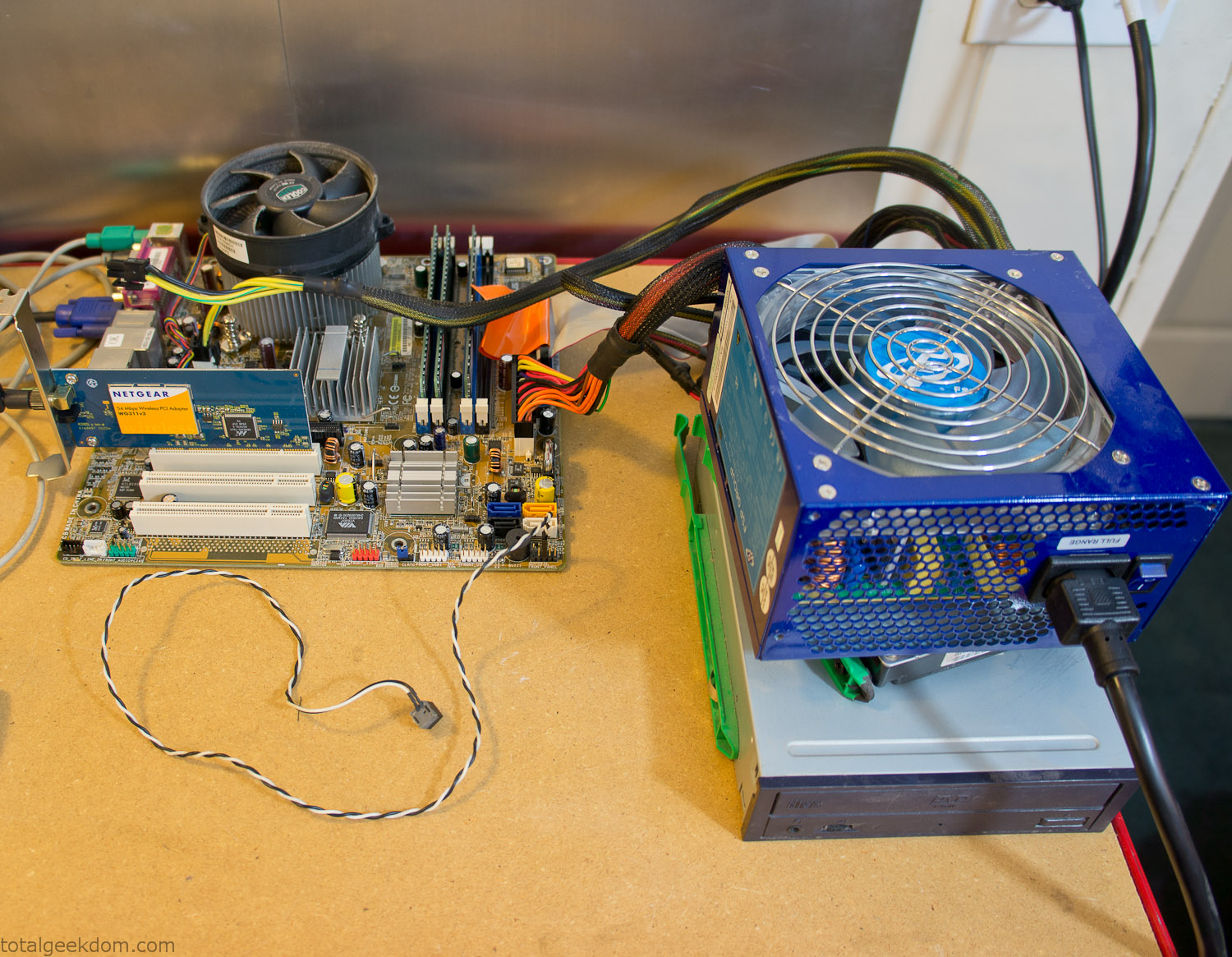
Computer Parts Testing
If you’ve spent any time around computer hardware in the last decade you’re probably well aware that Pentium 4 has a reputation for running hot. The 90nm Pentium 4 was named Prescott and it didn’t take long before the nickname Pres-hot popped up. In this case though that extra heat is going to be put towards good use.
Once the hardware was all in order I started working on the layout and arrangement for the case. I had originally envisioned the grass growing out of the top of the computer case. This seemed like it would provide a good blend between the hard edges of the computer and the soft feel of the grass. This also worked well with putting the soil area in the upper portion of the case, where the most heat should collect. After doing some initial tests with this configuration I found the measured temperature near the top of the case was the hottest. The placement of the CPU near the top of the case and the lack of airflow in that area contributed to these higher recorded temps.
After finishing with some initial tests I decided to completely strip the case down and start removing all the unnecessary brackets and pieces inside of the case. Like most computer cases all the internal brackets and mounts are riveted together, so I drilled all the rivets out of the components I wanted to remove and pulled them out. The gutted case looked pretty barren after being stripped.
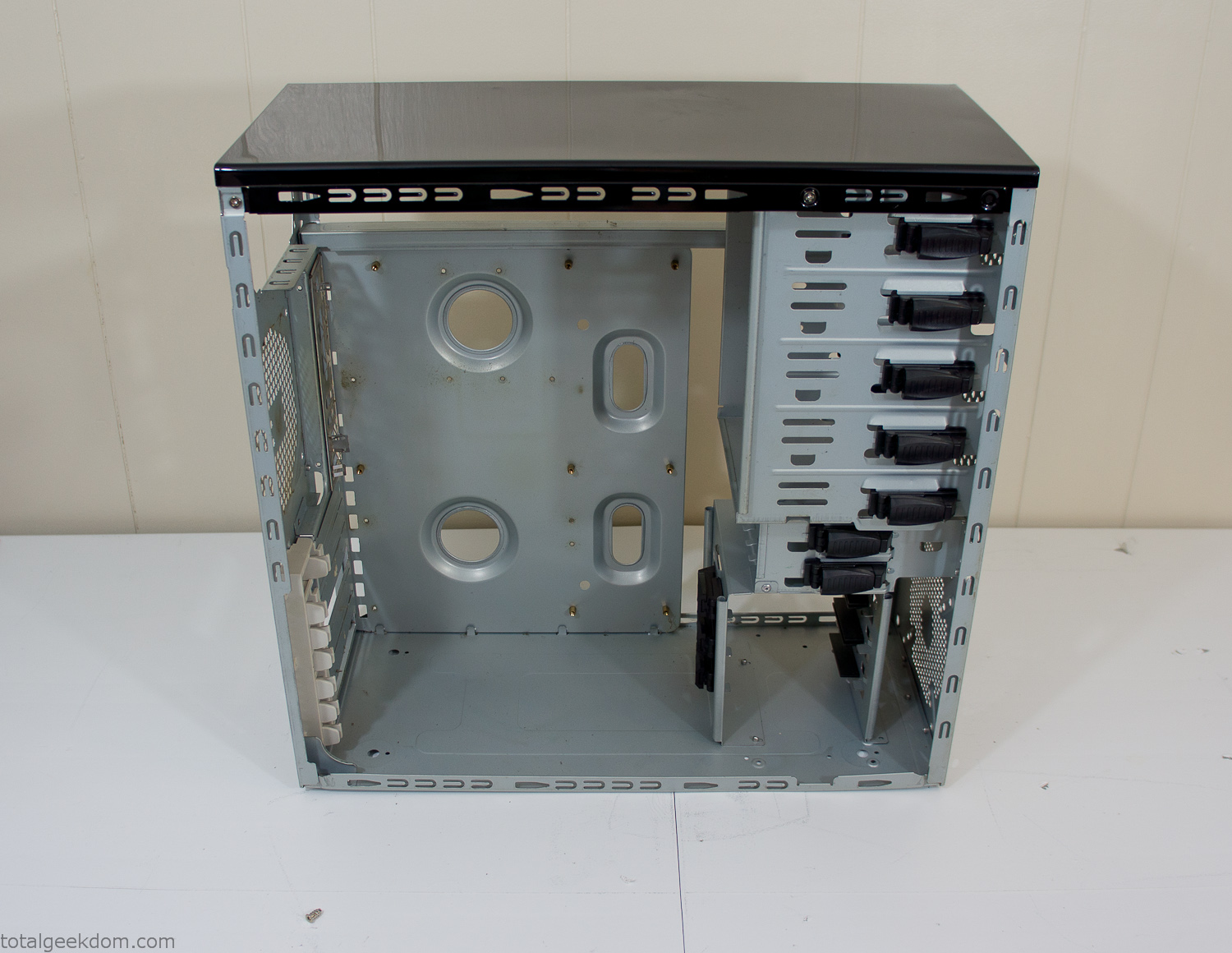
Empty Computer Case
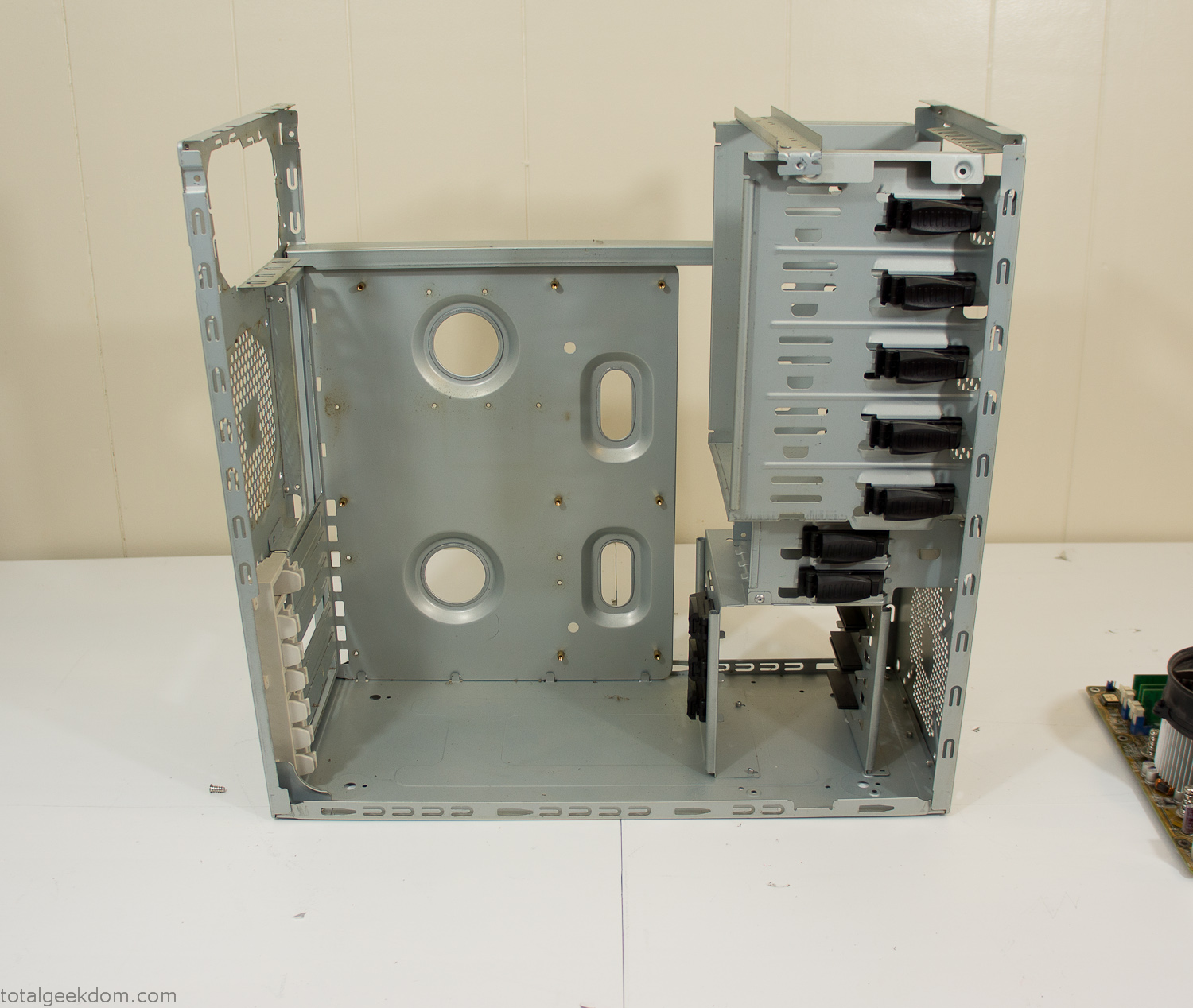
Dismantled Computer Case

Stripped Computer Case
In keeping with my original plan of having the computer blended with the organic grass I wanted it to be easy to see the inner workings of the computer and also the soil from the grass growing above. I needed something that was translucent, which left me with either glass or acrylic/polycarbonate as my options. I ended up choosing acrylic because I was able to find a cheap, used, die-cast model car display case top that was the perfect dimensions for the top of the case. Couldn’t go wrong for 5 bucks.
I test-fit the acrylic over the top of the computer case and marked my layout on the top of the case. My plan was to cut open the top of the computer case and insert the acrylic display case into the section I cut out. To cut open the top of the computer case I drilled a hole as a starting point and then used tin snips to cut through the thin gauge metal.
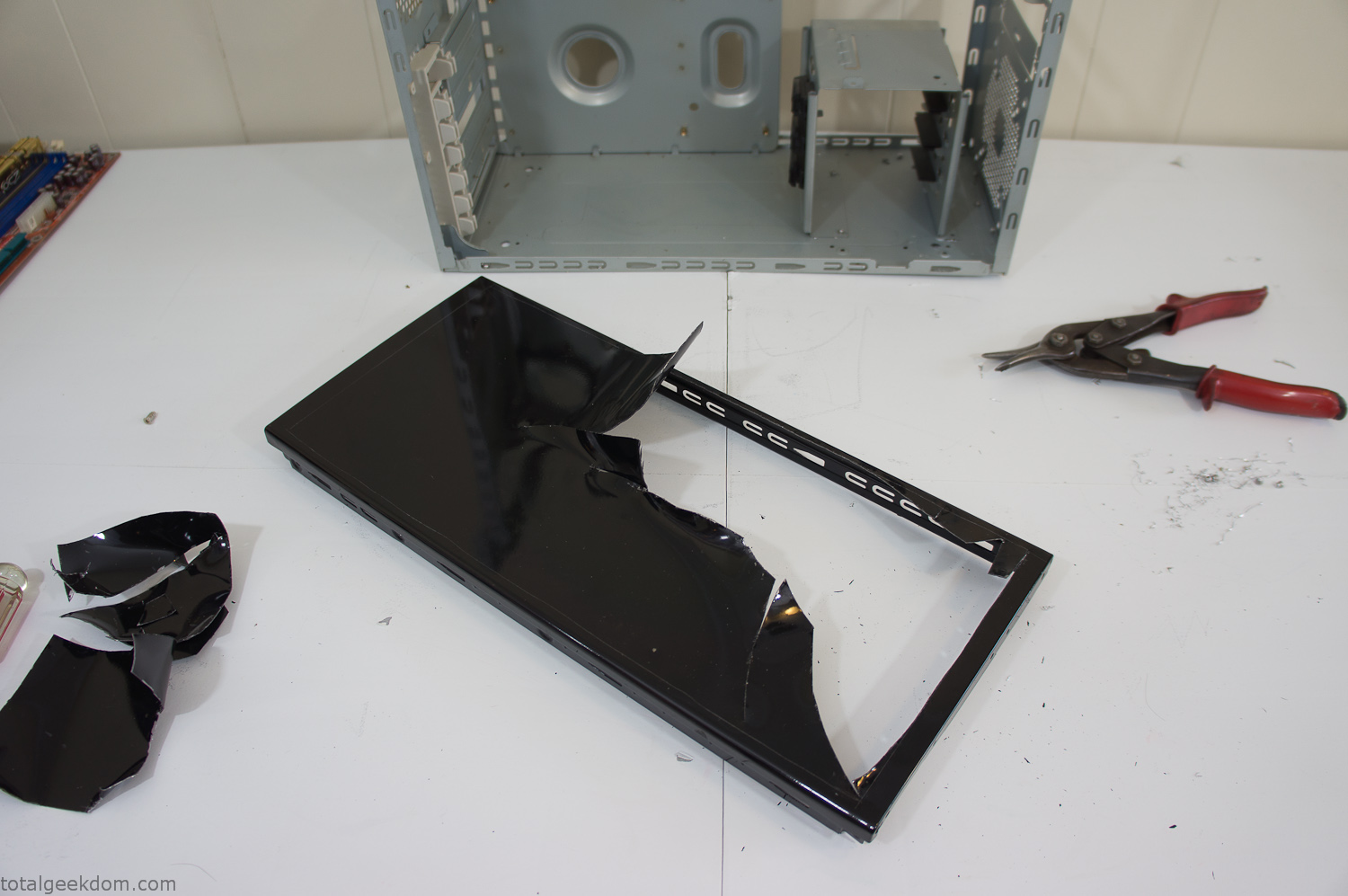
Computer Case Lid Modding
Once I had the metal opening cutout, I needed something to put along the edges of the freshly cut opening to create a clean and finished look. For $2 I was able to find some black, car-door-edge, plastic molding that worked perfectly.
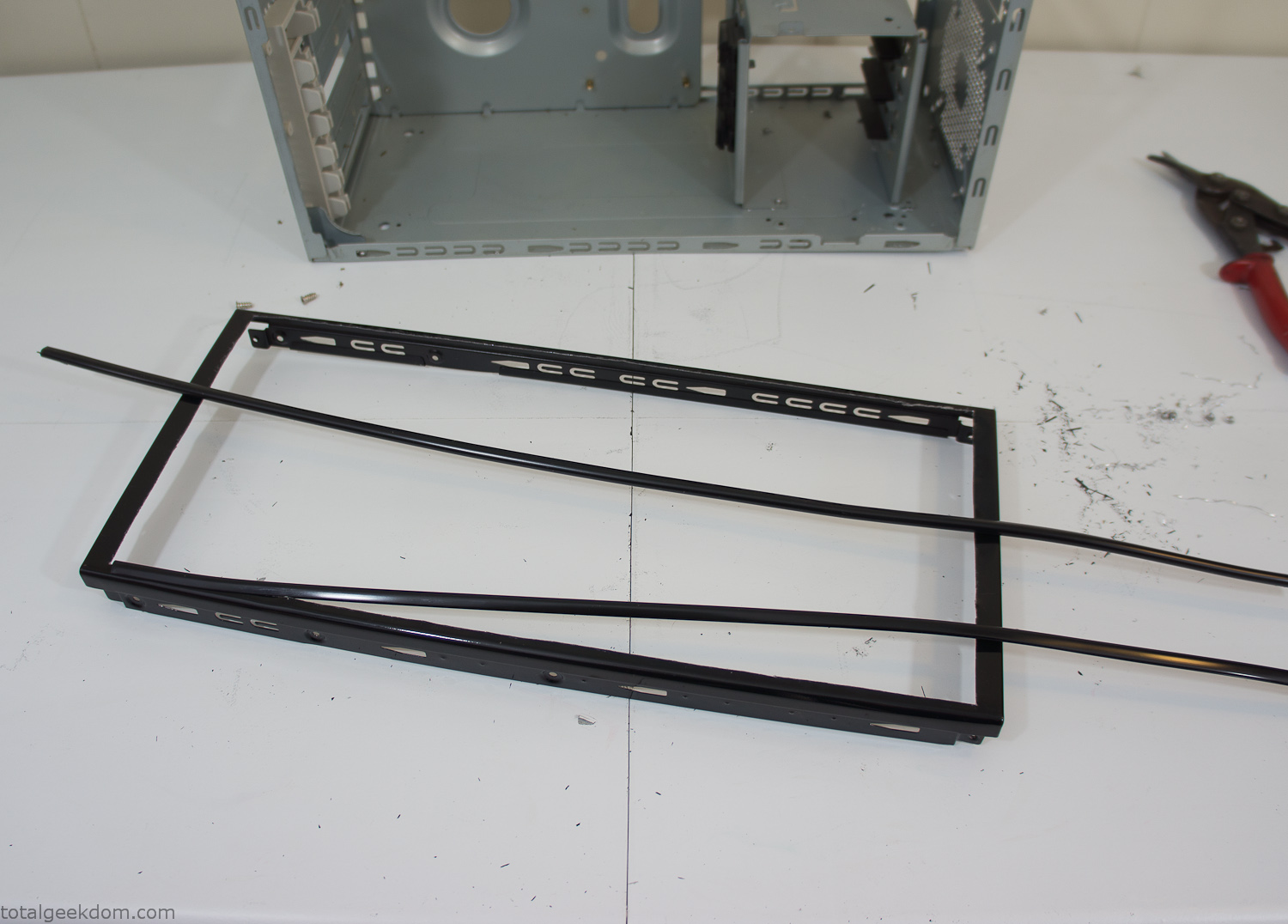
Modified Computer Case Lid
After getting the opening of the top of the computer handled and the acrylic case properly fitted, I moved onto some more testing with soil in the acrylic and the computer running. I wanted to see what kind of heat transfer I would get and how it would affect the soil temperature. I knew that using acrylic over glass would make it a little more difficult to heat the soil as acrylic is not that good at transferring heat. Luckily though I didn’t really need to alter the soil temperature that much, I just needed a little extra heat. Testing showed that heat transfer with just the single acrylic display case as my soil container was slow. So I decided to add some acrylic tubes. This would allow more surface are for soil to acrylic contact and also give me an area where I could add a mixed substrate to allow for soil drainage.
I went online and found a 3ft long section of 2 1/4″ clear acrylic tubing for $8 dollars. I wanted to add a couple of hanging cylinders off the main of the acrylic display case in the top of the computer case. To do this I needed to cut holes into the bottom of the display case. Cutting holes in acrylic is not always easy, it’s likely to chip and craze at the edges. To get around this I used a buildup of masking tape on both sides of the acrylic, to provide a little bit of resistance and strength. I placed the acrylic display case back into the computer and marked my layout for the tubes. I needed to leave clearance for the CPU cooler, power supply and hard drive mount.
After marking the layout, I used an air-powered pencil grinder and carbide tipped bit and cut through the acrylic case along my marked lines. After the initial shape was cutout I used a tube piece as a template and slowly worked on grinding the holes as perfectly round as I could get them so that the tube had a snug fit all the way around. The fit is pretty important as the acrylic cement that I used needs there to be a tight fit so that the acrylic can bond correctly.
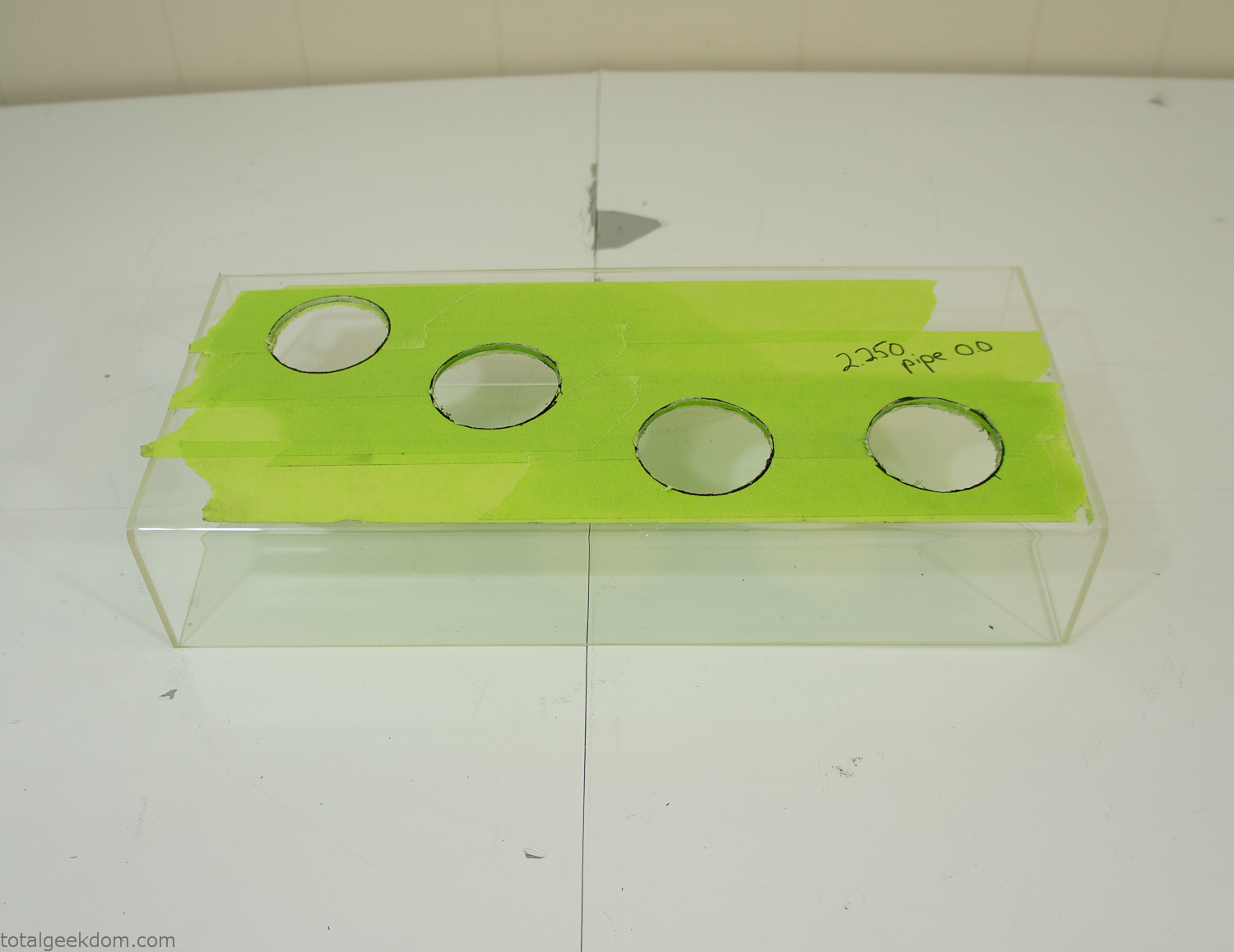
Acrylic Case Modifications
I placed the tubes into the acrylic case and mounted it in the computer and test fit the placement and height of the tubes. After getting everything lined up and oriented correctly I moved towards bonding the acrylic together. Using a needle dropper applicator I applied the cement to all the joints. After letting it set overnight I came back the next night and applied a thin coating of clear silicone caulk around all the joints just to ensure they were completely water tight
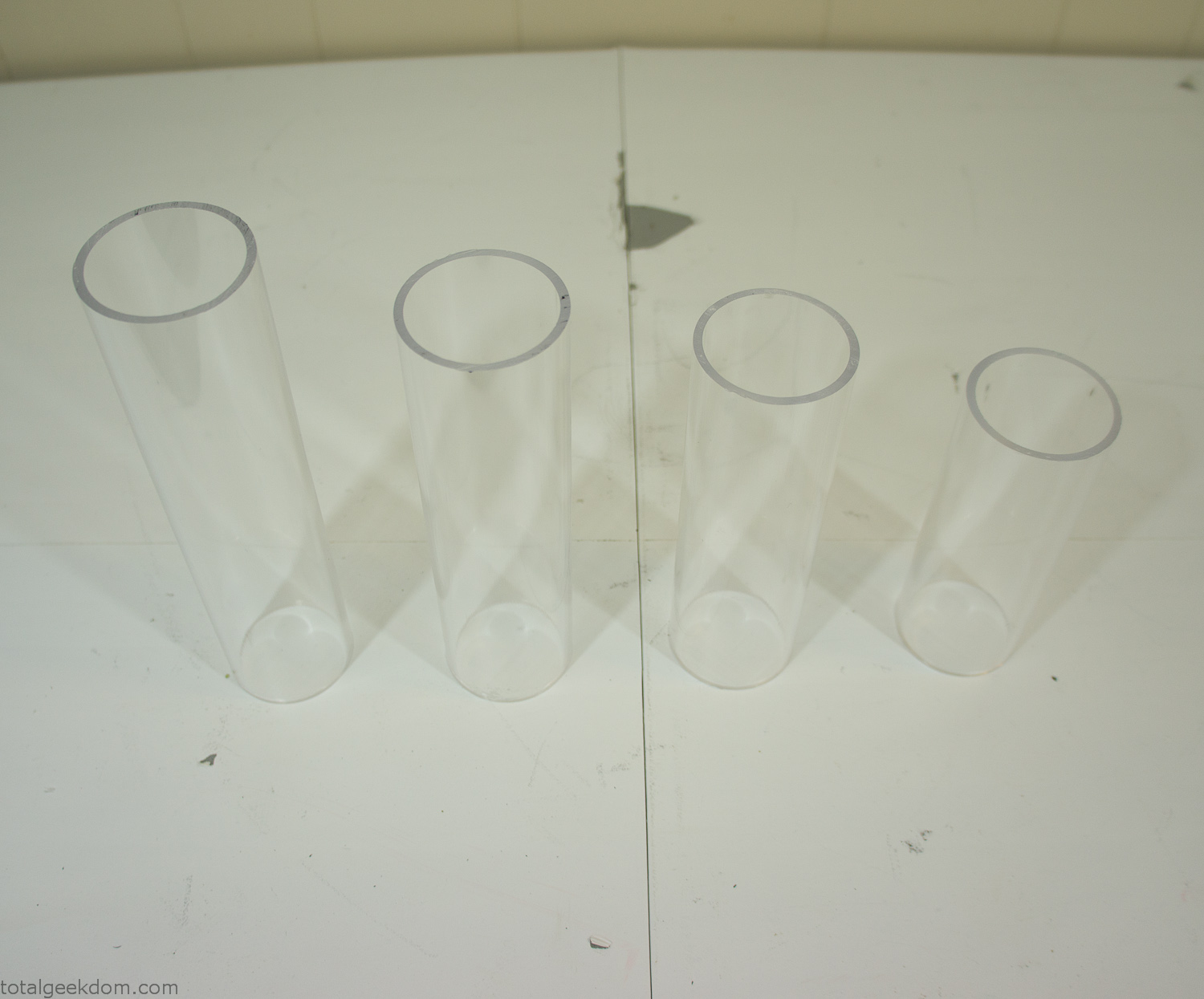
Acrylic Tubes
The next step was sealing up the bottom of the acrylic tubes. I looked at a couple of different options before realizing that the discs I had cut out of the acrylic case to fit the tubes would be almost the perfect size. Using a bench grinder and a test piece of tube I slowly ground each disc to the perfect size for a tight fit all the way around. I placed the clear acrylic discs into the bottom of each tube and repeated the same cementing and silicone caulking procedure to ensure they were water-tight. After a couple of days’ worth of drying I tested the case by filling it with water overnight and checking in the morning to make sure that no leaks had popped up.
In order to hold the weight of the acrylic case after adding soil, I drilled and installed a machine screw with a rubber cap at each corner of the computer case to bear the weight of the acrylic case.
Once all the work was done with the acrylic case section I started reinstalling all the components. The motherboard, hard drive and power supply were added and then wired up.
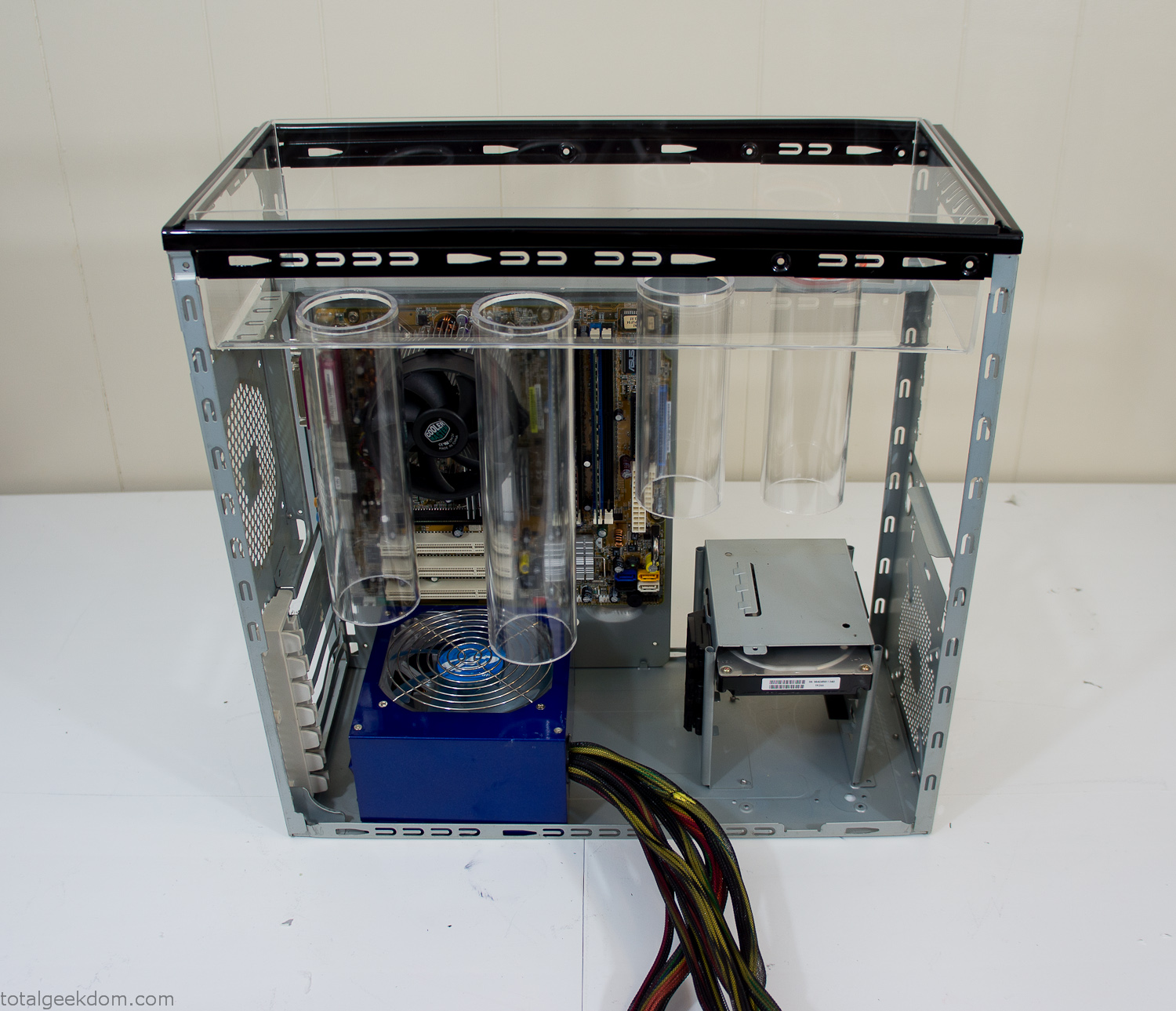
Mocked Up Computer Case
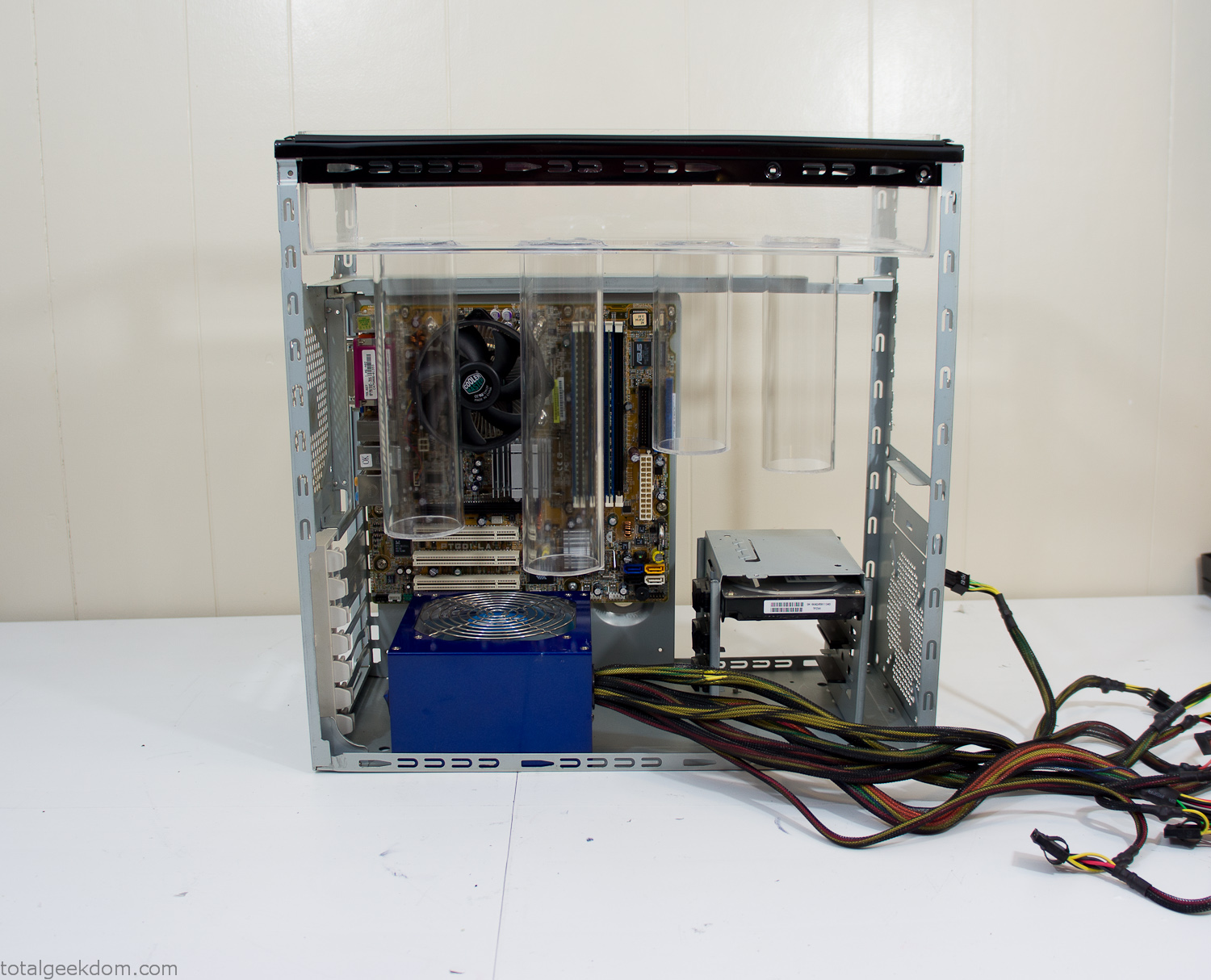
Power Supply Mockup
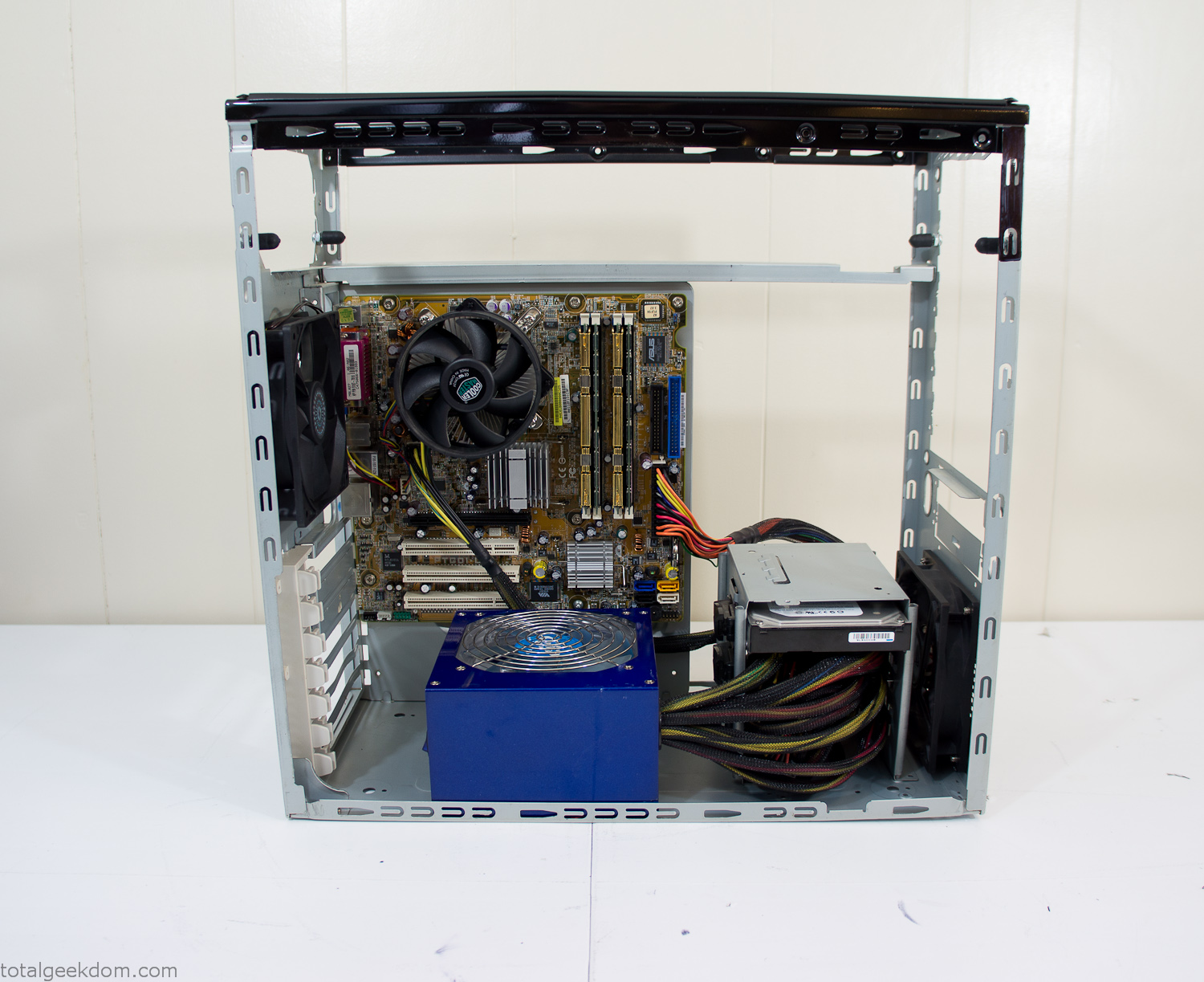
Computer Components Wired
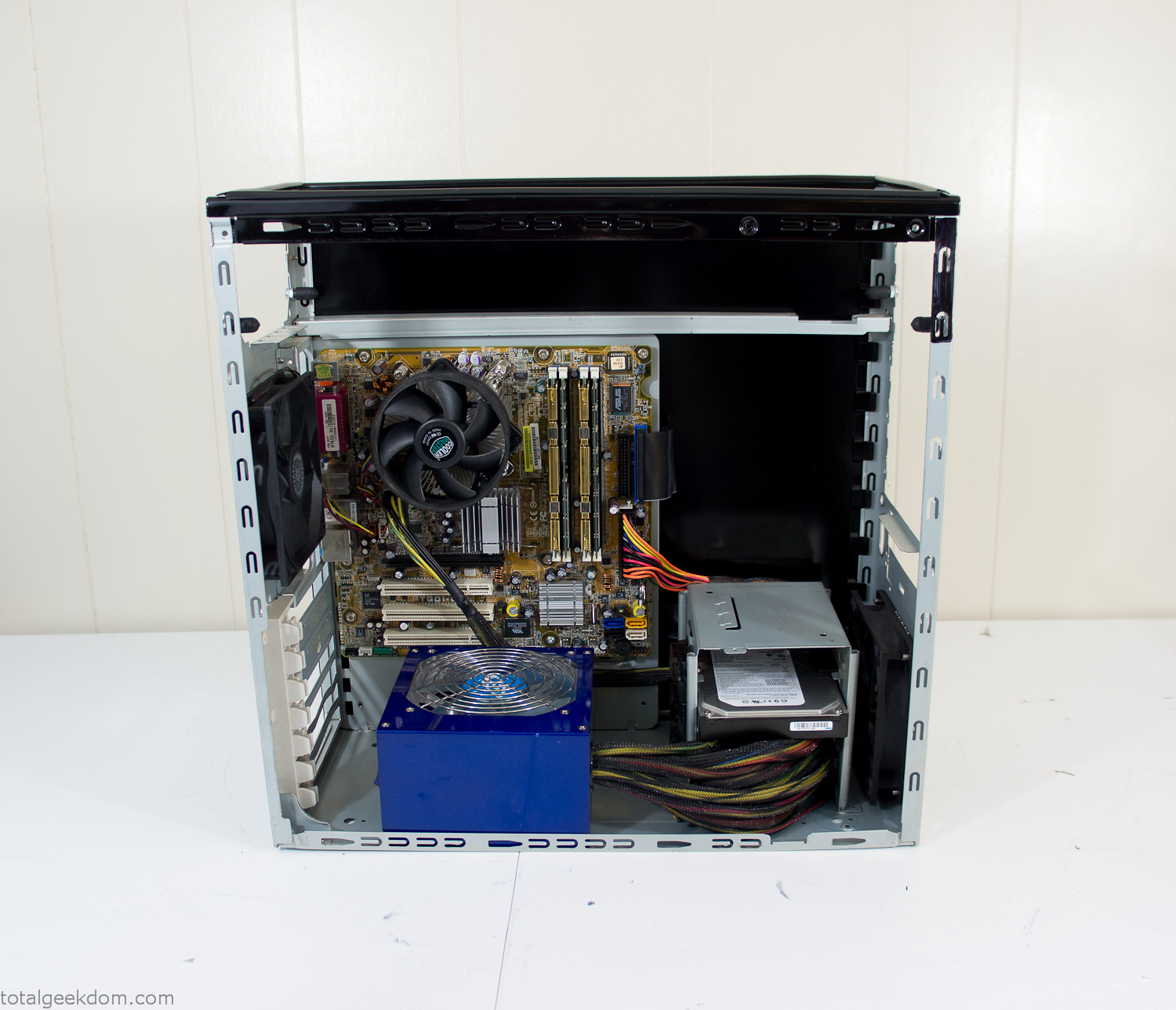
Case Panel Installed
At this point all that was left was to make a clear panel for the side of the case. I had some left over acrylic sheets from a different project that were really close to the right size, after test fitting, marking and cutting I then had a clear side panel to see into the case. (I left this off for the pictures because it caused a reflection)
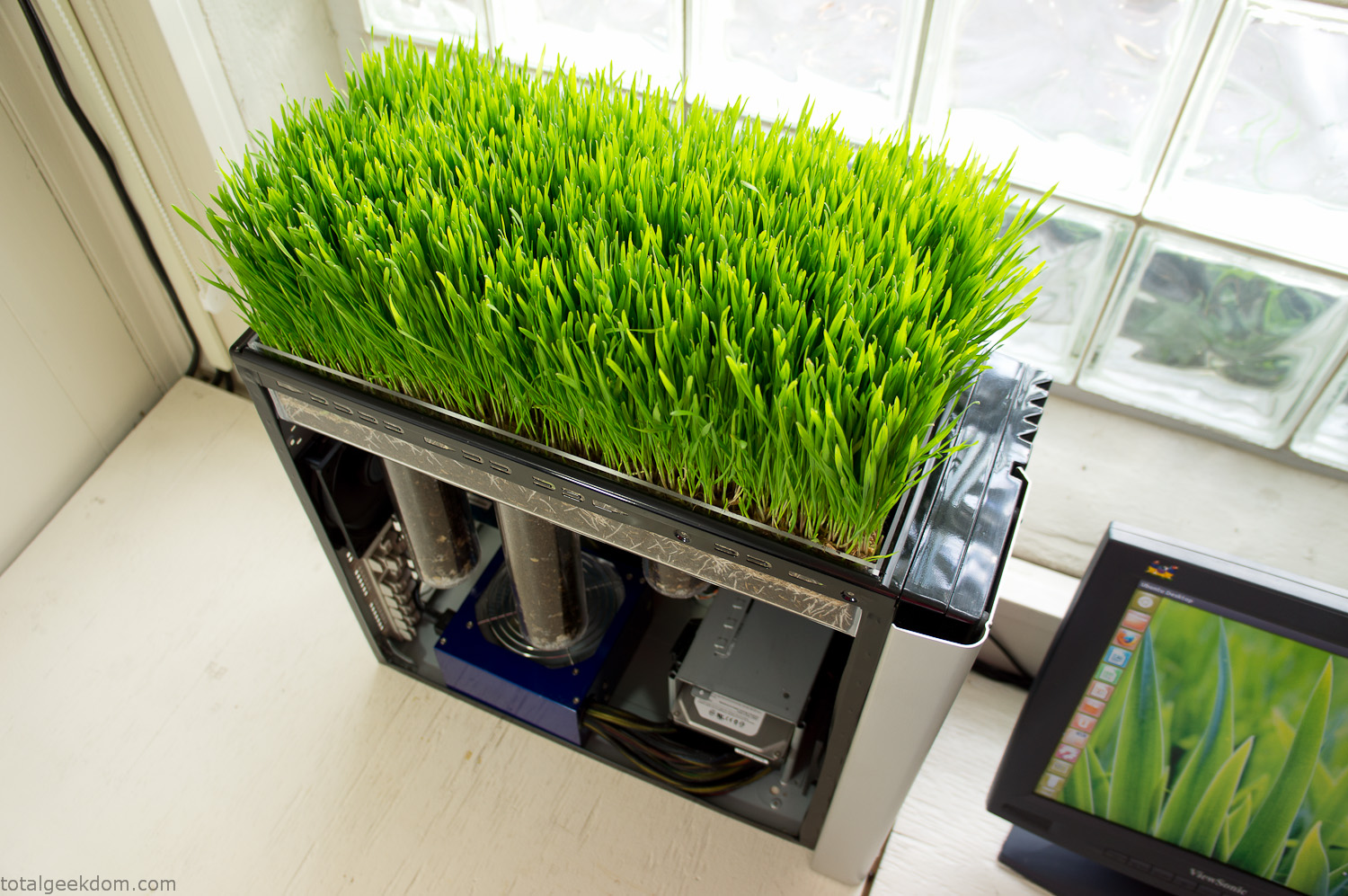
The final step was filling the case with soil and adding some wheatgrass. I had been test growing other samples of wheatgrass during the build process. So I had already a couple of different patches of grass growing. I tried to keep the soil level just below the top of the acrylic case edge to make it a little more seamless.
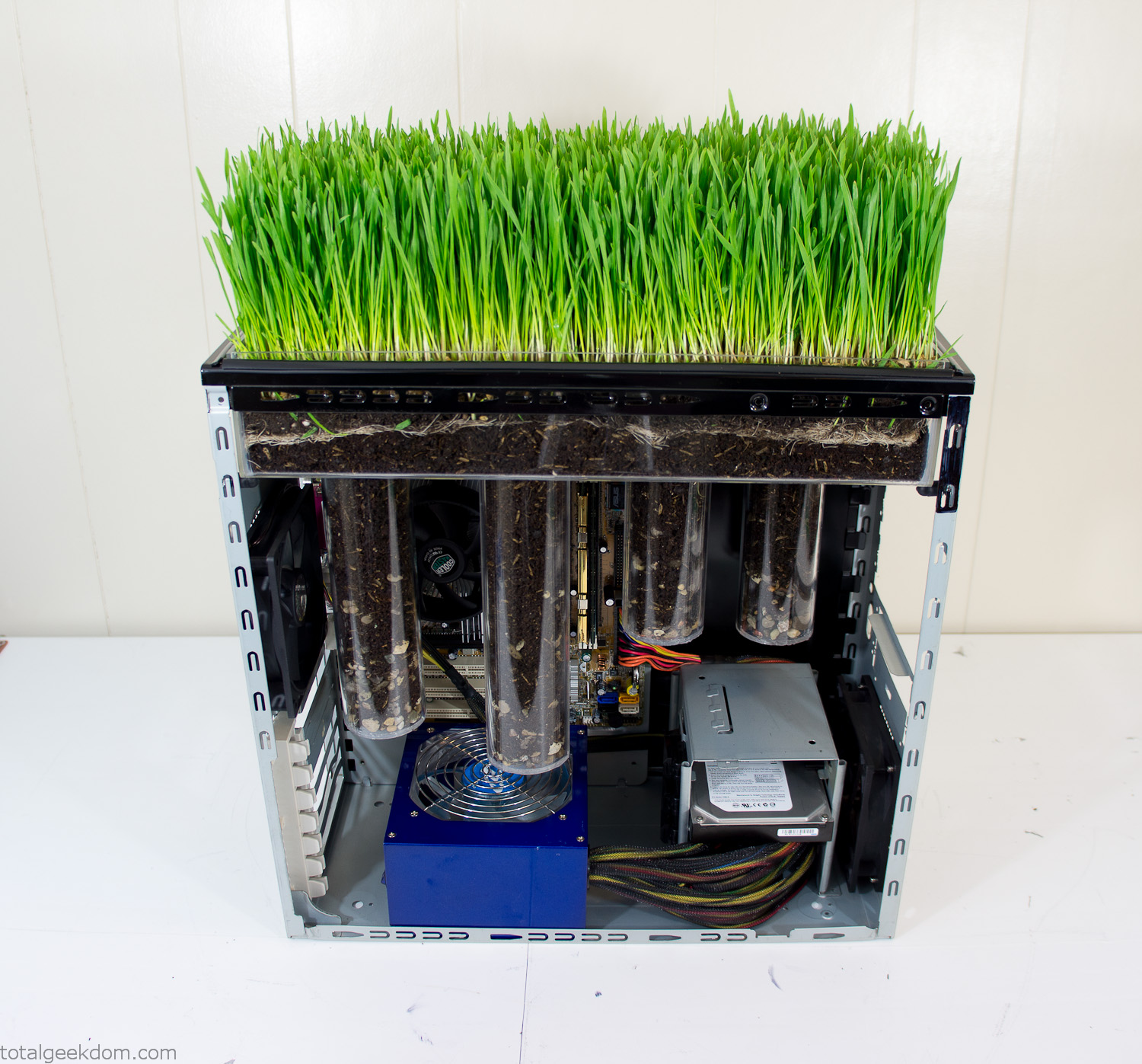
Grass Planted in Computer
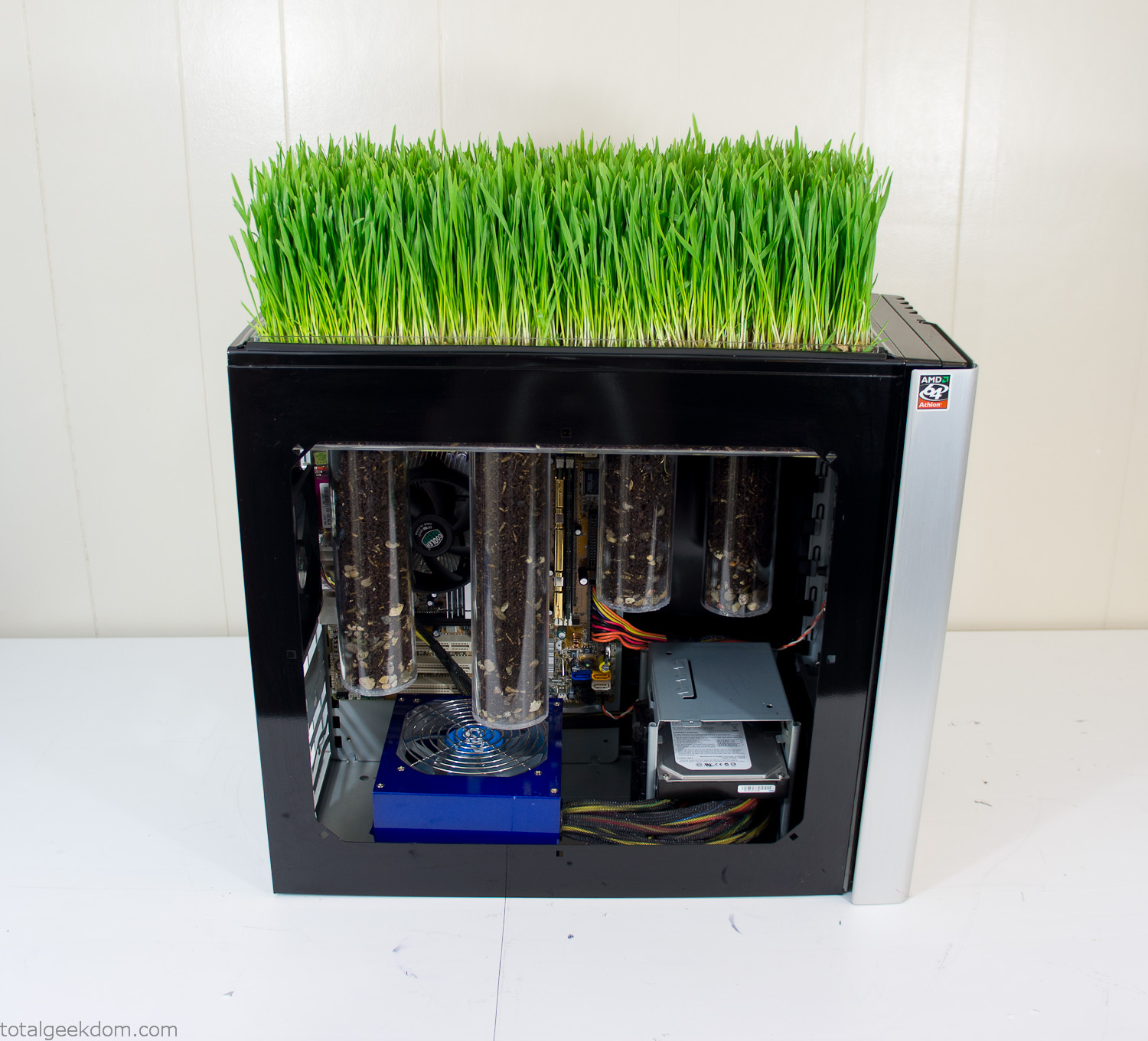
Grass and Case Panel Installed

Grass in Computer
For the computer itself I ended up installing Windows as well as Linux in a dual boot setup. Since the computer was going to be used by my son as something to play with I figured I should put both on there so he can tinker with them and learn as he goes. Besides, for important life decisions like picking an OS (Operating System) I think any good parent should present the options and then let their kid decide for themselves.
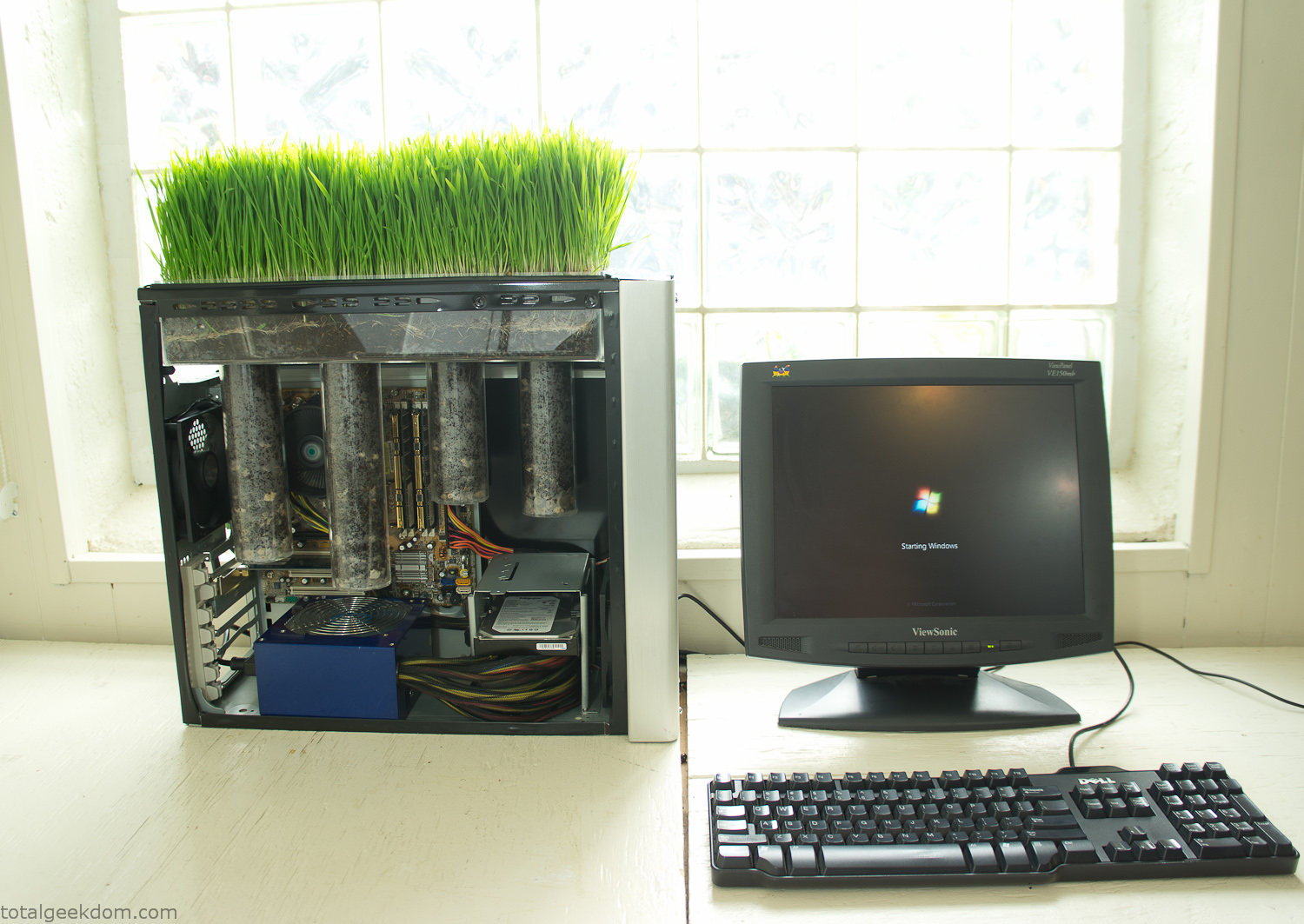
Starting Windows
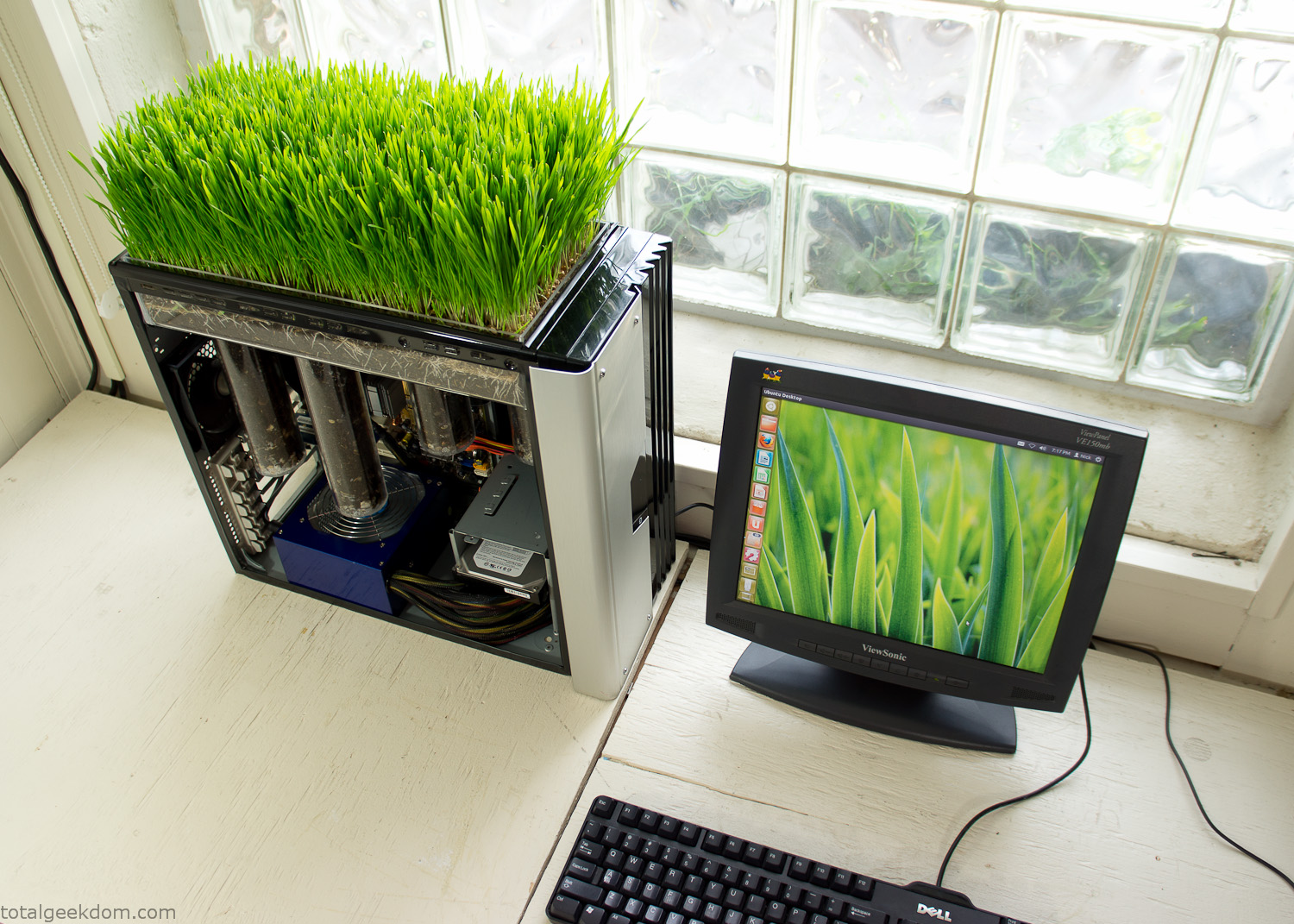
Linux Running
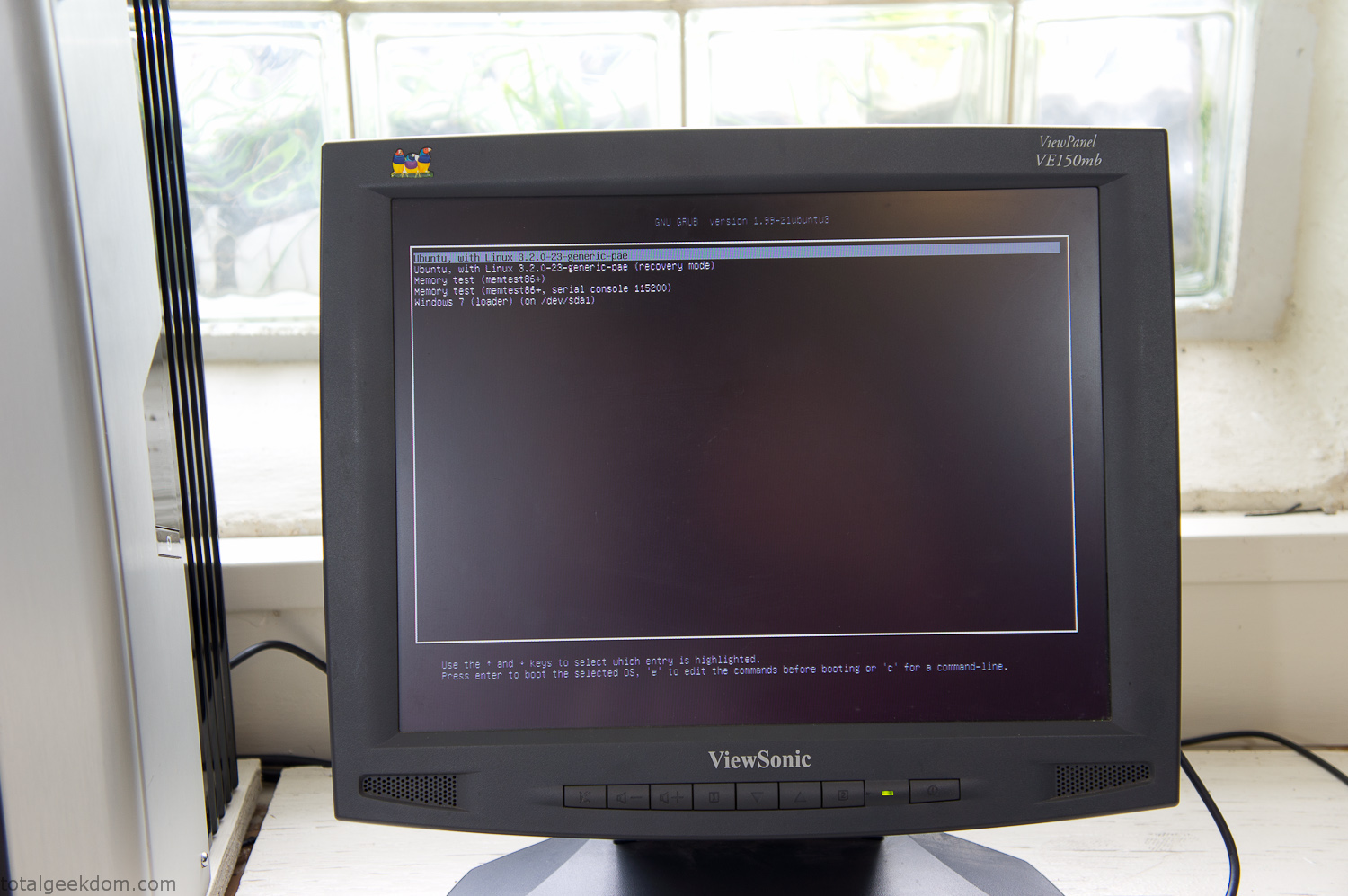
Dual Boot Screen
In the end I’m happy with the result of the project. It’s been fun experimenting with growing wheatgrass and I like how the natural look of grass is blended with the very modern, inorganic case.
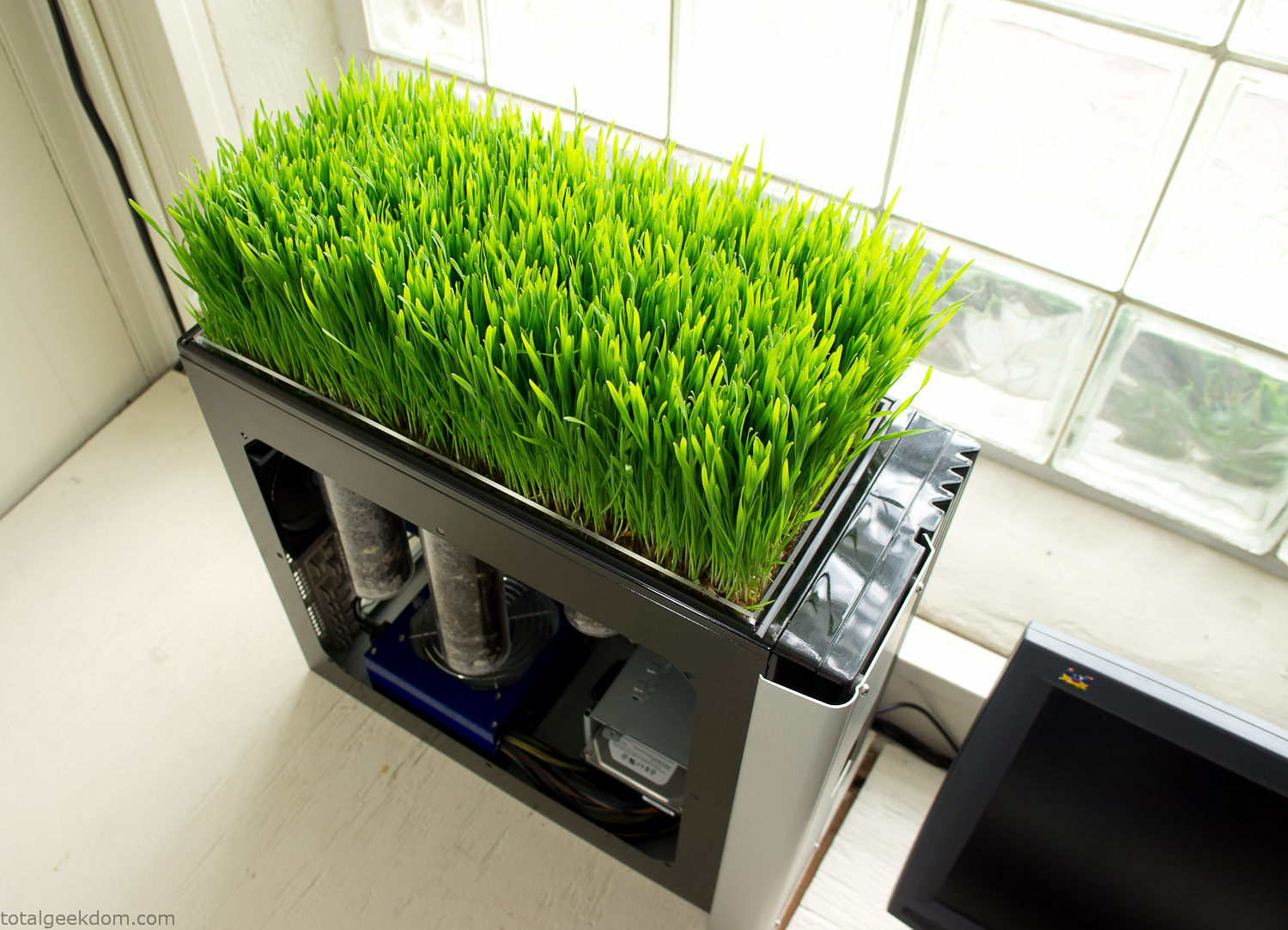
Computer Grass Growing
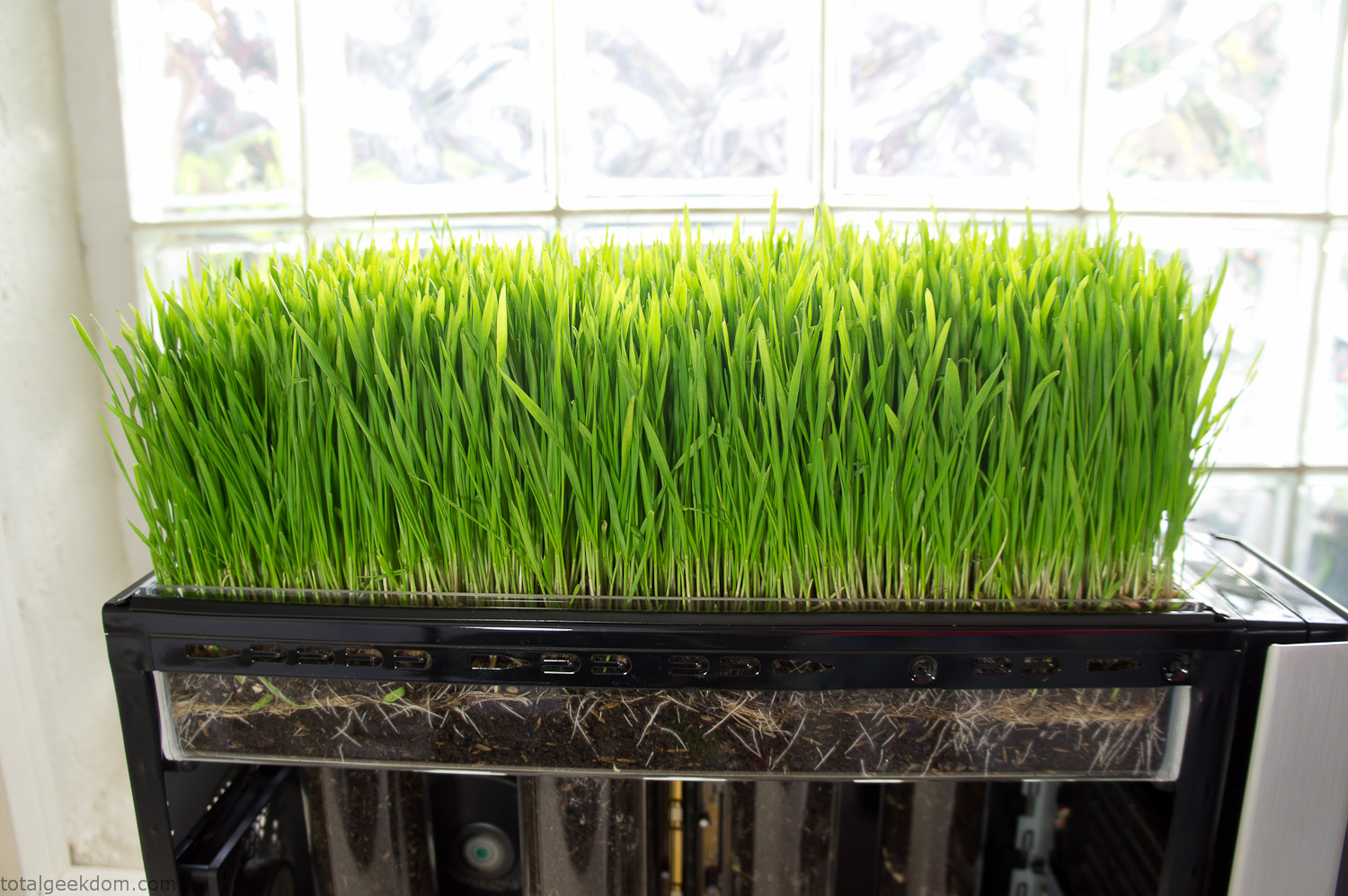
Grass in Computer Section
Notes
Temperature Testing
In testing the case temperature versus the soil temperature I found it was easiest to control the case temperature by using a variable fan speed control on both the inlet and outlet fans. By turning the fan speed down I could increase the temperature inside the case and correspondingly raise the soil temperature.
In order to maximize output of heat during these tests I used Prime95 to run the CPU at 100% load.
Using this method to control the case and soil temperature I played around with adjusting the soil temperature and then tracking the rate of growth of the Wheatgrass. The target temperature for peak growth seemed to fall around 66°F (19°C).
Using the fans to control the case temperature allowed me to vary the temperature inside the case from a low of 75°F (24°C) to a high of 91°F (33°C). In order to achieve the desired increase in soil temperature, I had to run the case temperature toward the higher end of the scale.
When the soil temperature was too high, the growth of the wheatgrass would slow.
Wheatgrass
The wheatgrass I used for my tests was nothing special, it can be found as seeds (berries) in a lot of health food stores and it grows relatively easily.
Caring for the wheatgrass is just a matter of keeping it watered. It’s a pretty easy plant to work with and doesn’t require any special skills.
Wheatgrass is often used as a nutritional supplement; it can be juiced and mixed into smoothies and other beverages. I plan on harvesting some of the grass and making some juices.
Plant Options
While wheatgrass offers a nice, attractive and easily grown option I do plan on trying other plants as well in the future. Since I already have the “planter” built all I have to do is add a different plant and see how it goes. I’m sure there will be some plants that don’t like the lower light environment, but it will be fun experimenting with other plants as well and seeing how they take.
Materials
Donated Computer- Free
Clear Acrylic Display Case- $5
Clear Acrylic Tube- $5
Plexiglass Side Panel- Free
Total- $10
Bio Computer Running
 29.2k
29.2k
 13.2k
13.2k 7.1k
7.1k

 2.1k
2.1k 813
813 2.6k
2.6k
Comments 54,415
pericarditis colchicine aafp colchicine overdose wikem colchicine 0.6 mg price
colchicine dose in pericarditis colchicine where to buy is colchicine a prescription drug
colchicine dose in elderly
colchicine for gout attack dosing cost of colchicine colchicine bleeding risk
colchicine toxicity symptoms usual dosage for colchicine can you buy colchicine
Astrologers named 6 signs of the eastern horoscope that will be lucky in April
https://x.com/Fariz418740/status/1908917832265392277
https://telegra.ph/Best-Casinos-Not-on-Gamstop-for-Safe-Online-Play-03-27
https://telegra.ph/Non-Gamstop-Casinos-Trends-and-Options-in-2020-03-27
Medication information. Short-Term Effects.
unlocking the benefits of clopidogrel 75 mg a comprehensive guide
Everything information about medicine. Read information now.
https://telegra.ph/Guide-to-the-Best-Non-GamStop-Casinos-for-Players-03-27
https://telegra.ph/Casino-No-Deposit-Bonus-Options-Outside-GamStop1-03-27
can you get cheap minipress pill
https://telegra.ph/Safe-Online-Casinos-in-the-UK-Without-GamStop-03-27
https://telegra.ph/No-Gamstop-Casino-Options-Available-in-the-UK-03-27
Meds prescribing information. Generic Name.
buying ipratropium online
Best information about meds. Get information now.
снять офис в Ташкенте Аренда офиса в Ташкенте – важный шаг для развития бизнеса. Найти подходящее помещение, отвечающее всем потребностям компании, может быть непростой задачей. Рынок коммерческой недвижимости Ташкента предлагает широкий выбор вариантов, от небольших кабинетов до просторных офисных центров. Если вы стремитесь к престижному расположению и удобной транспортной доступности, аренда офиса в центре Ташкента станет оптимальным решением. Центральные районы города характеризуются развитой инфраструктурой, наличием банков, ресторанов и других необходимых сервисов.
canadian doctors that take prednisone prednisone for sale near me prednisone dose pack directions
what medicine can you buy over the counter like prednisone prednisone 1 mg daily purchase prednisone sale
where can i buy over the counter prednisone
buy prednisone 5mg tabs in bulk picture of prednisone dose pack cost of generic prednisone without rx
buy enteric coated prednisone canada prednisone to buy can i buy generic prednisone price
На сайте https://pohudetlegko.ru/ представлена исчерпывающая, актуальная и полезная информация о том, как похудеть правильно, без вреда для организма и максимально эффективно. На сайте вы найдете вдохновляющие истории, советы звезд, которые выглядят младше своего возраста. Есть рецепты блюд, которые созданы из полезных, вкусных ингредиентов. Но при этом они помогут скинуть вес и привести себя в форму к летнему сезону. Рецепты простые и быстрые, а потому справиться с приготовлением пищи сможет каждый. Описаны и упражнения, обертывания для похудения.
https://telegra.ph/Explore-the-Best-Non-Gamstop-Casino-Games-Today-03-27
На сайте https://t.me/rahvalskiy вы сможете ознакомиться с информацией о компании, которая занимается продвижением сайтов «под ключ». Вы сможете воспользоваться всеми комплексными рекламными услугами. В компании работают лучшие, компетентные сотрудники с огромным стажем, а потому они реализуют проект любой сложности и по лучшей стоимости. Для сотрудников нет неисполнимых задач. Они работают независимо от темы проекта и в строго указанные сроки. Можете не сомневаться в том, что получите результат, на который рассчитывали.
https://telegra.ph/Best-Non-GamStop-Casinos-Accepting-PayPal-Payments4-03-27
Благодаря финансовому блогу Апостолиди у вас есть возможность к ценным рекомендациям получить доступ. Мы делимся личным опытом, простым языком объясняем сложные темы. Гарантируем актуальность и достоверность информации. Вы узнаете, как новый торговый счет на Forex открыть. Ищете экономические новости? – здесь есть авторские статьи по финансовым вопросам. Вам необходимо авторизоваться для отправки комментария. Материалы по темам разделены, это поиск нужной информации упрощает. Изучайте уже сейчас блог Апостолиди, который является полезным. Финансовая грамотность – это просто!
where to get cheap flexeril tablets
Medicament information sheet. What side effects?
can i buy cheap phenytoin without prescription
All information about medicament. Get here.
Online casinos need to stop targeting vulnerable people with ads. tom of madness
get cheap celexa without insurance can i get cheap celexa for sale get cheap celexa without insurance
buy generic celexa no prescription how can i get generic celexa tablets how can i get celexa without dr prescription
order cheap celexa price
buying generic celexa prices can you get celexa without prescription buy generic celexa without dr prescription
where buy generic celexa without rx buy generic celexa price where to buy cheap celexa tablets
I’m shy on online—shaky feel! plinko
I don’t get why online gambling gets such a bad rap! legacy of dead
The live dealers online rule—true vibe! plinko app
Дешевое такси Болгария Служба Такси Эклипс предлагает доступные трансферы из аэропортов Бургас, Варна, София и Белград до популярных курортов Болгарии. Встреча с табличкой, помощь с багажом и комфортная поездка до места назначения. Обслуживаем Солнечный Берег, Созополь, Банско и другие направления. Для групп от 5 человек – специальные условия!
My family always say that I am killing my time here at web, however I know
I am getting familiarity all the time by reading thes nice posts.
Лучшая подборка площадок быстро продать скины дота 2. Процесс продажи вещей занимает не более 10 минут. Цены выгоднее чем в стиме с выводом на карту или криптовалюту. Большое количество отзывов от реальных пользователей проверенных временем.
{therefore|so|therefore}, at #file_links[“C:\Users\Admin\Desktop\file\gsa+en+Phoenix5k10k20k40k603P2URLBB.txt”,1,N] you {can|can|will} {enjoy|enjoy|admire} all the possibilities {at any time|at any time|at any moment} and {for|in} {any|significant|extensive} place, {for now|when} {your family has a stable Internet connection.
Medicines information for patients. Long-Term Effects.
cost generic aldactone prices
Everything about medicament. Read information now.
https://winsystem.xyz/2024/12/11/samye-dorogie-brendy-v-mire/
I don’t trust online odds—weird! gates of olympus
where to get cheap minomycin no prescription
The online thrill bites—stay firm! plinko
https://myanimelist.net/profile/PODMOSKO
На сайте https://ooomila.com изучите каталог такого оборудования, которое предназначено для организации животноводческих комплексов. Также вы сможете почитать и содержательную информацию о компании и ее достижениях. В каталоге вы найдете следующее оборудование: технологические линии, весовое оборудование, резиновые маты, крематоры и многое другое. На технику, которая находится в разделе, действуют гарантии. Несколько сотен единиц оборудования всегда находятся на складе, можно приобрести под заказ.
https://telegra.ph/Non-Gamstop-Online-Casino-Lightning-Roulette-Guide1-03-27
Online casinos can trap—limit up! aviator game
Visit https://reviewspoty.com/ and you can easily collect reviews by integrating with your existing technology and e-commerce platforms. Increase sales and reduce marketing costs with reviews. Learn more about us and what we offer, as well as pricing and a free trial.
generic mobic for sale can i purchase generic mobic without insurance buying mobic price
how can i get mobic without prescription where buy cheap mobic without a prescription how can i get cheap mobic tablets
can i get cheap mobic tablets
can i buy generic mobic without prescription how to buy generic mobic no prescription where can i buy mobic price
where to buy mobic generic mobic without rx can you buy generic mobic price
I don’t get online shade—it’s fine! razor returns
https://telegra.ph/Mobile-Credit-Payments-for-Non-Gamstop-Casino-Games2-03-27
I won big online—pure thrill! plinko
Что такое «Порту Пати» в Дубае и почему об этом говорят все
https://x.com/Fariz418740/status/1908767851009163415
Medicines prescribing information. Long-Term Effects.
can you buy cheap imodium online
Best information about meds. Get here.
https://telegra.ph/Discover-New-No-Deposit-Bonuses-at-Non-Gamstop-Casinos-03-27
Do you mind if I quote a couple of your articles as long
as I provide credit and sources back to your website?
My blog is in the very same niche as yours and my users would truly benefit from some of
the information you present here. Please let me know if this ok with you.
Cheers!
The slot rush online grips—hold on! minas
https://telegra.ph/Top-Non-Gamstop-Casinos-in-the-UK-for-Safe-Betting-03-27
The live games online shine—big fan! razor returns
can i order generic lincocin no prescription
https://telegra.ph/Non-Gamstop-Casino-Reviews-for-Safe-Gaming-03-27
https://telegra.ph/Fresh-Non-Gamstop-Casinos-for-2023-Players-03-27
where can i buy generic amaryl no prescription how to buy cheap amaryl no prescription can i get amaryl for sale
can i purchase amaryl without a prescription can i purchase generic amaryl without a prescription can i buy cheap amaryl no prescription
how to get amaryl price
where to buy generic amaryl prices can i purchase cheap amaryl without insurance where to buy generic amaryl
where to get cheap amaryl pill where can i buy generic amaryl tablets can i get amaryl tablets
Medicament prescribing information. What side effects?
singulair for sale
Everything what you want to know about medication. Get information here.
https://telegra.ph/Best-Non-Gamstop-Casinos-to-Play-in-2021-03-27
Online casino ads are everywhere—hard to escape them! sugar rush
https://telegra.ph/Pay-by-Phone-Non-Gamstop-Casinos-in-the-UK-03-27
На сайте https://rodinasportsclub.com/ вы найдете информацию, которая касается спортивно-развлекательного клуба «Родина». Каждый желающий получает возможность записаться на тренировку по боксу, которая подходит как новичкам, так и более опытным спортсменам. Вас заинтересуют тренировки по рукопашному бою. Перед вами расписание предстоящих матчей на апрель. Ознакомьтесь с ними сейчас, чтобы построить планы. Также имеются и отчеты по прошедшим соревнованиям. Опубликованы разные новости из жизни клуба.
https://telegra.ph/No-Deposit-Casinos-in-the-UK-Not-on-GamStop1-03-27
where can i get generic pamelor price
https://dzen.ru/a/Z-wZzKk7V2mgAjD3
https://telegra.ph/Expert-Reviews-of-Non-Gamstop-Casino-Options-03-27
Meds prescribing information. Long-Term Effects.
mirtazapine interactions side effects
Everything trends of medicine. Read now.
Судоходная компания Навигатор https://teplohod-restoran.ru/ это возможность организовать праздник на воде в Санкт-Петербурге. Свадьбы, дни рождения, корпоративы, выпускные, а также банкеты и фуршеты. Мы комплексно подходим к организации любого события. Посетите сайт, посмотрите наш флот и стоимость аренды судов, яхт, катеров, теплоходов.
lisinopril 30 mg cost lisinopril dosage and uses where can i get generic lisinopril pills
lisinopril tablet appearance order generic lisinopril for sale can lisinopril cause death
where can i buy lisinopril online
lisinopril 2.5 mg tablet picture where to buy generic lisinopril price can lisinopril cause high blood sugar
where can i buy generic lisinopril no prescription order cheap lisinopril price over the counter lisinopril substitute
Are online reviews legit?—hard say! bet on red
https://telegra.ph/Benefits-of-Non-Gamstop-No-Deposit-Casinos-03-27
кайтсёрфинг в хургаде
Спасибо за “цветочное” настроение – получатель улыбался весь день!
букет цветов томск