
With every passing project I feel like my basement is being converted from a living only area, to a work and project area. Computers being built, gadgets being taken apart, Lego projects all around. I’m not complaining by any means, but I do feel as my basement becomes populated with more and more tech based projects that the environment is missing something organic, something natural to balance things out.
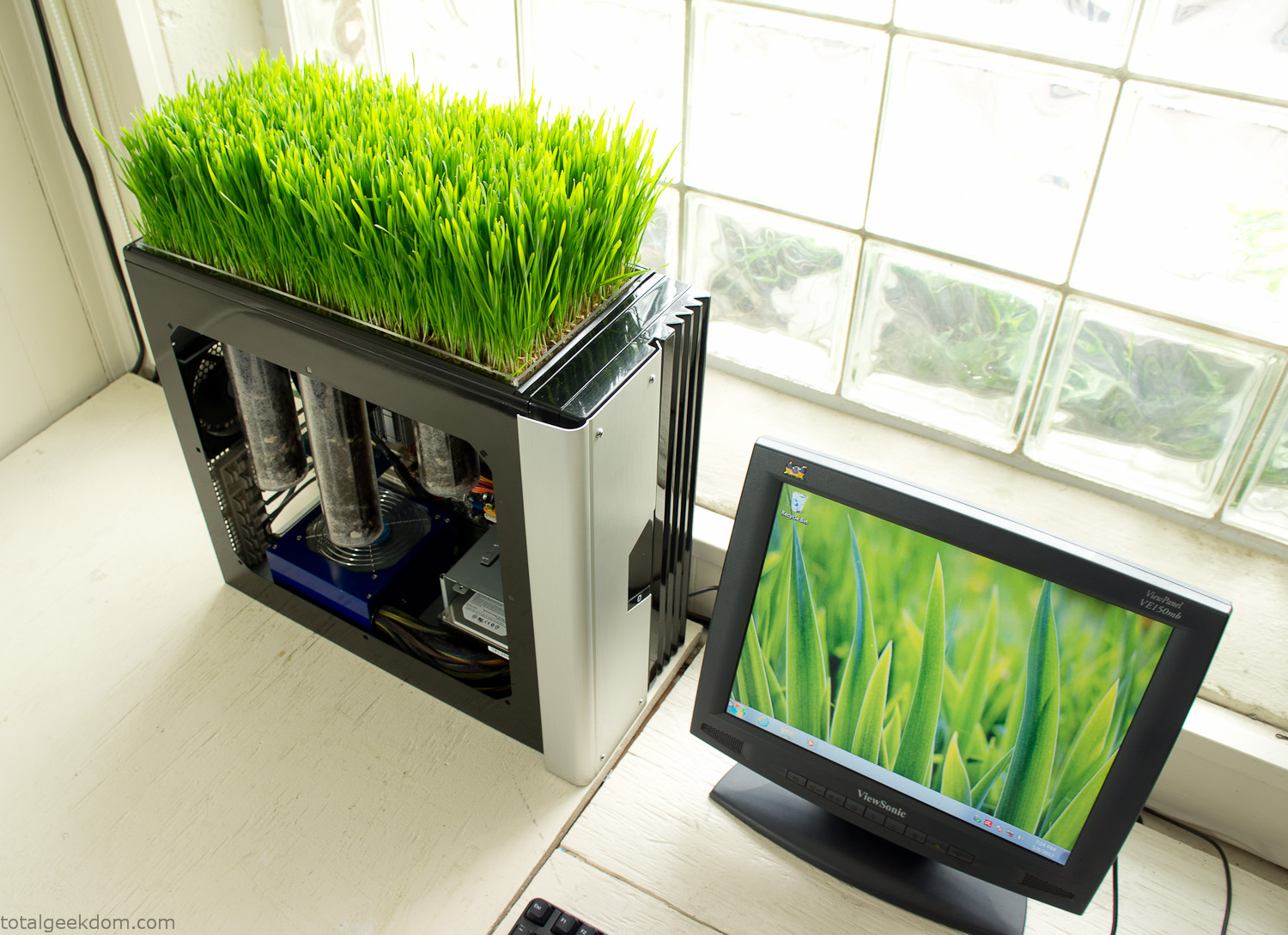
Bio Computer
I’ve been interested in working on a project for while that would combine something tech-based with something organic. Mixing the two elements intrigued me for a while. I’ve wanted to add flowers, or maybe plants of some sort to blend a little bit of nature into the space. I do receive a bit of sunlight through a glass block window, but the temperature in the basement is usually on the colder side. In the winter I don’t really heat the space because the folding farm outputs enough heat to keep the temperature comfortable. I didn’t want to change that aspect so I needed to come up with something that would tolerate slightly cooler temperatures and limited sunlight.
I can’t exactly recall when the idea came to me, but at some point I started wanting to use the heat from a computer as a way to warm the soil and help with germination/growth. I’m about as far from a botanist as it comes, I did some reading online and became pretty interested in the effects of soil temperature on germination/growth. I read different studies and papers from various universities. It was not too long into that process that I became hooked on the idea of using computer heat as a way to control the soil temperature of some sort of living plant life.
As the idea developed further I started looking into wheatgrass as a plant option. There is something clean and natural about the look and idea of a piece of grass growing in my basement. I thought the look would alter the space a little bit and add a bit of color along with something more than just metals and plastics. After reading enough studies and papers on the effects of soil temperature and germination with wheatgrass I felt like I had a good enough handle on the basics to tackle this.
The first step was finding a computer to adapt for the project. Luckily I had a lot of donated computers that people had given me for various project purposes. Most of them didn’t work, but by cobbling together various components from a bunch of different old computers I was able to come up with enough good parts to make a working computer.
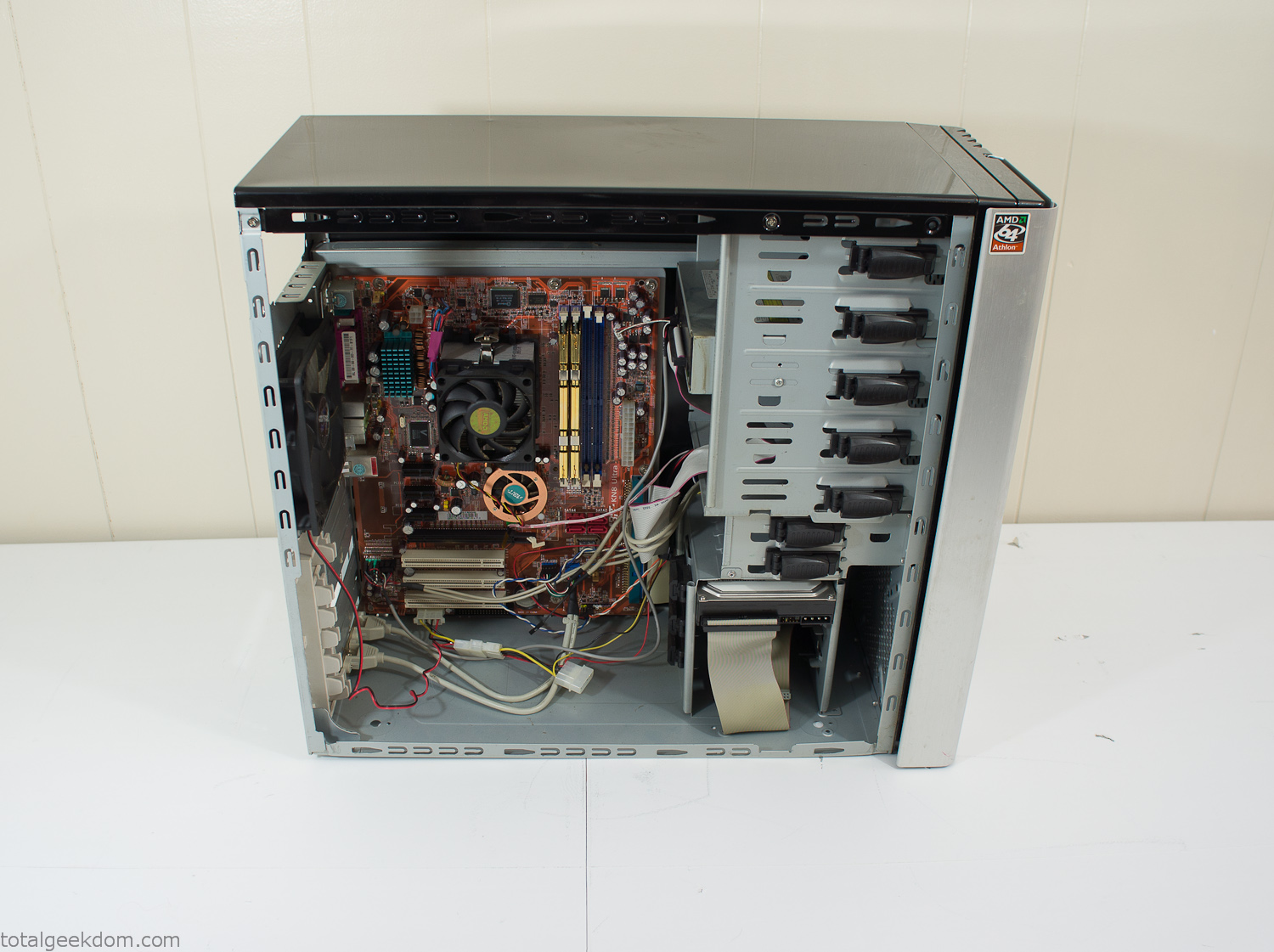
Donor Computer
At the time I was starting to get a formalized plan together for this project, another idea popped into my head. I’ve got a 5 yr. old who is already fairly geeky (just ask him to do his Jabba the Hutt impression for you) but he really does not get that much computer time. He’s getting to an age where he’s more inquisitive about tech stuff and I think he’s ready for his first computer. Since I was already well underway with this project it seemed like a perfect opportunity to orient the computer itself towards a learning tool for him in addition to using it as a way to blend something organic with a piece of technology.
With all of these goals in mind I started tinkering away. The computer hardware itself was nothing fancy, definitely outdated, but perfectly suited towards this project.
CPU- Pentium 4 (3 GHz)
Dell Factory Motherboard
Various Ram Sticks- 2gb
Old Maxtor 120gb IDE Hard Drive
Old FPS Power Supply
Donated Old Computer Case
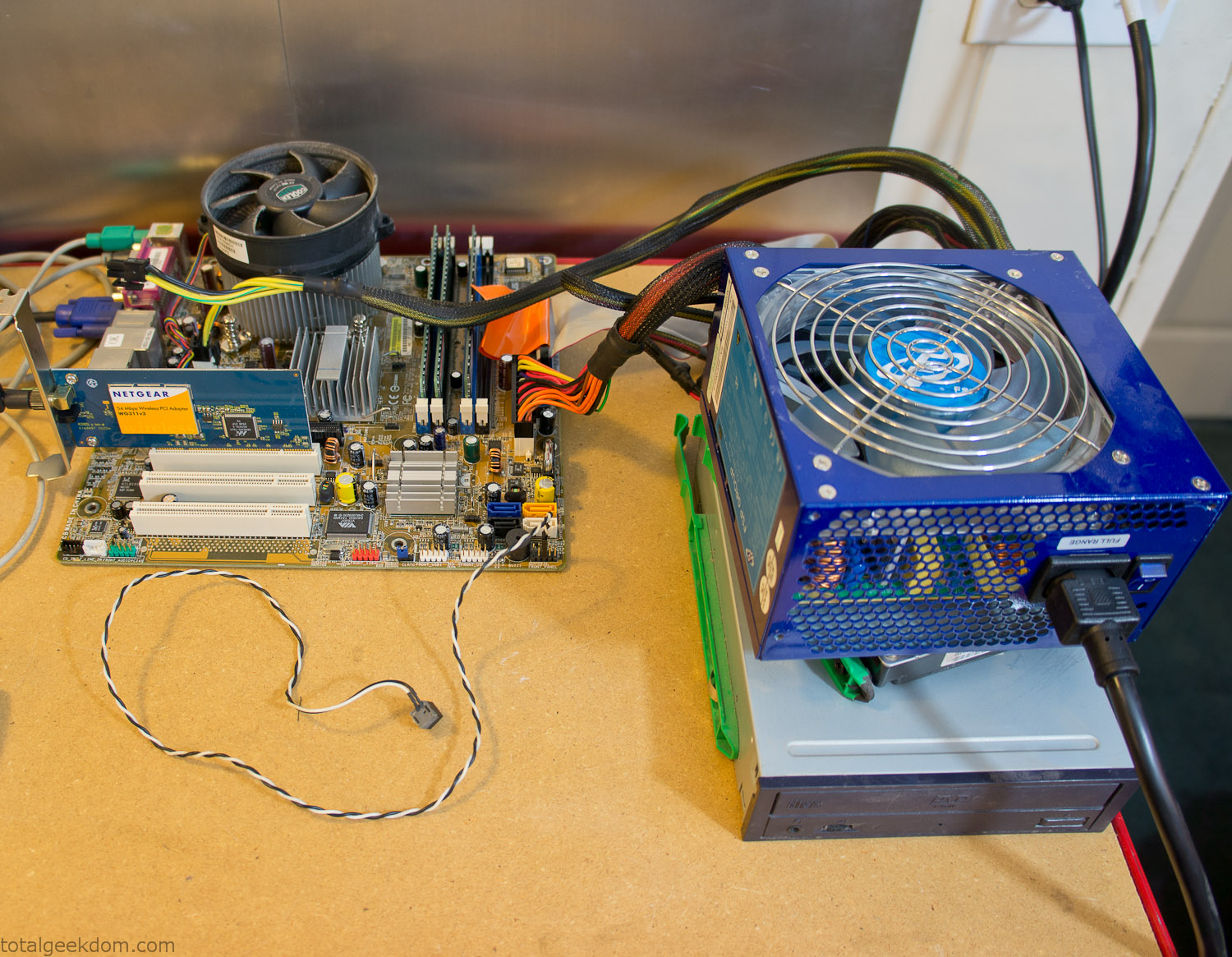
Computer Parts Testing
If you’ve spent any time around computer hardware in the last decade you’re probably well aware that Pentium 4 has a reputation for running hot. The 90nm Pentium 4 was named Prescott and it didn’t take long before the nickname Pres-hot popped up. In this case though that extra heat is going to be put towards good use.
Once the hardware was all in order I started working on the layout and arrangement for the case. I had originally envisioned the grass growing out of the top of the computer case. This seemed like it would provide a good blend between the hard edges of the computer and the soft feel of the grass. This also worked well with putting the soil area in the upper portion of the case, where the most heat should collect. After doing some initial tests with this configuration I found the measured temperature near the top of the case was the hottest. The placement of the CPU near the top of the case and the lack of airflow in that area contributed to these higher recorded temps.
After finishing with some initial tests I decided to completely strip the case down and start removing all the unnecessary brackets and pieces inside of the case. Like most computer cases all the internal brackets and mounts are riveted together, so I drilled all the rivets out of the components I wanted to remove and pulled them out. The gutted case looked pretty barren after being stripped.
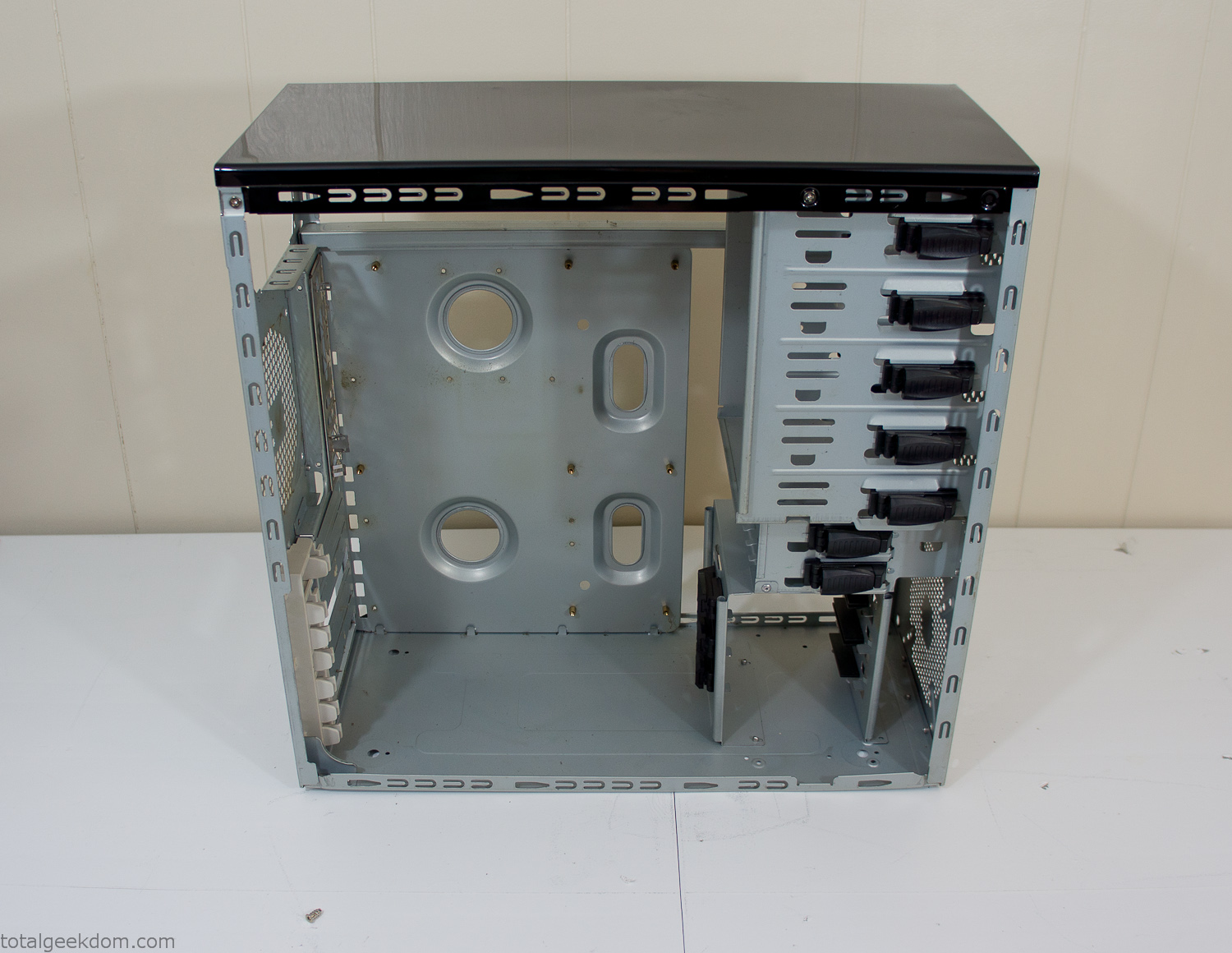
Empty Computer Case
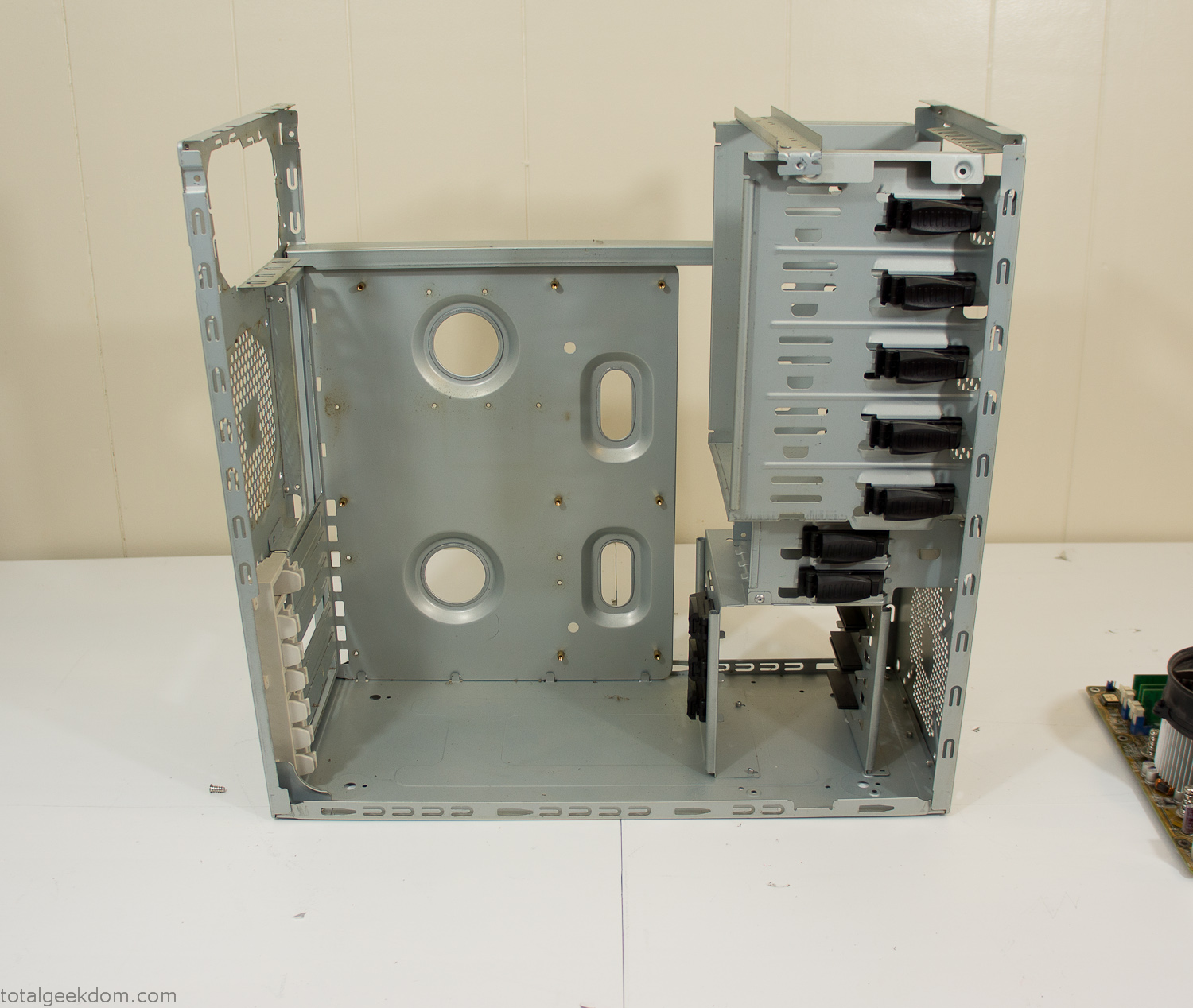
Dismantled Computer Case

Stripped Computer Case
In keeping with my original plan of having the computer blended with the organic grass I wanted it to be easy to see the inner workings of the computer and also the soil from the grass growing above. I needed something that was translucent, which left me with either glass or acrylic/polycarbonate as my options. I ended up choosing acrylic because I was able to find a cheap, used, die-cast model car display case top that was the perfect dimensions for the top of the case. Couldn’t go wrong for 5 bucks.
I test-fit the acrylic over the top of the computer case and marked my layout on the top of the case. My plan was to cut open the top of the computer case and insert the acrylic display case into the section I cut out. To cut open the top of the computer case I drilled a hole as a starting point and then used tin snips to cut through the thin gauge metal.
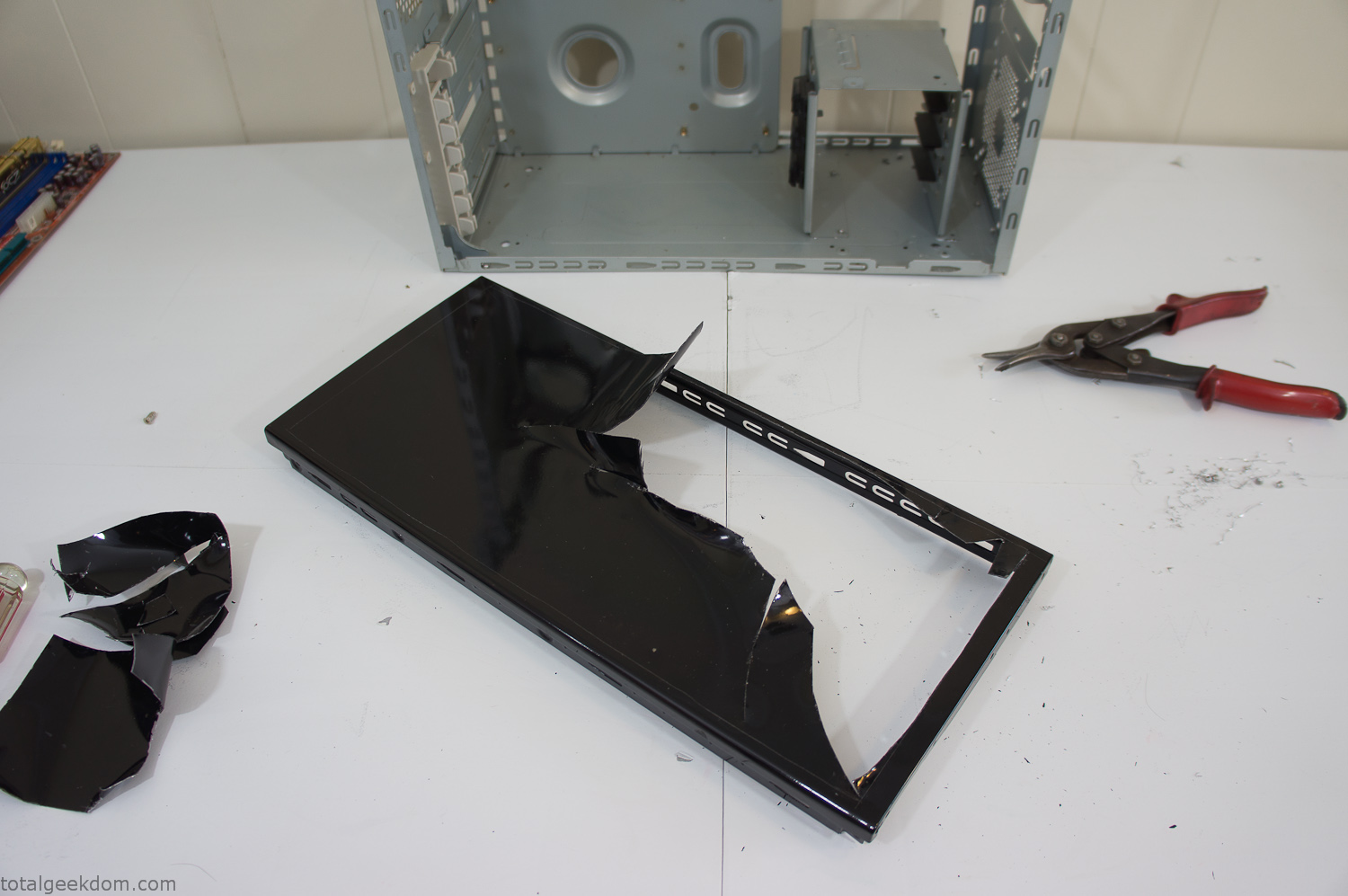
Computer Case Lid Modding
Once I had the metal opening cutout, I needed something to put along the edges of the freshly cut opening to create a clean and finished look. For $2 I was able to find some black, car-door-edge, plastic molding that worked perfectly.
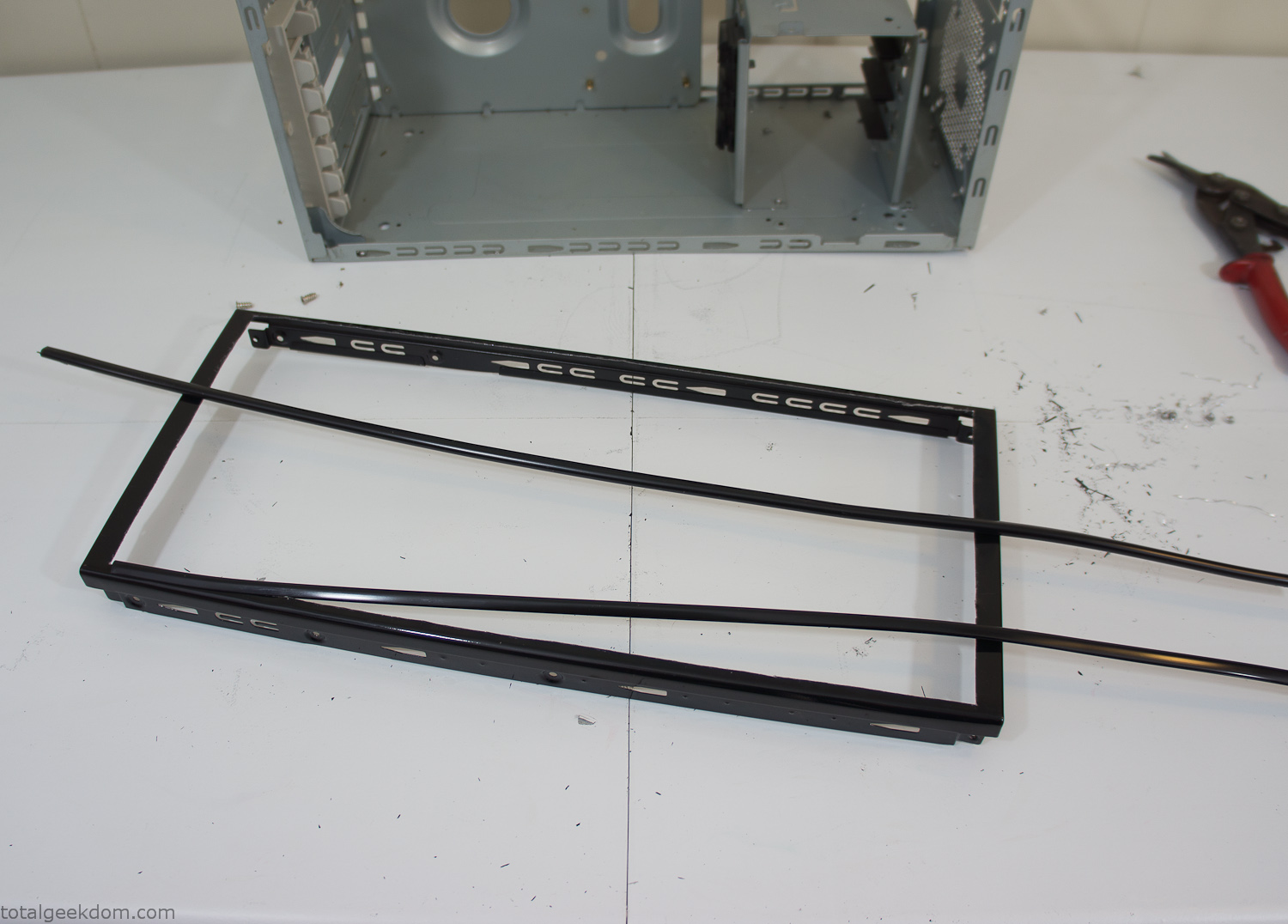
Modified Computer Case Lid
After getting the opening of the top of the computer handled and the acrylic case properly fitted, I moved onto some more testing with soil in the acrylic and the computer running. I wanted to see what kind of heat transfer I would get and how it would affect the soil temperature. I knew that using acrylic over glass would make it a little more difficult to heat the soil as acrylic is not that good at transferring heat. Luckily though I didn’t really need to alter the soil temperature that much, I just needed a little extra heat. Testing showed that heat transfer with just the single acrylic display case as my soil container was slow. So I decided to add some acrylic tubes. This would allow more surface are for soil to acrylic contact and also give me an area where I could add a mixed substrate to allow for soil drainage.
I went online and found a 3ft long section of 2 1/4″ clear acrylic tubing for $8 dollars. I wanted to add a couple of hanging cylinders off the main of the acrylic display case in the top of the computer case. To do this I needed to cut holes into the bottom of the display case. Cutting holes in acrylic is not always easy, it’s likely to chip and craze at the edges. To get around this I used a buildup of masking tape on both sides of the acrylic, to provide a little bit of resistance and strength. I placed the acrylic display case back into the computer and marked my layout for the tubes. I needed to leave clearance for the CPU cooler, power supply and hard drive mount.
After marking the layout, I used an air-powered pencil grinder and carbide tipped bit and cut through the acrylic case along my marked lines. After the initial shape was cutout I used a tube piece as a template and slowly worked on grinding the holes as perfectly round as I could get them so that the tube had a snug fit all the way around. The fit is pretty important as the acrylic cement that I used needs there to be a tight fit so that the acrylic can bond correctly.
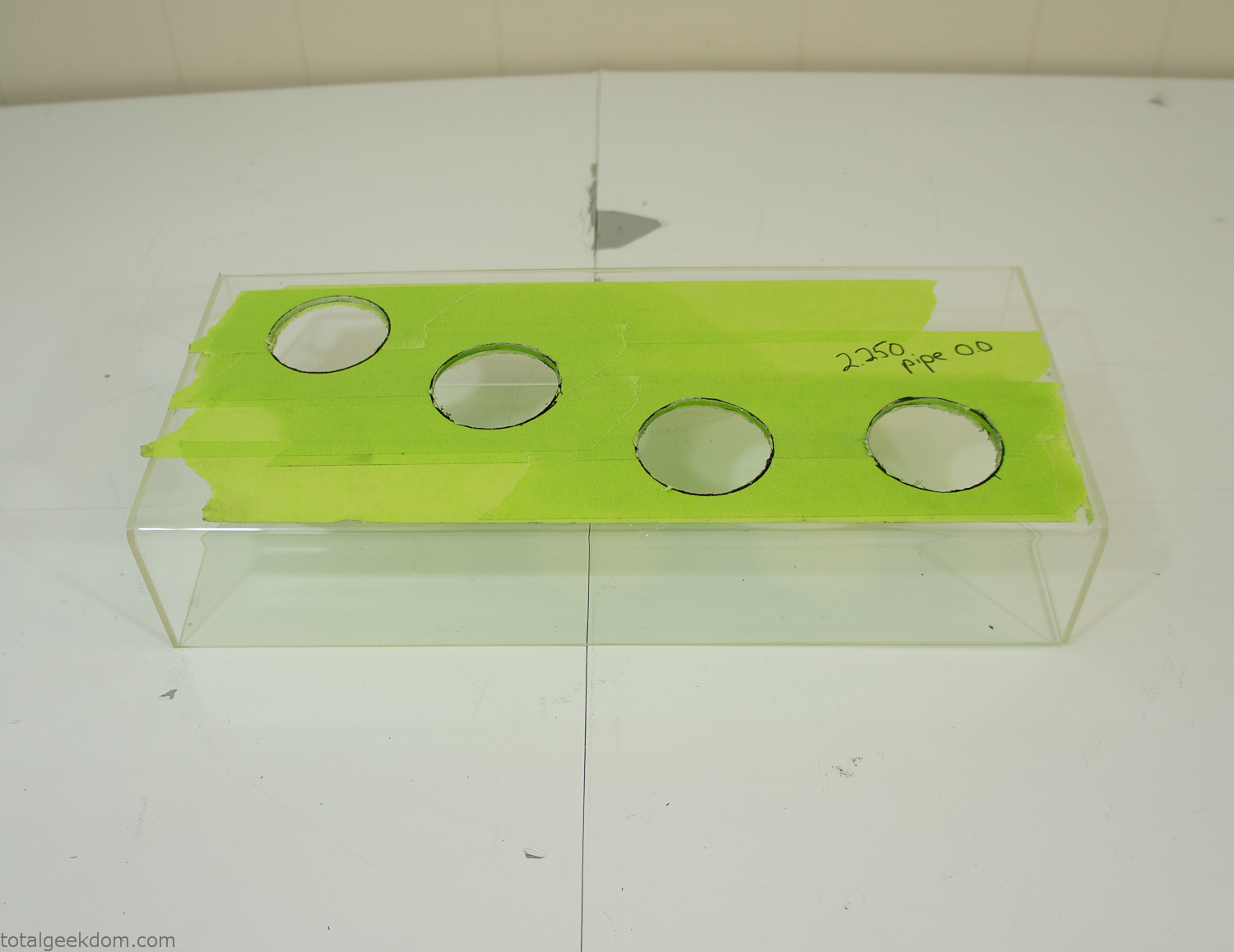
Acrylic Case Modifications
I placed the tubes into the acrylic case and mounted it in the computer and test fit the placement and height of the tubes. After getting everything lined up and oriented correctly I moved towards bonding the acrylic together. Using a needle dropper applicator I applied the cement to all the joints. After letting it set overnight I came back the next night and applied a thin coating of clear silicone caulk around all the joints just to ensure they were completely water tight
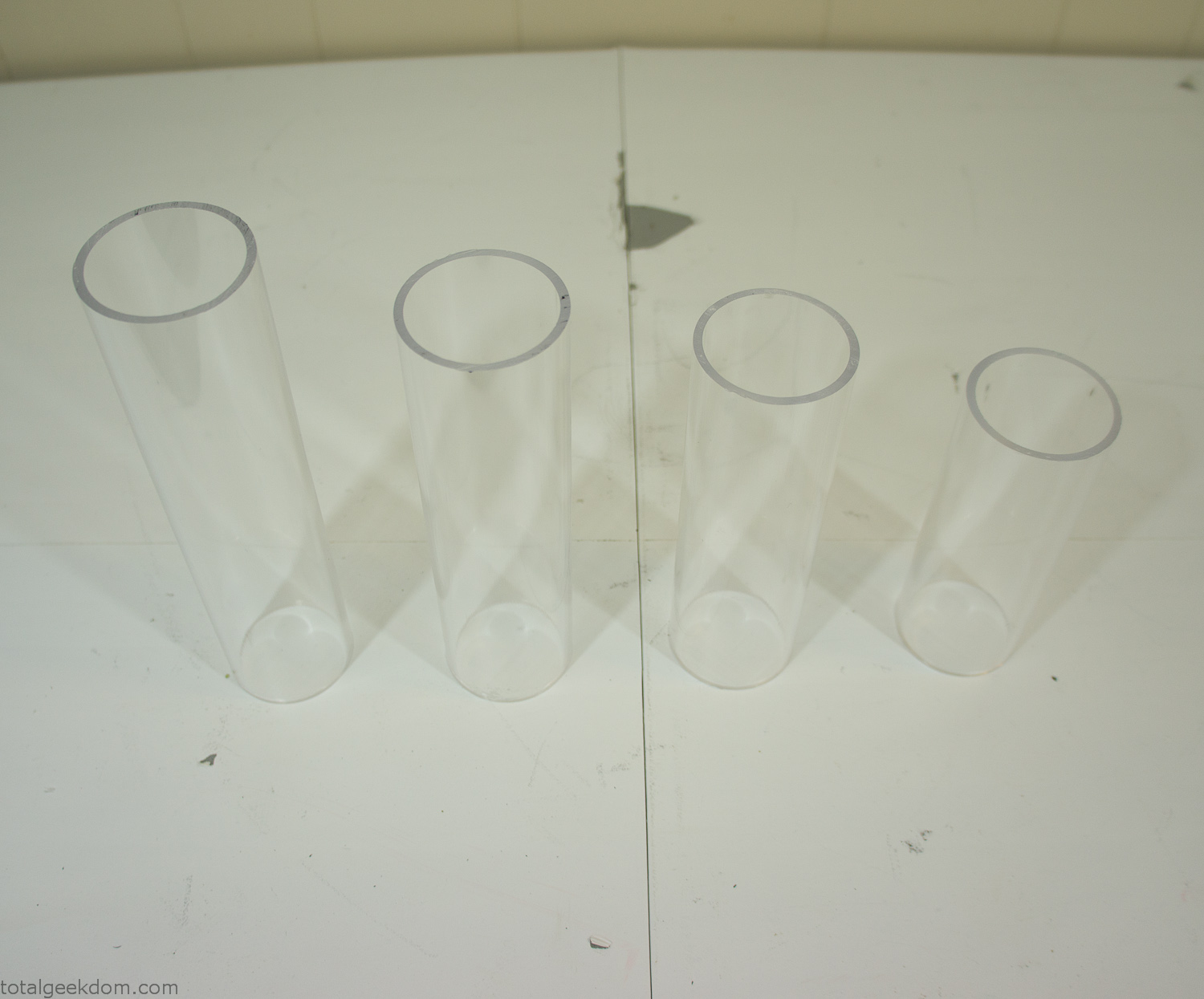
Acrylic Tubes
The next step was sealing up the bottom of the acrylic tubes. I looked at a couple of different options before realizing that the discs I had cut out of the acrylic case to fit the tubes would be almost the perfect size. Using a bench grinder and a test piece of tube I slowly ground each disc to the perfect size for a tight fit all the way around. I placed the clear acrylic discs into the bottom of each tube and repeated the same cementing and silicone caulking procedure to ensure they were water-tight. After a couple of days’ worth of drying I tested the case by filling it with water overnight and checking in the morning to make sure that no leaks had popped up.
In order to hold the weight of the acrylic case after adding soil, I drilled and installed a machine screw with a rubber cap at each corner of the computer case to bear the weight of the acrylic case.
Once all the work was done with the acrylic case section I started reinstalling all the components. The motherboard, hard drive and power supply were added and then wired up.
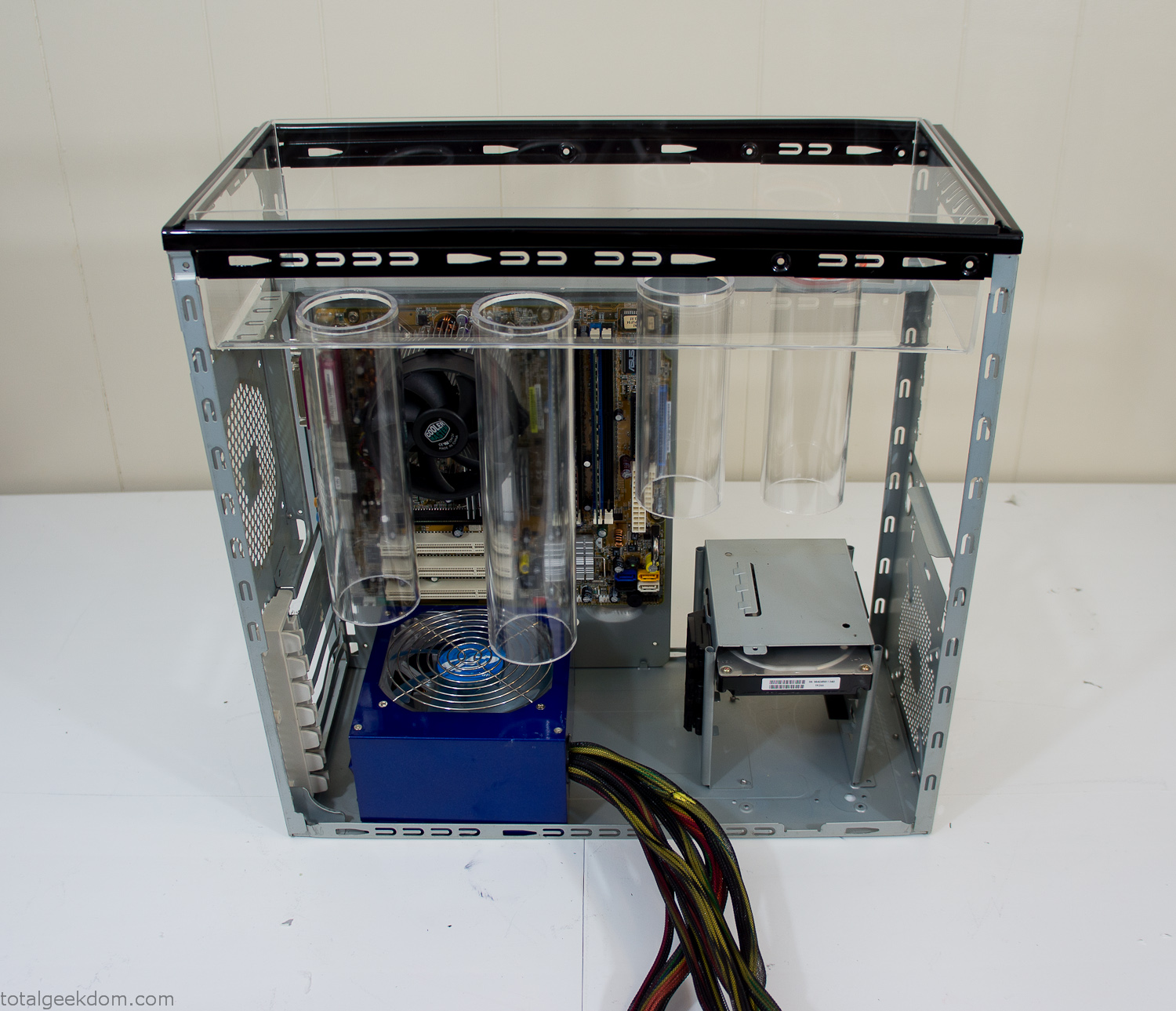
Mocked Up Computer Case
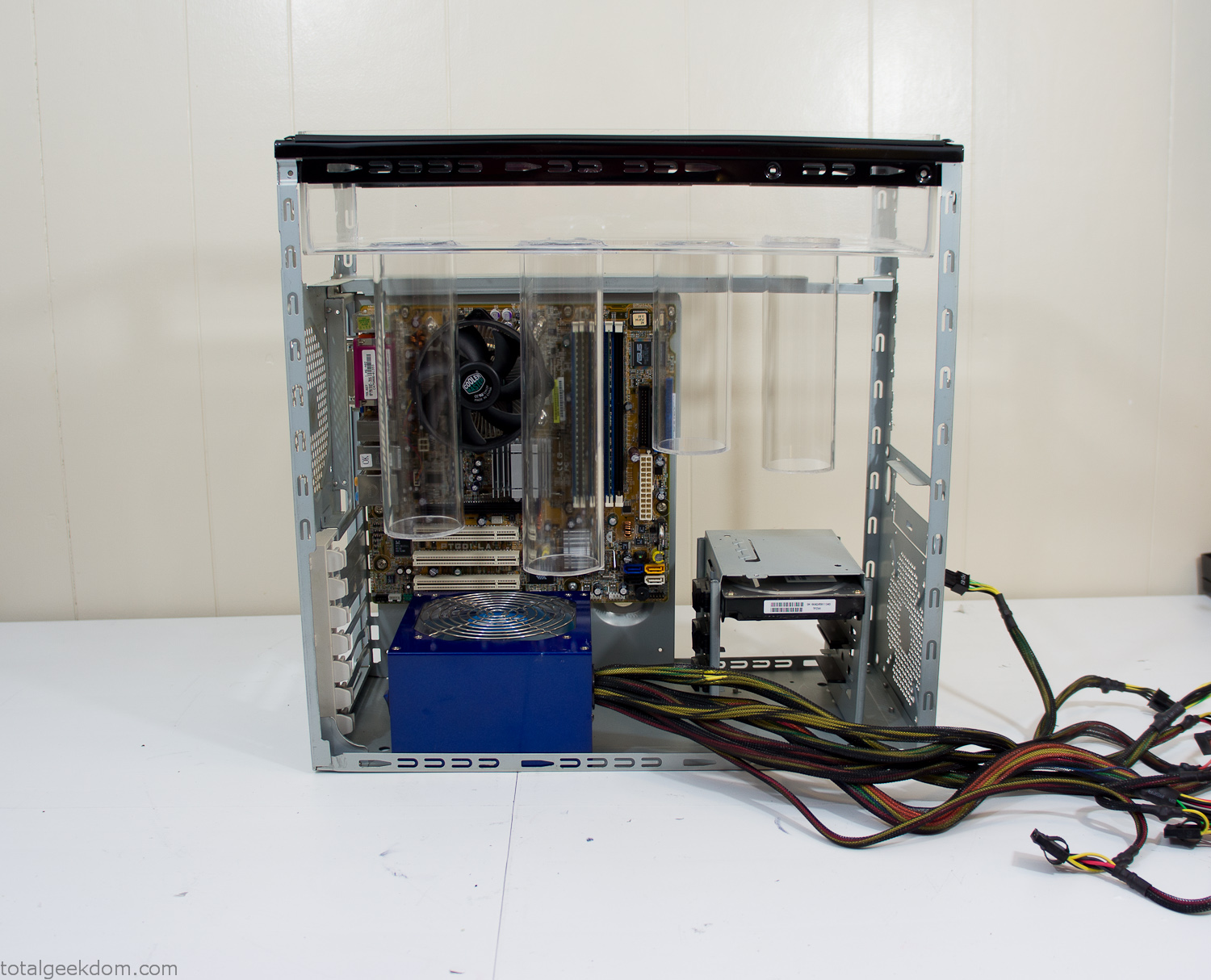
Power Supply Mockup
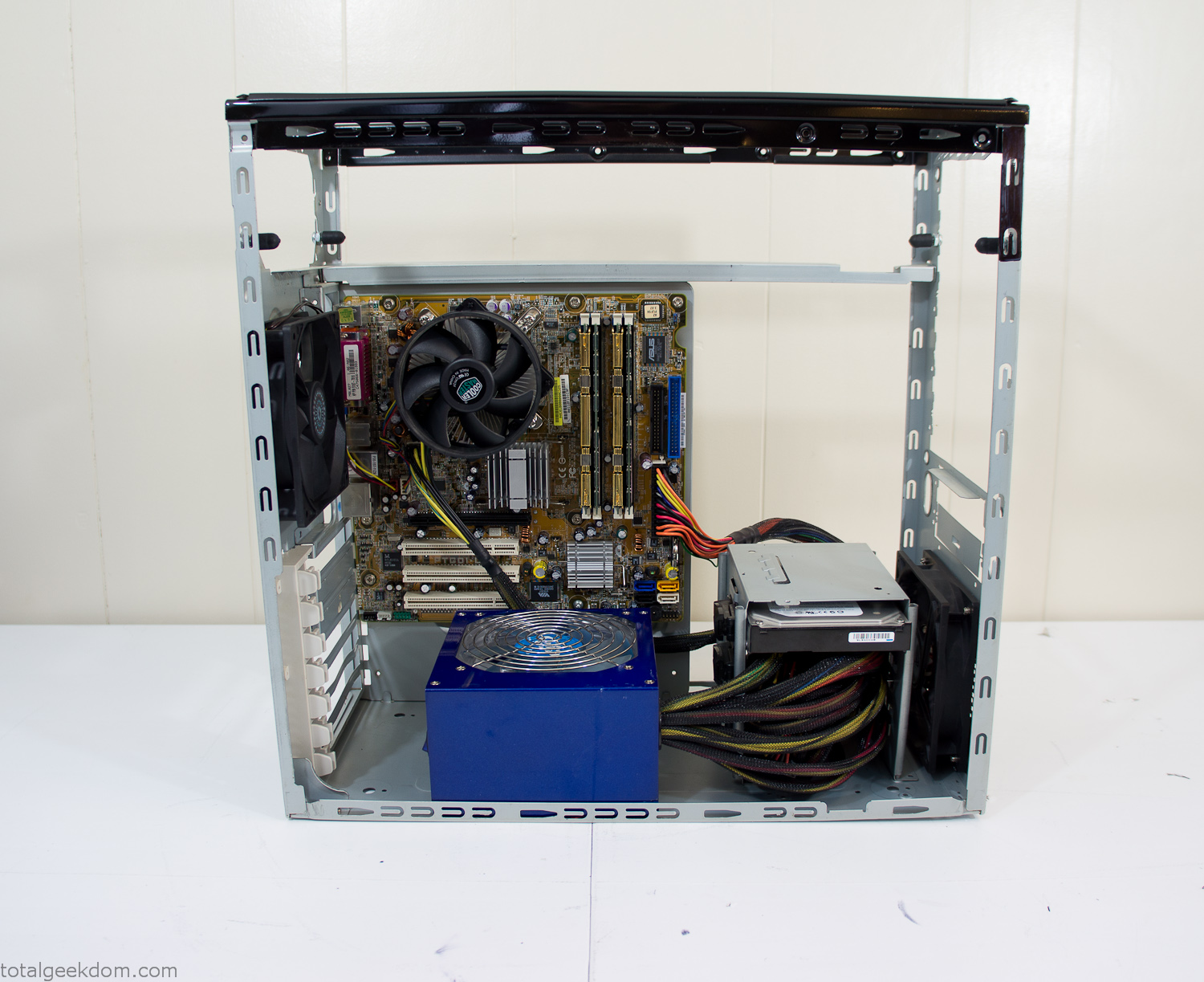
Computer Components Wired
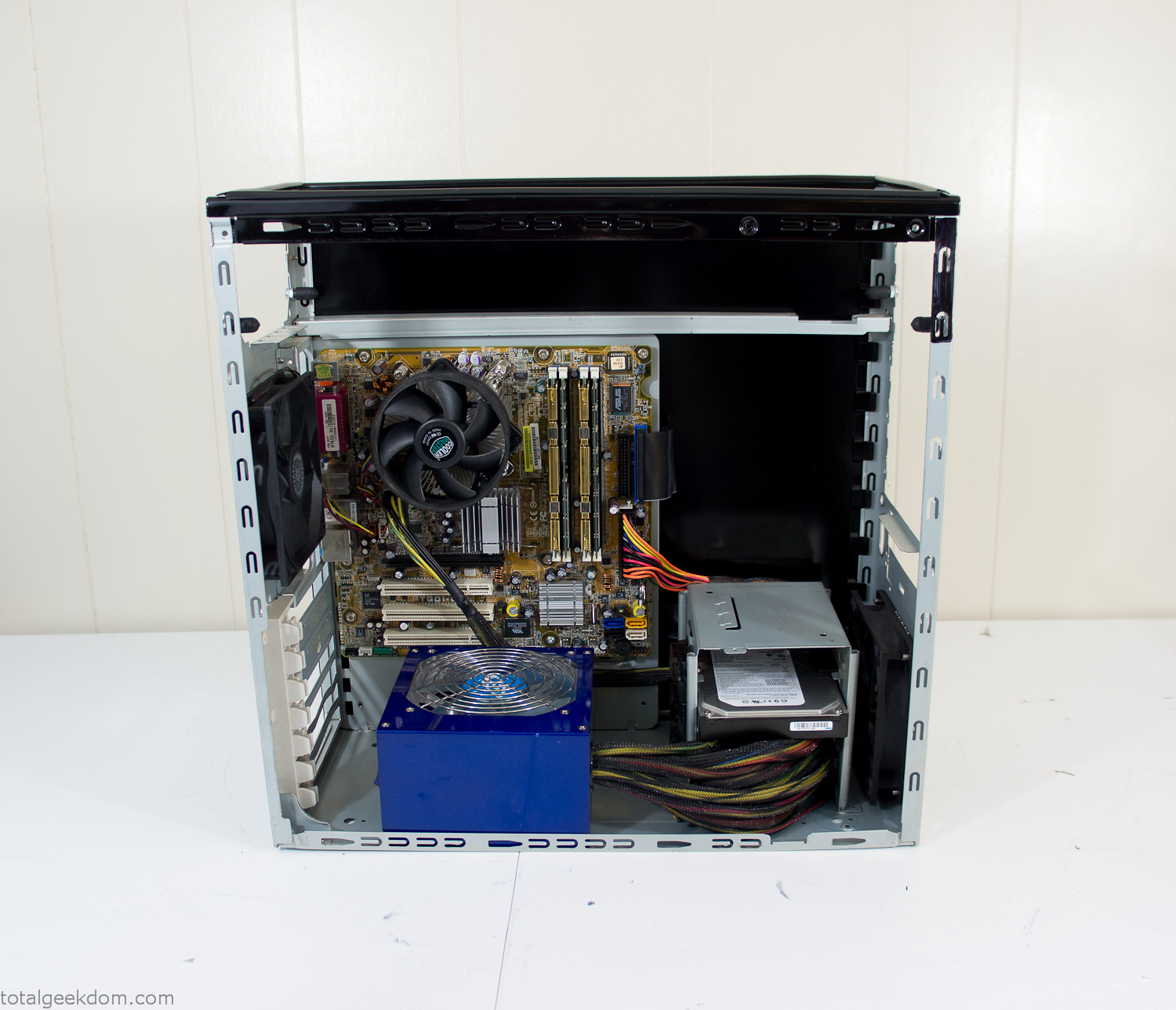
Case Panel Installed
At this point all that was left was to make a clear panel for the side of the case. I had some left over acrylic sheets from a different project that were really close to the right size, after test fitting, marking and cutting I then had a clear side panel to see into the case. (I left this off for the pictures because it caused a reflection)
The final step was filling the case with soil and adding some wheatgrass. I had been test growing other samples of wheatgrass during the build process. So I had already a couple of different patches of grass growing. I tried to keep the soil level just below the top of the acrylic case edge to make it a little more seamless.
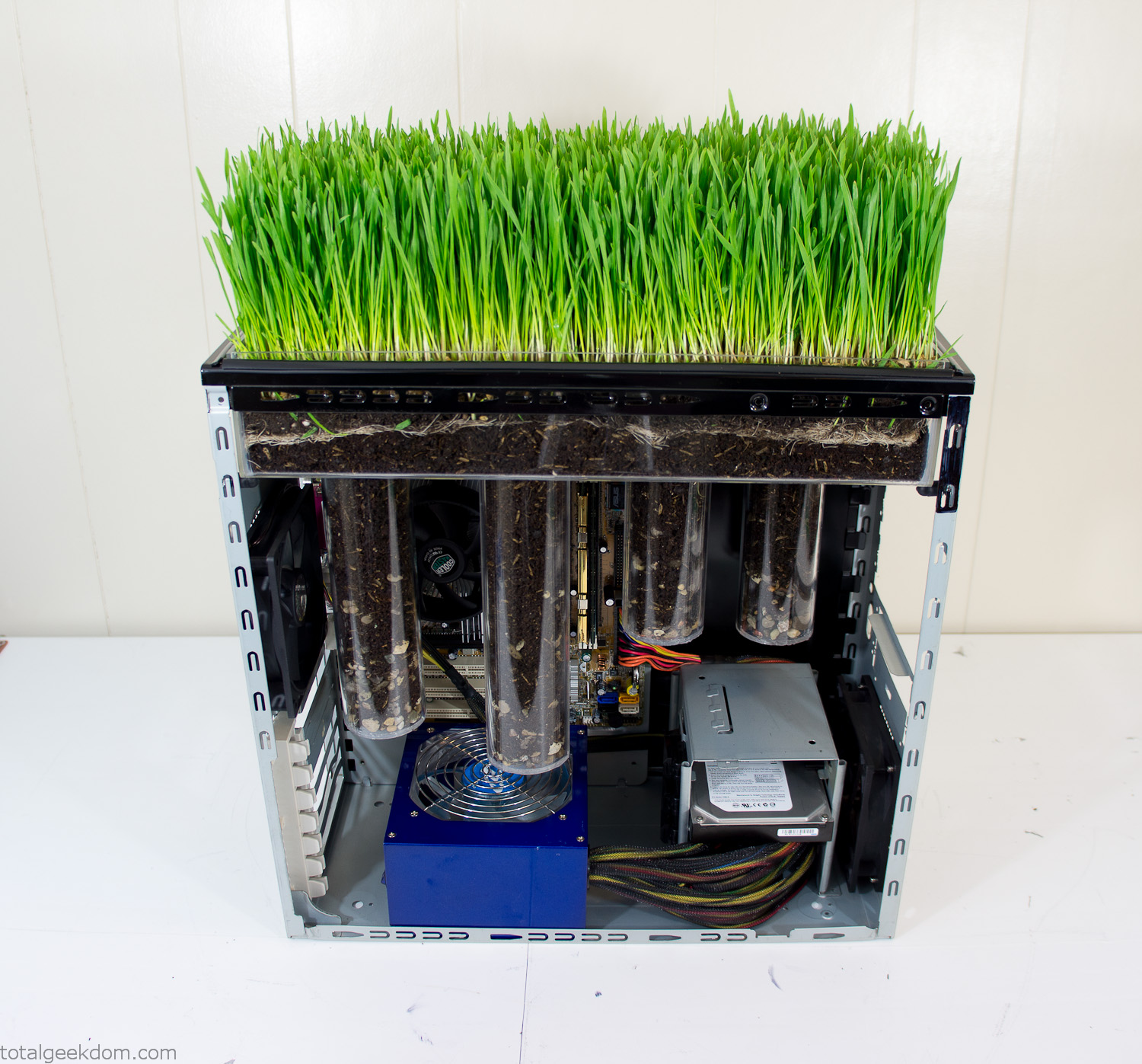
Grass Planted in Computer
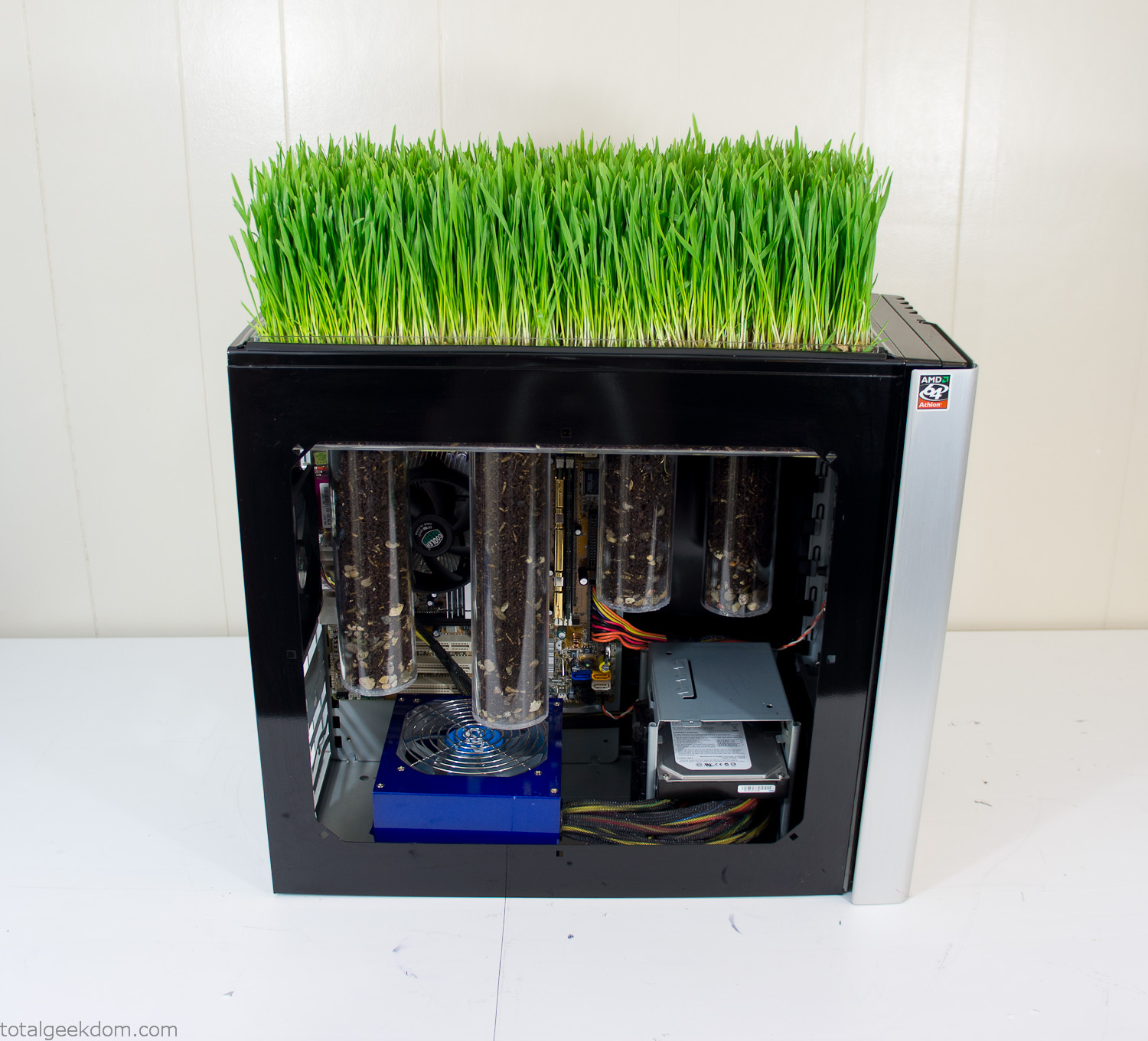
Grass and Case Panel Installed

Grass in Computer
For the computer itself I ended up installing Windows as well as Linux in a dual boot setup. Since the computer was going to be used by my son as something to play with I figured I should put both on there so he can tinker with them and learn as he goes. Besides, for important life decisions like picking an OS (Operating System) I think any good parent should present the options and then let their kid decide for themselves.
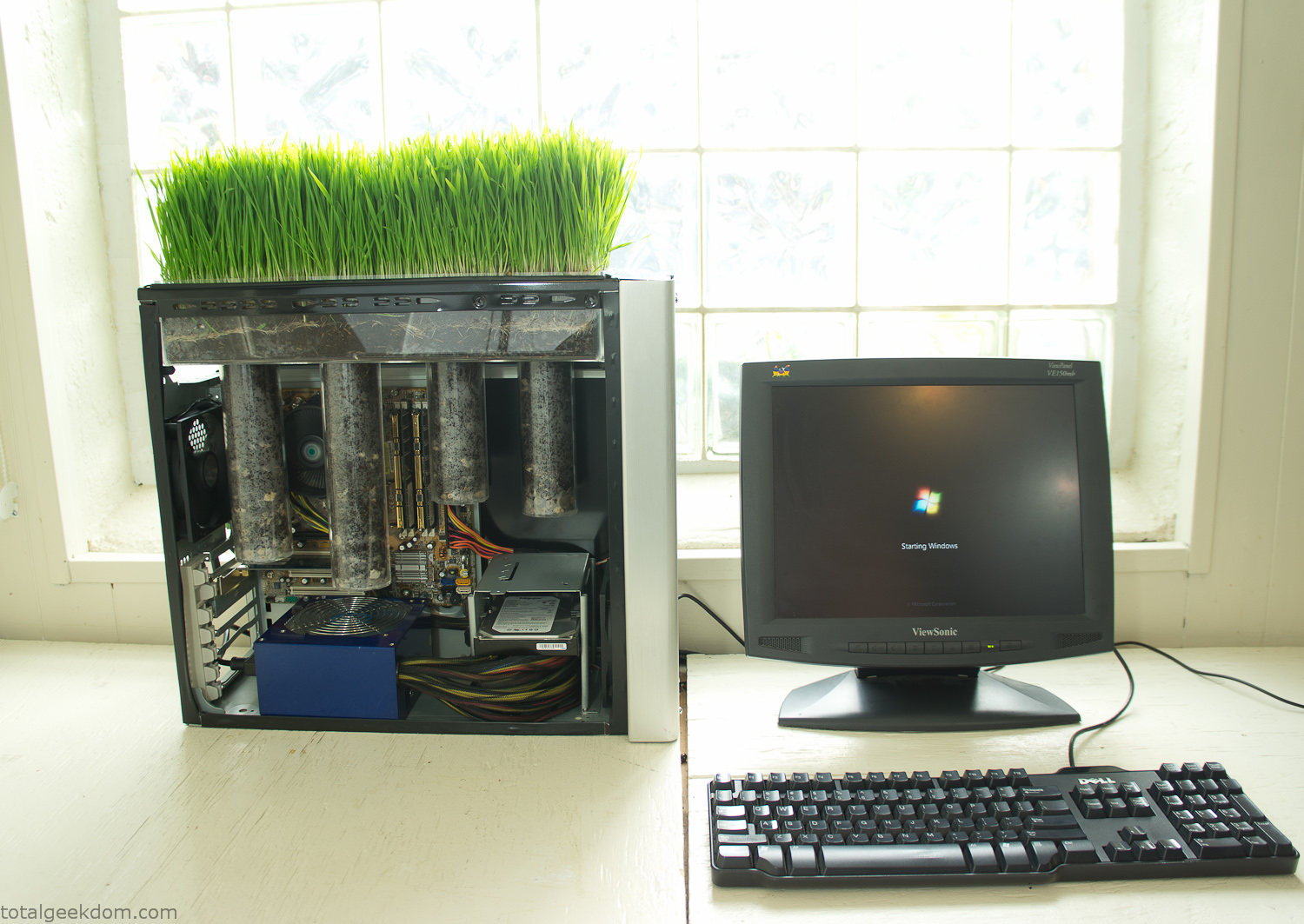
Starting Windows
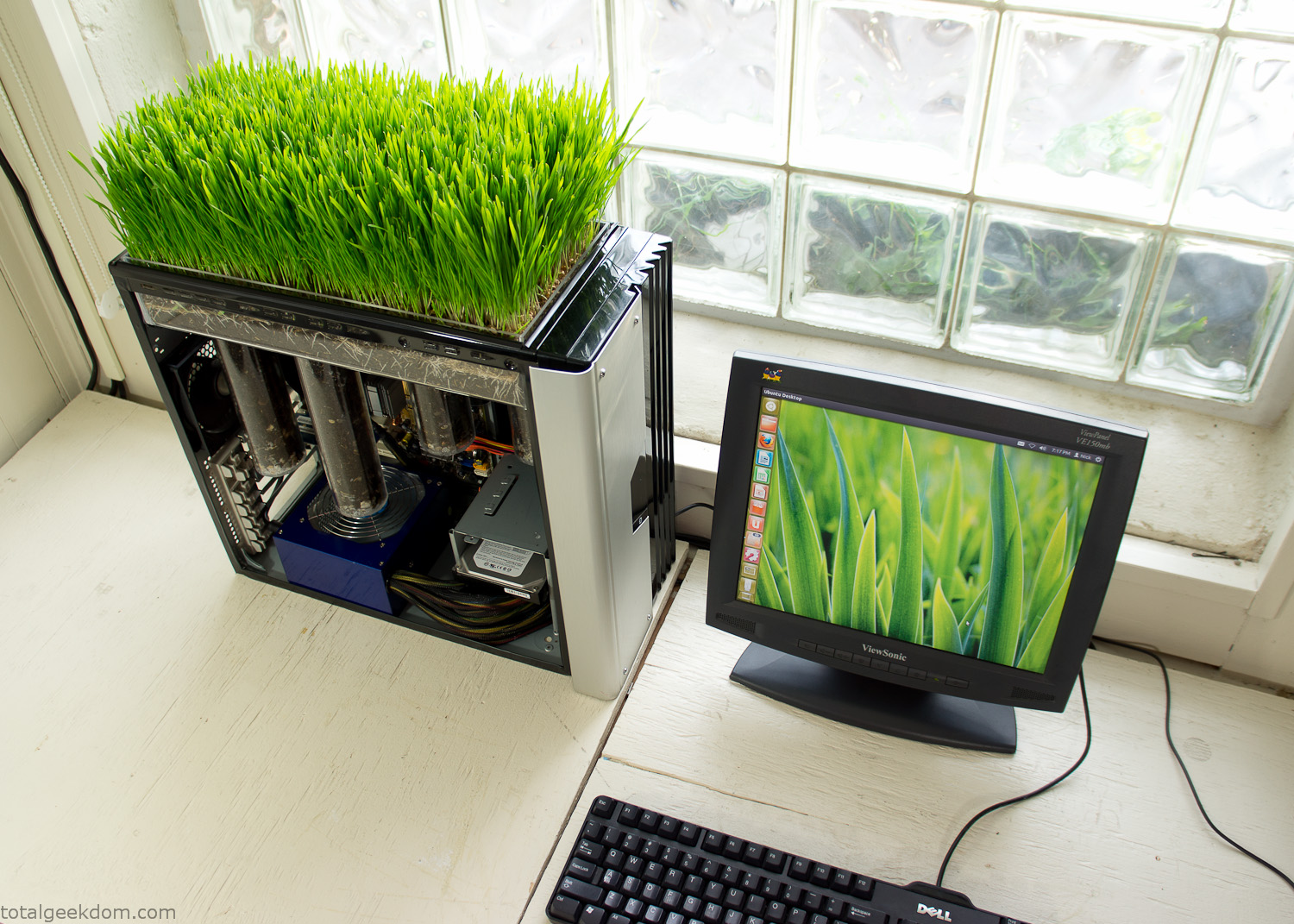
Linux Running
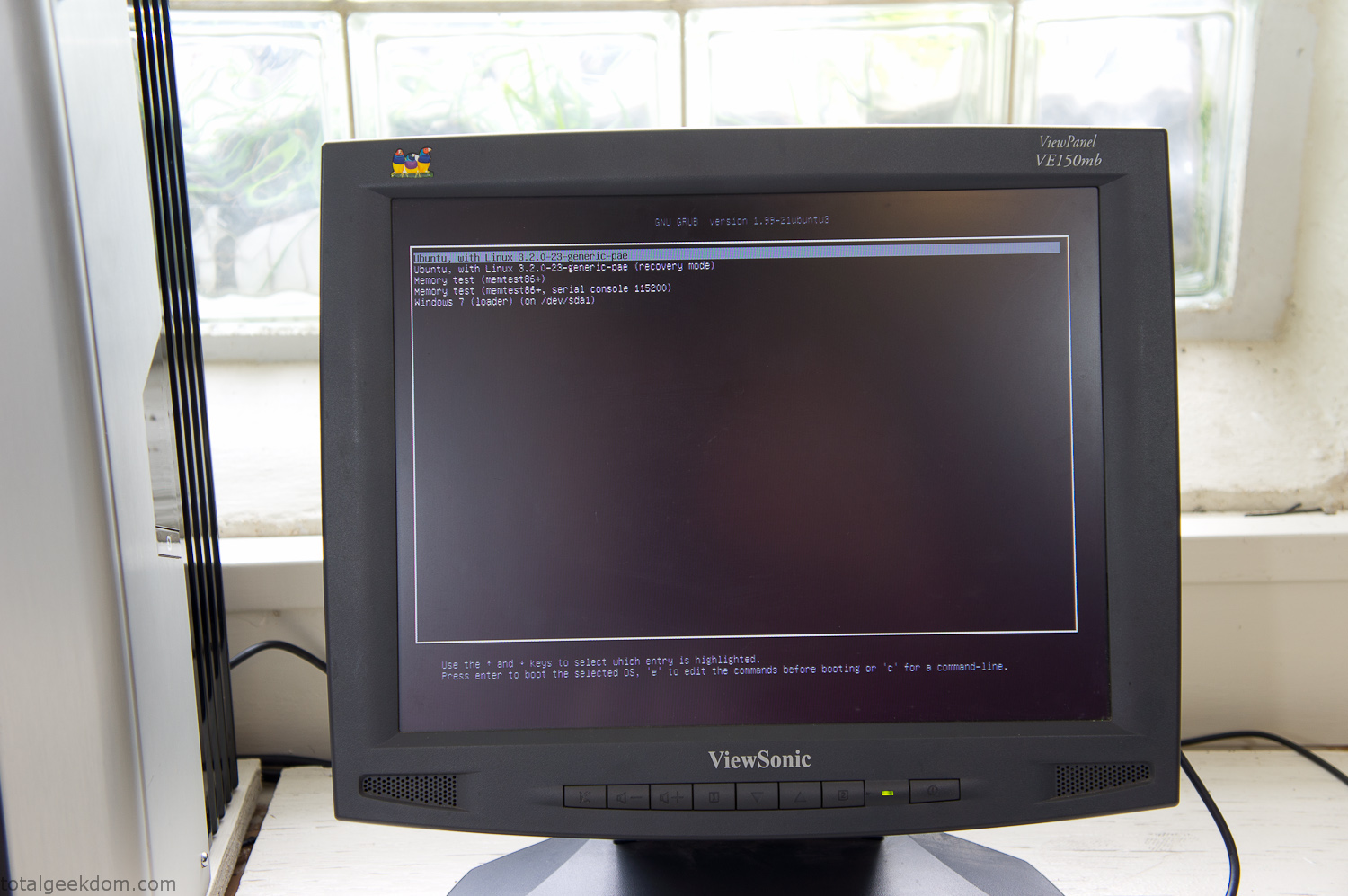
Dual Boot Screen
In the end I’m happy with the result of the project. It’s been fun experimenting with growing wheatgrass and I like how the natural look of grass is blended with the very modern, inorganic case.
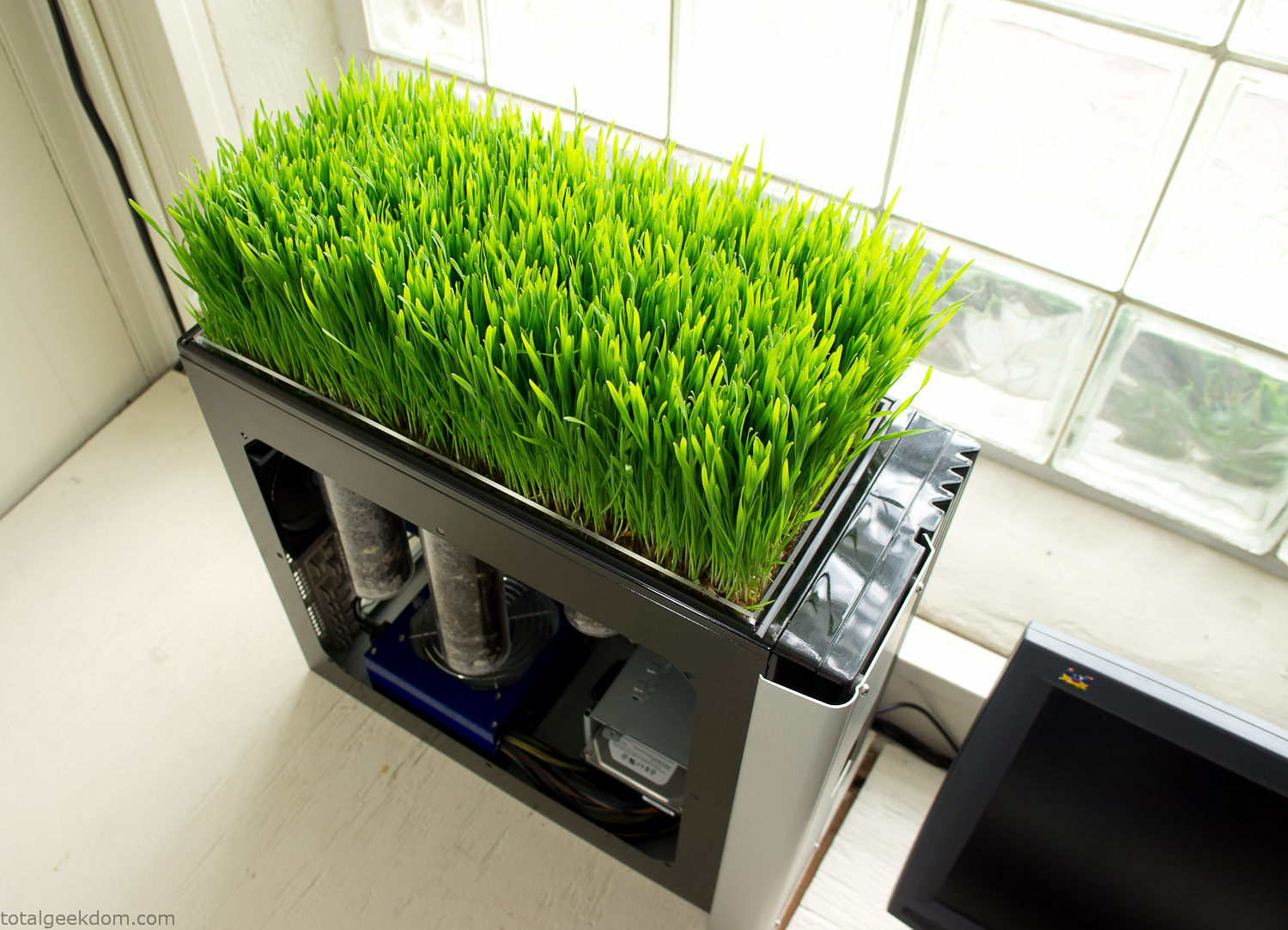
Computer Grass Growing
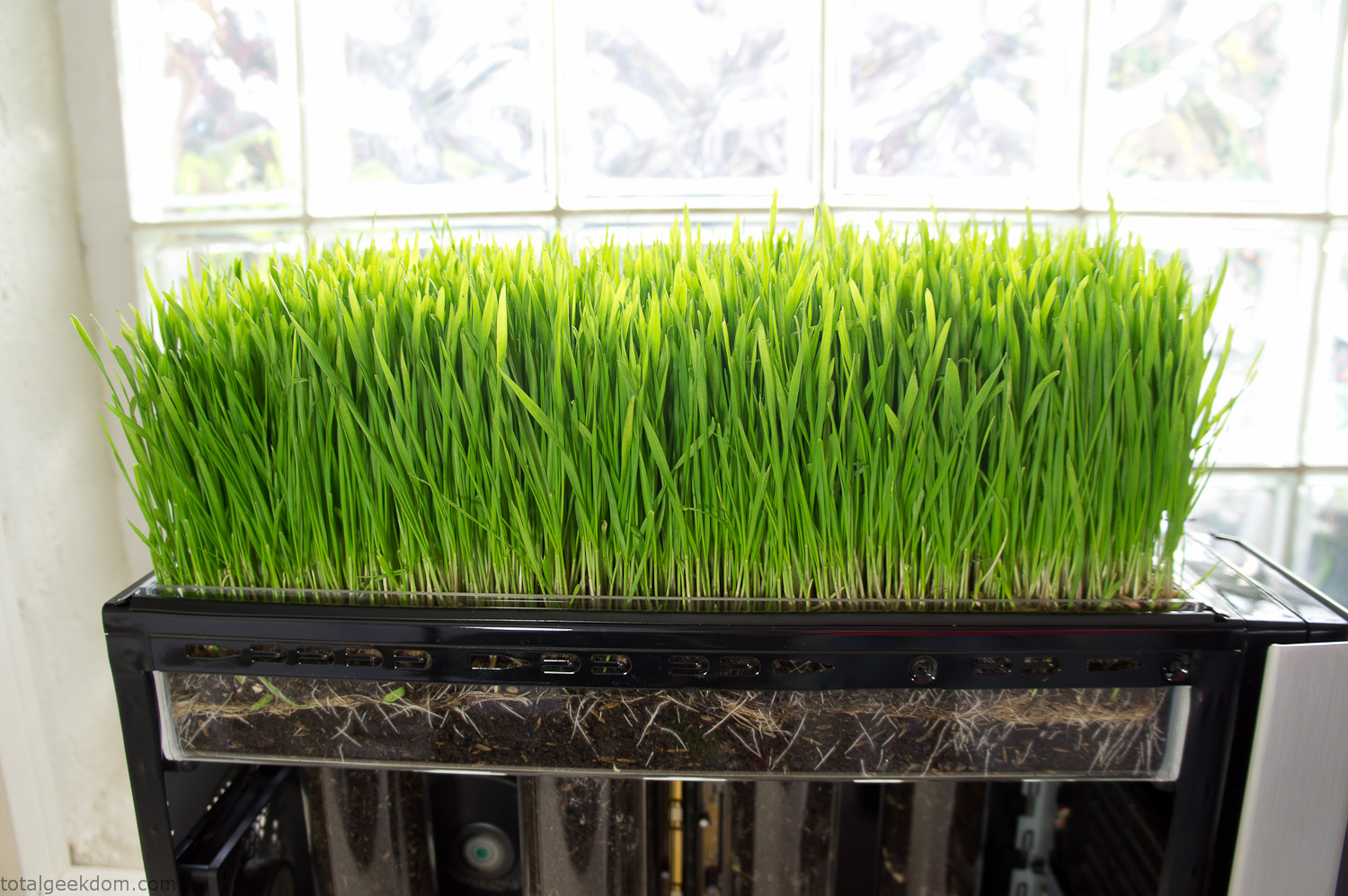
Grass in Computer Section
Notes
Temperature Testing
In testing the case temperature versus the soil temperature I found it was easiest to control the case temperature by using a variable fan speed control on both the inlet and outlet fans. By turning the fan speed down I could increase the temperature inside the case and correspondingly raise the soil temperature.
In order to maximize output of heat during these tests I used Prime95 to run the CPU at 100% load.
Using this method to control the case and soil temperature I played around with adjusting the soil temperature and then tracking the rate of growth of the Wheatgrass. The target temperature for peak growth seemed to fall around 66°F (19°C).
Using the fans to control the case temperature allowed me to vary the temperature inside the case from a low of 75°F (24°C) to a high of 91°F (33°C). In order to achieve the desired increase in soil temperature, I had to run the case temperature toward the higher end of the scale.
When the soil temperature was too high, the growth of the wheatgrass would slow.
Wheatgrass
The wheatgrass I used for my tests was nothing special, it can be found as seeds (berries) in a lot of health food stores and it grows relatively easily.
Caring for the wheatgrass is just a matter of keeping it watered. It’s a pretty easy plant to work with and doesn’t require any special skills.
Wheatgrass is often used as a nutritional supplement; it can be juiced and mixed into smoothies and other beverages. I plan on harvesting some of the grass and making some juices.
Plant Options
While wheatgrass offers a nice, attractive and easily grown option I do plan on trying other plants as well in the future. Since I already have the “planter” built all I have to do is add a different plant and see how it goes. I’m sure there will be some plants that don’t like the lower light environment, but it will be fun experimenting with other plants as well and seeing how they take.
Materials
Donated Computer- Free
Clear Acrylic Display Case- $5
Clear Acrylic Tube- $5
Plexiglass Side Panel- Free
Total- $10
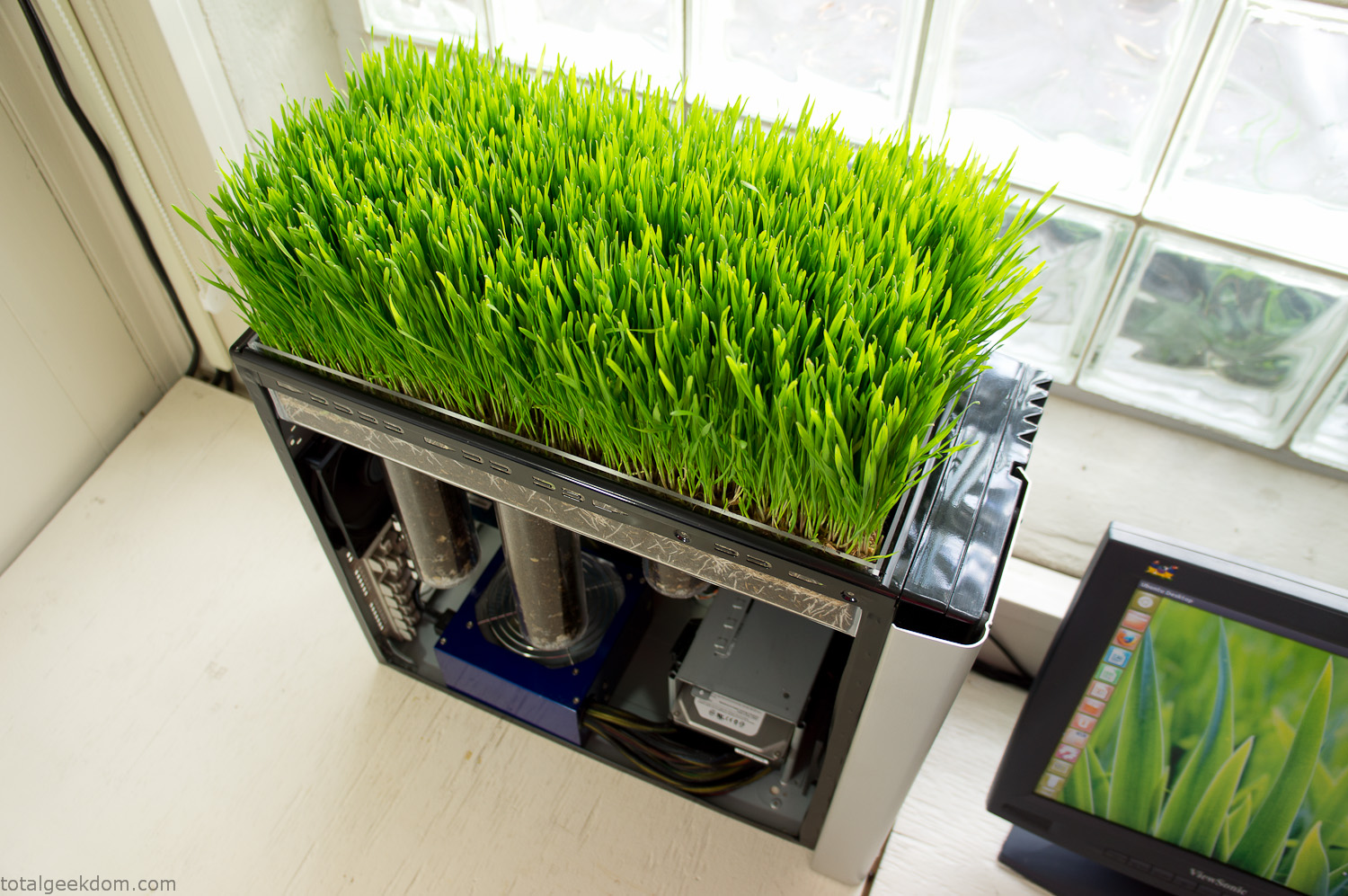
Bio Computer Running
 29.2k
29.2k
 13.2k
13.2k 7.1k
7.1k

 2.1k
2.1k 813
813 2.6k
2.6k
Comments 49,110
мфо взять займ взять микрозайм онлайн
микрозайм взять получить микрозайм
Как получить приветственный бонус: краткая инструкция по регистрации и пополнению счёта, включая требований по отыгрышу; в середине параграфа мы указываем ссылку на 1xBet промокод при регистрации, для того чтобы пользователь мог перейти и узнать подробности. Также приводим примеры доступных типов акций.
он мне успел ответить – поверь, ничего такого о чём тебе стоило бы беспокоиться – не случилось https://hizbih.info Всем привет! В магазе есть представительства по регионам, закладками? Ярославль?
http://www.lenotoplenie.ru получите максимум выгоды при старте игры
1xBet промокод на бонус в 2026 году — активируйте промокод и заберите приветственный подарок в размере 100% до 100$. Этот промокод даёт возможность активировать акционный бонус от букмекера 1xBet при регистрации.Промокод всегда доступен по этой ссылке: бонус промокод 1хбет.
Wow! This blog looks just like my old one! It’s on a entirely different topic but it has pretty much the same layout and design. Outstanding choice of colors!
The whole summary for you: https://www.lagodigarda.com
The main thing is here: https://cascadeclimbers.com
Only the important and best: https://www.maxwaugh.com
Как получить приветственный бонус: краткая инструкция по регистрации и пополнению счёта, с указанием требований по отыгрышу; в середине параграфа мы указываем ссылку на 1xBet промокод при регистрации, для того чтобы пользователь мог перейти и узнать подробности. Помимо этого приводим примеры доступных типов акций.
car tinting in dubai
Don’t miss out on the exclusive https://pixabay.com/users/52882236/ that gives players a huge edge in 2026. Sign up and claim your welcome rewards instantly.
warpig-games.cl
https://лестницы-в-москве.рф
All the latest is here: https://aquietrabalho.com
New updates feed: https://www.pondexperts.ca
Updated today: https://g-r-s.fr
https://businessplus.ie
https://rosslestnica.ru/
В Курске нету https://zoo-club.info Я не знаю где ты нашол этот контакт, но как выяснилось сегодня меня кинул фейк. вообщем пришла россылка в джаббере и точно такой же контакт как у продавца Чема, но вот только у него походу “с” латинская. Он мне и подтведится сам предложил.
cuba automobiles
https://лестницы-в-москве.рф
https://rosslestnica.ru/
https://goegulf.com
News.biz.ua — динамичная лента Украины с фокусом на бизнес, экономику, технологии и транспорт, дополненная оперативными сводками и спортом. Портал сочетает короткие новости и тематические разборы, чтобы быстро понять, что влияет на рынки и повседневность. Удобные рубрики, курсы валют и аккуратная верстка помогают читать с любого устройства. Откройте https://news.biz.ua/ — держите руку на пульсе решений Кабмина, корпоративных трендов и историй, которые меняют повестку дня.
Почему считаются особенными промокоды букмекерской конторы 1xBet выгодными? Какие знания о кодах, чтобы извлечь максимальную выгоду от их использования? И, наконец, что еще любопытного есть в акционной политике этой конторы, на которые стоит обратить внимание, если вы планируете играть за бонусы. Промокод на 1xBet (актуален в 2026 году, бонус 100%) можно найти по этой ссылке — http://www.medtronik.ru/images/pages/1hbet_2021_promokod_pri_registracii.html.
Заказывал у этих ребят 203 и 5-IAI, качеством доволен. Заказы они оформляют долго, но зато отправляют быстро. Мне отправили в день оплаты! https://reale.info какие то траблы ппц =\
https://лестницы-в-москве.рф
Top picks for you: https://theshaderoom.com
All the best is here: https://radhavatika.ac.in
The best is right here: https://reliefhomeservices.com
https://rosslestnica.ru/
https://guryevsk.forum24.ru/?1-3-0-00000628-000-0-0-1757494337
We are a group of volunteers and opening a new scheme
in our community. Your web site provided us with valuable information to
work on. You’ve done an impressive job and our whole community will be grateful to you.
https://лестницы-в-москве.рф
https://rosslestnica.ru/
хули почта россии это госпредприятие не хотят работать. а хотели бы принять мусора ,сразу бы посыль отправили. https://company-taxes.info всем желаю счастья!
Если вы ищете информацию о бонусах при регистрации, ознакомьтесь с наши рекомендации о видах вознаграждений; в одном из разделов статьи естественно упомянут https://bergkompressor.ru/news/artcles/?1xbet_promokod_pri_registracii_bonus_5.html для получения приветственного бонуса. Редакция объясняем, как указывать данные при регистрации и какие правила нужно выполнить для отыгрыша.
https://moskva.kamrbb.ru/?x=read&razdel=0&tema=60&start=0#new
https://лестницы-в-москве.рф
https://rosslestnica.ru/
https://www.europeanpaymentscouncil.eu
https://www.europeanpaymentscouncil.eu
Если вы хотите найти информацию о бонусах при регистрации, ознакомьтесь с наши рекомендации о видах вознаграждений; в одном из разделов материала естественно упомянут https://bergkompressor.ru/news/artcles/?1xbet_promokod_pri_registracii_bonus_5.html для получения приветственного бонуса. Редакция объясняем, как вводить данные при регистрации и какие правила нужно выполнить для отыгрыша.
https://www.lenotoplenie.ru/ официальный сайт с полезной информацией о бонусах
The latest and most relevant: https://theshaderoom.com
The best is only here: https://the88me.com
1xBet промокод на приветственный подарок в 2026 году — используйте промокод и активируйте приветственный подарок в размере 100% до 100$. Данный бонусный код предоставляет шанс получить увеличенный стартовый бонус от букмекера 1xBet во время регистрации.Промокод 1xBet можно найти по ссылке ниже: 1xbet промокод условия ставки.
Learn more on the website: https://truehost.cloud
парни все ок проверенно )))
Магазин 24/7 – купить закладку MEF GASH SHIHSKI
И еще сушняки ужасные. Сейчас вот утром проснулся, и до сих пор
Dragon Money – онлайн-казино с слотами,
рулеткой и лайв-дилерами. Удобный интерфейс, безопасные
платежи и бонусы для игроков.
промокоды драгон мани
Visit our website: https://waltbabylove.com
The latest is here: https://www.maxwaugh.com
The best is only here: https://www.docdigitales.com
Ваш сервис – это эталон того, как должно быть. Всё четко, красиво, без суеты. Получила огромное удовольствие от всего процесса.
купить розы Томск
Спасибо за скидку для постоянных клиентов! Приятно осознавать, что вашу лояльность ценят и поощряют.
купить 101 розу в томске
Dragon Money – онлайн-казино с слотами,
рулеткой и лайв-дилерами. Удобный интерфейс, безопасные
платежи и бонусы для игроков.
dragon money казино
Thanks for any other excellent post. Where else may anybody
get that type of information in such an ideal means of writing?
I’ve a presentation subsequent week, and I am on the look for such info.
Here is my website: Ꭺ片
http://www.lenotoplenie.ru подробные условия участия в бонусных программах
cartintingindubai.com
Клад был описан понятно и ясно!
Магазин 24/7 – купить закладку MEF GASH SHIHSKI
Если СК выпадает в осадок – то это уже само по себе не нормально
кракен зеркало
кракен онлайн
kraken вход
кракен онлайн
https://xnudes.ai/
https://xnudes.ai/
kraken client
kraken market
1xBet промокод на приветственный бонус в 2026 году — активируйте промокод и активируйте предложение в размере 100% до 100$. Этот бонусный код даёт возможность активировать акционный бонус от компании 1xBet при регистрации.Промокод опубликован по ссылке ниже: промокод 1xbet отзывы.
кракен vk2
kraken онлайн
кракен маркет
kraken tor