
With every passing project I feel like my basement is being converted from a living only area, to a work and project area. Computers being built, gadgets being taken apart, Lego projects all around. I’m not complaining by any means, but I do feel as my basement becomes populated with more and more tech based projects that the environment is missing something organic, something natural to balance things out.
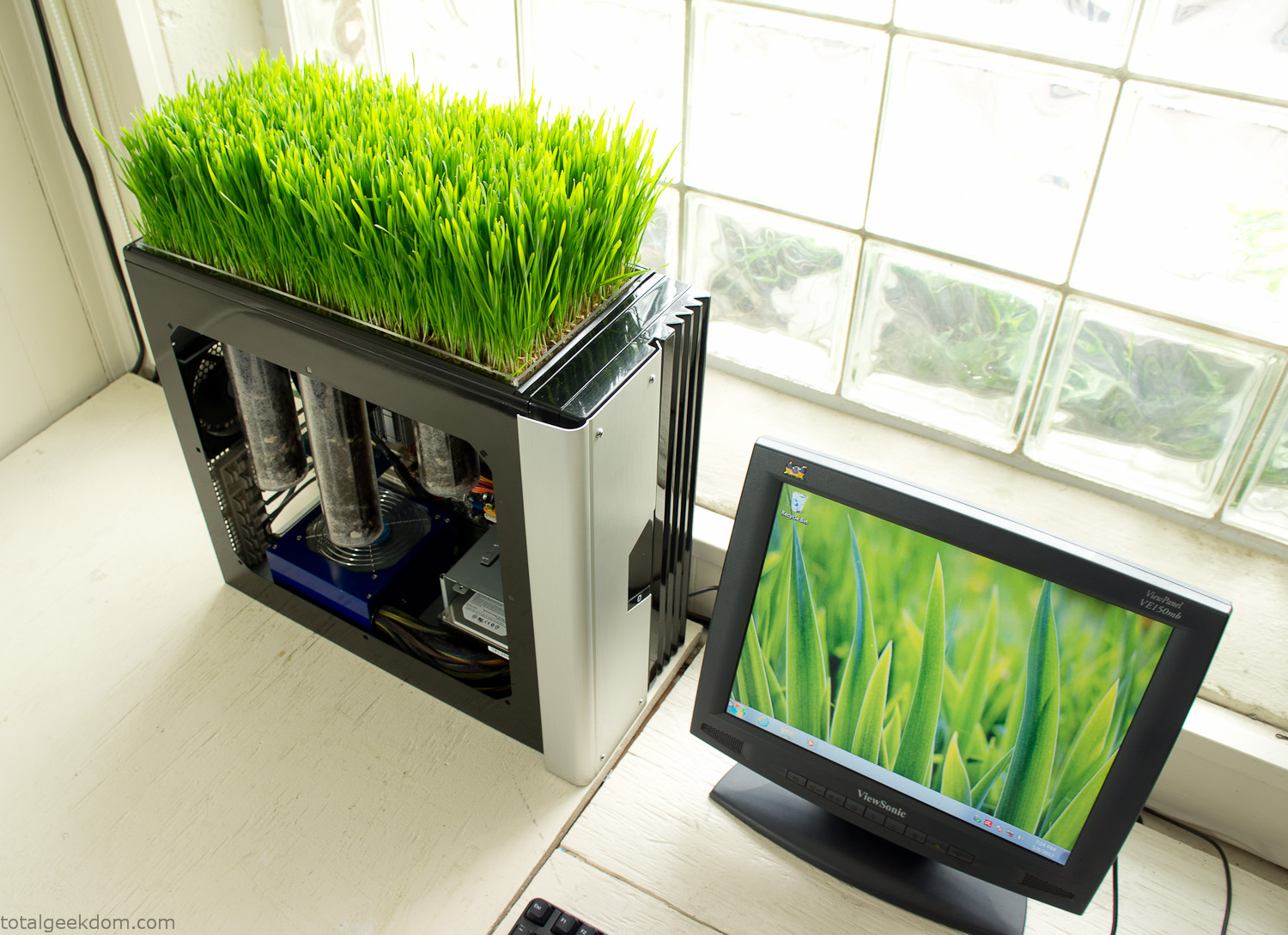
Bio Computer
I’ve been interested in working on a project for while that would combine something tech-based with something organic. Mixing the two elements intrigued me for a while. I’ve wanted to add flowers, or maybe plants of some sort to blend a little bit of nature into the space. I do receive a bit of sunlight through a glass block window, but the temperature in the basement is usually on the colder side. In the winter I don’t really heat the space because the folding farm outputs enough heat to keep the temperature comfortable. I didn’t want to change that aspect so I needed to come up with something that would tolerate slightly cooler temperatures and limited sunlight.
I can’t exactly recall when the idea came to me, but at some point I started wanting to use the heat from a computer as a way to warm the soil and help with germination/growth. I’m about as far from a botanist as it comes, I did some reading online and became pretty interested in the effects of soil temperature on germination/growth. I read different studies and papers from various universities. It was not too long into that process that I became hooked on the idea of using computer heat as a way to control the soil temperature of some sort of living plant life.
As the idea developed further I started looking into wheatgrass as a plant option. There is something clean and natural about the look and idea of a piece of grass growing in my basement. I thought the look would alter the space a little bit and add a bit of color along with something more than just metals and plastics. After reading enough studies and papers on the effects of soil temperature and germination with wheatgrass I felt like I had a good enough handle on the basics to tackle this.
The first step was finding a computer to adapt for the project. Luckily I had a lot of donated computers that people had given me for various project purposes. Most of them didn’t work, but by cobbling together various components from a bunch of different old computers I was able to come up with enough good parts to make a working computer.
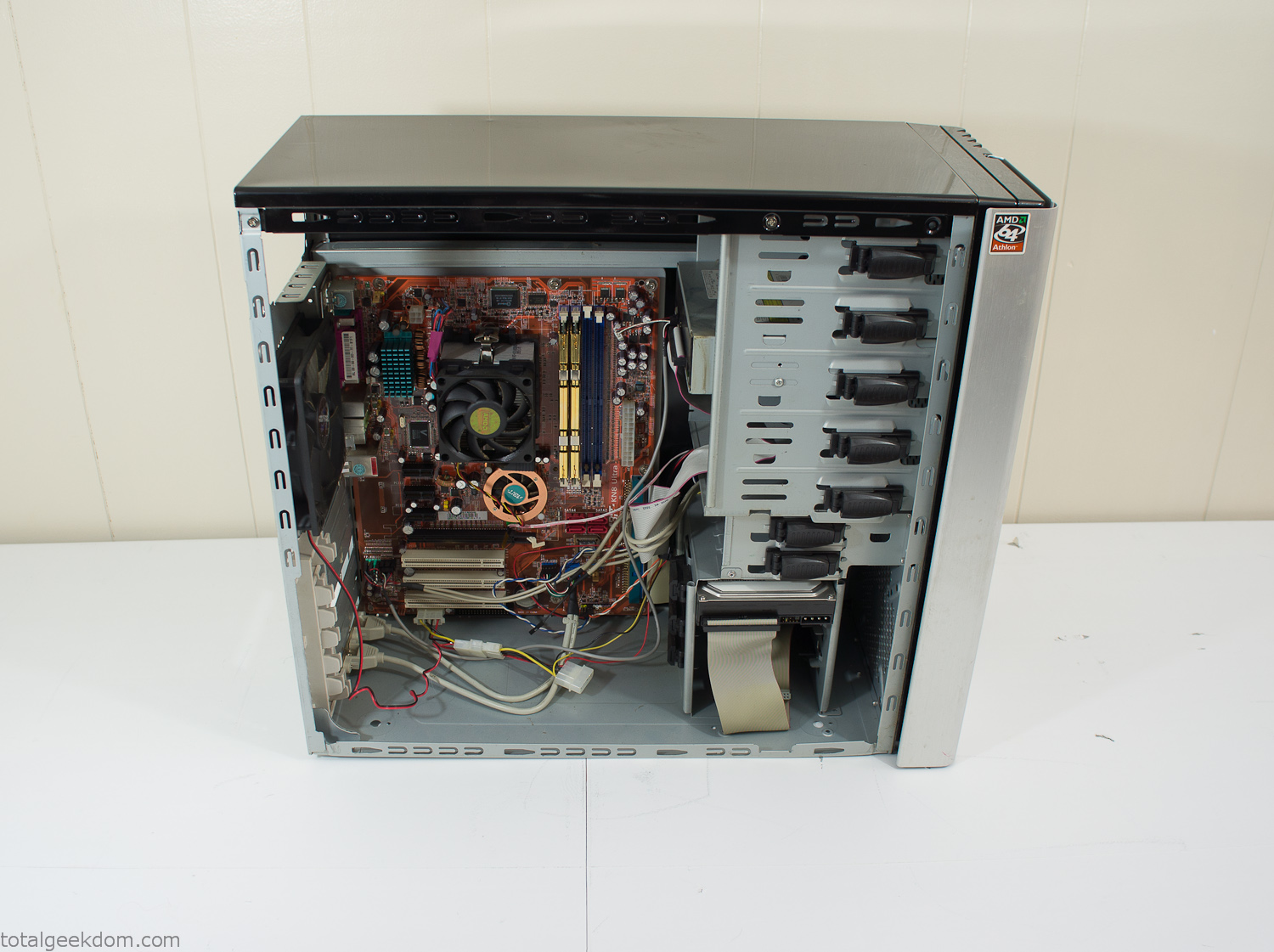
Donor Computer
At the time I was starting to get a formalized plan together for this project, another idea popped into my head. I’ve got a 5 yr. old who is already fairly geeky (just ask him to do his Jabba the Hutt impression for you) but he really does not get that much computer time. He’s getting to an age where he’s more inquisitive about tech stuff and I think he’s ready for his first computer. Since I was already well underway with this project it seemed like a perfect opportunity to orient the computer itself towards a learning tool for him in addition to using it as a way to blend something organic with a piece of technology.
With all of these goals in mind I started tinkering away. The computer hardware itself was nothing fancy, definitely outdated, but perfectly suited towards this project.
CPU- Pentium 4 (3 GHz)
Dell Factory Motherboard
Various Ram Sticks- 2gb
Old Maxtor 120gb IDE Hard Drive
Old FPS Power Supply
Donated Old Computer Case
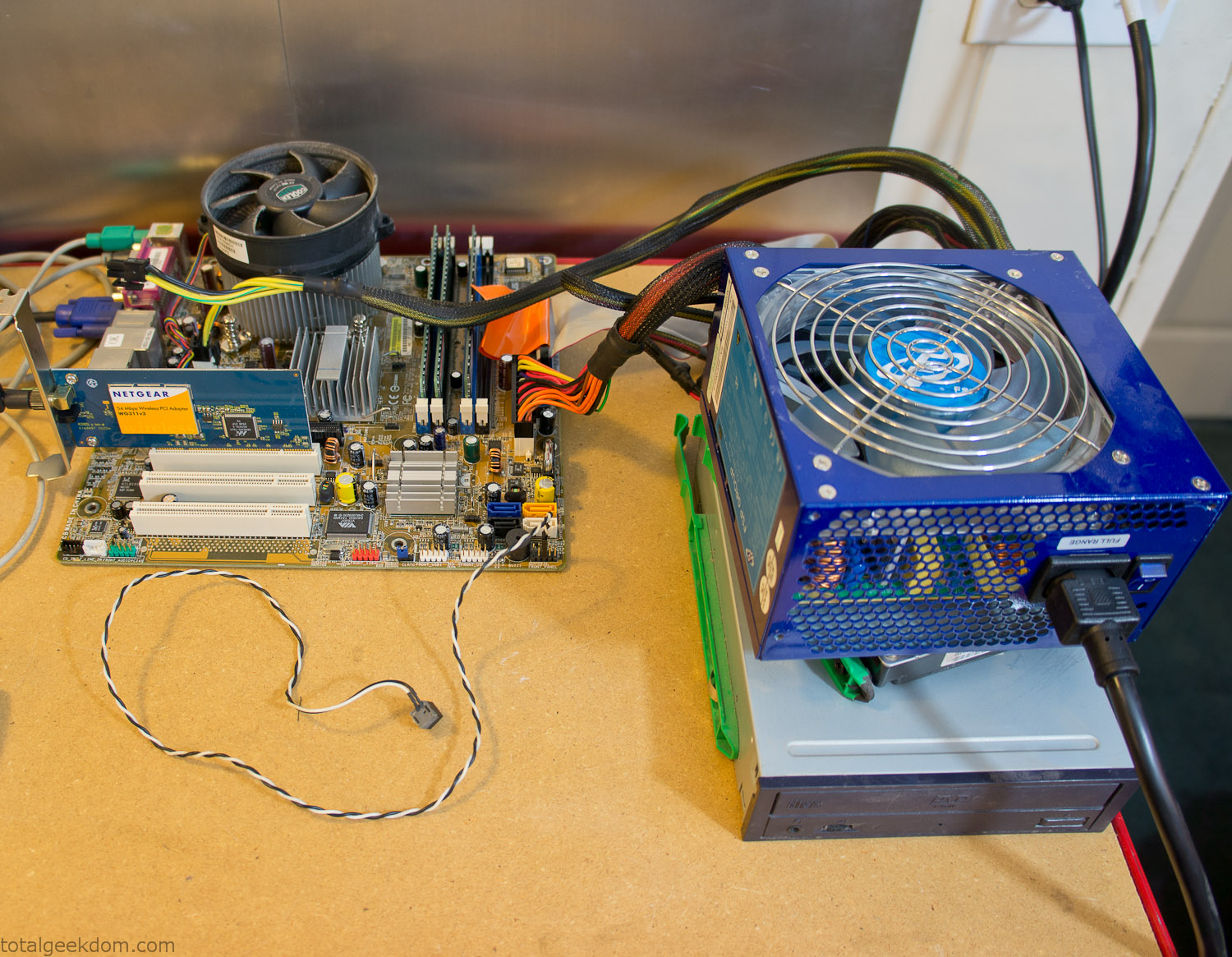
Computer Parts Testing
If you’ve spent any time around computer hardware in the last decade you’re probably well aware that Pentium 4 has a reputation for running hot. The 90nm Pentium 4 was named Prescott and it didn’t take long before the nickname Pres-hot popped up. In this case though that extra heat is going to be put towards good use.
Once the hardware was all in order I started working on the layout and arrangement for the case. I had originally envisioned the grass growing out of the top of the computer case. This seemed like it would provide a good blend between the hard edges of the computer and the soft feel of the grass. This also worked well with putting the soil area in the upper portion of the case, where the most heat should collect. After doing some initial tests with this configuration I found the measured temperature near the top of the case was the hottest. The placement of the CPU near the top of the case and the lack of airflow in that area contributed to these higher recorded temps.
After finishing with some initial tests I decided to completely strip the case down and start removing all the unnecessary brackets and pieces inside of the case. Like most computer cases all the internal brackets and mounts are riveted together, so I drilled all the rivets out of the components I wanted to remove and pulled them out. The gutted case looked pretty barren after being stripped.
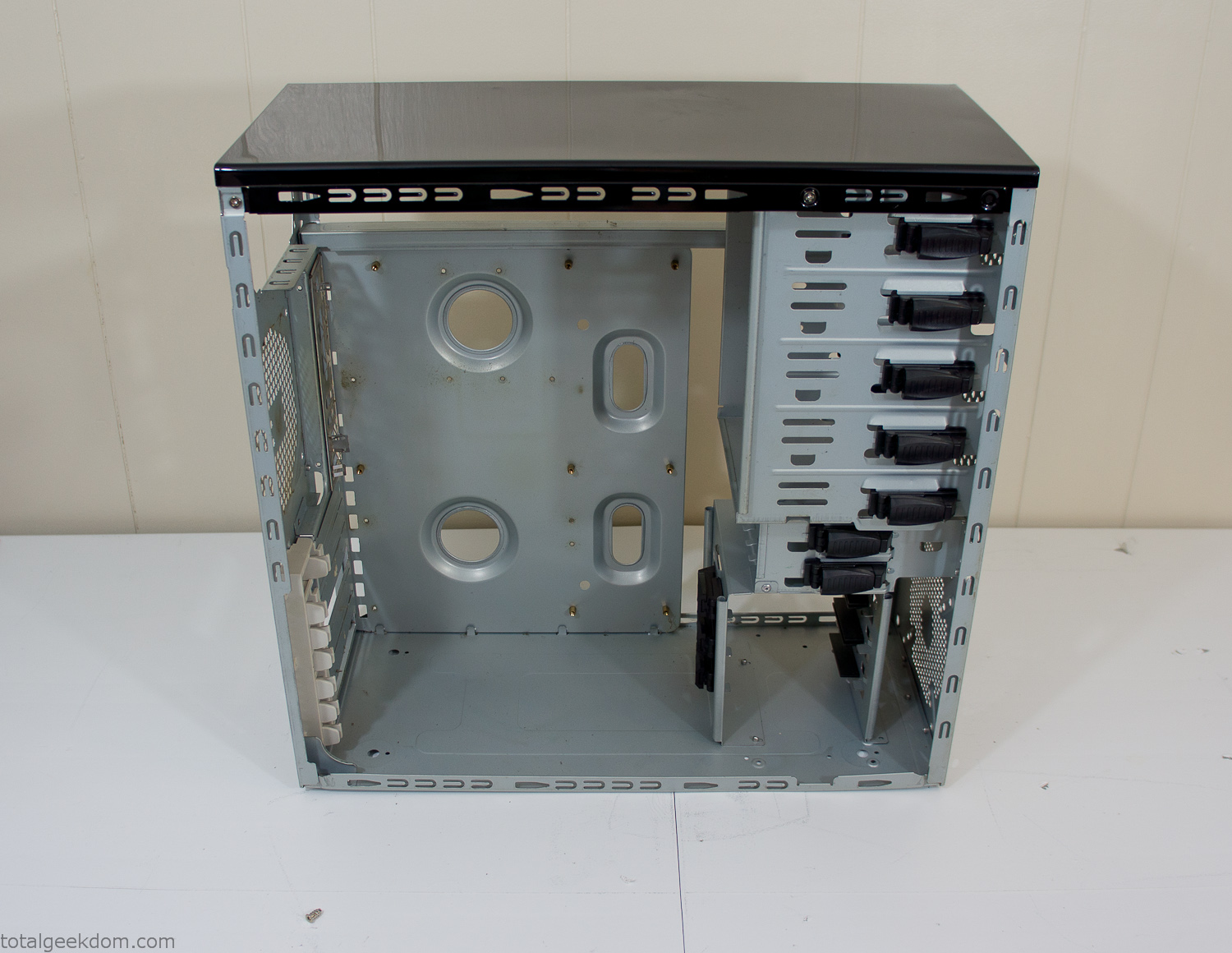
Empty Computer Case
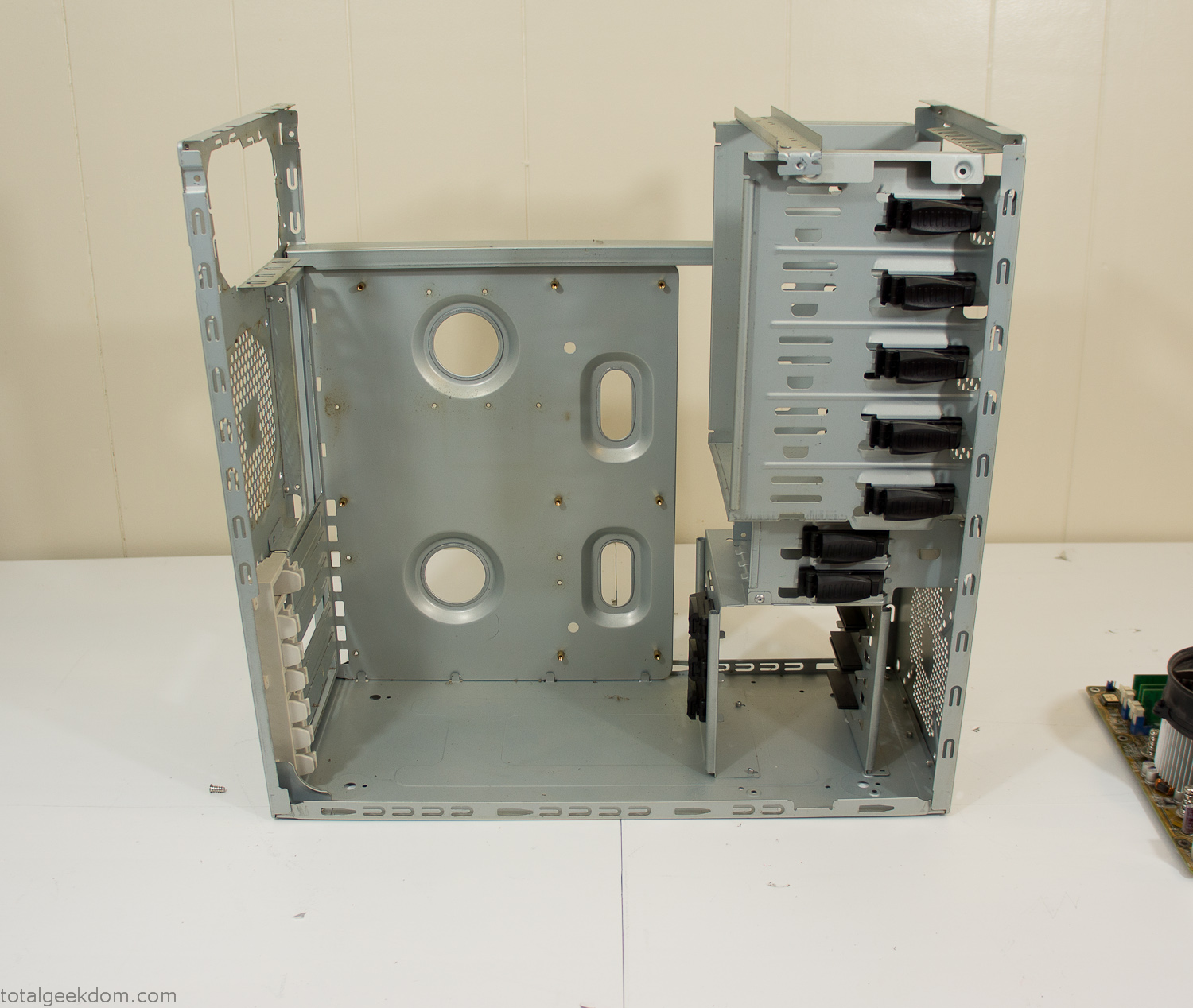
Dismantled Computer Case

Stripped Computer Case
In keeping with my original plan of having the computer blended with the organic grass I wanted it to be easy to see the inner workings of the computer and also the soil from the grass growing above. I needed something that was translucent, which left me with either glass or acrylic/polycarbonate as my options. I ended up choosing acrylic because I was able to find a cheap, used, die-cast model car display case top that was the perfect dimensions for the top of the case. Couldn’t go wrong for 5 bucks.
I test-fit the acrylic over the top of the computer case and marked my layout on the top of the case. My plan was to cut open the top of the computer case and insert the acrylic display case into the section I cut out. To cut open the top of the computer case I drilled a hole as a starting point and then used tin snips to cut through the thin gauge metal.
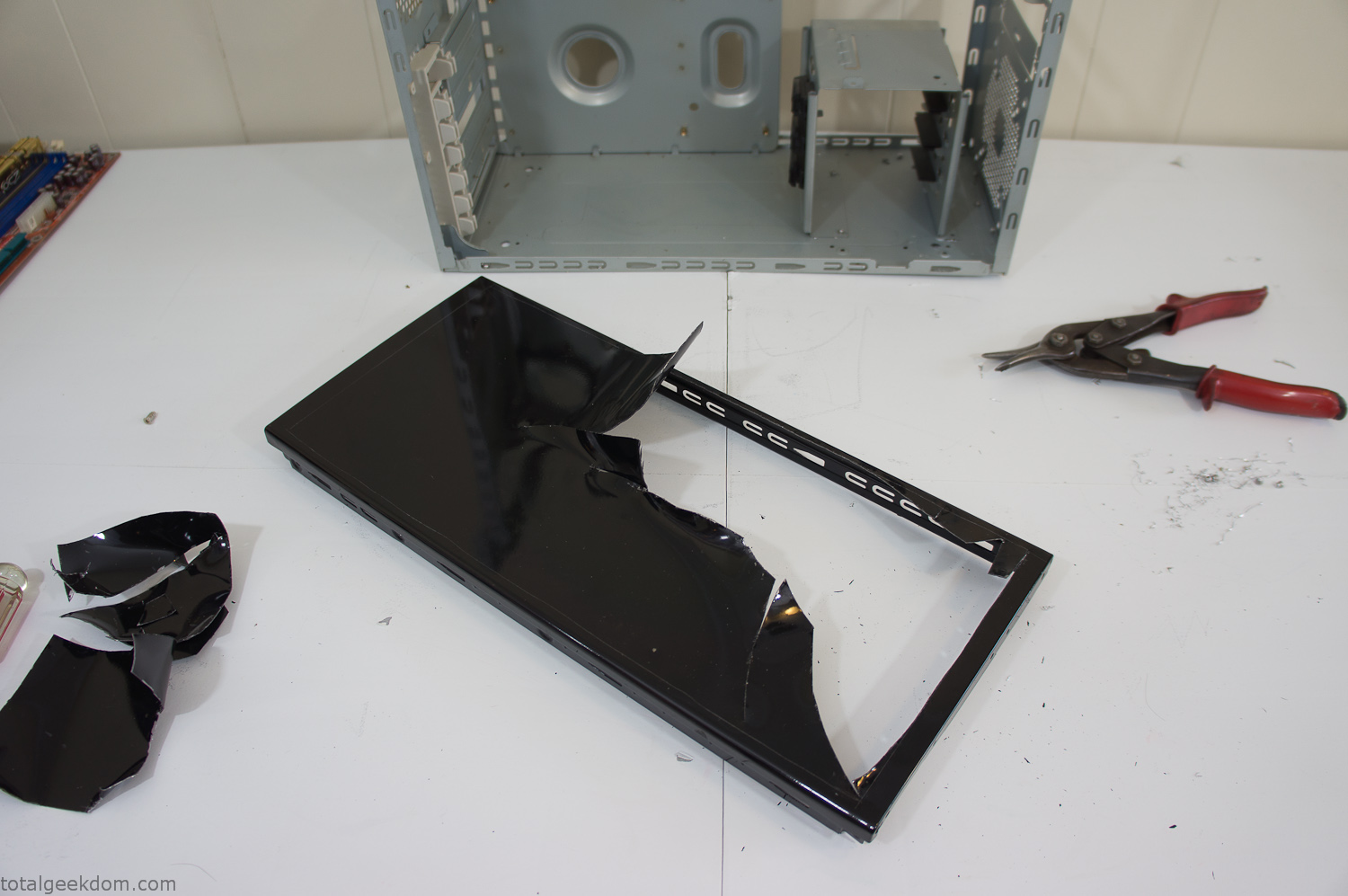
Computer Case Lid Modding
Once I had the metal opening cutout, I needed something to put along the edges of the freshly cut opening to create a clean and finished look. For $2 I was able to find some black, car-door-edge, plastic molding that worked perfectly.
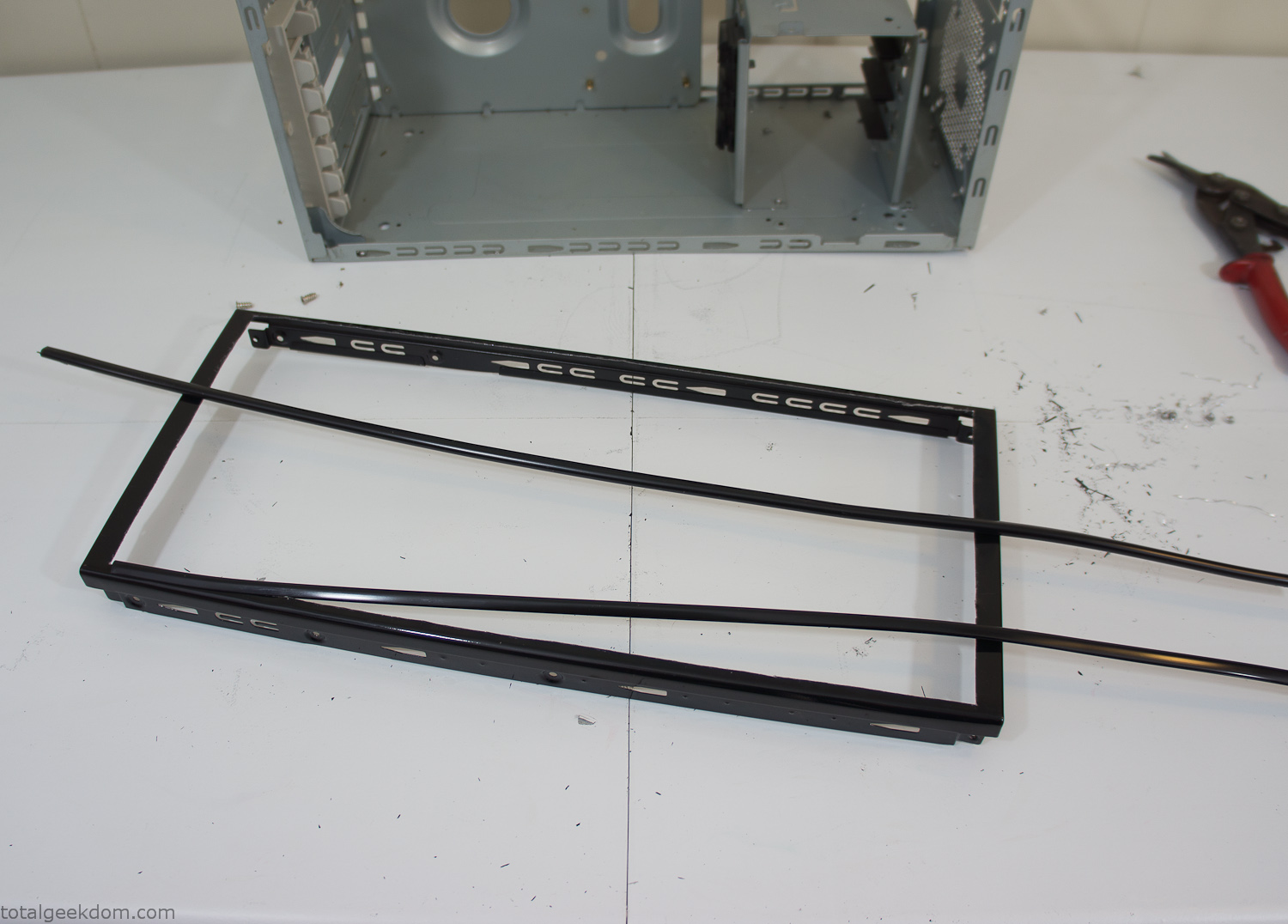
Modified Computer Case Lid
After getting the opening of the top of the computer handled and the acrylic case properly fitted, I moved onto some more testing with soil in the acrylic and the computer running. I wanted to see what kind of heat transfer I would get and how it would affect the soil temperature. I knew that using acrylic over glass would make it a little more difficult to heat the soil as acrylic is not that good at transferring heat. Luckily though I didn’t really need to alter the soil temperature that much, I just needed a little extra heat. Testing showed that heat transfer with just the single acrylic display case as my soil container was slow. So I decided to add some acrylic tubes. This would allow more surface are for soil to acrylic contact and also give me an area where I could add a mixed substrate to allow for soil drainage.
I went online and found a 3ft long section of 2 1/4″ clear acrylic tubing for $8 dollars. I wanted to add a couple of hanging cylinders off the main of the acrylic display case in the top of the computer case. To do this I needed to cut holes into the bottom of the display case. Cutting holes in acrylic is not always easy, it’s likely to chip and craze at the edges. To get around this I used a buildup of masking tape on both sides of the acrylic, to provide a little bit of resistance and strength. I placed the acrylic display case back into the computer and marked my layout for the tubes. I needed to leave clearance for the CPU cooler, power supply and hard drive mount.
After marking the layout, I used an air-powered pencil grinder and carbide tipped bit and cut through the acrylic case along my marked lines. After the initial shape was cutout I used a tube piece as a template and slowly worked on grinding the holes as perfectly round as I could get them so that the tube had a snug fit all the way around. The fit is pretty important as the acrylic cement that I used needs there to be a tight fit so that the acrylic can bond correctly.
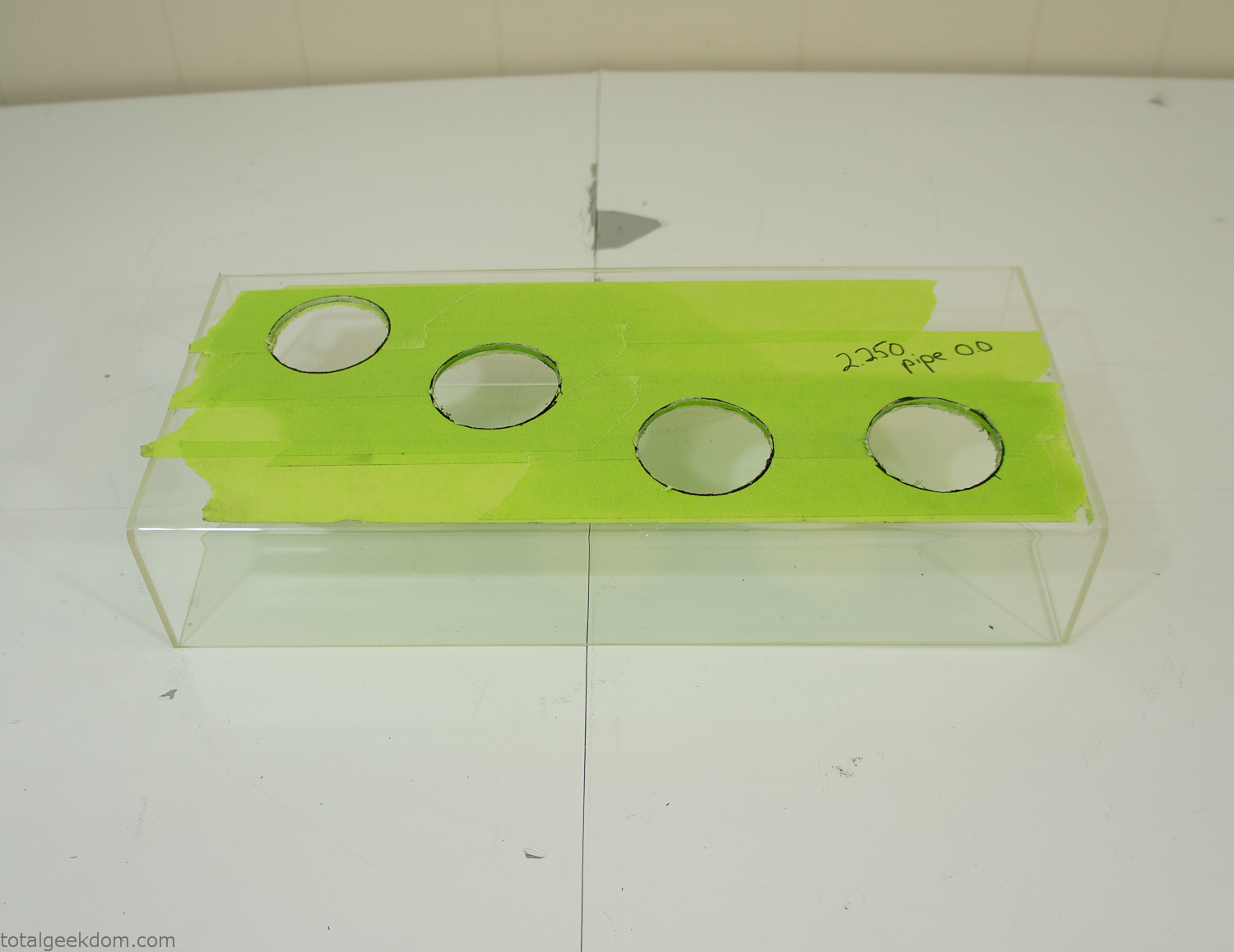
Acrylic Case Modifications
I placed the tubes into the acrylic case and mounted it in the computer and test fit the placement and height of the tubes. After getting everything lined up and oriented correctly I moved towards bonding the acrylic together. Using a needle dropper applicator I applied the cement to all the joints. After letting it set overnight I came back the next night and applied a thin coating of clear silicone caulk around all the joints just to ensure they were completely water tight
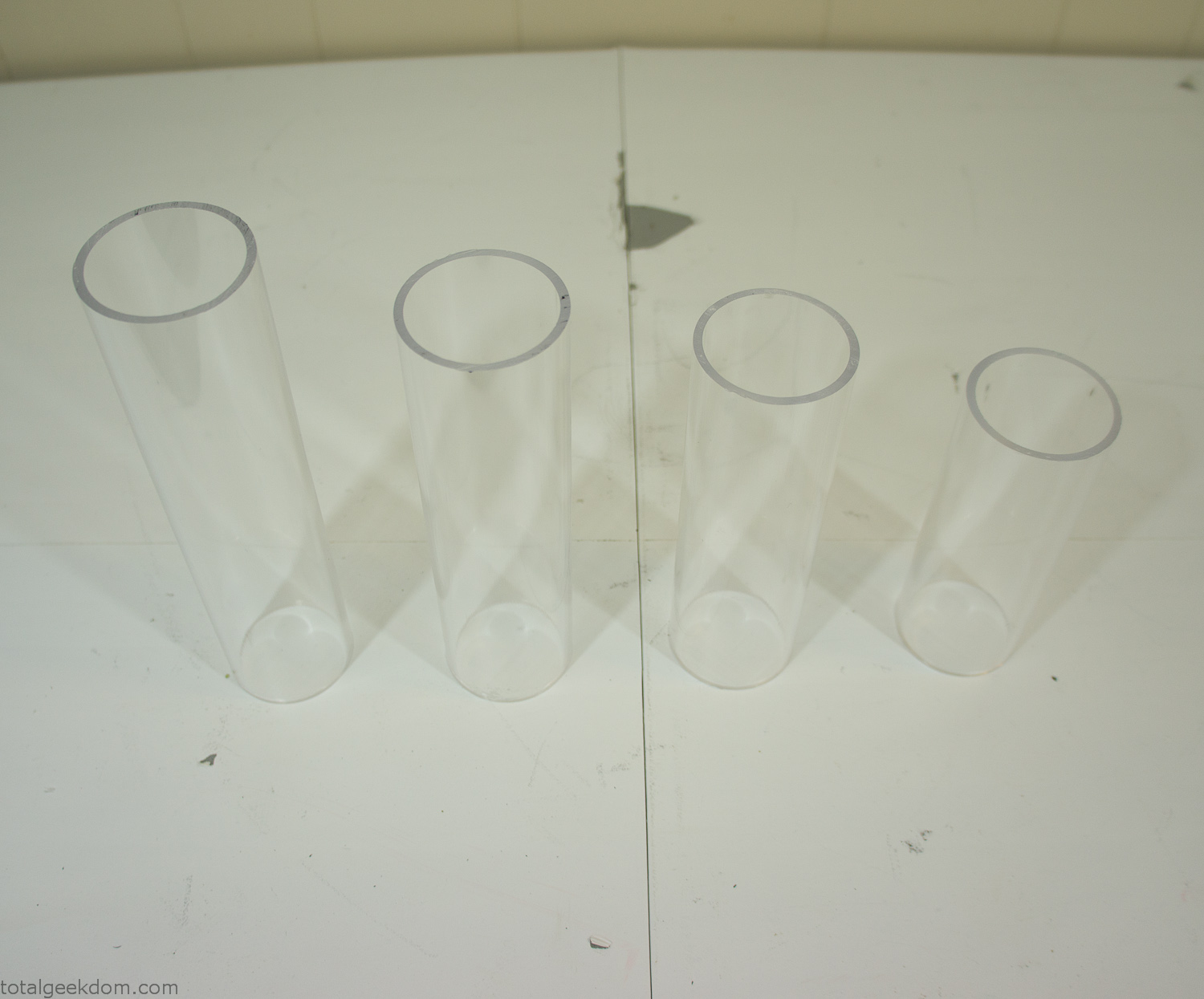
Acrylic Tubes
The next step was sealing up the bottom of the acrylic tubes. I looked at a couple of different options before realizing that the discs I had cut out of the acrylic case to fit the tubes would be almost the perfect size. Using a bench grinder and a test piece of tube I slowly ground each disc to the perfect size for a tight fit all the way around. I placed the clear acrylic discs into the bottom of each tube and repeated the same cementing and silicone caulking procedure to ensure they were water-tight. After a couple of days’ worth of drying I tested the case by filling it with water overnight and checking in the morning to make sure that no leaks had popped up.
In order to hold the weight of the acrylic case after adding soil, I drilled and installed a machine screw with a rubber cap at each corner of the computer case to bear the weight of the acrylic case.
Once all the work was done with the acrylic case section I started reinstalling all the components. The motherboard, hard drive and power supply were added and then wired up.
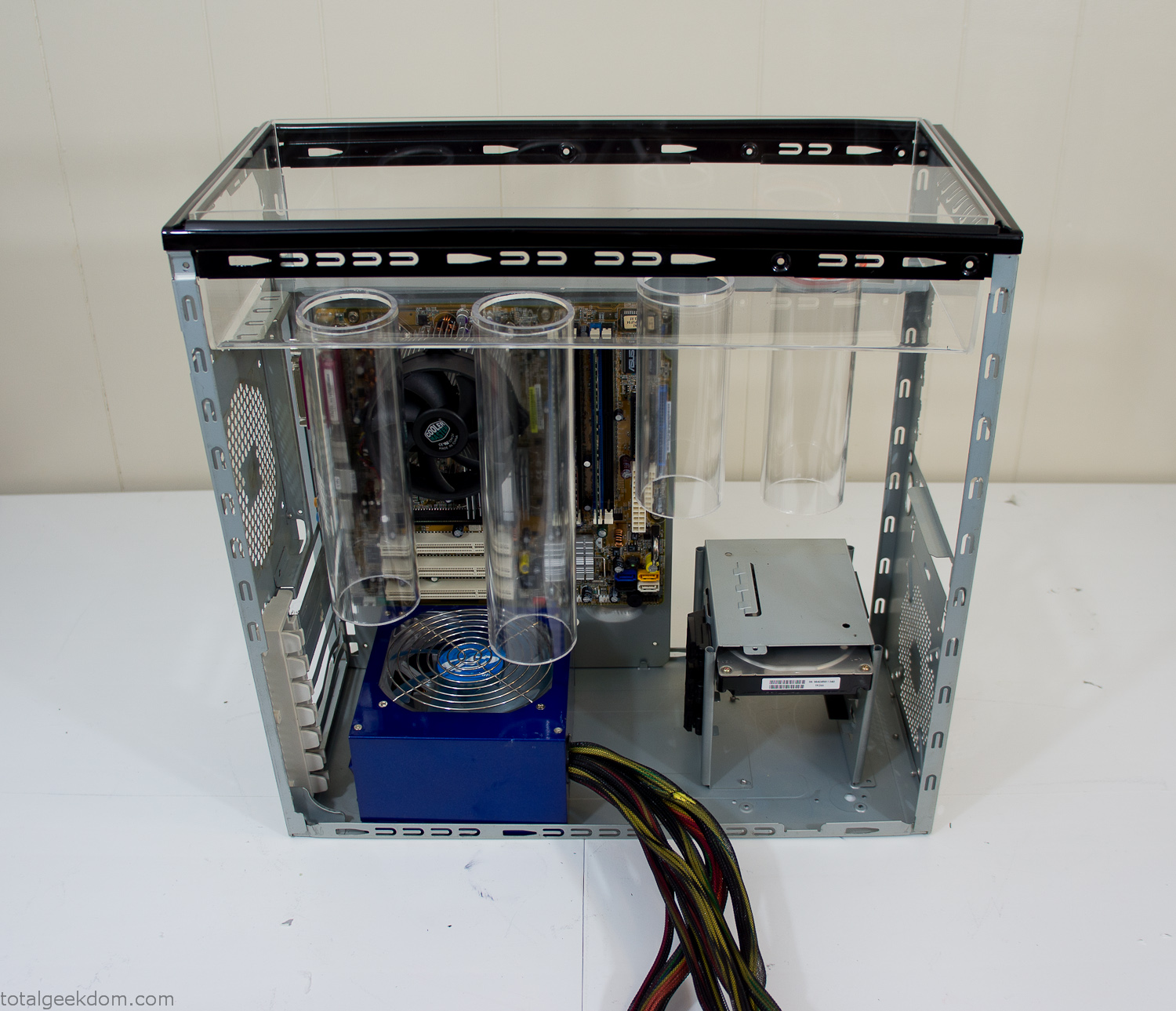
Mocked Up Computer Case
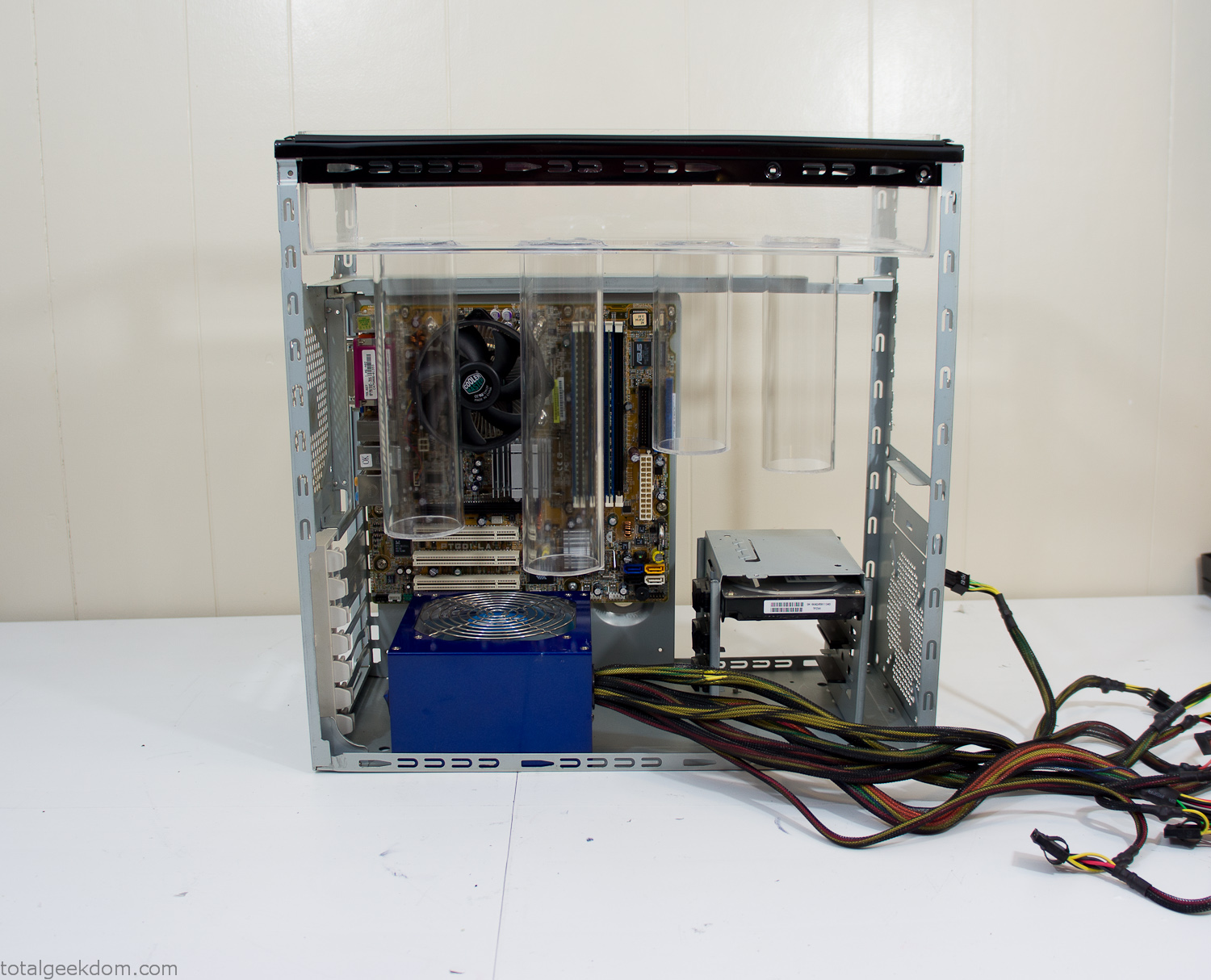
Power Supply Mockup
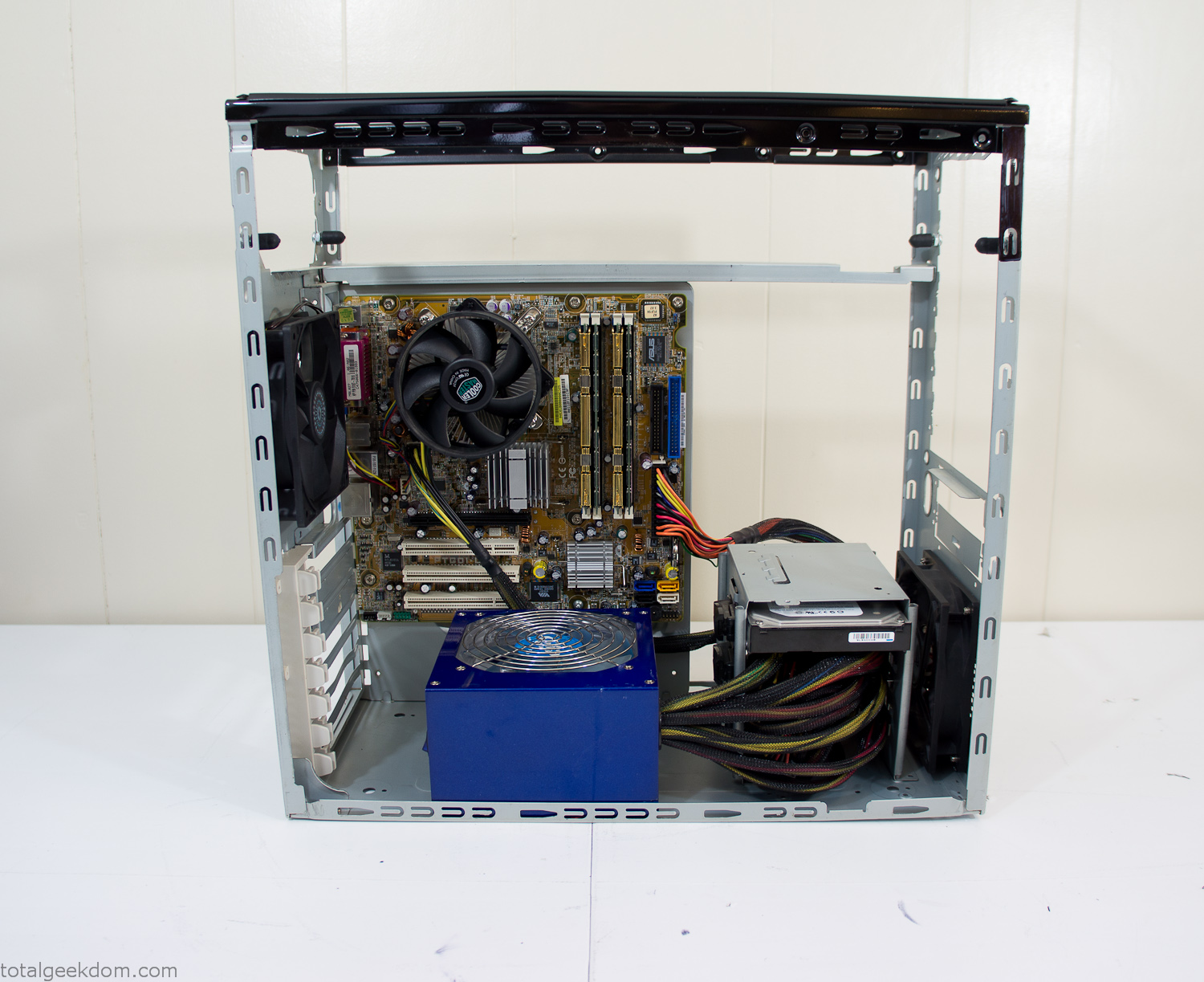
Computer Components Wired
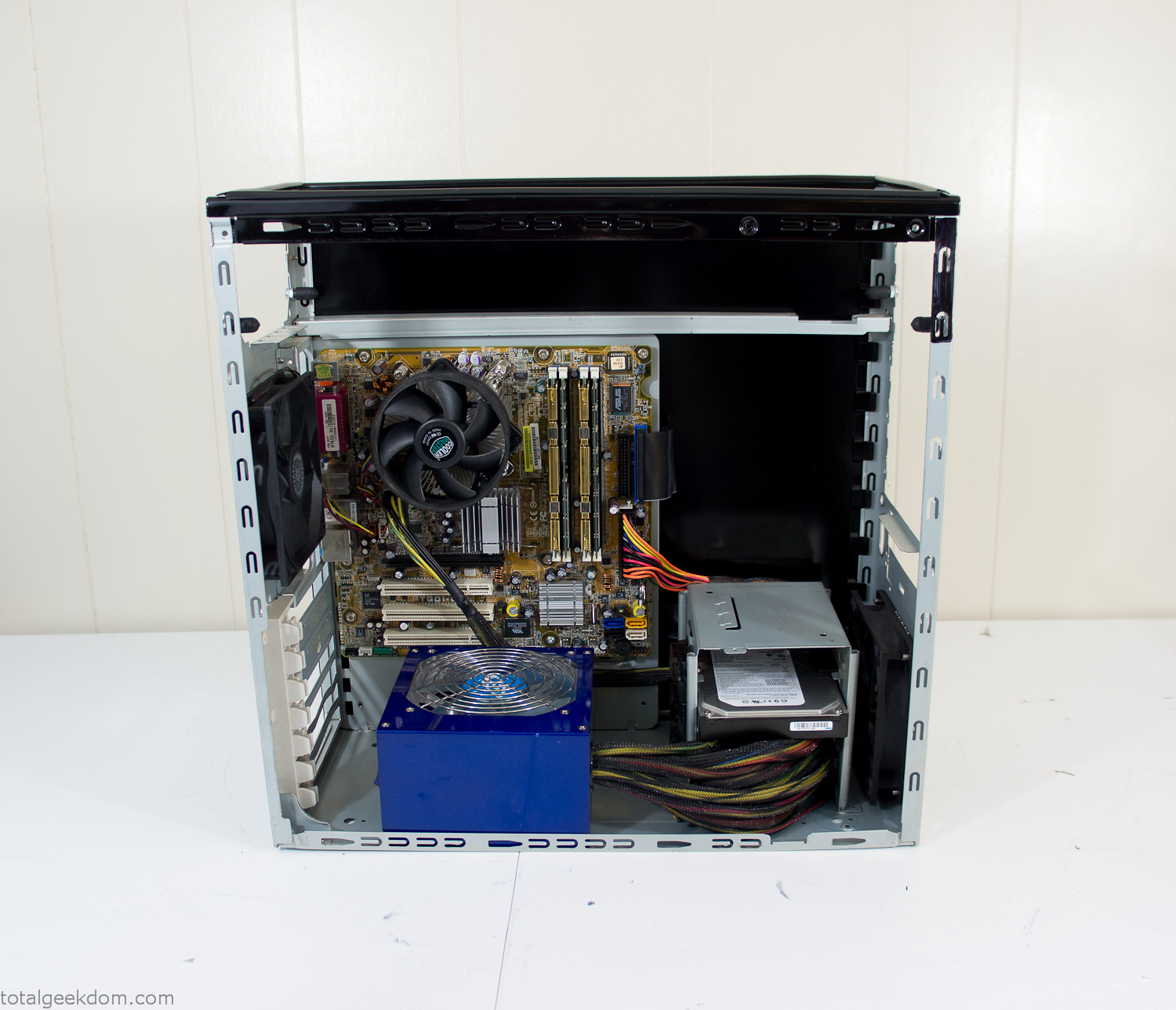
Case Panel Installed
At this point all that was left was to make a clear panel for the side of the case. I had some left over acrylic sheets from a different project that were really close to the right size, after test fitting, marking and cutting I then had a clear side panel to see into the case. (I left this off for the pictures because it caused a reflection)
The final step was filling the case with soil and adding some wheatgrass. I had been test growing other samples of wheatgrass during the build process. So I had already a couple of different patches of grass growing. I tried to keep the soil level just below the top of the acrylic case edge to make it a little more seamless.

Grass Planted in Computer
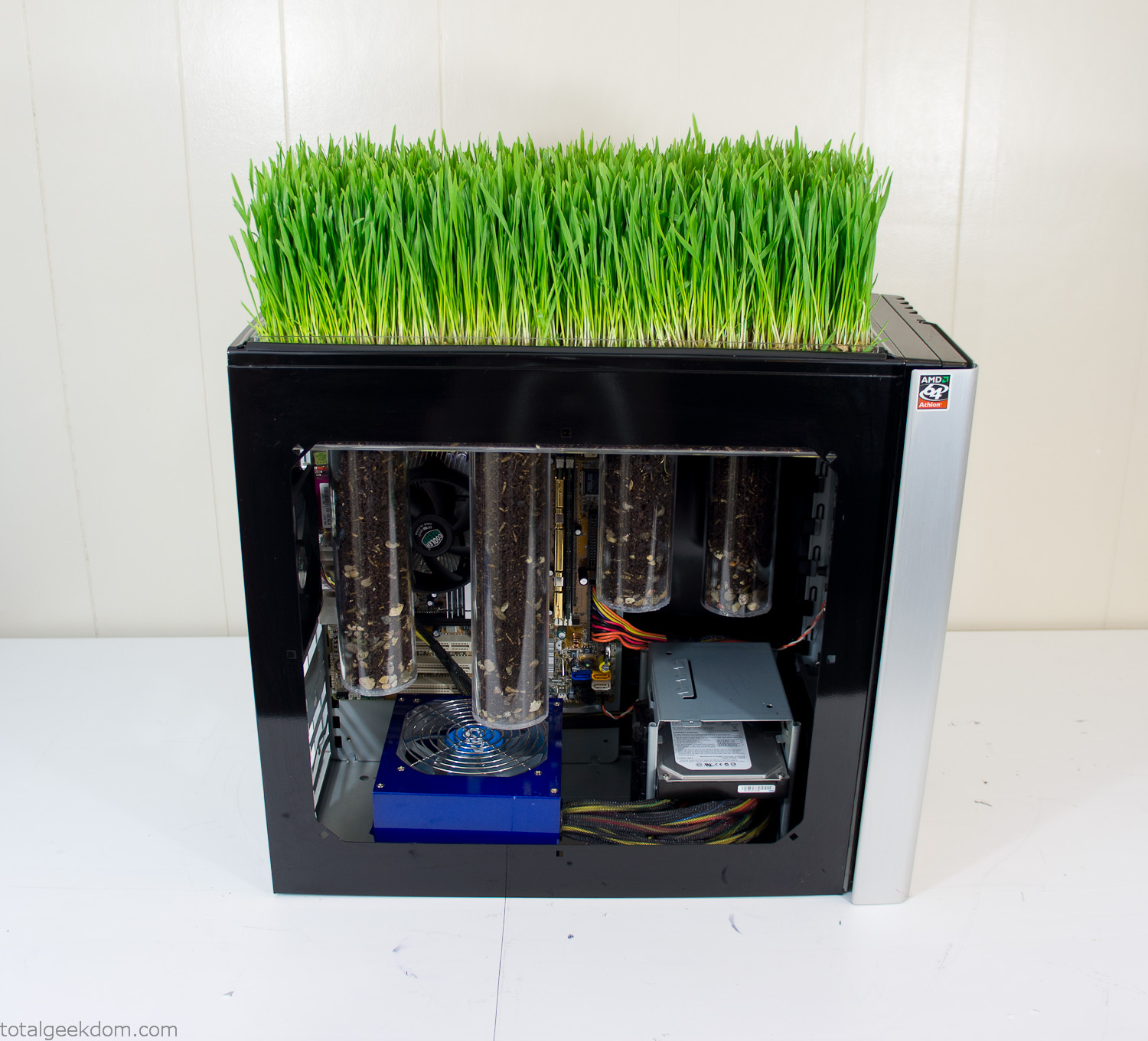
Grass and Case Panel Installed

Grass in Computer
For the computer itself I ended up installing Windows as well as Linux in a dual boot setup. Since the computer was going to be used by my son as something to play with I figured I should put both on there so he can tinker with them and learn as he goes. Besides, for important life decisions like picking an OS (Operating System) I think any good parent should present the options and then let their kid decide for themselves.
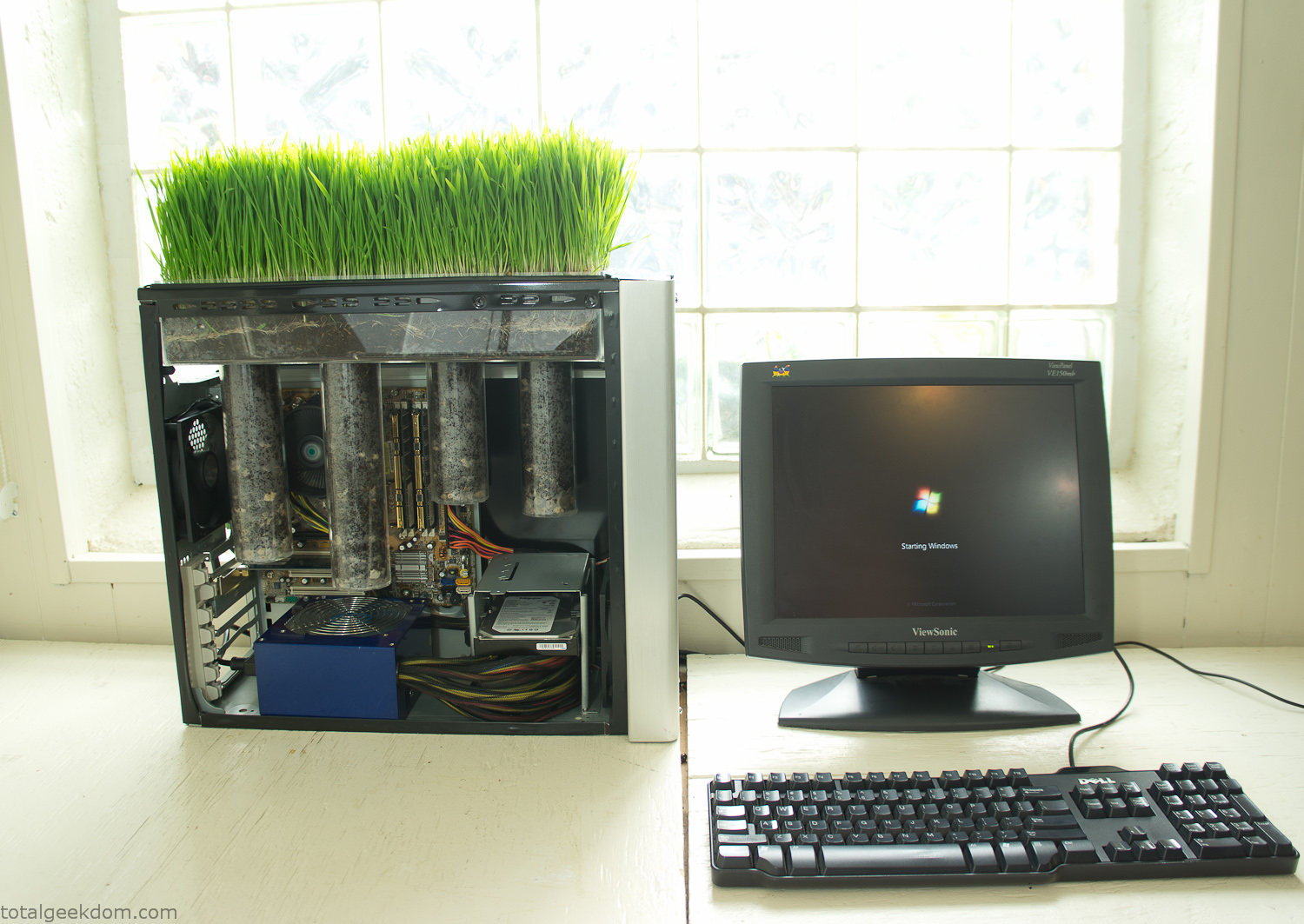
Starting Windows
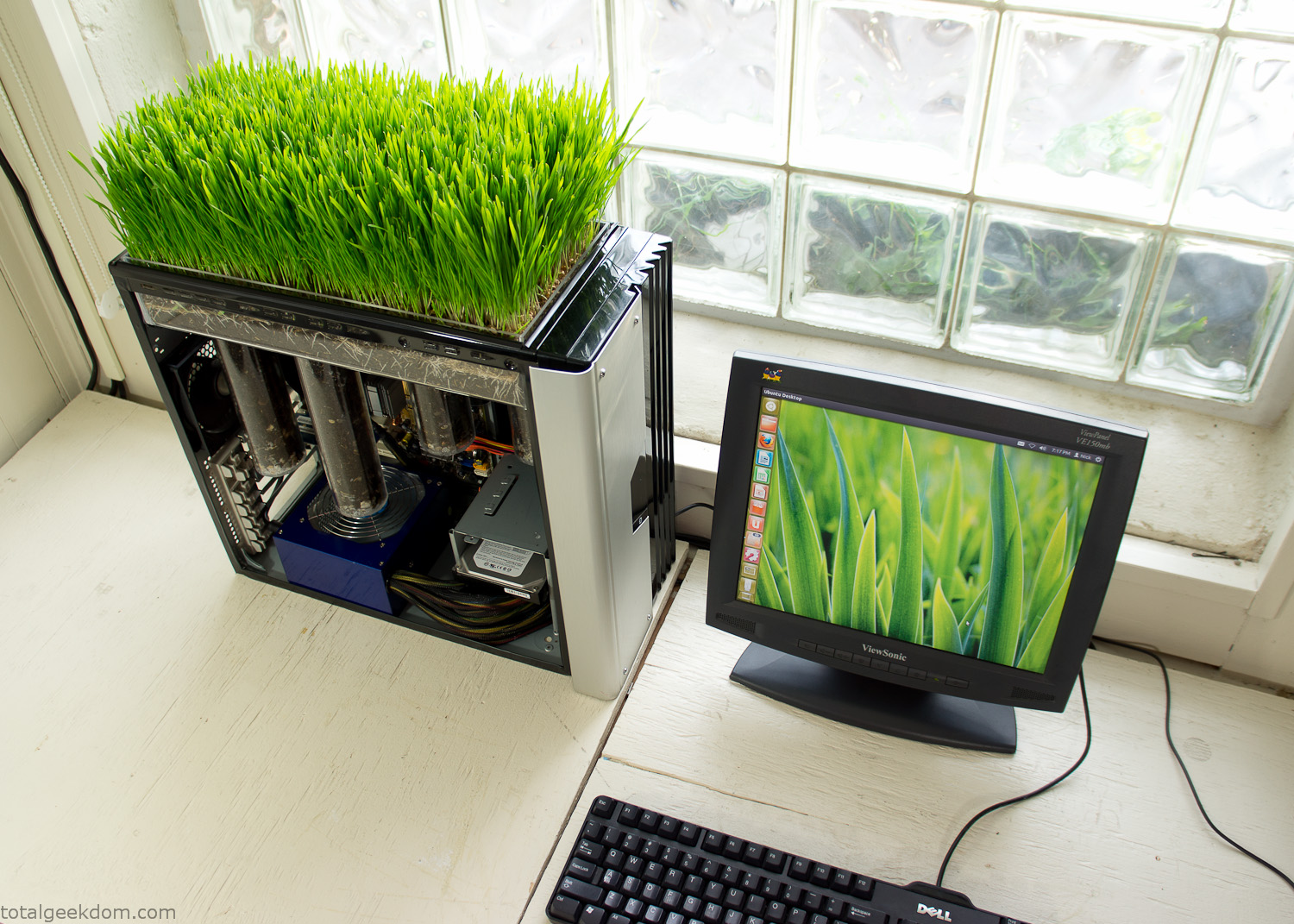
Linux Running
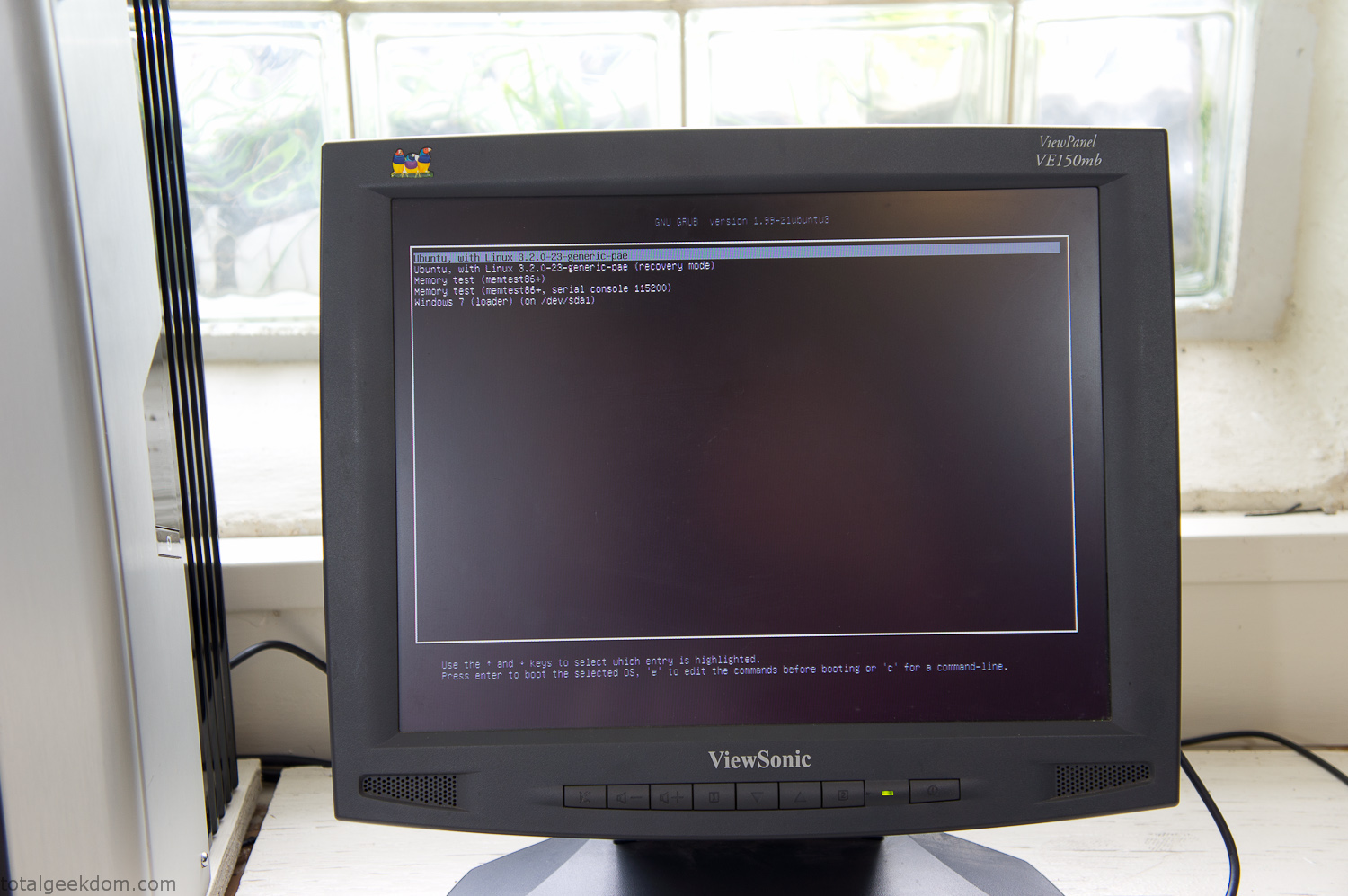
Dual Boot Screen
In the end I’m happy with the result of the project. It’s been fun experimenting with growing wheatgrass and I like how the natural look of grass is blended with the very modern, inorganic case.
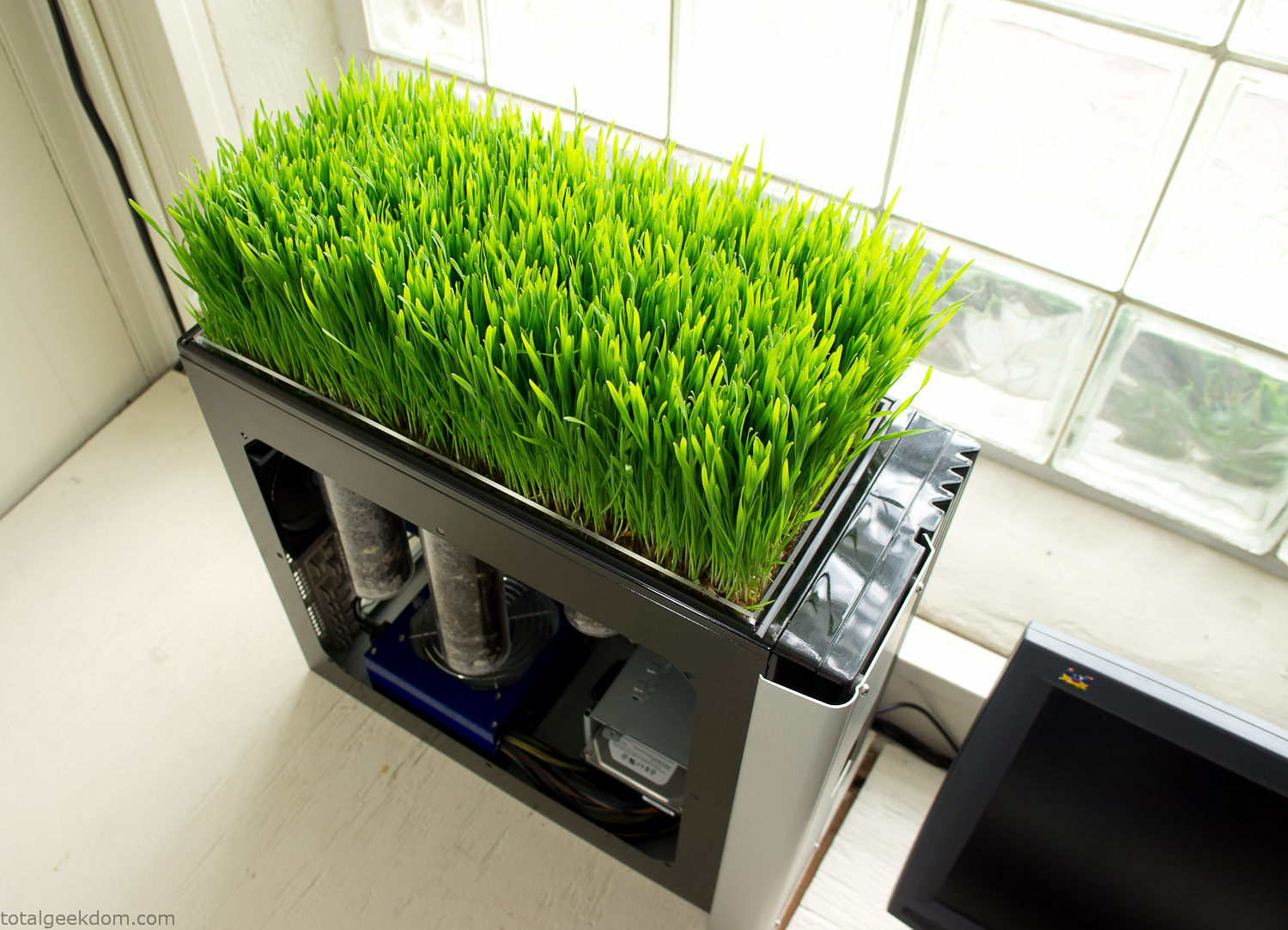
Computer Grass Growing
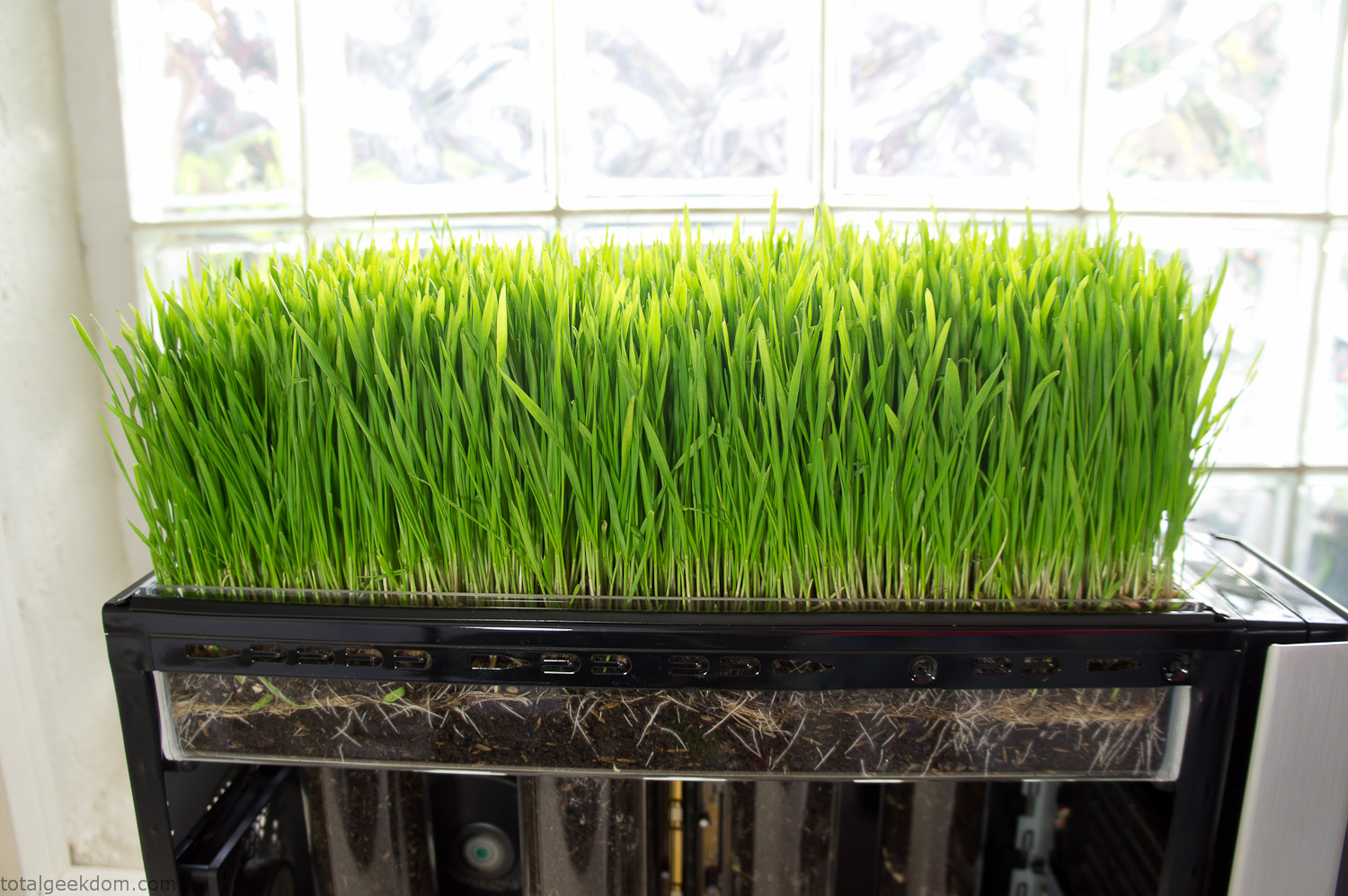
Grass in Computer Section
Notes
Temperature Testing
In testing the case temperature versus the soil temperature I found it was easiest to control the case temperature by using a variable fan speed control on both the inlet and outlet fans. By turning the fan speed down I could increase the temperature inside the case and correspondingly raise the soil temperature.
In order to maximize output of heat during these tests I used Prime95 to run the CPU at 100% load.
Using this method to control the case and soil temperature I played around with adjusting the soil temperature and then tracking the rate of growth of the Wheatgrass. The target temperature for peak growth seemed to fall around 66°F (19°C).
Using the fans to control the case temperature allowed me to vary the temperature inside the case from a low of 75°F (24°C) to a high of 91°F (33°C). In order to achieve the desired increase in soil temperature, I had to run the case temperature toward the higher end of the scale.
When the soil temperature was too high, the growth of the wheatgrass would slow.
Wheatgrass
The wheatgrass I used for my tests was nothing special, it can be found as seeds (berries) in a lot of health food stores and it grows relatively easily.
Caring for the wheatgrass is just a matter of keeping it watered. It’s a pretty easy plant to work with and doesn’t require any special skills.
Wheatgrass is often used as a nutritional supplement; it can be juiced and mixed into smoothies and other beverages. I plan on harvesting some of the grass and making some juices.
Plant Options
While wheatgrass offers a nice, attractive and easily grown option I do plan on trying other plants as well in the future. Since I already have the “planter” built all I have to do is add a different plant and see how it goes. I’m sure there will be some plants that don’t like the lower light environment, but it will be fun experimenting with other plants as well and seeing how they take.
Materials
Donated Computer- Free
Clear Acrylic Display Case- $5
Clear Acrylic Tube- $5
Plexiglass Side Panel- Free
Total- $10
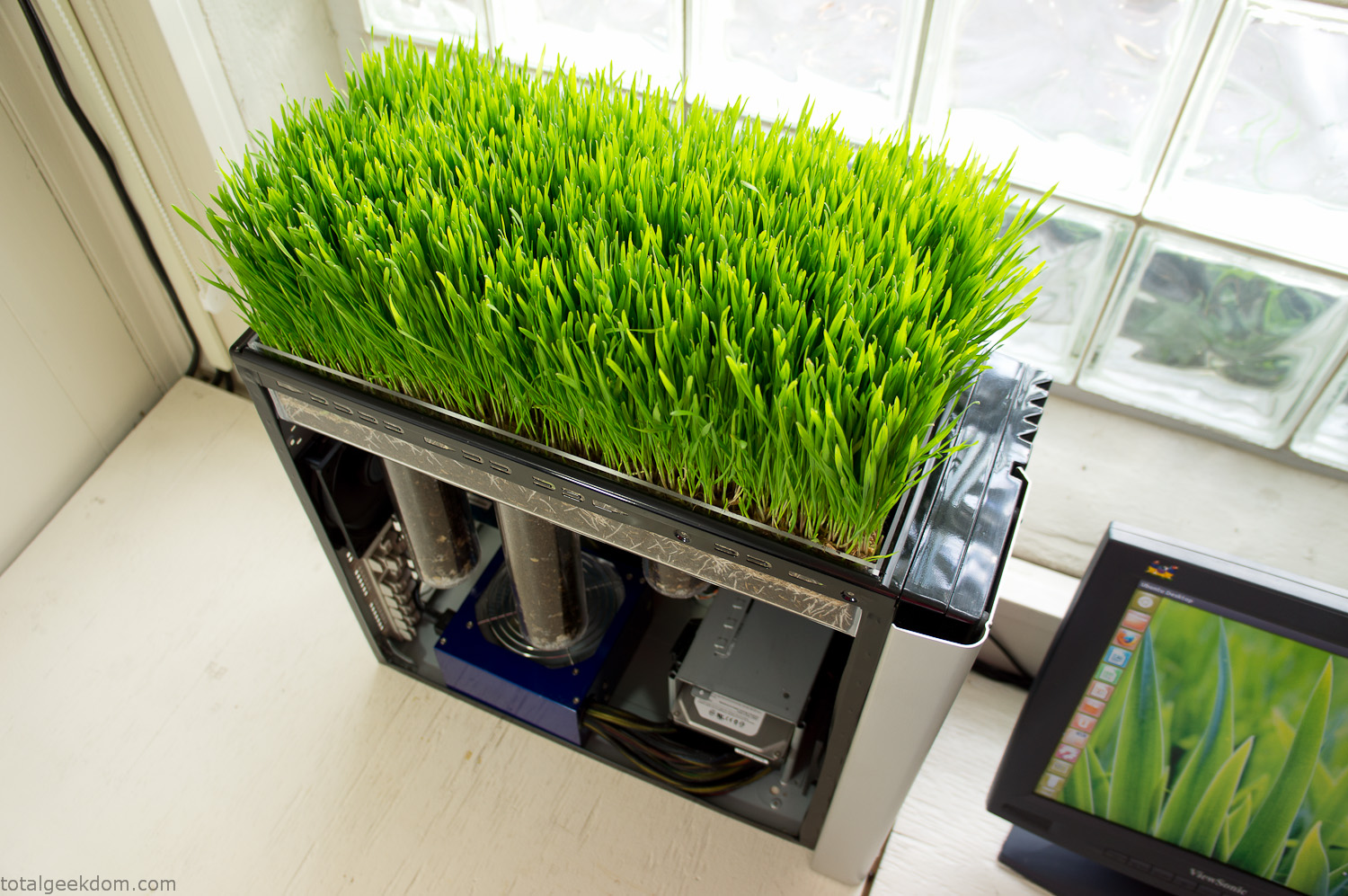
Bio Computer Running
 29.2k
29.2k
 13.2k
13.2k 7.1k
7.1k

 2.1k
2.1k 813
813 2.6k
2.6k
Comments 54,413
https://freski63.online
https://xn--krken23-bn4c.com
https://xn--krken23-bn4c.com
https://androidincar.ru
kraken зеркало рабочее kraken onion, kraken onion ссылка, kraken onion зеркала, kraken рабочая ссылка onion, сайт kraken onion, kraken darknet, kraken darknet market, kraken darknet ссылка, сайт kraken darknet, kraken актуальные ссылки, кракен ссылка kraken, kraken официальные ссылки, kraken ссылка тор, kraken ссылка зеркало, kraken ссылка на сайт, kraken онион, kraken онион тор, кракен онион, кракен онион тор, кракен онион зеркало, кракен даркнет маркет, кракен darknet, кракен onion, кракен ссылка onion, кракен onion сайт, kra ссылка, kraken сайт, kraken актуальные ссылки, kraken зеркало, kraken ссылка зеркало, kraken зеркало рабочее, актуальные зеркала kraken, kraken сайт зеркала, kraken маркетплейс зеркало, кракен ссылка, кракен даркнет
частный маркетолог услуги Услуги PR (Public Relations) Услуги PR (Public Relations) – это комплекс мероприятий, направленных на формирование и поддержание позитивного имиджа компании, продукта или личности в глазах общественности. PR – это не только работа со СМИ, но и взаимодействие с целевой аудиторией, инвесторами, партнерами и другими заинтересованными сторонами. Основные задачи PR: Формирование позитивного имиджа: Создание благоприятного впечатления о компании, продукте или личности. Повышение узнаваемости бренда: Увеличение осведомленности о компании и ее продуктах. Управление репутацией: Реагирование на негативные отзывы и предотвращение кризисных ситуаций. Установление доверительных отношений: Создание прочных связей с целевой аудиторией, инвесторами и партнерами. Поддержка маркетинговых кампаний: Усиление эффекта от рекламных кампаний за счет PR-активностей. Основные инструменты PR: Пресс-релизы: Распространение информации о компании, продуктах или событиях в СМИ. Пресс-конференции: Организация мероприятий для общения с журналистами и ответов на их вопросы. Интервью: Предоставление интервью представителям СМИ для распространения информации о компании. Публикации: Размещение статей и других материалов о компании в СМИ. Мероприятия: Организация и участие в мероприятиях для повышения узнаваемости бренда и установления контакта с целевой аудиторией. Социальные сети: Ведение страниц в социальных сетях для общения с целевой аудиторией и распространения информации о компании. Работа с блогерами и лидерами мнений: Привлечение блогеров и лидеров мнений для продвижения компании и ее продуктов. Инвестиции в PR – это инвестиции в репутацию вашей ко
https://xn--krken23-bn4c.com
https://xn--krken21-bn4c.com
https://alfa-promotion.online
https://xn--krken21-bn4c.com
Грузоперевозки по России: надёжно, доступно, профессионально
[url=https://tlk-triga.ru/refperevozki/]рефрижератор заказать[/url]
Грузоперевозки остаются ключевым элементом логистики для бизнеса любого масштаба: от мелких доставок по Москве и области до межгородских перевозок тяжёлого и негабаритного оборудования по России. Транспортные компании предлагают широкий спектр услуг — грузовые перевозки, доставка оборудования, перевозка промышленных грузов и транспортировка технологического оборудования. Для спецзадач доступны низкорамные тралы и аренда трала, тралл машина, корыто трал и короткий трал, которые позволяют перевозить станки, модули, модульные дома и крупногабаритные грузы. Негабаритные перевозки по России автотранспортом и негабаритные перевозки Москва требуют точного расчёта: стоимость перевозки негабаритного груза зависит от габаритов, веса, маршрута и необходимости согласований.
https://tlk-triga.ru/
перевезти груз по россии
Доставка негабаритных грузов и перевозка тяжеловесных грузов по Москве выполняются с использованием специализированной техники — низкорамник, трал для перевозки спецтехники, аренда низкорамного трала в Москве. Перевозка станков и перевозка технического оборудования требуют упаковки, крепления и часто сопровождения ГАИ. Перевезти опасный груз нужно через компании с разрешением — перевозка опасных грузов автомобильным транспортом возможна при наличии документов и спецупаковки. Рефрижератор заказать стоит для перевозки холодильного оборудования и рефрижераторные перевозки — отдельная услуга.
Для экономии выбирают сборный груз и сборные грузоперевозки по России, а для срочных задач — фура 20 тонн, бортовая фура или фура грузовая. Доставка по России транспортными компаниями и междугородние грузоперевозки требуют грамотного планирования: рассчитать стоимость доставки поможет калькуляция по тоннажу, километражу и типу транспорта. Многие ищут дешёвые варианты — грузоперевозки по Москве и Московской области дешево или дешевые грузоперевозки по России — но важно не экономить на безопасности при перевозке негабарита.
Услуги транспортной компании включают заказ грузовой машины для переезда, аренду трала и услуги трала по перевозке негабаритных грузов, доставку крупногабаритного товара и перемещение оборудования. Транспортные компании по перевозке грузов по России, такие как ООО ТЛК или ТЛК Трига, предлагают комплексные решения: от оформления разрешений на негабарит до доставки «от двери до двери». Заказать грузоперевозку по Москве и области, заказать трал Москва или арендовать трал для перевозки спецтехники — просто, если выбирать проверенную грузовую компанию и заранее согласовывать условия перевозки.
Diamond Blitz KZ
City Pop Hawaii RUNNING WINS играть в леонбетс
https://xn--krken23-bn4c.com
Бонусы без пополнения — быстрый путь познакомиться со слотами без вклада. Новички получают фриспины или бонусные рубли c условиями отыгрыша, а позже разрешён вывод выигрыша при соблюдении правил. Свежие акции и бонус-коды мы публикуем на ресурсе Ищете самые популярные казино онлайн на реальные деньги которые выплачивают? На casinotopbonusi6.space/ — сверяйтесь с таблицей и выбирайте надёжные клубы. Сначала изучите вейджер, активируйте аккаунт через email и SMS, не создавайте дубликаты аккаунтов. Относитесь к игре осознанно, для развлечения.
https://gabibovcenter.ru
kraken onion, kraken onion ссылка, kraken onion зеркала, kraken рабочая ссылка onion, сайт kraken onion, kraken darknet, kraken darknet market, kraken darknet ссылка, сайт kraken darknet, kraken актуальные ссылки, кракен ссылка kraken, kraken официальные ссылки, kraken ссылка тор, kraken ссылка зеркало, kraken ссылка на сайт, kraken онион, kraken онион тор, кракен онион, кракен онион тор, кракен онион зеркало, кракен даркнет маркет, кракен darknet, кракен onion, кракен ссылка onion, кракен onion сайт, kra ссылка, kraken сайт, kraken актуальные ссылки, kraken зеркало, kraken ссылка зеркало, kraken зеркало рабочее, актуальные зеркала kraken, kraken сайт зеркала, kraken маркетплейс зеркало, кракен ссылка, кракен даркнет
https://xn--krken23-bn4c.com
Казино Cat
https://xn--krken21-bn4c.com
Daikoku Blessings Game Turk
https://xn--krken21-bn4c.com
https://danceyarcup.ru
https://xn--krken21-bn4c.com
https://artstroy-sk.online
https://xn--krken21-bn4c.com
Hello
[url=https://pp24market.cc]dumps[/url]
PP24 biggest cvv store
dumps ,cvv,ssn,banks,account
https://pp24market.pw
dumps
if you whant test message in tiket shop ,will be 10$ for good feedback
Black Friday!!only 10days discount 30% for all stuff ,all users
https://jolna.ru
Казино Вавада
https://xn--krken23-bn4c.com
https://xn--krken21-bn4c.com
https://camry-toyota.ru
Diamonds Power Hold and Win игра
накрутка активных подписчиков в тг
Посетите сайт Mayscor https://mayscor.ru/ и вы найдете актуальную информацию о спортивных результатах и расписание матчей различных видов спорта – футбол, хоккей, баскетбол, теннис, киберспорт и другое. Также мы показываем прямые трансляции спортивных событий, включая такие топовые турниры. Подробнее на сайте.
https://granat-saratov.online
https://xn--krken23-bn4c.com
https://xn--krken23-bn4c.com
https://chaynik48.ru
I just could not depart your site prior to suggesting
that I really loved the standard info an individual provide to
your guests? Is going to be again often to investigate cross-check new posts
https://better-rf.ru
https://granat-saratov.online
https://xn--krken21-bn4c.com
https://xn--krken21-bn4c.com
https://xn--krken23-bn4c.com
Hey, just between us — there’s something steady about https://my-kow.com/ mattresses. The way the memory foam meets your shape without making a fuss. The way the springs hold, not push. Whether it’s a full-size after a long shift or a queen on Sunday morning, these beds make stillness feel full and real.
https://xn--krken23-bn4c.com
https://dovrixi.ru
посмотреть в этом разделе [url=https://krak37at.at/]кракен даркнет[/url]
Пиломатериалы в Минске https://farbwood.by оптом и в розницу. Доска обрезная и строганая, брус, лаги, террасная доска. Качественная древесина для строительства и ремонта. Быстрая доставка.
Пиломатериалы в Минске https://farbwood.by оптом и в розницу. Доска обрезная и строганая, брус, лаги, террасная доска. Качественная древесина для строительства и ремонта. Быстрая доставка.
Пиломатериалы в Минске https://farbwood.by оптом и в розницу. Доска обрезная и строганая, брус, лаги, террасная доска. Качественная древесина для строительства и ремонта. Быстрая доставка.
Казино Cat
Chronicles of Olympus II Zeus casinos TR
https://goodavto-samara.online
Diamond Explosion 7s
накрутить подписчиков в тг
https://autoreleases.online
https://xn--krken21-bn4c.com
https://xn--krken23-bn4c.com
Офіційний онлайн-кінотеатр для вечорів, коли хочеться зануритись у світ кіно без реєстрації та зайвих клопотів. Фільми, серіали, мультики та шоу всіх жанрів зібрані у зручних рубриках для швидкого вибору. Заходьте на https://filmyonlayn.com/ і починайте перегляд уже сьогодні. Оберіть бойовик, драму чи комедію — ми підкажемо, що подивитись далі, аби вечір був справді вдалим.
ООО “Мир ремней” https://yandex.ru/profile/147633783627 Производство приводных ремней, тефлоновых сеток и лент – телефон +7 (936) 333-93-03
Divine Ways TR
https://xn--krken21-bn4c.com
Diggin For Diamonds 1xbet AZ
Приобрести онлайн кокаин, мефедрон, гашиш, бошки
https://xn--krken23-bn4c.com
https://xn--krken21-bn4c.com
Vox Casino Polska 2025
Vox Casino to nowa marka z licencja Curacao, dostepna dla graczy z Polski. Oficjalna strona zawiera ponad 4500 gier online, w tym automaty, gry stolowe i karciane, a takze kasyno na zywo. Konto gracza mozna otworzyc w zlotowkach, euro lub dolarach.
Casino Vox ma dobry system bonusow: pakiet powitalny dla pierwszych cztery depozyty i regularne bonusy dla kolejnych depozytow. Dostepny jest rowniez program lojalnosciowy dla stalych graczy.
2024
Licencja VoxCasino Curacao 147717/JAZ
Bonus powitalny 10 000 PLN + 500 darmowych spinow (w zaleznosci od depozytu)
Liczba gier 4 500+
Live-casino Tak
Dostawcy NetEnt, Relax Gaming, Wazdan, Fugaro, Red Tiger, Playson, Play’n Go, Belatra, Spinomenal, Platipus, Evoplay, Betsoft, Habanero, Nolimit City, Igrosoft, 3 Oaks, Booming Games
Systemy platnosci Visa/MasterCard, Mir, Bitcoin, Binance, Sberbank
Minimalny depozyt Minimalna kwota depozytu wynosi 3 PLN
Minimalna wyplata 6 – 41 PLN w zaleznosci od wybranego systemu platnosci
Czas wyplaty Od 1 minuty do 24 godzin
Program lojalnosciowy Tak
Wsparcie techniczne Czat na zywo, E-mail
Rejestracja i logowanie do Vox Casino
Proces rejestracji obejmuje nastepujace kroki:
Zaloguj sie na oficjalnej stronie casino Vox
Kliknij przycisk “Rejestracja”
Wprowadz swoj login i haslo w udostepnionym formularzu
Wybierz preferowana walute gry (PLN, EUR, USD)
Potwierdz utworzenie konta
Nastepnie musisz potwierdzic swoj adres e-mail i wejsc do osobistej szafki casino Vox
Bonusy w Vox Casino
vox bonus
Cala aktualna lista promocji dostepna jest w sekcji Bonusy. Vox Casino oferuje swoim klientom nastepujace rodzaje bonusow:
Opis Warunki Wager
Do 125% bonus i do 100 darmowych spinow za pierwszy depozyt Minimalna kwota depozytu: 60 PLN. Maksymalna kwota bonusu: 2000 PLN. Darmowe spiny na automacie Gates Of Olympus. Maksymalny zaklad: 0,35 PLN. x30
Do 150% i 100 darmowych spinow za drugi depozyt Depozyt od 100 PLN: 90% bonus i 30 darmowych spinow (po 10 dziennie przez trzy dni). Depozyt od 50 PLN do 110 PLN: 100% bonus. Depozyt 110 PLN: 125% bonus. Darmowe spiny na automacie Gates Of Olympus. Maksymalny zaklad: 0,35 PLN. x35
Do 175% i 150 darmowych spinow za trzeci depozyt Maksymalna kwota bonusu: 410 PLN. Darmowe spiny na automacie Gates Of Olympus. Maksymalny zaklad: 0,35 PLN. x35
100% bonus za depozyt od 8 PLN jednym platnoscia Dostepny do aktywacji tylko raz. x45
Rowniez dla stalych graczy opracowano program lojalnosciowy, ktory obejmuje trzy poziomy. Aby uzyskac poziom, nalezy doladowac saldo o okreslona kwote:
Poziom zloty – 11 000 PLN
Poziom platynowy – 22 000 PLN
Poziom diamentowy – 44 000 PLN
Z kazdym nowym poziomem gracze Vox Casino otrzymuja unikalne funkcje, takie jak przyspieszona wyplata wygranych, udzial w turniejach VIP, ekskluzywne bonusy i mozliwosc ustawienia unikalnego awatara w swojej osobistej szafce.
Vox slots
Vox Casino ma ponad 4500 gier dostepnych w sekcji gier. Niektore z najpopularniejszych to Halloween Bonanza, Monster Munchies, Penny Pelican, Book Of Tombs i Big Bass Floats My Boat.
Gry Crash i gry blyskawiczne, takie jak Aviator, sa dostepne dla fanow szybkich wynikow. Fani gier na zywo moga wybrac sekcje Live-casino, w ktorej krupierzy na zywo prowadza gry na zywo w czasie rzeczywistym. Wszystkie maszyny w Vox Casino to licencjonowane tytuly z wysokim RTP (od 95%) od wiodacych dostawcow, w tym NetEnt, Novomatic, EGT, Igrosoft i Spinomenal. Niezawodnosc i uczciwosc gier potwierdzaja regularne audyty przeprowadzane przez niezalezne organizacje, takie jak eCOGRA.
Mobilna wersja strony
Vox Casino oferuje wersje mobilna, ktora jest kompatybilna z systemami iOS i Android. Witryna dostosowuje sie do ekranow smartfonow i tabletow, zapewniajac stabilna wydajnosc i wysoka jakosc obrazu bez koniecznosci instalowania aplikacji. Gry uruchamiaja sie szybko i dzialaja plynnie przy stabilnym polaczeniu internetowym.
Wplaty i wyplaty Vox casino
systemy platnosci
Wszystkie popularne systemy platnosci sa dostepne do doladowania konta w casino VOX:
Visa/MasterCard, karty bankowe MIR
kryptowaluty Bitcoin, Litecoin, Binance
usluga internetowa Piastrix
bankowosc internetowa Alfa-click
Minimalna kwota depozytu zalezy od systemu platnosci.
Wyplaty srodkow zaleca sie dokonywac tymi samymi kanalami, co depozyt. Po weryfikacji konta casino VOX i spelnieniu warunkow bonusu, srodki sa wyplacane w ciagu kilku minut do 24 godzin.
Приобрести онлайн кокаин, мефедрон, гашиш, бошки