
With every passing project I feel like my basement is being converted from a living only area, to a work and project area. Computers being built, gadgets being taken apart, Lego projects all around. I’m not complaining by any means, but I do feel as my basement becomes populated with more and more tech based projects that the environment is missing something organic, something natural to balance things out.
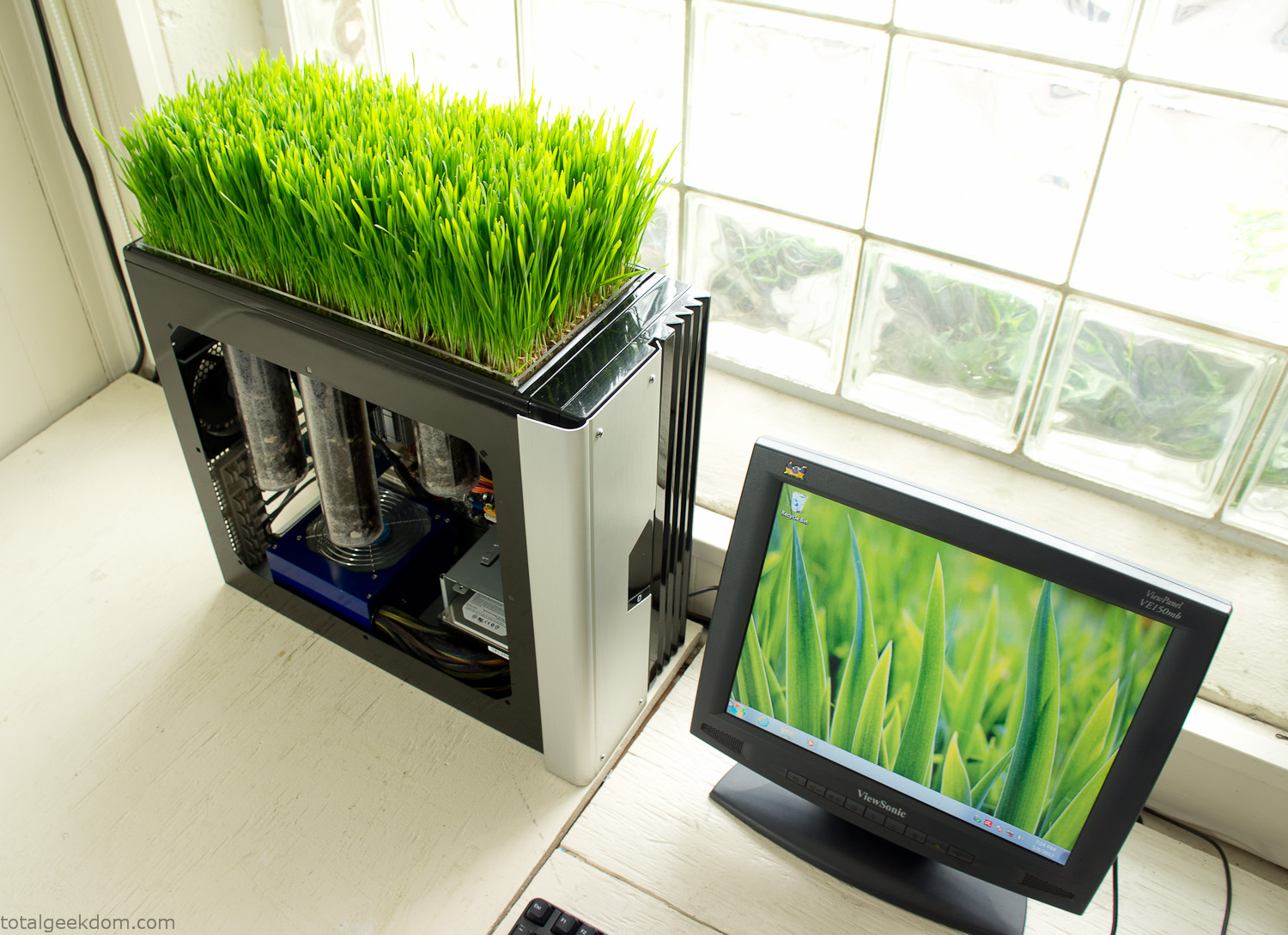
Bio Computer
I’ve been interested in working on a project for while that would combine something tech-based with something organic. Mixing the two elements intrigued me for a while. I’ve wanted to add flowers, or maybe plants of some sort to blend a little bit of nature into the space. I do receive a bit of sunlight through a glass block window, but the temperature in the basement is usually on the colder side. In the winter I don’t really heat the space because the folding farm outputs enough heat to keep the temperature comfortable. I didn’t want to change that aspect so I needed to come up with something that would tolerate slightly cooler temperatures and limited sunlight.
I can’t exactly recall when the idea came to me, but at some point I started wanting to use the heat from a computer as a way to warm the soil and help with germination/growth. I’m about as far from a botanist as it comes, I did some reading online and became pretty interested in the effects of soil temperature on germination/growth. I read different studies and papers from various universities. It was not too long into that process that I became hooked on the idea of using computer heat as a way to control the soil temperature of some sort of living plant life.
As the idea developed further I started looking into wheatgrass as a plant option. There is something clean and natural about the look and idea of a piece of grass growing in my basement. I thought the look would alter the space a little bit and add a bit of color along with something more than just metals and plastics. After reading enough studies and papers on the effects of soil temperature and germination with wheatgrass I felt like I had a good enough handle on the basics to tackle this.
The first step was finding a computer to adapt for the project. Luckily I had a lot of donated computers that people had given me for various project purposes. Most of them didn’t work, but by cobbling together various components from a bunch of different old computers I was able to come up with enough good parts to make a working computer.
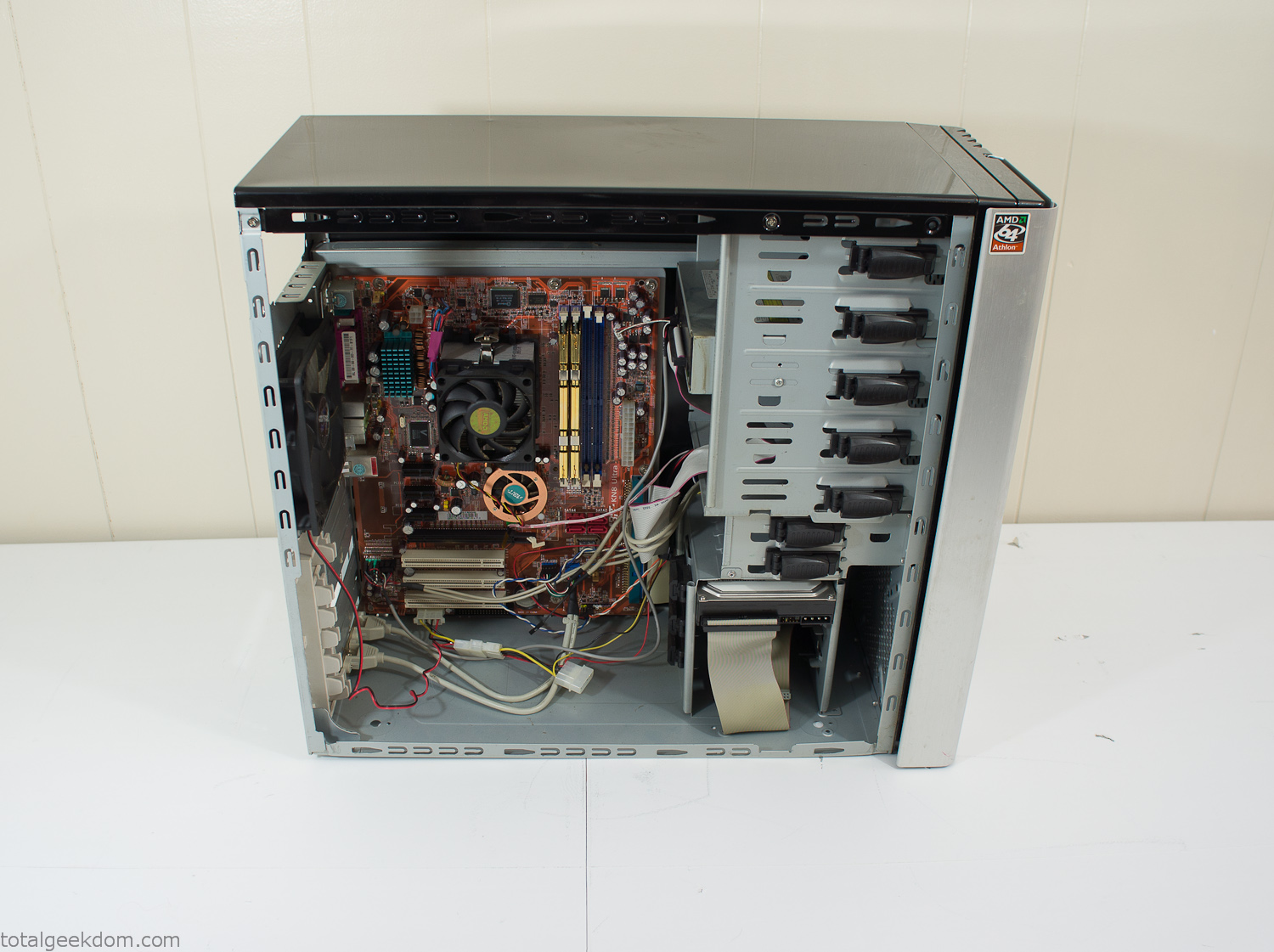
Donor Computer
At the time I was starting to get a formalized plan together for this project, another idea popped into my head. I’ve got a 5 yr. old who is already fairly geeky (just ask him to do his Jabba the Hutt impression for you) but he really does not get that much computer time. He’s getting to an age where he’s more inquisitive about tech stuff and I think he’s ready for his first computer. Since I was already well underway with this project it seemed like a perfect opportunity to orient the computer itself towards a learning tool for him in addition to using it as a way to blend something organic with a piece of technology.
With all of these goals in mind I started tinkering away. The computer hardware itself was nothing fancy, definitely outdated, but perfectly suited towards this project.
CPU- Pentium 4 (3 GHz)
Dell Factory Motherboard
Various Ram Sticks- 2gb
Old Maxtor 120gb IDE Hard Drive
Old FPS Power Supply
Donated Old Computer Case
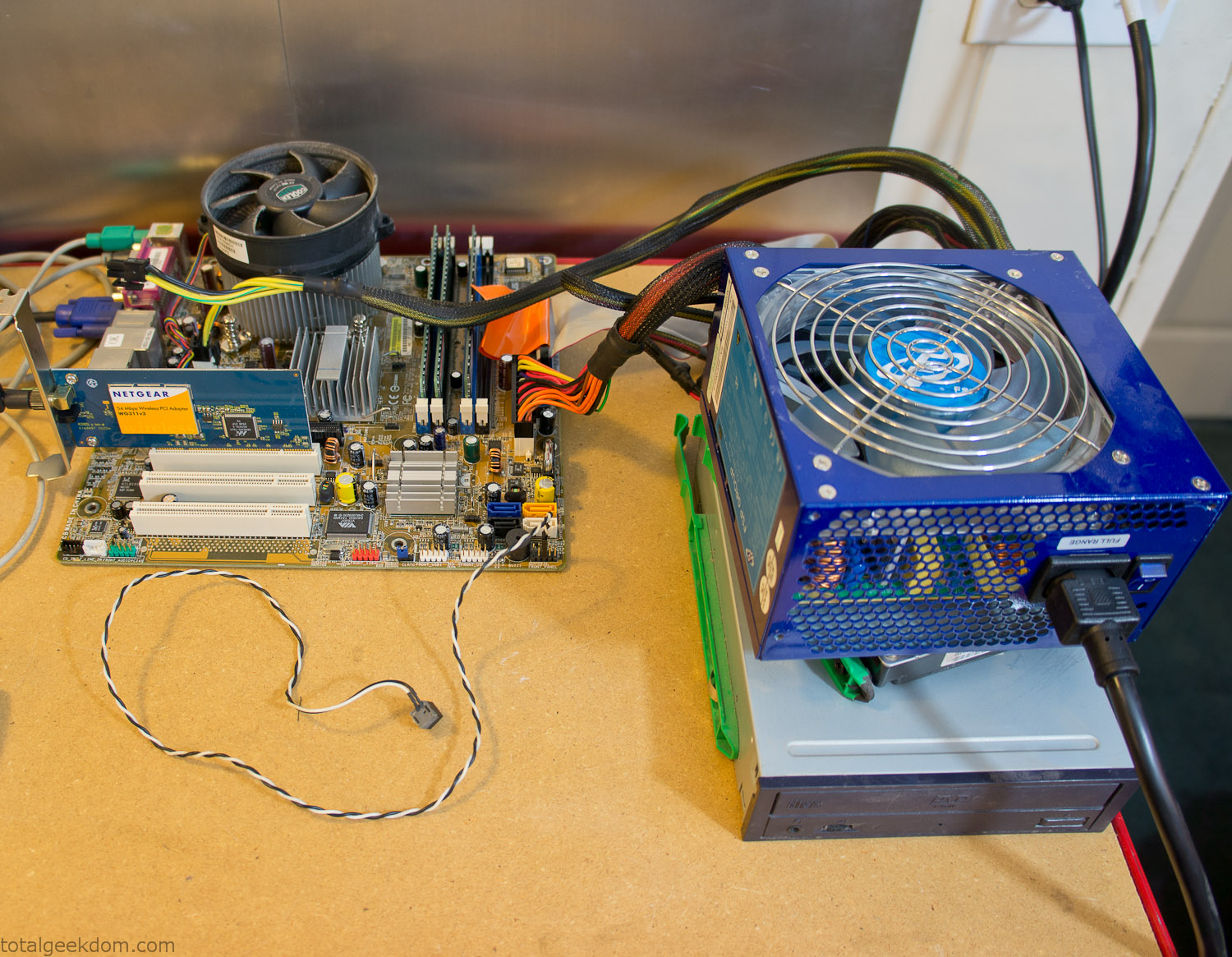
Computer Parts Testing
If you’ve spent any time around computer hardware in the last decade you’re probably well aware that Pentium 4 has a reputation for running hot. The 90nm Pentium 4 was named Prescott and it didn’t take long before the nickname Pres-hot popped up. In this case though that extra heat is going to be put towards good use.
Once the hardware was all in order I started working on the layout and arrangement for the case. I had originally envisioned the grass growing out of the top of the computer case. This seemed like it would provide a good blend between the hard edges of the computer and the soft feel of the grass. This also worked well with putting the soil area in the upper portion of the case, where the most heat should collect. After doing some initial tests with this configuration I found the measured temperature near the top of the case was the hottest. The placement of the CPU near the top of the case and the lack of airflow in that area contributed to these higher recorded temps.
After finishing with some initial tests I decided to completely strip the case down and start removing all the unnecessary brackets and pieces inside of the case. Like most computer cases all the internal brackets and mounts are riveted together, so I drilled all the rivets out of the components I wanted to remove and pulled them out. The gutted case looked pretty barren after being stripped.
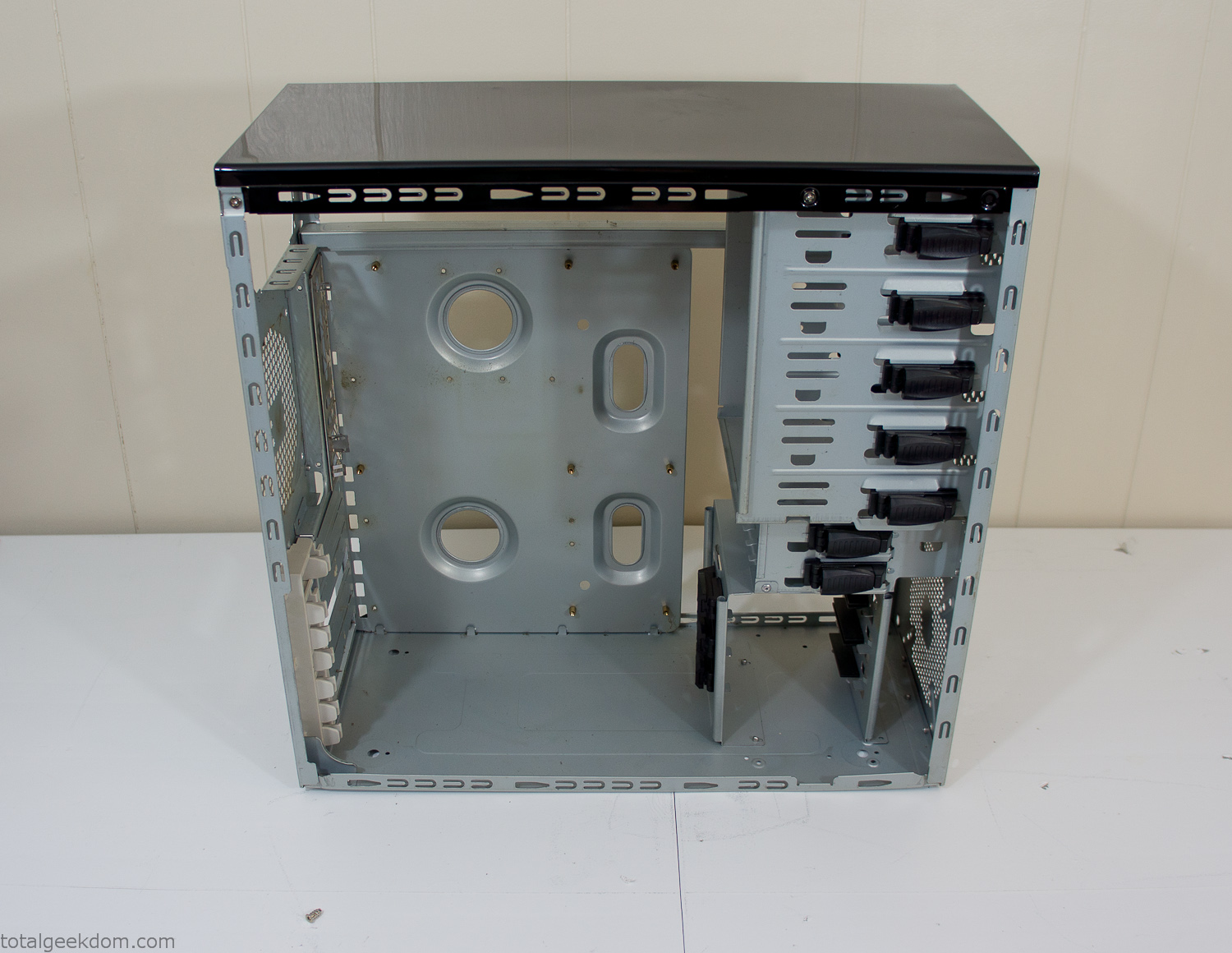
Empty Computer Case
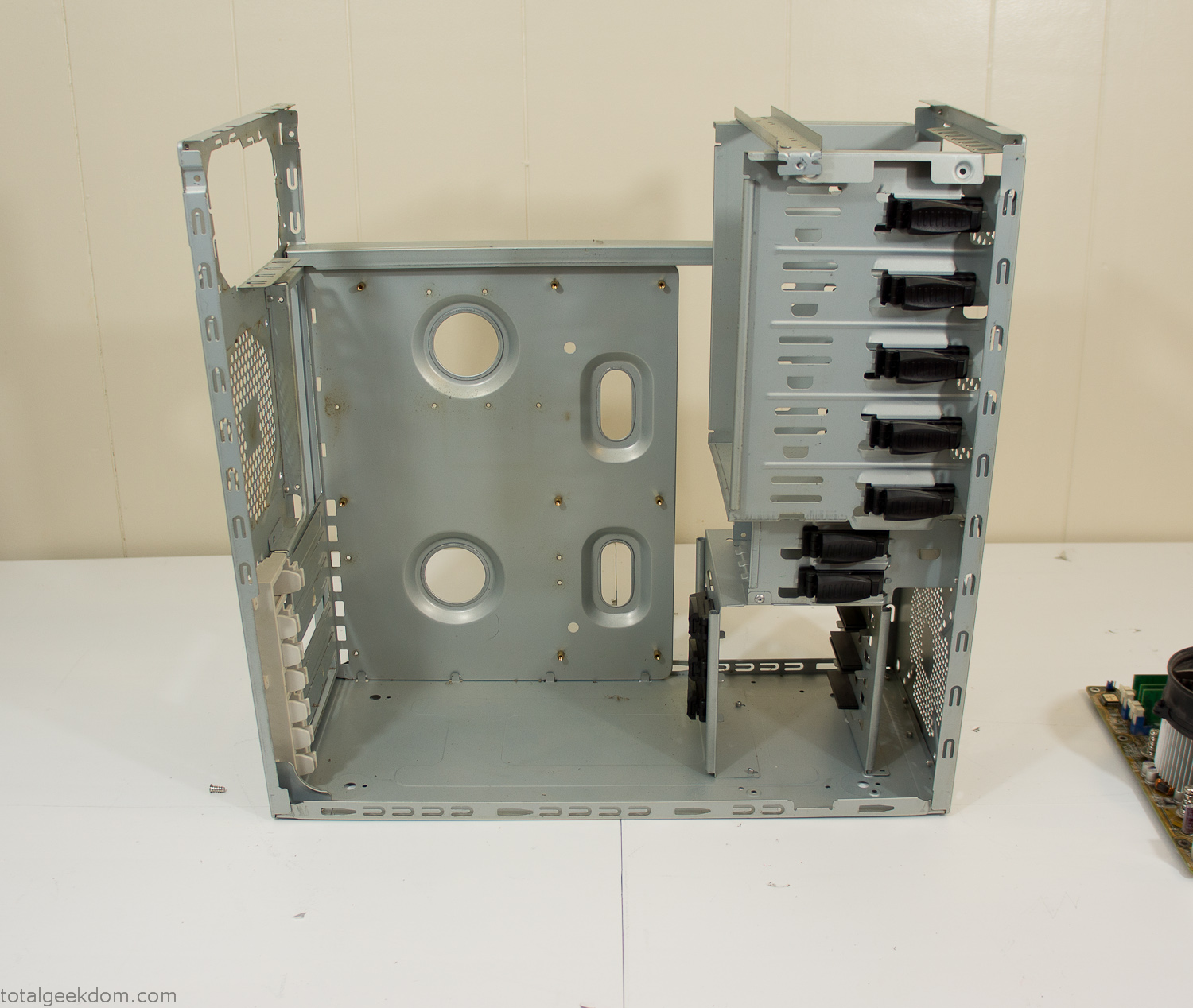
Dismantled Computer Case

Stripped Computer Case
In keeping with my original plan of having the computer blended with the organic grass I wanted it to be easy to see the inner workings of the computer and also the soil from the grass growing above. I needed something that was translucent, which left me with either glass or acrylic/polycarbonate as my options. I ended up choosing acrylic because I was able to find a cheap, used, die-cast model car display case top that was the perfect dimensions for the top of the case. Couldn’t go wrong for 5 bucks.
I test-fit the acrylic over the top of the computer case and marked my layout on the top of the case. My plan was to cut open the top of the computer case and insert the acrylic display case into the section I cut out. To cut open the top of the computer case I drilled a hole as a starting point and then used tin snips to cut through the thin gauge metal.
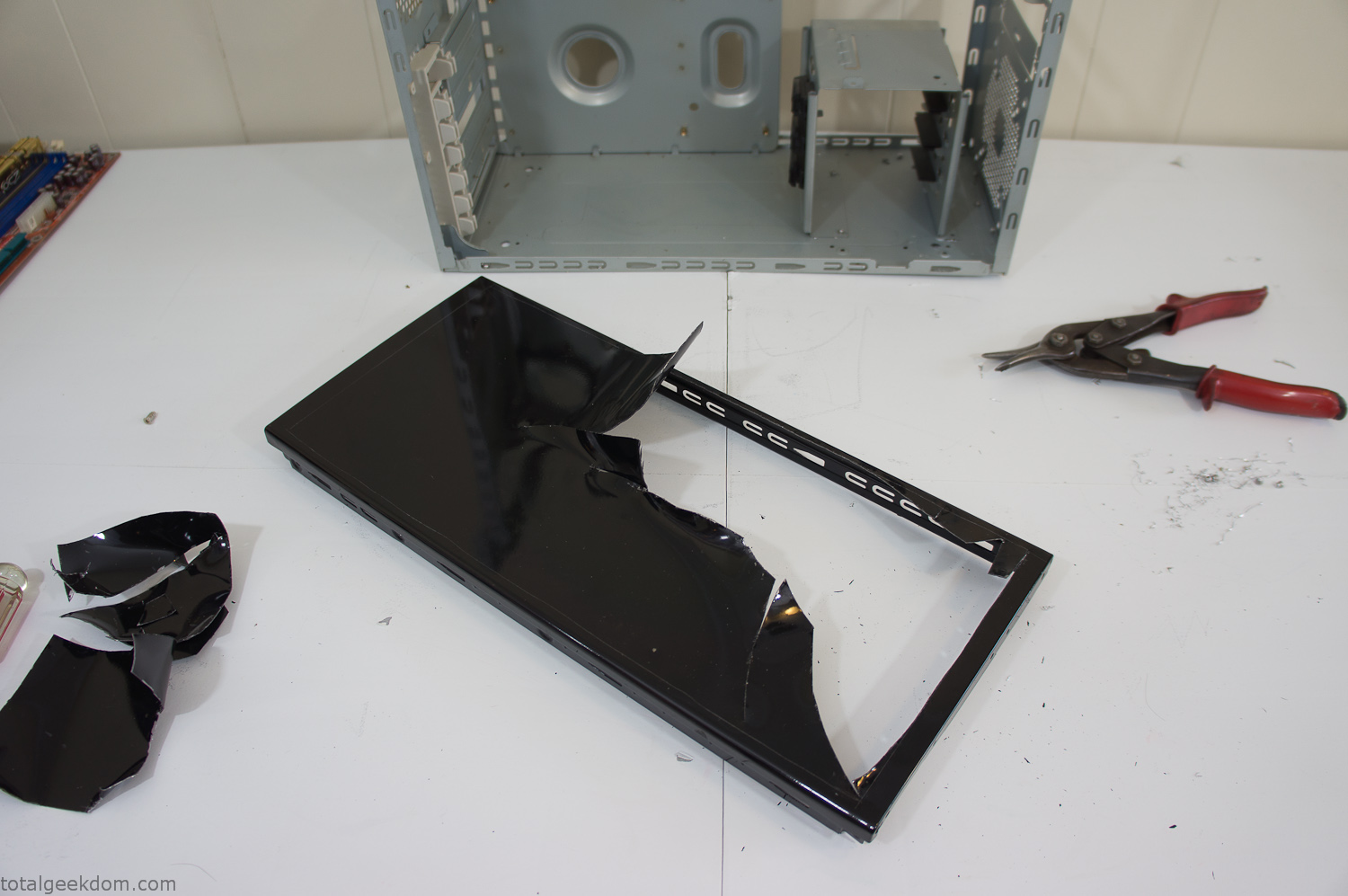
Computer Case Lid Modding
Once I had the metal opening cutout, I needed something to put along the edges of the freshly cut opening to create a clean and finished look. For $2 I was able to find some black, car-door-edge, plastic molding that worked perfectly.
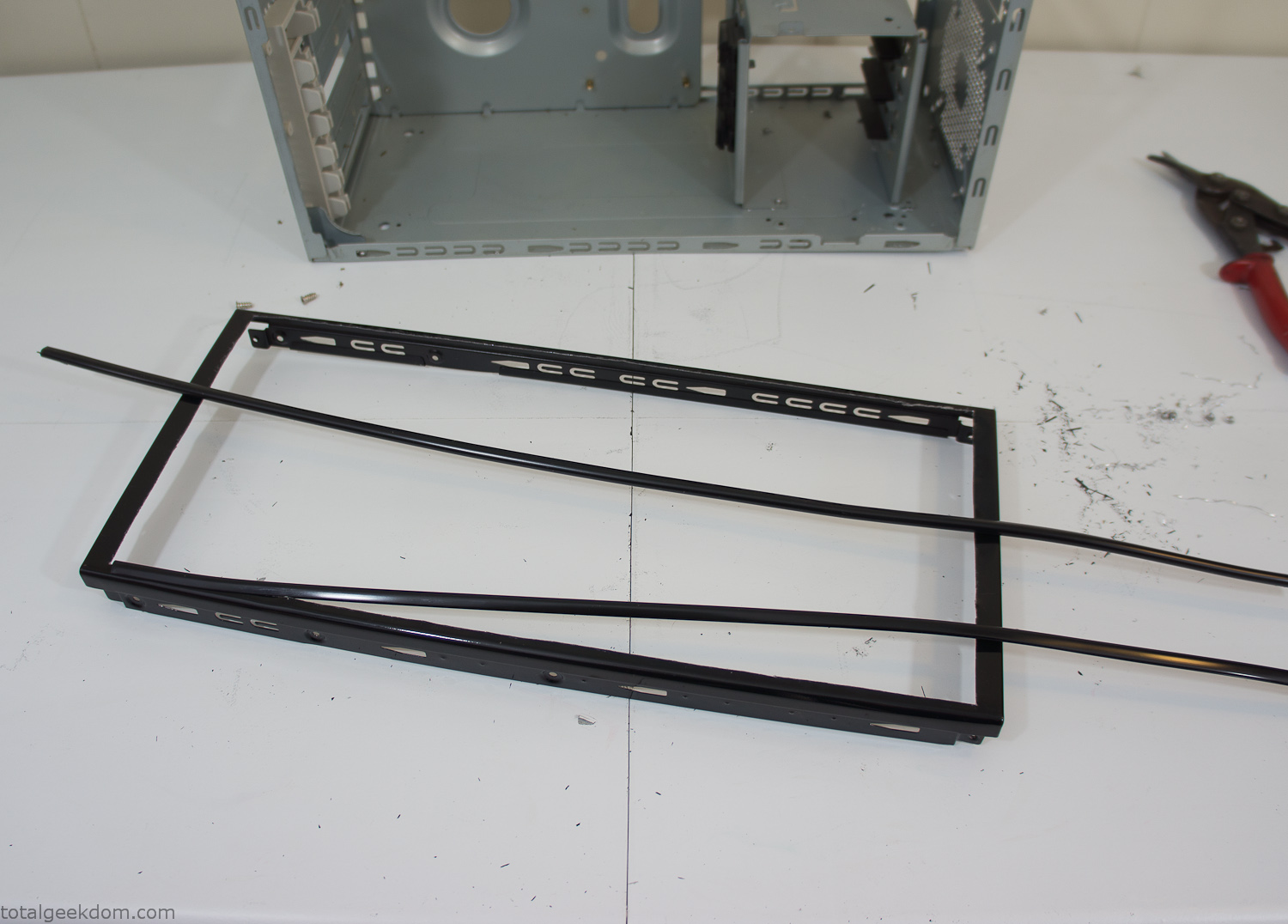
Modified Computer Case Lid
After getting the opening of the top of the computer handled and the acrylic case properly fitted, I moved onto some more testing with soil in the acrylic and the computer running. I wanted to see what kind of heat transfer I would get and how it would affect the soil temperature. I knew that using acrylic over glass would make it a little more difficult to heat the soil as acrylic is not that good at transferring heat. Luckily though I didn’t really need to alter the soil temperature that much, I just needed a little extra heat. Testing showed that heat transfer with just the single acrylic display case as my soil container was slow. So I decided to add some acrylic tubes. This would allow more surface are for soil to acrylic contact and also give me an area where I could add a mixed substrate to allow for soil drainage.
I went online and found a 3ft long section of 2 1/4″ clear acrylic tubing for $8 dollars. I wanted to add a couple of hanging cylinders off the main of the acrylic display case in the top of the computer case. To do this I needed to cut holes into the bottom of the display case. Cutting holes in acrylic is not always easy, it’s likely to chip and craze at the edges. To get around this I used a buildup of masking tape on both sides of the acrylic, to provide a little bit of resistance and strength. I placed the acrylic display case back into the computer and marked my layout for the tubes. I needed to leave clearance for the CPU cooler, power supply and hard drive mount.
After marking the layout, I used an air-powered pencil grinder and carbide tipped bit and cut through the acrylic case along my marked lines. After the initial shape was cutout I used a tube piece as a template and slowly worked on grinding the holes as perfectly round as I could get them so that the tube had a snug fit all the way around. The fit is pretty important as the acrylic cement that I used needs there to be a tight fit so that the acrylic can bond correctly.
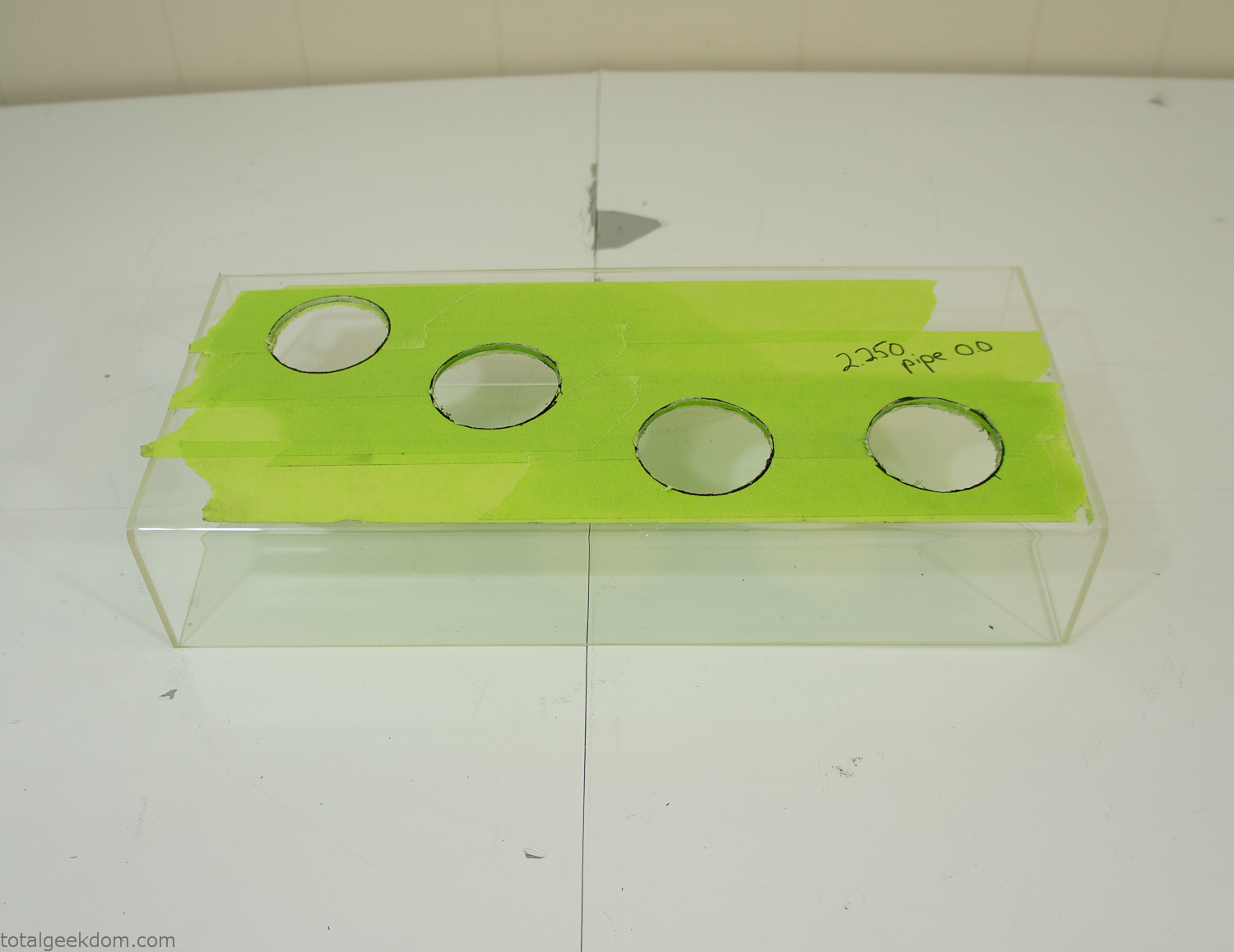
Acrylic Case Modifications
I placed the tubes into the acrylic case and mounted it in the computer and test fit the placement and height of the tubes. After getting everything lined up and oriented correctly I moved towards bonding the acrylic together. Using a needle dropper applicator I applied the cement to all the joints. After letting it set overnight I came back the next night and applied a thin coating of clear silicone caulk around all the joints just to ensure they were completely water tight
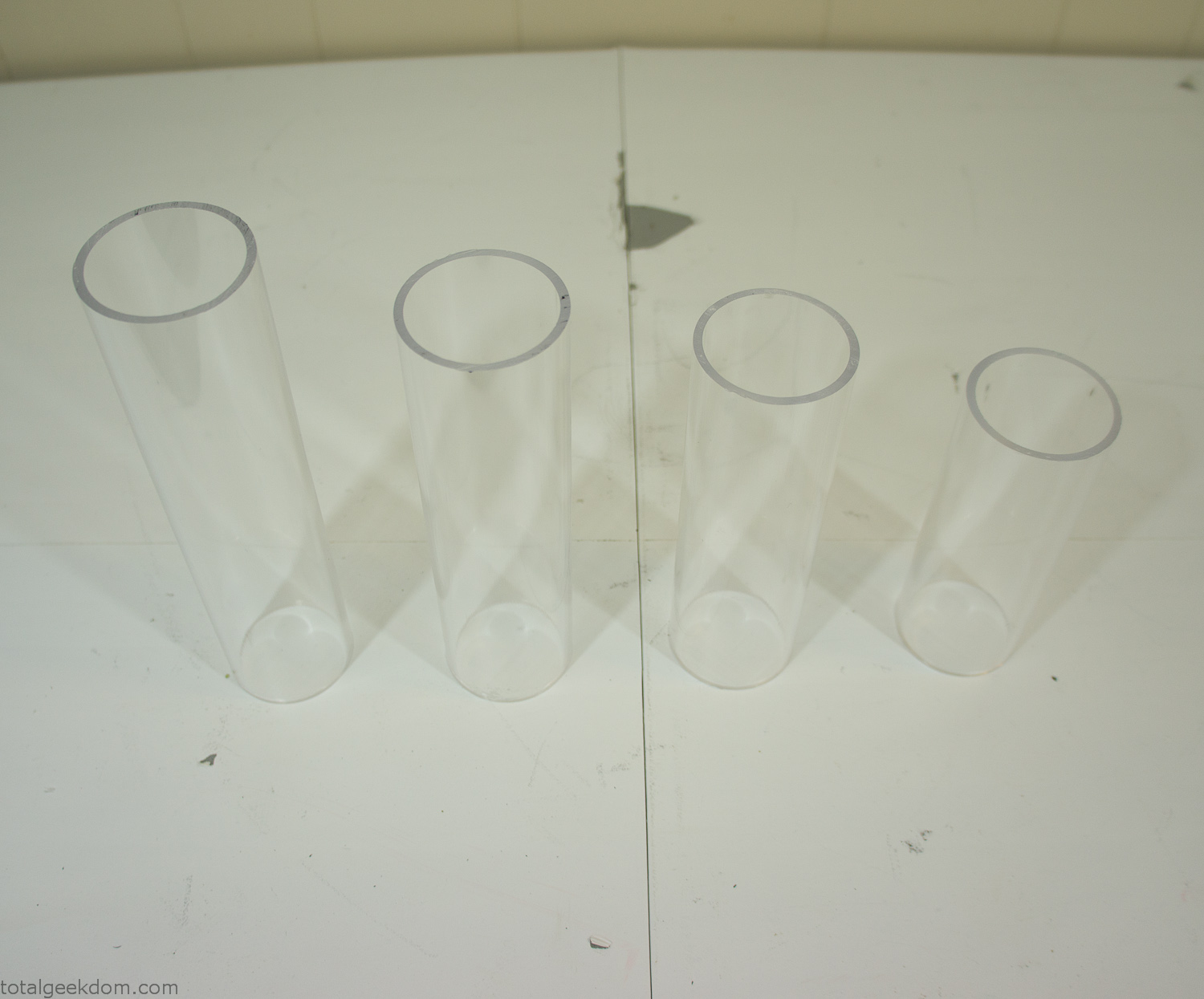
Acrylic Tubes
The next step was sealing up the bottom of the acrylic tubes. I looked at a couple of different options before realizing that the discs I had cut out of the acrylic case to fit the tubes would be almost the perfect size. Using a bench grinder and a test piece of tube I slowly ground each disc to the perfect size for a tight fit all the way around. I placed the clear acrylic discs into the bottom of each tube and repeated the same cementing and silicone caulking procedure to ensure they were water-tight. After a couple of days’ worth of drying I tested the case by filling it with water overnight and checking in the morning to make sure that no leaks had popped up.
In order to hold the weight of the acrylic case after adding soil, I drilled and installed a machine screw with a rubber cap at each corner of the computer case to bear the weight of the acrylic case.
Once all the work was done with the acrylic case section I started reinstalling all the components. The motherboard, hard drive and power supply were added and then wired up.
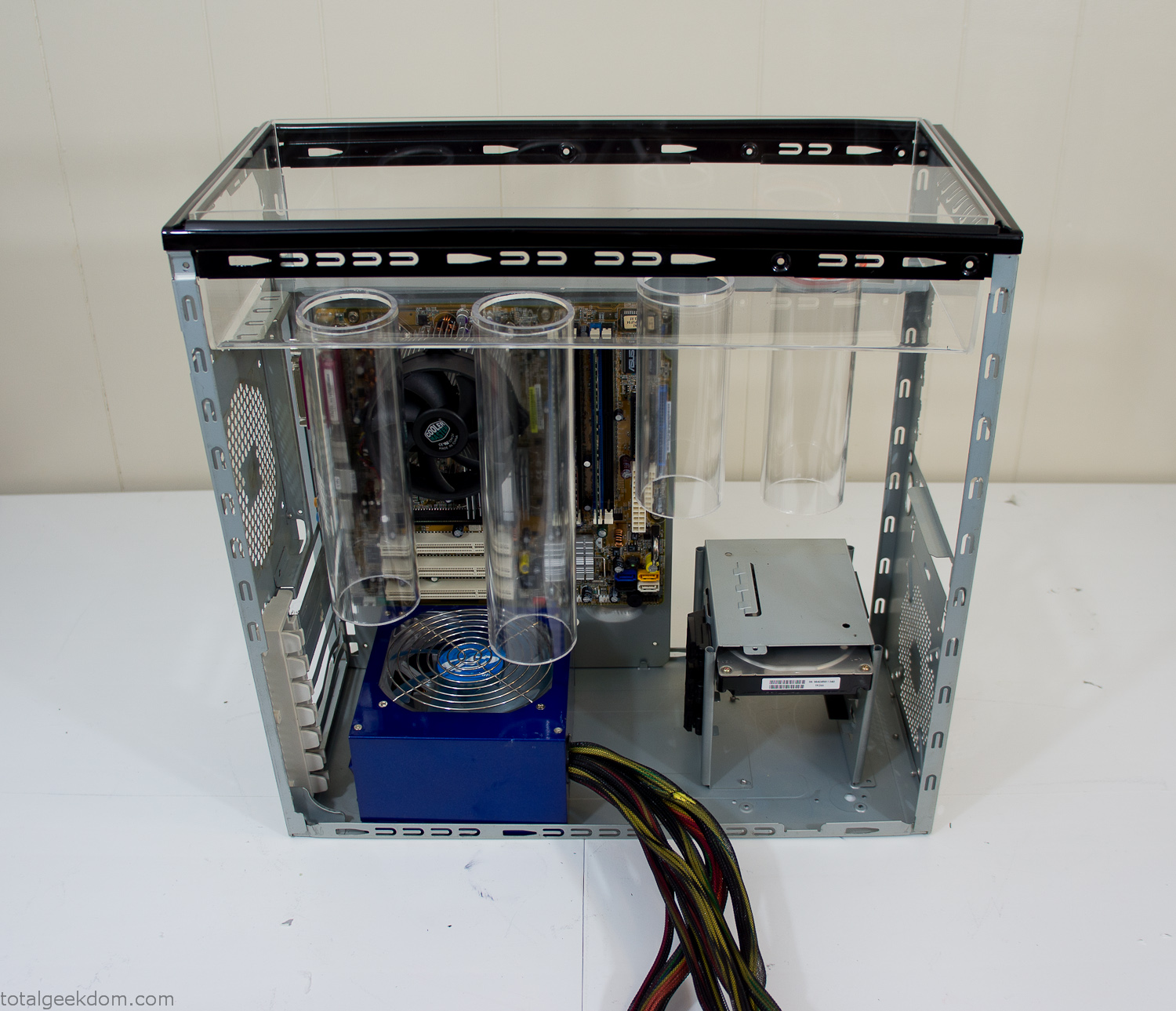
Mocked Up Computer Case
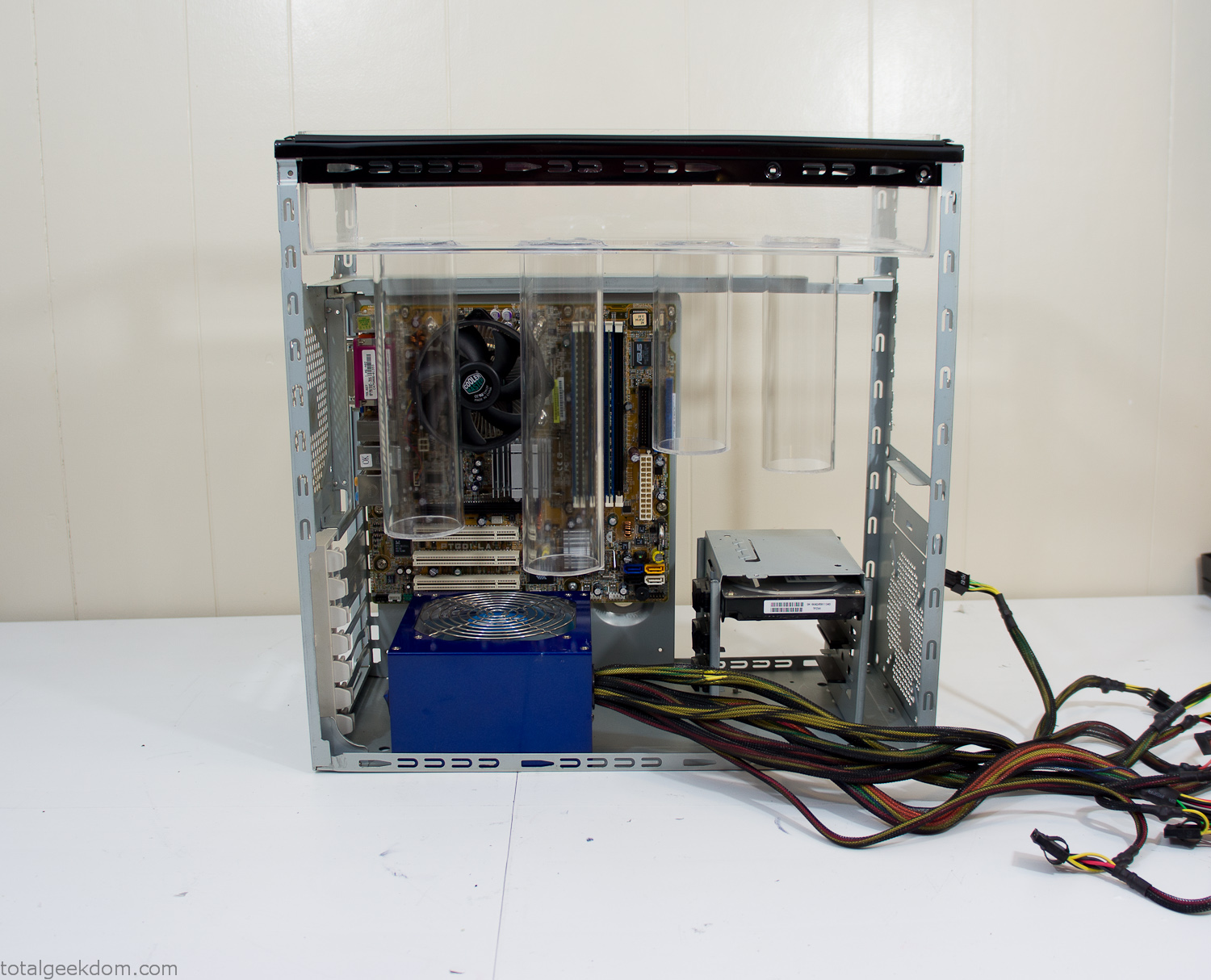
Power Supply Mockup
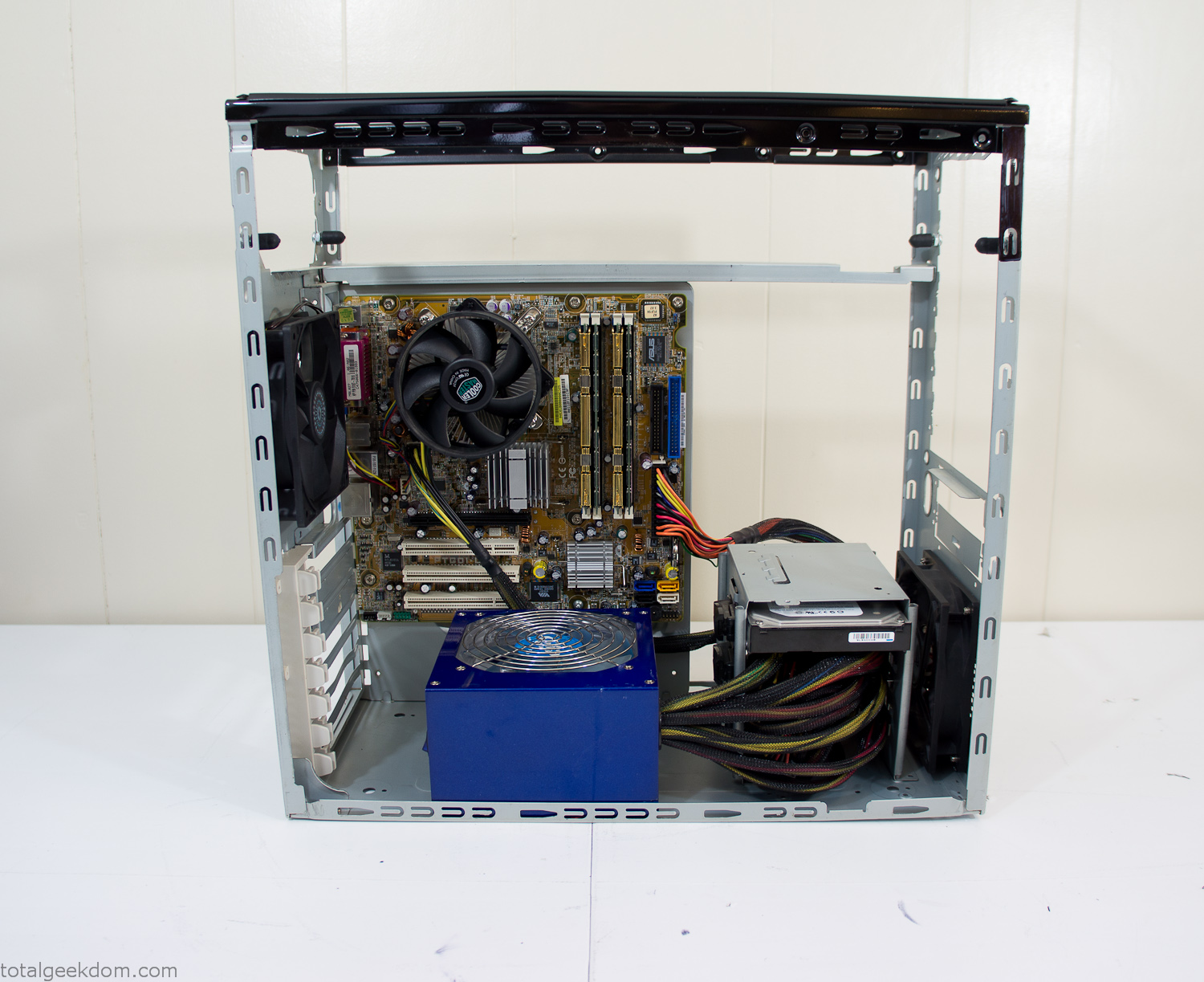
Computer Components Wired
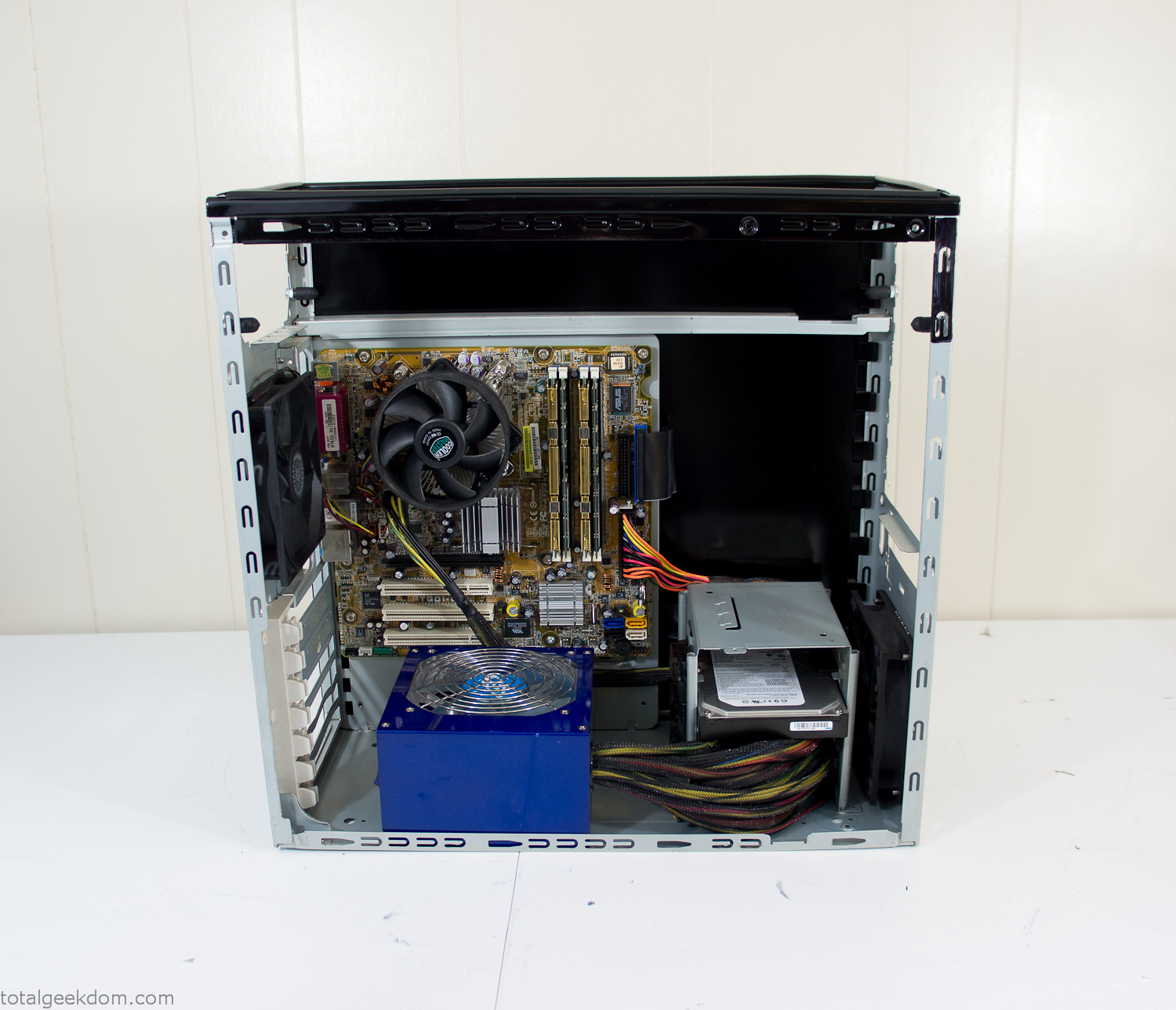
Case Panel Installed
At this point all that was left was to make a clear panel for the side of the case. I had some left over acrylic sheets from a different project that were really close to the right size, after test fitting, marking and cutting I then had a clear side panel to see into the case. (I left this off for the pictures because it caused a reflection)
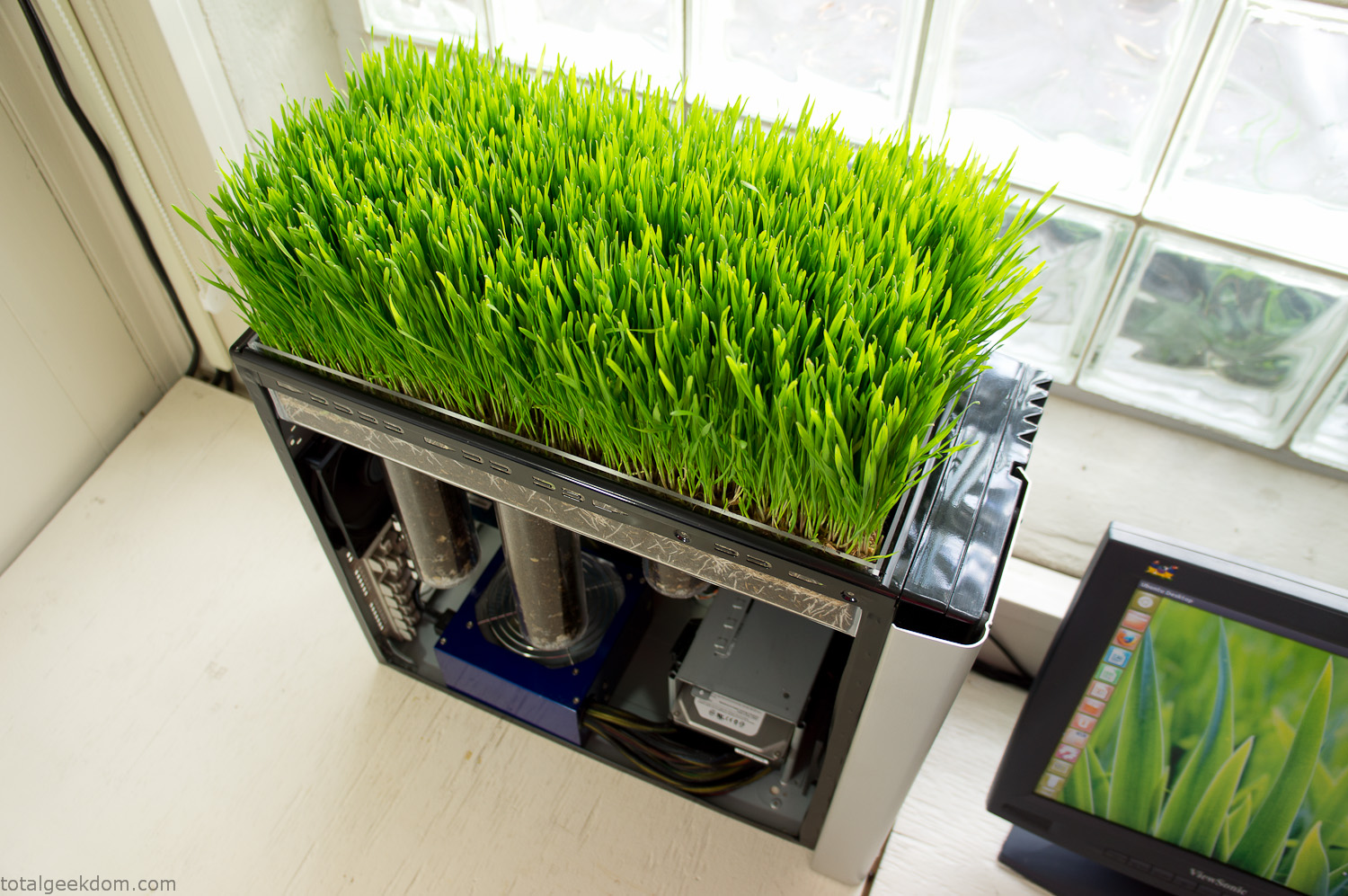
The final step was filling the case with soil and adding some wheatgrass. I had been test growing other samples of wheatgrass during the build process. So I had already a couple of different patches of grass growing. I tried to keep the soil level just below the top of the acrylic case edge to make it a little more seamless.
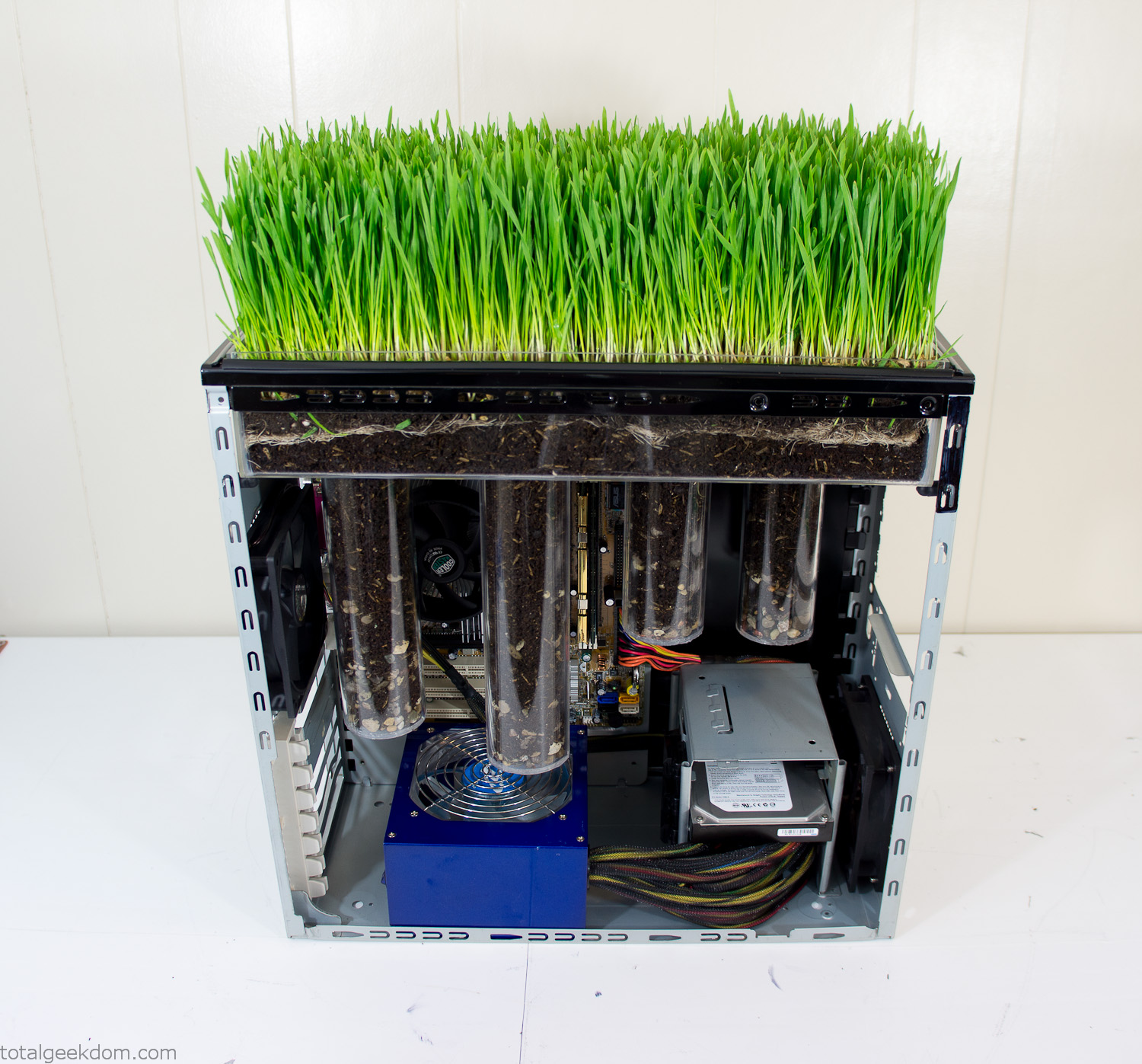
Grass Planted in Computer
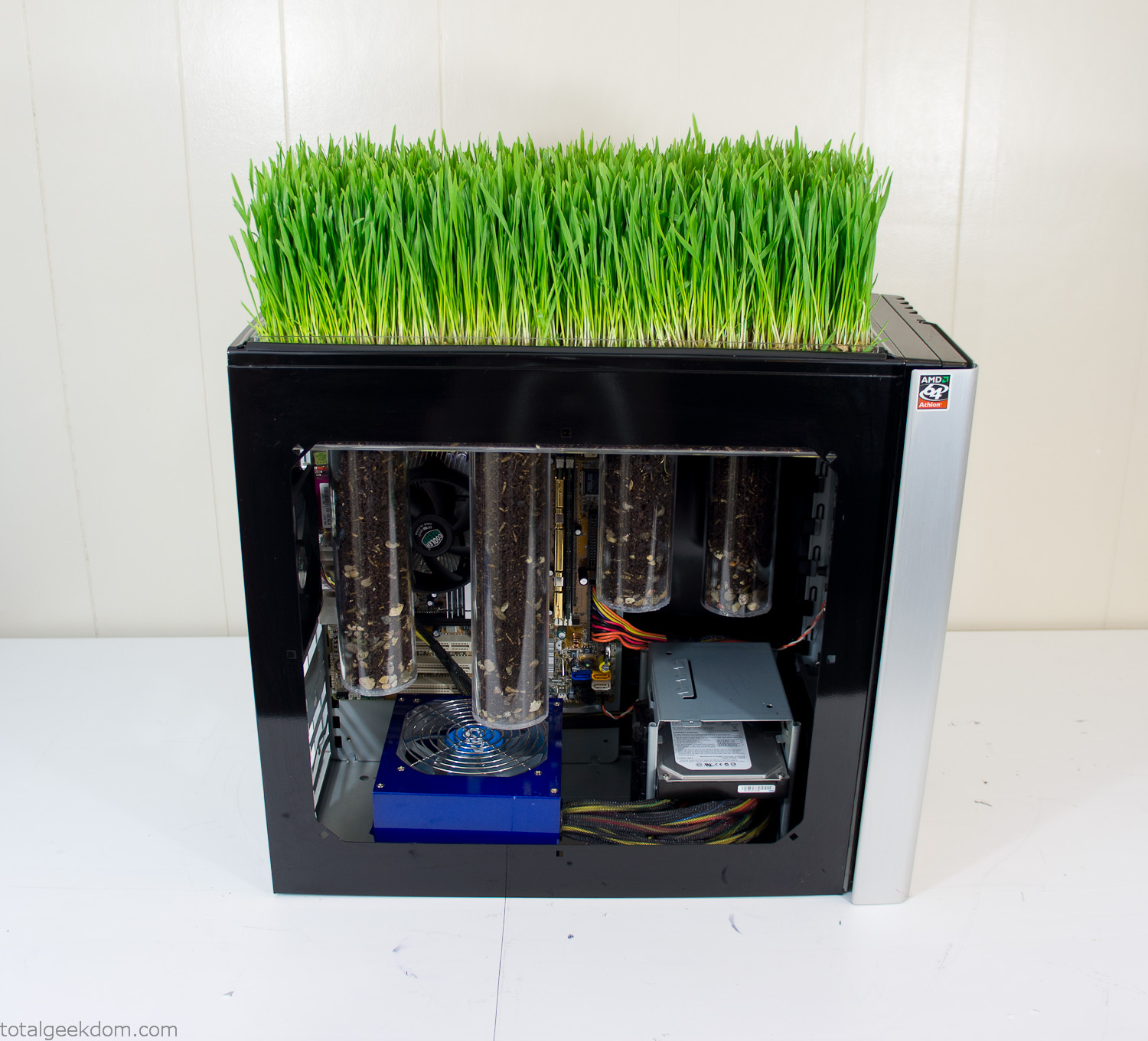
Grass and Case Panel Installed

Grass in Computer
For the computer itself I ended up installing Windows as well as Linux in a dual boot setup. Since the computer was going to be used by my son as something to play with I figured I should put both on there so he can tinker with them and learn as he goes. Besides, for important life decisions like picking an OS (Operating System) I think any good parent should present the options and then let their kid decide for themselves.
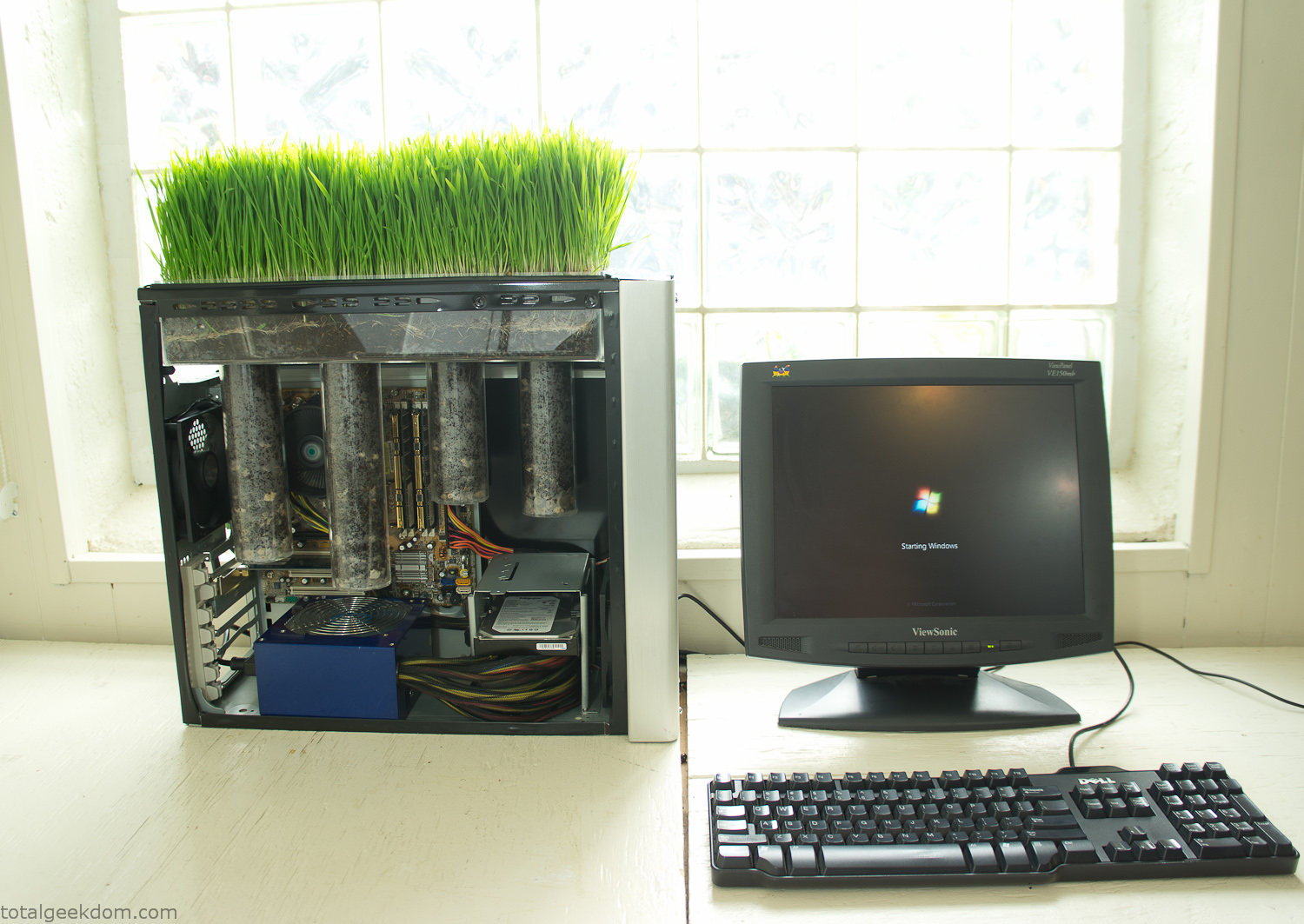
Starting Windows
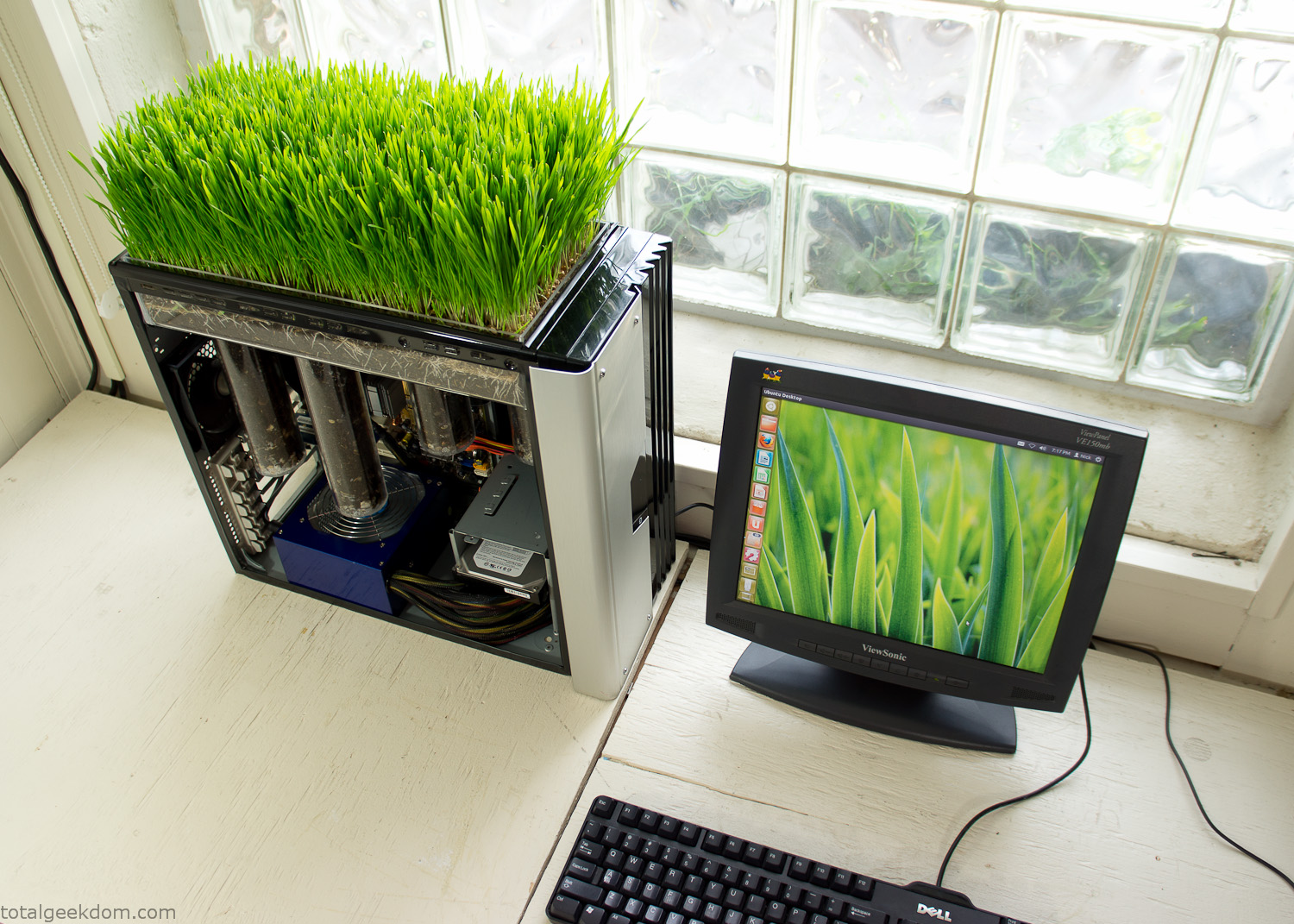
Linux Running
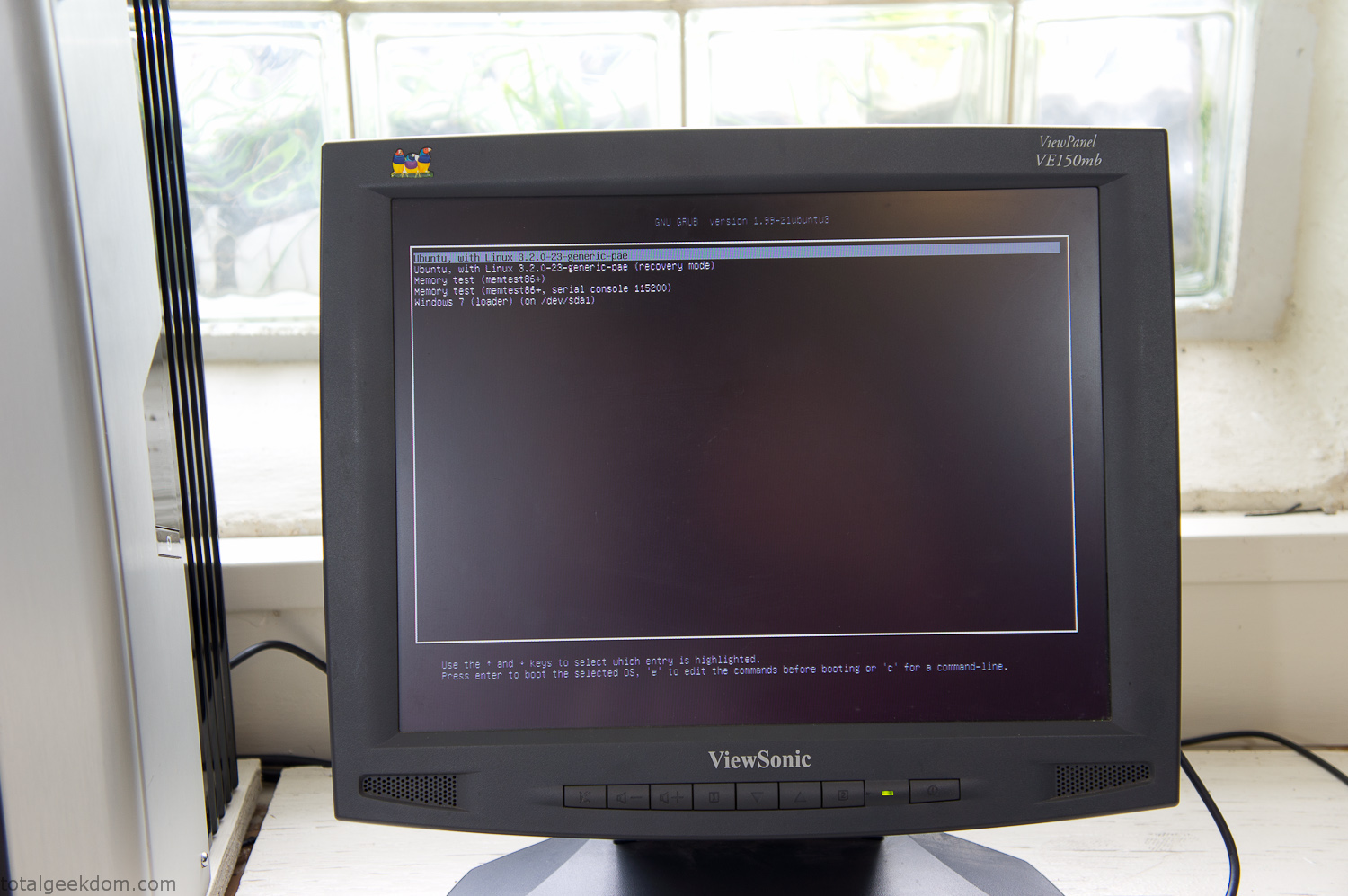
Dual Boot Screen
In the end I’m happy with the result of the project. It’s been fun experimenting with growing wheatgrass and I like how the natural look of grass is blended with the very modern, inorganic case.
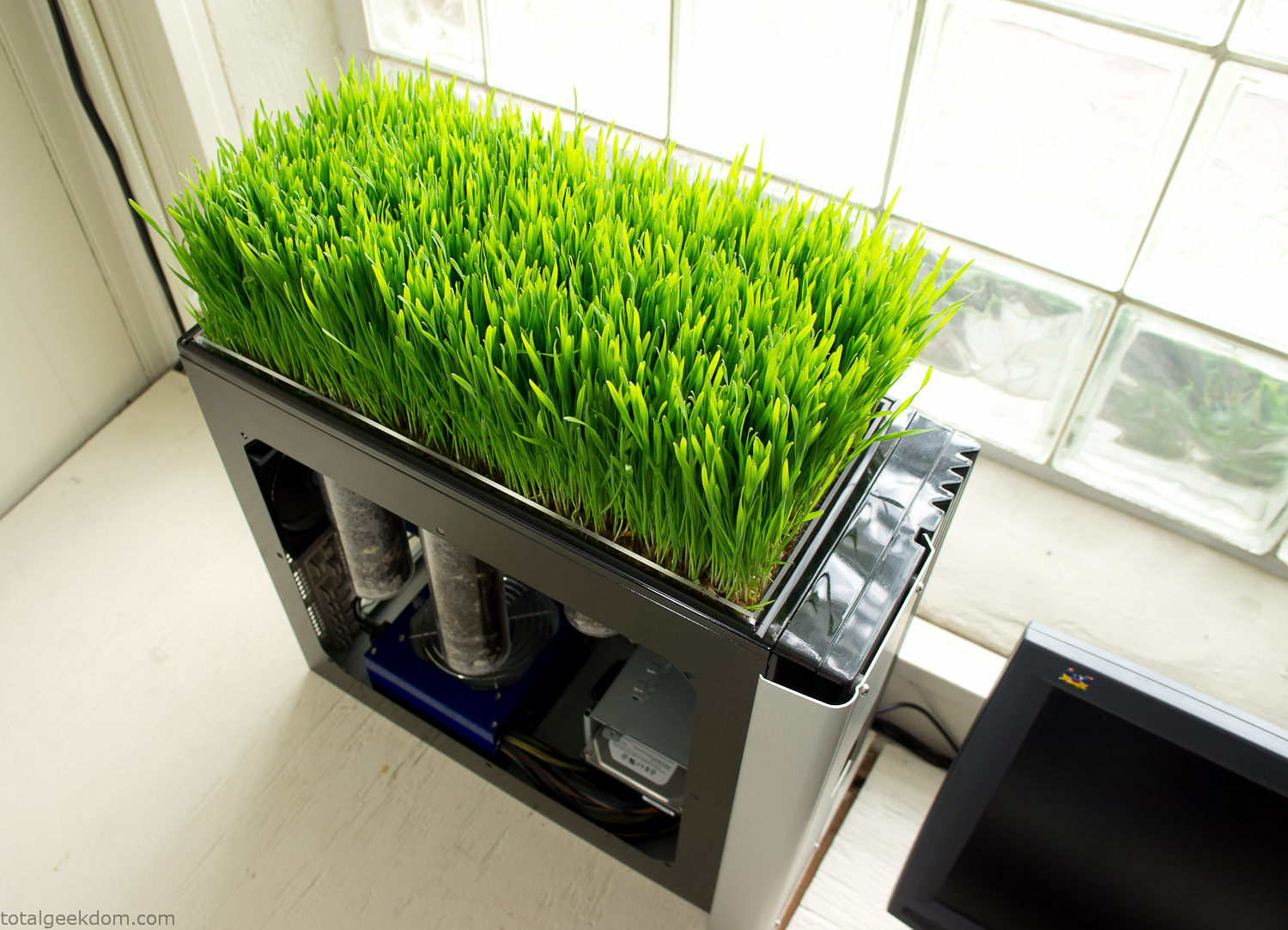
Computer Grass Growing
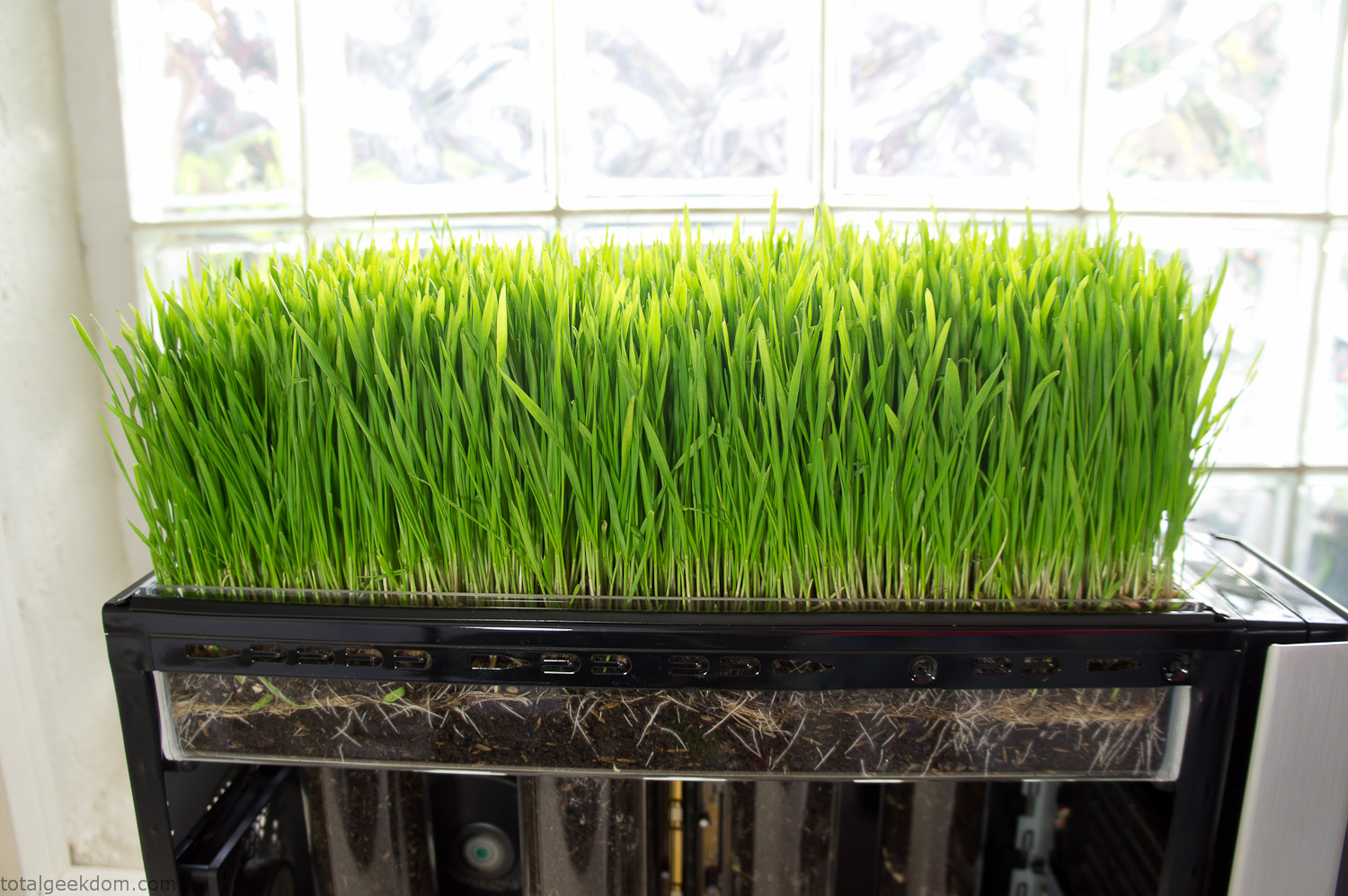
Grass in Computer Section
Notes
Temperature Testing
In testing the case temperature versus the soil temperature I found it was easiest to control the case temperature by using a variable fan speed control on both the inlet and outlet fans. By turning the fan speed down I could increase the temperature inside the case and correspondingly raise the soil temperature.
In order to maximize output of heat during these tests I used Prime95 to run the CPU at 100% load.
Using this method to control the case and soil temperature I played around with adjusting the soil temperature and then tracking the rate of growth of the Wheatgrass. The target temperature for peak growth seemed to fall around 66°F (19°C).
Using the fans to control the case temperature allowed me to vary the temperature inside the case from a low of 75°F (24°C) to a high of 91°F (33°C). In order to achieve the desired increase in soil temperature, I had to run the case temperature toward the higher end of the scale.
When the soil temperature was too high, the growth of the wheatgrass would slow.
Wheatgrass
The wheatgrass I used for my tests was nothing special, it can be found as seeds (berries) in a lot of health food stores and it grows relatively easily.
Caring for the wheatgrass is just a matter of keeping it watered. It’s a pretty easy plant to work with and doesn’t require any special skills.
Wheatgrass is often used as a nutritional supplement; it can be juiced and mixed into smoothies and other beverages. I plan on harvesting some of the grass and making some juices.
Plant Options
While wheatgrass offers a nice, attractive and easily grown option I do plan on trying other plants as well in the future. Since I already have the “planter” built all I have to do is add a different plant and see how it goes. I’m sure there will be some plants that don’t like the lower light environment, but it will be fun experimenting with other plants as well and seeing how they take.
Materials
Donated Computer- Free
Clear Acrylic Display Case- $5
Clear Acrylic Tube- $5
Plexiglass Side Panel- Free
Total- $10
Bio Computer Running
 29.2k
29.2k
 13.2k
13.2k 7.1k
7.1k

 2.1k
2.1k 813
813 2.6k
2.6k
Comments 53,179
https://hoo.be/zibyyidihue
https://git.project-hobbit.eu/yhriefri
Currently it seems like Drupal is the best blogging platform out there right now.
(from what I’ve read) Is that what you’re using on your blog?
Your blog consistently engages with its unique blend of originality and clarity. It would be intriguing to see you examine how these ideas influence modern dynamics, such as artificial intelligence or sustainable living. Your skill in linking ideas is remarkable. Thanks for always delivering such profound insights. I’m excited for your next post!
Web Presence: https://talkchatgpt.com/
чат дпт на русском
https://www.rwaq.org/users/sportsmeniron79-20250811104917
Drug information. What side effects?
ezetimibes impact on the absorption of fat soluble vitamins
All about drugs. Read now.
https://odysee.com/@Brown_dorothyj72148
https://pxlmo.com/MariaistaMariaDash03
https://pixelfed.tokyo/Jimmysmart423
Сайт «Всё о стройке» https://sushico.com.ua подробные инструкции, советы экспертов, новости рынка. Всё о строительстве, ремонте и обустройстве жилья в одном месте.
Сайт «Всё о стройке» https://sushico.com.ua подробные инструкции, советы экспертов, новости рынка. Всё о строительстве, ремонте и обустройстве жилья в одном месте.
Сайт «Всё о стройке» https://sushico.com.ua подробные инструкции, советы экспертов, новости рынка. Всё о строительстве, ремонте и обустройстве жилья в одном месте.
Всё о стройке https://mramor.net.ua полезные статьи, советы, обзоры материалов и технологий. Ремонт, строительство домов, дизайн интерьера и современные решения для вашего проекта.
hydroxychloroquine
Всё о стройке https://mramor.net.ua полезные статьи, советы, обзоры материалов и технологий. Ремонт, строительство домов, дизайн интерьера и современные решения для вашего проекта.
Всё о стройке https://mramor.net.ua полезные статьи, советы, обзоры материалов и технологий. Ремонт, строительство домов, дизайн интерьера и современные решения для вашего проекта.
Сайт «Всё о стройке» https://sushico.com.ua подробные инструкции, советы экспертов, новости рынка. Всё о строительстве, ремонте и обустройстве жилья в одном месте.
Онлайн строительный https://texha.com.ua портал о материалах, проектах и технологиях. Всё о ремонте, строительстве и обустройстве дома. Поддержка специалистов и вдохновение для новых идей.
Онлайн строительный https://texha.com.ua портал о материалах, проектах и технологиях. Всё о ремонте, строительстве и обустройстве дома. Поддержка специалистов и вдохновение для новых идей.
Строительный портал https://dki.org.ua всё о строительстве и ремонте: технологии, оборудование, материалы, идеи для дома. Новости отрасли и экспертные рекомендации.
Всё о стройке https://mramor.net.ua полезные статьи, советы, обзоры материалов и технологий. Ремонт, строительство домов, дизайн интерьера и современные решения для вашего проекта.
Онлайн строительный https://texha.com.ua портал о материалах, проектах и технологиях. Всё о ремонте, строительстве и обустройстве дома. Поддержка специалистов и вдохновение для новых идей.
Строительный портал https://dki.org.ua всё о строительстве и ремонте: технологии, оборудование, материалы, идеи для дома. Новости отрасли и экспертные рекомендации.
Строительный портал https://dki.org.ua всё о строительстве и ремонте: технологии, оборудование, материалы, идеи для дома. Новости отрасли и экспертные рекомендации.
Онлайн строительный https://texha.com.ua портал о материалах, проектах и технологиях. Всё о ремонте, строительстве и обустройстве дома. Поддержка специалистов и вдохновение для новых идей.
Строительный портал https://dki.org.ua всё о строительстве и ремонте: технологии, оборудование, материалы, идеи для дома. Новости отрасли и экспертные рекомендации.
Портал о строительстве https://juglans.com.ua свежие новости, статьи и советы. Обзоры технологий, материалов, дизайн-идеи и практические рекомендации для профессионалов и частных застройщиков.
Портал о строительстве https://juglans.com.ua свежие новости, статьи и советы. Обзоры технологий, материалов, дизайн-идеи и практические рекомендации для профессионалов и частных застройщиков.
Портал о строительстве https://juglans.com.ua свежие новости, статьи и советы. Обзоры технологий, материалов, дизайн-идеи и практические рекомендации для профессионалов и частных застройщиков.
Портал о строительстве https://juglans.com.ua свежие новости, статьи и советы. Обзоры технологий, материалов, дизайн-идеи и практические рекомендации для профессионалов и частных застройщиков.
https://odysee.com/@robinsong.real20_04_1996
https://muckrack.com/person-27460110
https://andytjsae.tribunablog.com/el-5-segundo-truco-para-selecciГіn-de-personal-50771999
El proceso de atraer y elegir candidatos es fundamental para el éxito de cualquier negocio.
Tener el equipo correcto en los roles estratégicos marca la diferencia en rentabilidad.
1. Definir el perfil
Antes de comenzar el proceso de reclutamiento, se requiere tener claro el perfil del candidato que la empresa busca. Esto incluye habilidades técnicas, experiencia y actitudes que se alineen con la cultura de la organización.
2. Canales de reclutamiento
Hoy en día, las empresas pueden usar redes profesionales como LinkedIn, además de referencias internas para conseguir al mejor talento.
Combinar fuentes incrementa la probabilidad de encontrar candidatos de calidad.
3. Filtrado inicial
Una vez recibidas las solicitudes, es importante preseleccionar a los perfiles que más se acercan a los requisitos.
Después, las entrevistas sirven para conocer no solo la formación del candidato, sino también su encaje cultural con la empresa.
4. Pruebas y evaluaciones
Para asegurar que el profesional seleccionado cumple con lo esperado, se pueden implementar tests de competencias, análisis de personalidad o dinámicas de grupo.
Esto reduce el margen de equivocación al contratar.
5. Elección final
Tras el proceso de evaluación, se procede de decidir al candidato que mejor se adapta.
La comunicación clara y un plan de integración son cruciales para asegurar que el nuevo empleado se integre fácilmente.
6. Seguimiento y mejora continua
Un proceso de reclutamiento nunca se queda fijo.
Medir indicadores como calidad de la contratación hace posible ajustar la estrategia y perfeccionar los resultados.
En resumen, el reclutamiento y selección de personal es mucho más que llenar vacantes.
Es una inversión en el futuro de la empresa, donde atraer al equipo adecuado define su éxito.
https://wanderlog.com/view/sghlbumvag/
https://community.wongcw.com/blogs/1129990/%D0%9A%D0%B5%D0%BC%D0%B1%D1%80%D0%B8%D0%B4%D0%B6-%D0%BA%D1%83%D0%BF%D0%B8%D1%82%D1%8C-%D0%BA%D0%BE%D0%BA%D0%B0%D0%B8%D0%BD-%D0%BC%D0%B5%D1%84%D0%B5%D0%B4%D1%80%D0%BE%D0%BD-%D0%BC%D0%B0%D1%80%D0%B8%D1%85%D1%83%D0%B0%D0%BD%D1%83
https://hoo.be/acmafebugbig
Hallo! Stell dir Schuhe vor, die nicht nur deinen Fu? schmucken, sondern mit dir sprechen – sanft, bestimmt und ehrlich. https://das-onlymaker.de/bringt dir genau das, mit handgefertigten Stiefeln, Sandalen und Plateauschuhen, die spielerisch Eleganz und Alltag vereinen. Jedes Paar tragt die Seele eines echten Handwerks in sich, ohne Schnickschnack, dafur mit Respekt vor jedem Material und jedem Schritt, den du machst. Hier erzahlt jeder Schuh von Freiheit und Stil, ohne laut zu sein – ein stiller Begleiter, der einfach passt.
https://hub.docker.com/u/smigiclorbin
Посетите сайт Экодом 21 https://ecodom21.ru/ – эта Компания предлагает модульные дома, бани, коммерческие здания в Чебоксарах, произведённые из экологически чистой древесины и фанеры с минимальным применением, синтетических материалов и рекуперацией воздуха. Проектируем, производим готовые каркасные дома из модулей на заводе и осуществляем их сборку на вашем участке. Подробнее на сайте.
Мега онион
https://say.la/read-blog/124759
https://wanderlog.com/view/xohkiwczsx/
https://hub.docker.com/u/etableviiman
https://vc.ru/smm-promotion/
https://www.montessorijobsuk.co.uk/author/ohiifyhiu/
https://beteiligung.stadtlindau.de/profile/%D0%9A%D1%83%D0%BF%D0%B8%D1%82%D1%8C%20%D0%9A%D0%BE%D0%BA%D0%B0%D0%B8%D0%BD%20%D0%9C%D0%B5%D1%84%D0%B5%D0%B4%D1%80%D0%BE%D0%BD%20%D0%9C%D0%B0%D1%80%D0%B8%D1%85%D1%83%D0%B0%D0%BD%D1%83%20%D0%A8%D0%B0%D1%80%D0%B4%D0%B6%D0%B0/
Darzalex
https://hoo.be/udigycnacw
It’s appropriate time to make some plans for the longer term and it’s time to be
happy. I have learn this publish and if I may I
wish to counsel you few fascinating things or advice. Maybe you
can write next articles regarding this article.
I want to read more issues about it!
https://ucgp.jujuy.edu.ar/profile/eudiidjeud/
E2bet Trang web trò chơi trực tuyến lớn nhất việt
nam tham gia ngay và chơi có trách nhiệm.
Nền tảng này chỉ phù hợp với người từ
18 tuổi trở lên.
https://www.montessorijobsuk.co.uk/author/meglyeudyif/
https://hoo.be/ufoaifibocl
Hallo und herzlich willkommen in der https://festnight.de/, wo Gartenmobel mehr sind als nur Sitzgelegenheiten. Die modularen Lounges aus leichtem Polyrattan bieten flexible Platze zum Verweilen und Entspannen, wahrend praktische Stauraumlosungen fur Ordnung sorgen. Die wetterfesten Bezuge machen jede Terrasse zum Wohlfuhlort. Und wenn die Tage kurzer werden, taucht der beleuchtete Weihnachtsbaum die Au?enbereiche in sanftes Licht. All das zeigt, wie Festnight das Leben drau?en mit zeitloser Eleganz und Funktion verbindet.
https://hoo.be/ygqufbhyob
great publish, very informative. I ponder why the
opposite experts of this sector don’t understand this. You should continue your writing.
I am sure, you’ve a huge readers’ base already!
https://community.wongcw.com/blogs/1131086/%D0%A5%D0%B8%D0%BA%D0%BA%D0%B0%D0%B4%D1%83%D0%B2%D0%B0-%D0%BA%D1%83%D0%BF%D0%B8%D1%82%D1%8C-%D0%BC%D0%B0%D1%80%D0%B8%D1%85%D1%83%D0%B0%D0%BD%D1%83-%D0%B3%D0%B0%D1%88%D0%B8%D1%88-%D0%B1%D0%BE%D1%88%D0%BA%D0%B8
https://allmynursejobs.com/author/tyresesyahri/
nyc package delivery package delivery nyc
Almazex — это быстрый, безопасный и выгодный обмен криптовалют! Выгодные курсы, моментальные транзакции (от 1 до 10 минут), широкий выбор валют (BTC, ETH, USDT и др.), анонимность и надёжная защита. Простой интерфейс, оперативная поддержка и никаких скрытых комиссий. Начни обмен уже сейчас на https://almazex.com/ !
https://muckrack.com/person-27438143
Your blog skillfully reveals intricate ideas, offering a blend of challenge and delight. Imagine you unlock lesser-known aspects of sustainability or conscious design, shining light on their potential in everyday life. Your remarkable talent for enlightening without condescension is refreshing. Thank you for these insightful posts! I’m eager to explore more.
Web Presence: https://talkchatgpt.com/
чат gpt
https://www.montessorijobsuk.co.uk/author/cebagwyedfea/
Hey people,
I’ve been checking out the world of internet gambling lately, and I’ve gotta say — it’s a total blast. At first, I was super skeptical. I mean, how do you even rely on an online platform with your money, right? But after doing a ton of research (and trying out a few sketchy sites so you don’t have to), I figured out a few things that separate a legit casino from a risky mess. First off, if you’re new to all this, here’s the golden rule: **check the license**. If a casino doesn’t have a proper regulatory certificate (like from the MGA or the UKGC), just run. No bonus is worth the risk of never seeing your funds again. Also — and I know no one wants to — go through the small print. That’s the only way to know what kind of hidden traps they’ve slapped onto those so-called “juicy” bonuses.
Now, let me share a site I’ve been playing on these last few weeks. It’s been a breath of fresh air. The interface? Super clean. Payouts? Fast as hell. And the game selection? *Massive*. Slots, live dealers, blackjack, even some weird niche games I hadn’t tried before. Check it out here: plinko casino What really won me over was the support team. I had a tiny issue with a bonus not working, and they got back to me in like instantly. Compare that to other sites where you’re just shouting into the void — yeah, no thanks.
Also, if you’re into bonuses (and who isn’t?), this place offers some legit ones. But here’s the trick: don’t just go crazy over promos. It’s smarter to get reasonable terms than a huge bonus you’ll never be able to withdraw. I’m not saying you should go and bet the farm — please don’t. But if you’ve got a little extra spending money and you’re looking for a bit of online excitement, online casinos can totally deliver. Just stay sharp, know your limits, and don’t treat it like a side hustle. It’s for fun, not for a paycheck. Anyway, just wanted to drop my experience here in case anyone’s interested or trying to find a trustworthy place to play. If you’ve got your own stories or even some horror tales, I’m all ears — love talking shop about this stuff.
Good luck out there, and may the odds be ever in your favor ??
https://say.la/read-blog/125508
kraken darknet ссылка
https://muckrack.com/person-27445531
https://rant.li/ckogufyfeb/kemer-kupit-gashish-boshki-marikhuanu
https://allmynursejobs.com/author/hassezarahyx/
По ссылке https://vc.ru/crypto/2132102-obmen-usdt-v-nizhnem-novgorode-podrobnyi-gid-v-2025-godu почитайте информацию про то, как обменять USDT в городе Нижнем Новгороде. Перед вами самый полный гид, из которого вы в подробностях узнаете о том, как максимально безопасно, быстро произвести обмен USDT и остальных популярных криптовалют. Есть информация и о том, почему выгодней сотрудничать с профессиональным офисом, и почему это считается безопасно. Статья расскажет вам и о том, какие еще криптовалюты являются популярными в Нижнем Новгороде.