
With every passing project I feel like my basement is being converted from a living only area, to a work and project area. Computers being built, gadgets being taken apart, Lego projects all around. I’m not complaining by any means, but I do feel as my basement becomes populated with more and more tech based projects that the environment is missing something organic, something natural to balance things out.
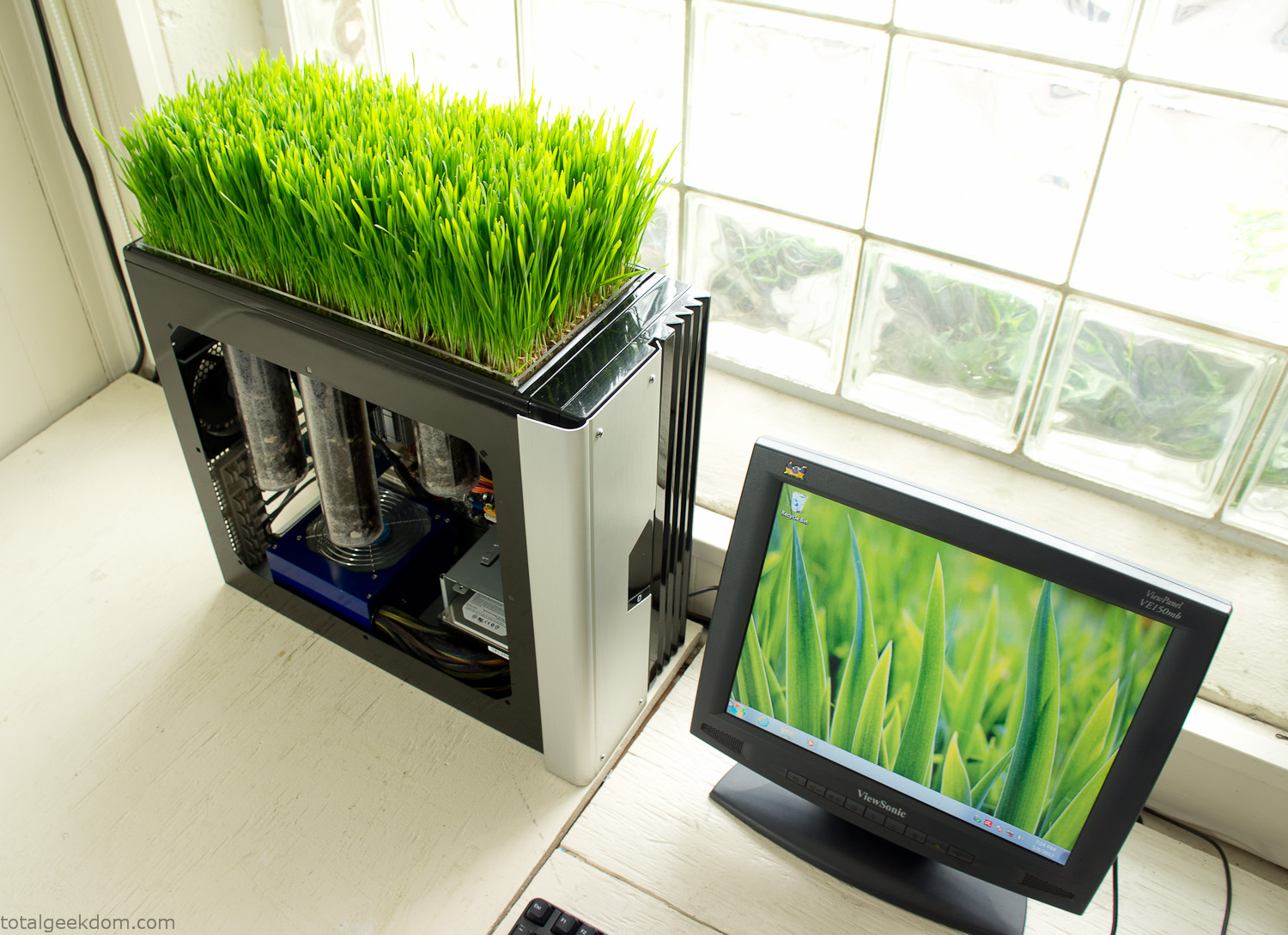
Bio Computer
I’ve been interested in working on a project for while that would combine something tech-based with something organic. Mixing the two elements intrigued me for a while. I’ve wanted to add flowers, or maybe plants of some sort to blend a little bit of nature into the space. I do receive a bit of sunlight through a glass block window, but the temperature in the basement is usually on the colder side. In the winter I don’t really heat the space because the folding farm outputs enough heat to keep the temperature comfortable. I didn’t want to change that aspect so I needed to come up with something that would tolerate slightly cooler temperatures and limited sunlight.
I can’t exactly recall when the idea came to me, but at some point I started wanting to use the heat from a computer as a way to warm the soil and help with germination/growth. I’m about as far from a botanist as it comes, I did some reading online and became pretty interested in the effects of soil temperature on germination/growth. I read different studies and papers from various universities. It was not too long into that process that I became hooked on the idea of using computer heat as a way to control the soil temperature of some sort of living plant life.
As the idea developed further I started looking into wheatgrass as a plant option. There is something clean and natural about the look and idea of a piece of grass growing in my basement. I thought the look would alter the space a little bit and add a bit of color along with something more than just metals and plastics. After reading enough studies and papers on the effects of soil temperature and germination with wheatgrass I felt like I had a good enough handle on the basics to tackle this.
The first step was finding a computer to adapt for the project. Luckily I had a lot of donated computers that people had given me for various project purposes. Most of them didn’t work, but by cobbling together various components from a bunch of different old computers I was able to come up with enough good parts to make a working computer.
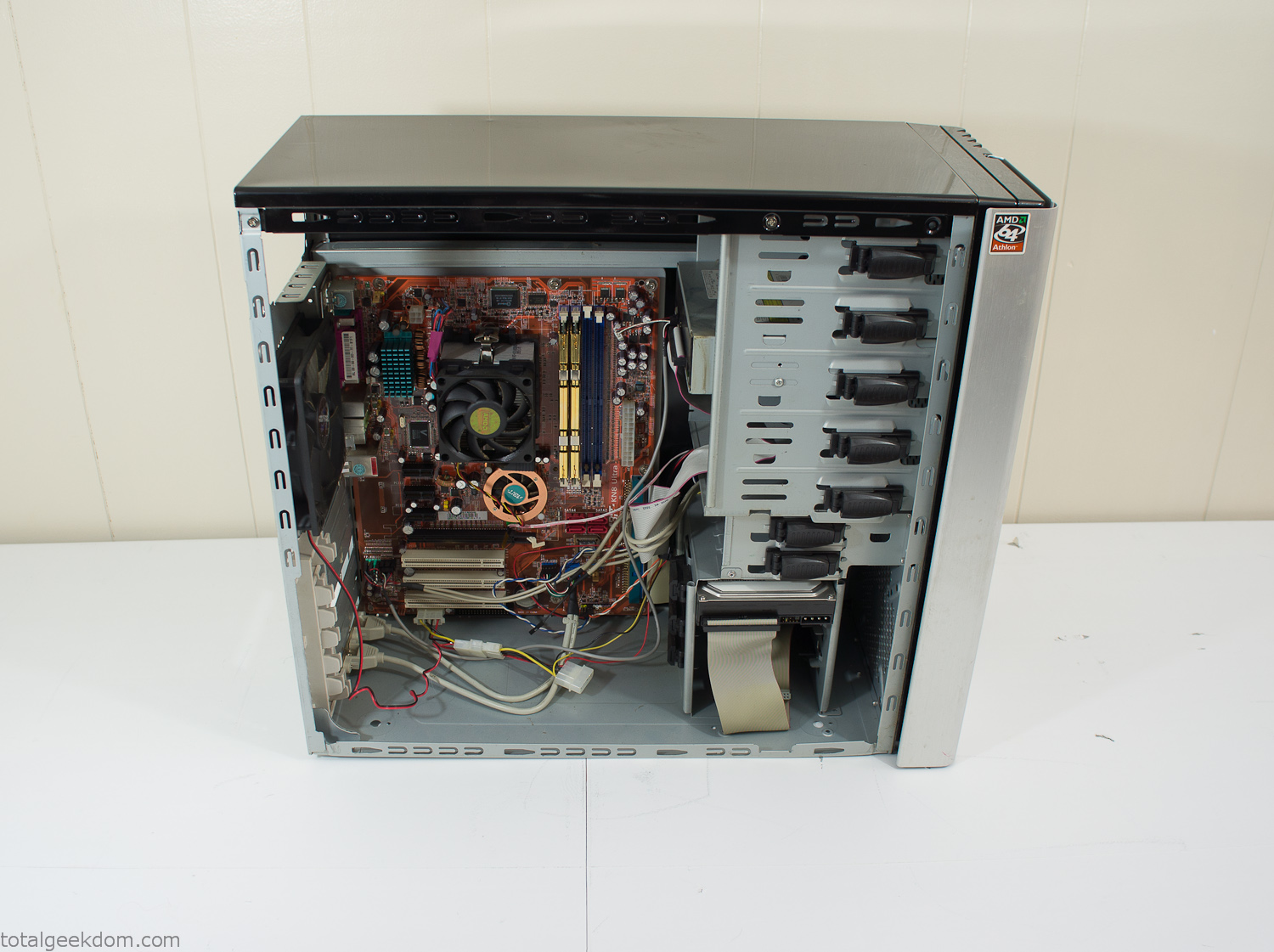
Donor Computer
At the time I was starting to get a formalized plan together for this project, another idea popped into my head. I’ve got a 5 yr. old who is already fairly geeky (just ask him to do his Jabba the Hutt impression for you) but he really does not get that much computer time. He’s getting to an age where he’s more inquisitive about tech stuff and I think he’s ready for his first computer. Since I was already well underway with this project it seemed like a perfect opportunity to orient the computer itself towards a learning tool for him in addition to using it as a way to blend something organic with a piece of technology.
With all of these goals in mind I started tinkering away. The computer hardware itself was nothing fancy, definitely outdated, but perfectly suited towards this project.
CPU- Pentium 4 (3 GHz)
Dell Factory Motherboard
Various Ram Sticks- 2gb
Old Maxtor 120gb IDE Hard Drive
Old FPS Power Supply
Donated Old Computer Case
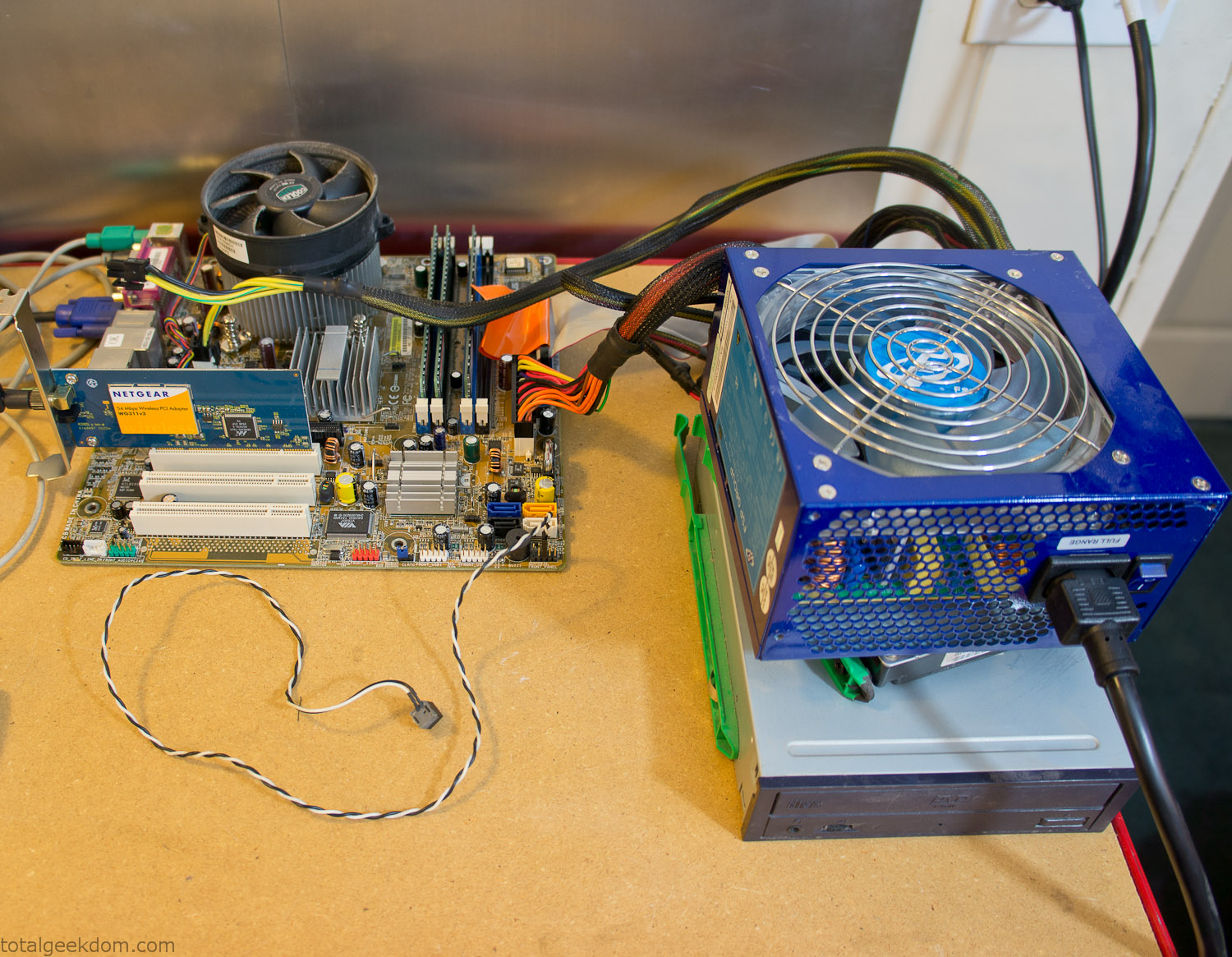
Computer Parts Testing
If you’ve spent any time around computer hardware in the last decade you’re probably well aware that Pentium 4 has a reputation for running hot. The 90nm Pentium 4 was named Prescott and it didn’t take long before the nickname Pres-hot popped up. In this case though that extra heat is going to be put towards good use.
Once the hardware was all in order I started working on the layout and arrangement for the case. I had originally envisioned the grass growing out of the top of the computer case. This seemed like it would provide a good blend between the hard edges of the computer and the soft feel of the grass. This also worked well with putting the soil area in the upper portion of the case, where the most heat should collect. After doing some initial tests with this configuration I found the measured temperature near the top of the case was the hottest. The placement of the CPU near the top of the case and the lack of airflow in that area contributed to these higher recorded temps.
After finishing with some initial tests I decided to completely strip the case down and start removing all the unnecessary brackets and pieces inside of the case. Like most computer cases all the internal brackets and mounts are riveted together, so I drilled all the rivets out of the components I wanted to remove and pulled them out. The gutted case looked pretty barren after being stripped.
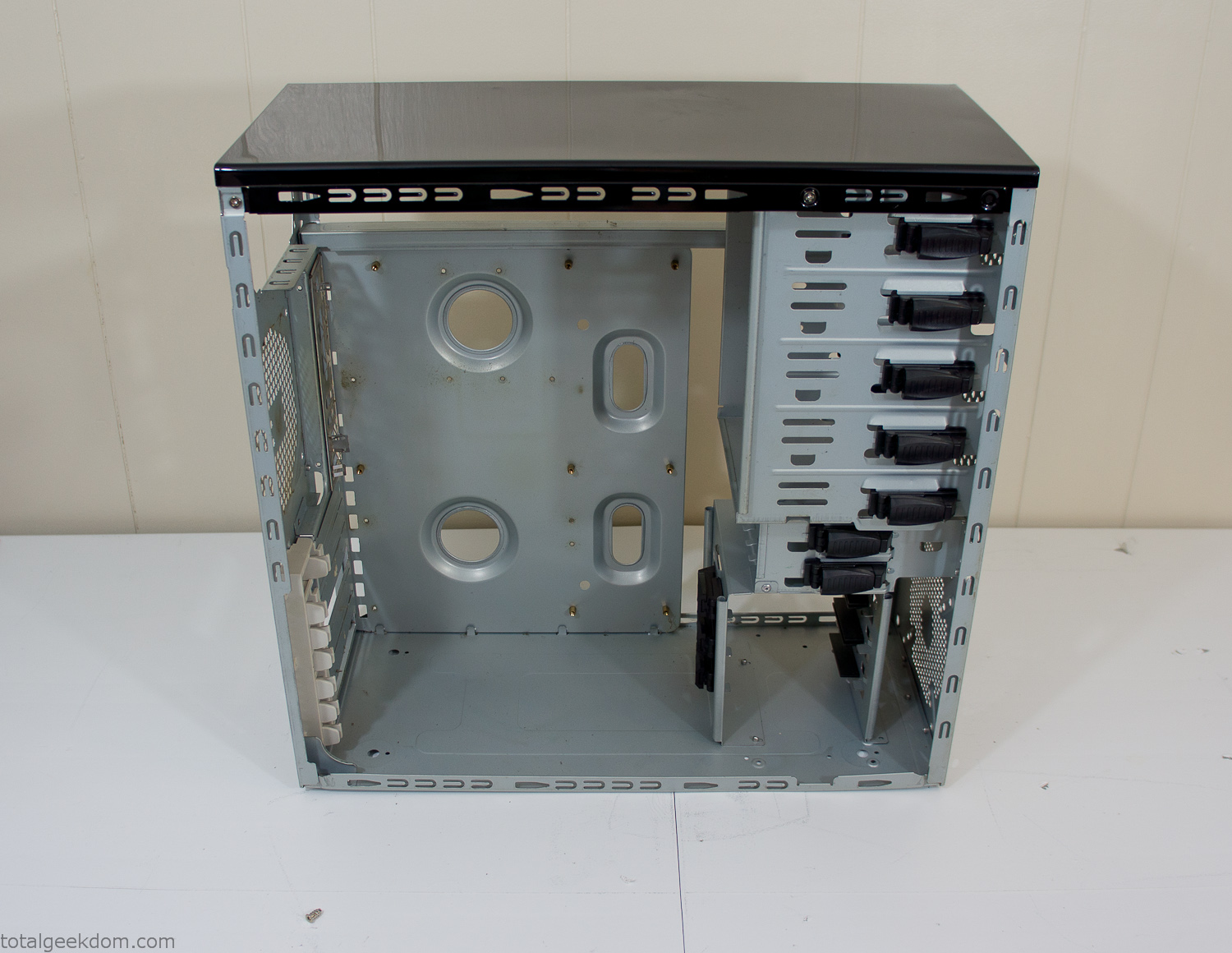
Empty Computer Case
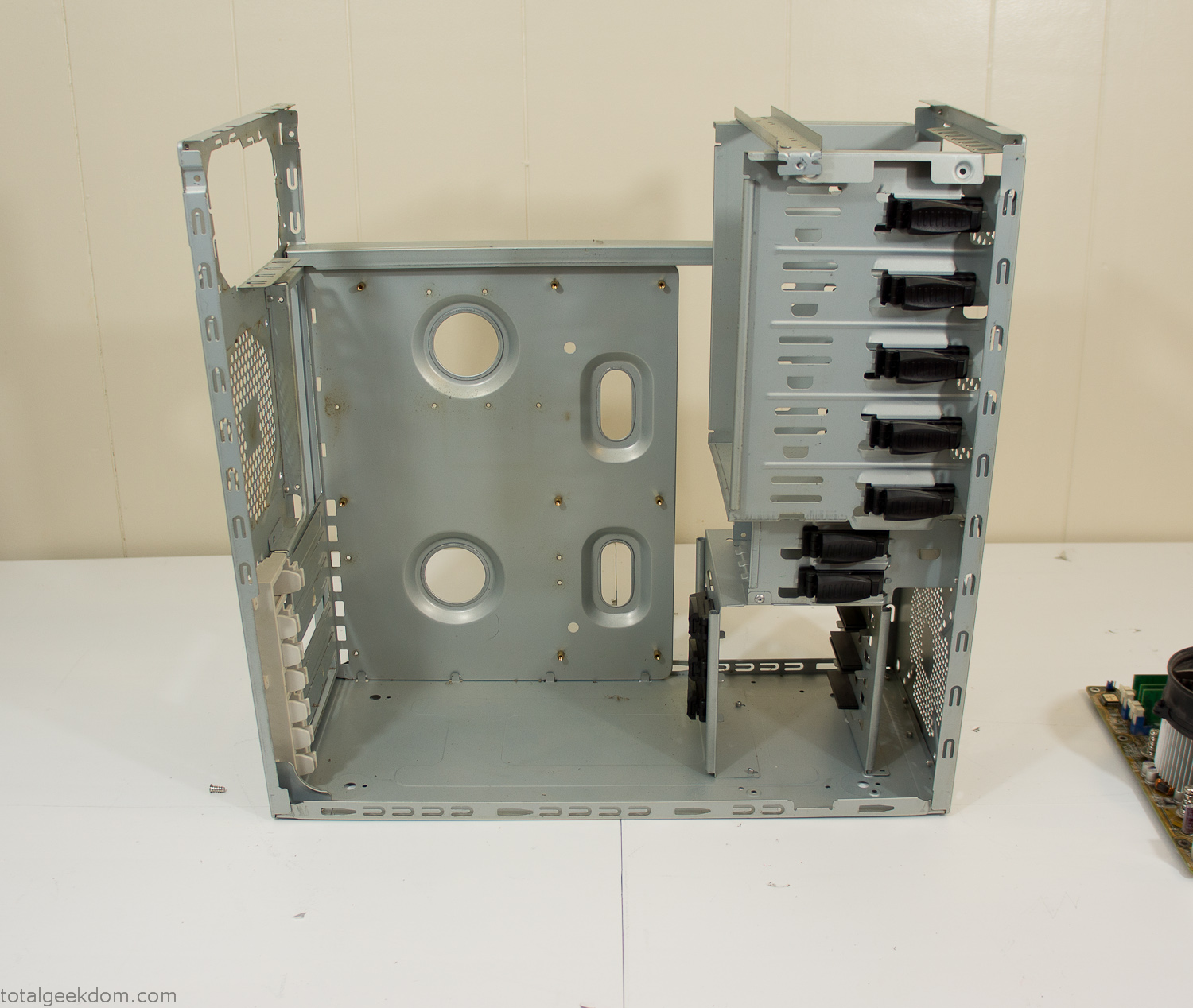
Dismantled Computer Case

Stripped Computer Case
In keeping with my original plan of having the computer blended with the organic grass I wanted it to be easy to see the inner workings of the computer and also the soil from the grass growing above. I needed something that was translucent, which left me with either glass or acrylic/polycarbonate as my options. I ended up choosing acrylic because I was able to find a cheap, used, die-cast model car display case top that was the perfect dimensions for the top of the case. Couldn’t go wrong for 5 bucks.
I test-fit the acrylic over the top of the computer case and marked my layout on the top of the case. My plan was to cut open the top of the computer case and insert the acrylic display case into the section I cut out. To cut open the top of the computer case I drilled a hole as a starting point and then used tin snips to cut through the thin gauge metal.
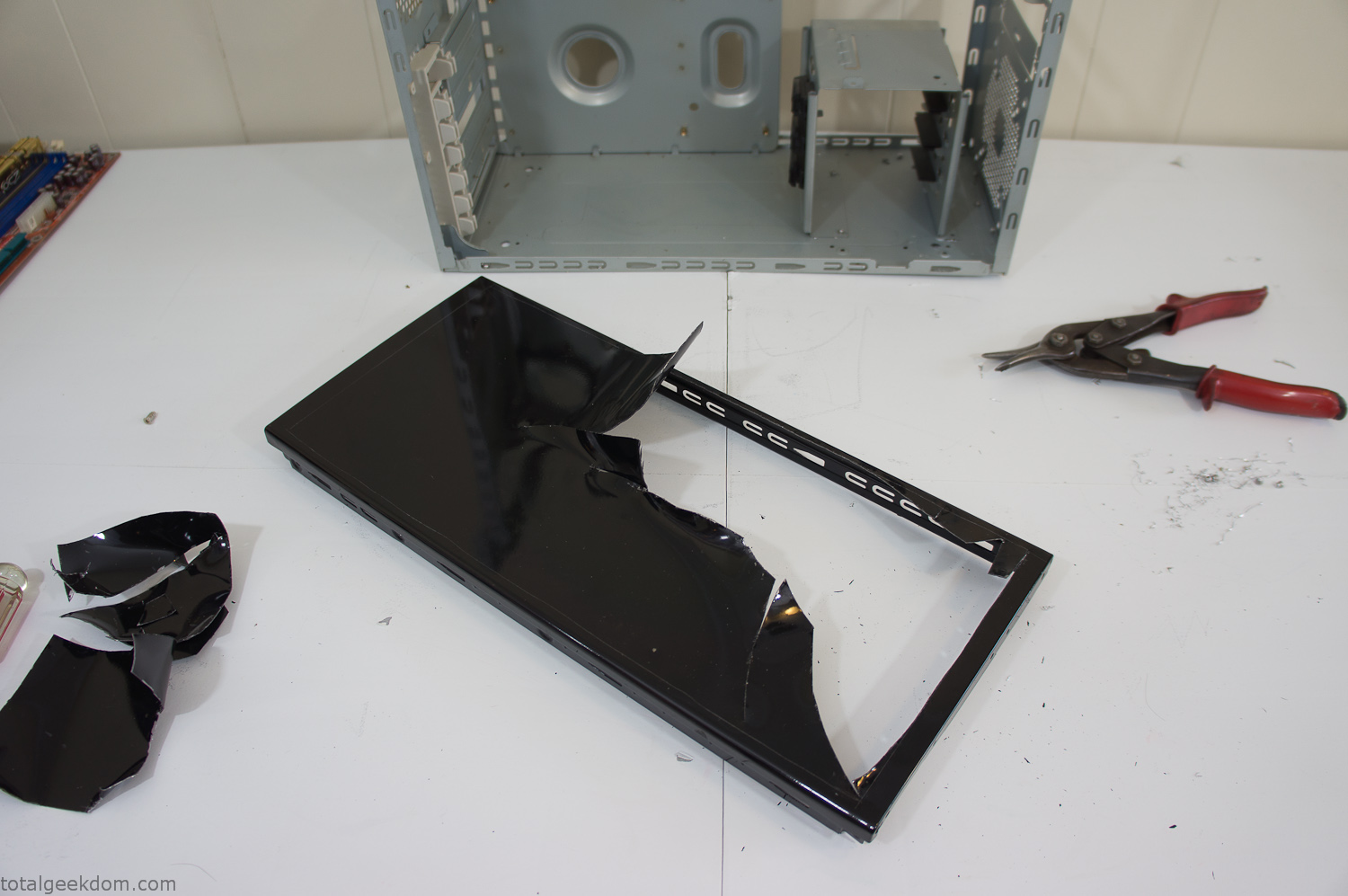
Computer Case Lid Modding
Once I had the metal opening cutout, I needed something to put along the edges of the freshly cut opening to create a clean and finished look. For $2 I was able to find some black, car-door-edge, plastic molding that worked perfectly.
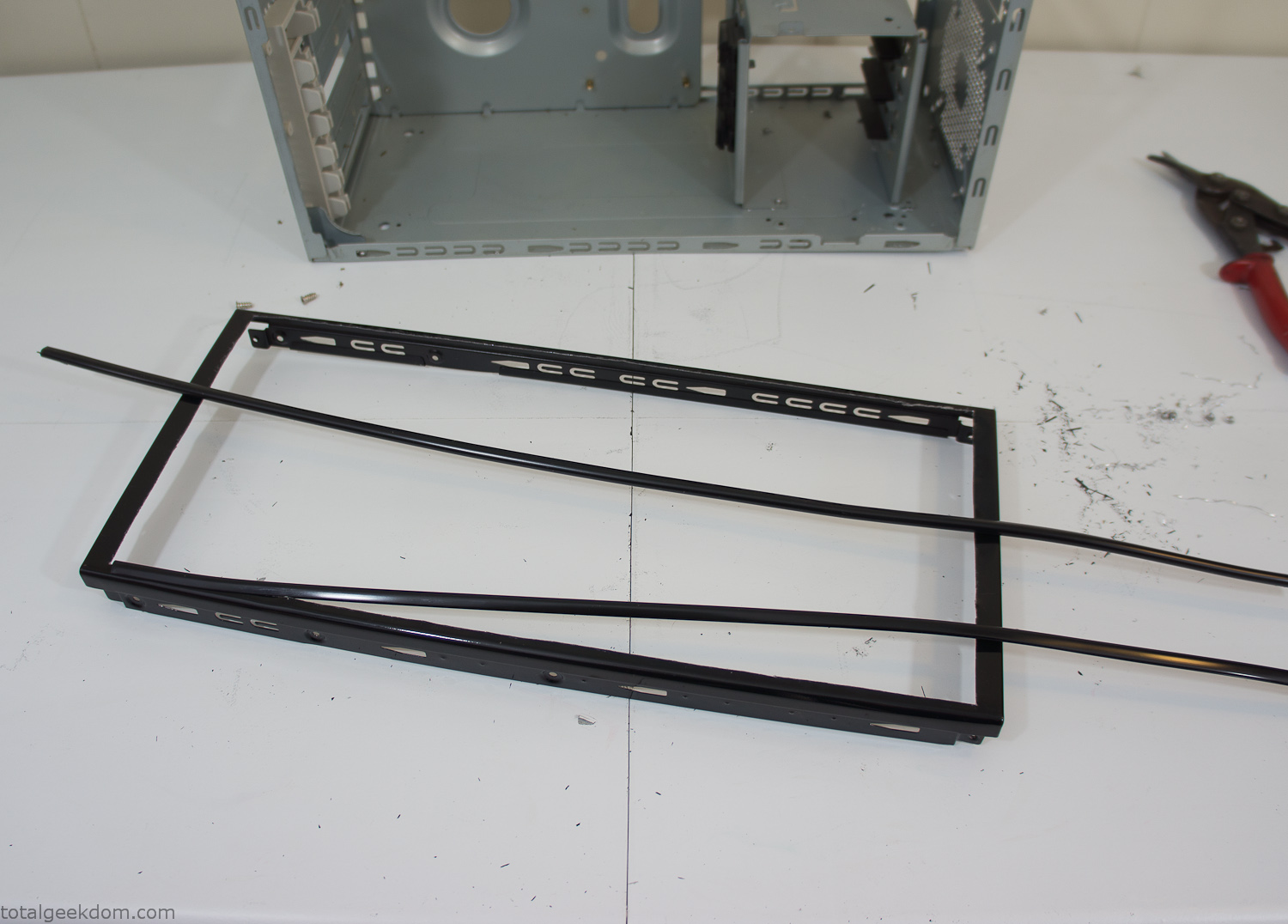
Modified Computer Case Lid
After getting the opening of the top of the computer handled and the acrylic case properly fitted, I moved onto some more testing with soil in the acrylic and the computer running. I wanted to see what kind of heat transfer I would get and how it would affect the soil temperature. I knew that using acrylic over glass would make it a little more difficult to heat the soil as acrylic is not that good at transferring heat. Luckily though I didn’t really need to alter the soil temperature that much, I just needed a little extra heat. Testing showed that heat transfer with just the single acrylic display case as my soil container was slow. So I decided to add some acrylic tubes. This would allow more surface are for soil to acrylic contact and also give me an area where I could add a mixed substrate to allow for soil drainage.
I went online and found a 3ft long section of 2 1/4″ clear acrylic tubing for $8 dollars. I wanted to add a couple of hanging cylinders off the main of the acrylic display case in the top of the computer case. To do this I needed to cut holes into the bottom of the display case. Cutting holes in acrylic is not always easy, it’s likely to chip and craze at the edges. To get around this I used a buildup of masking tape on both sides of the acrylic, to provide a little bit of resistance and strength. I placed the acrylic display case back into the computer and marked my layout for the tubes. I needed to leave clearance for the CPU cooler, power supply and hard drive mount.
After marking the layout, I used an air-powered pencil grinder and carbide tipped bit and cut through the acrylic case along my marked lines. After the initial shape was cutout I used a tube piece as a template and slowly worked on grinding the holes as perfectly round as I could get them so that the tube had a snug fit all the way around. The fit is pretty important as the acrylic cement that I used needs there to be a tight fit so that the acrylic can bond correctly.
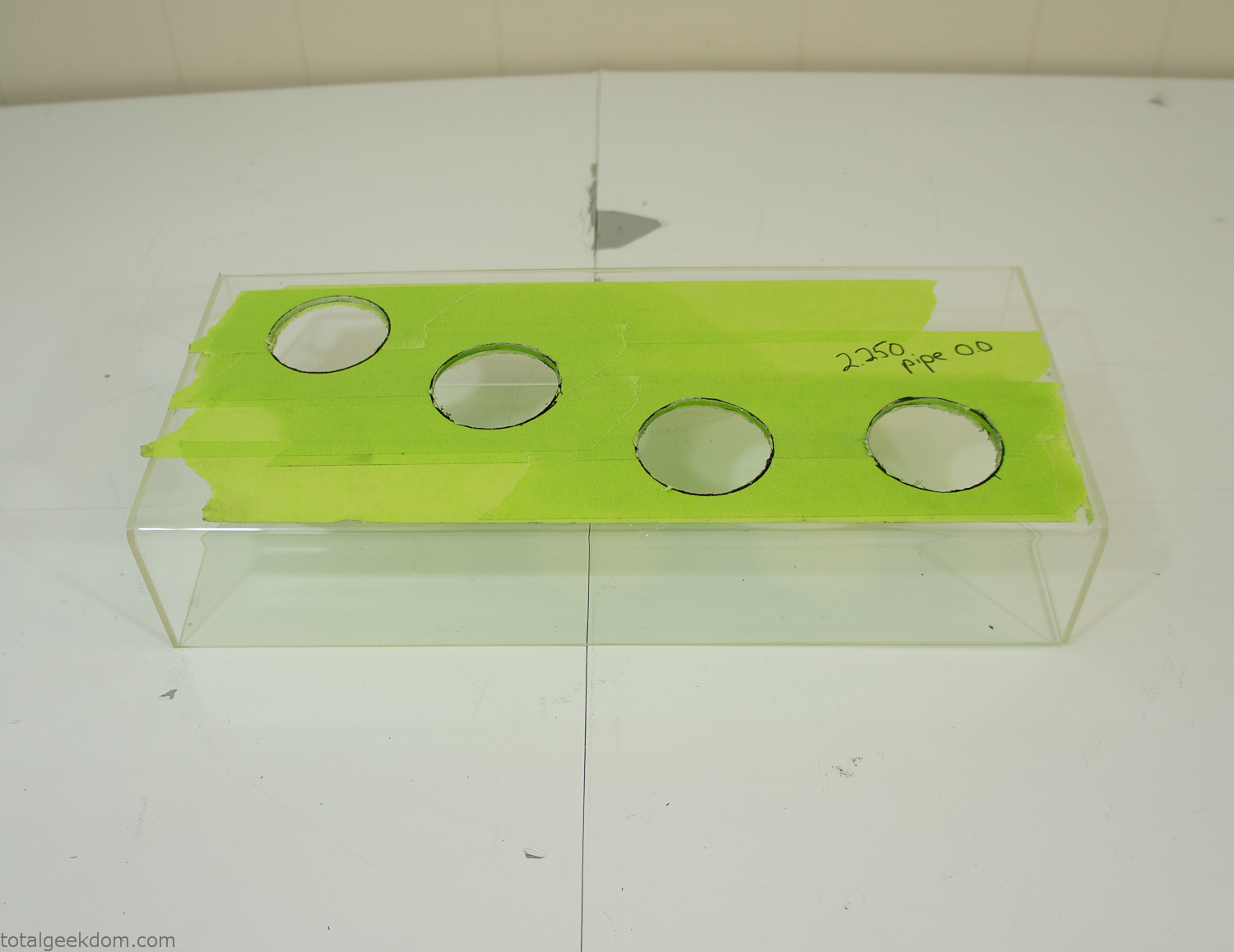
Acrylic Case Modifications
I placed the tubes into the acrylic case and mounted it in the computer and test fit the placement and height of the tubes. After getting everything lined up and oriented correctly I moved towards bonding the acrylic together. Using a needle dropper applicator I applied the cement to all the joints. After letting it set overnight I came back the next night and applied a thin coating of clear silicone caulk around all the joints just to ensure they were completely water tight
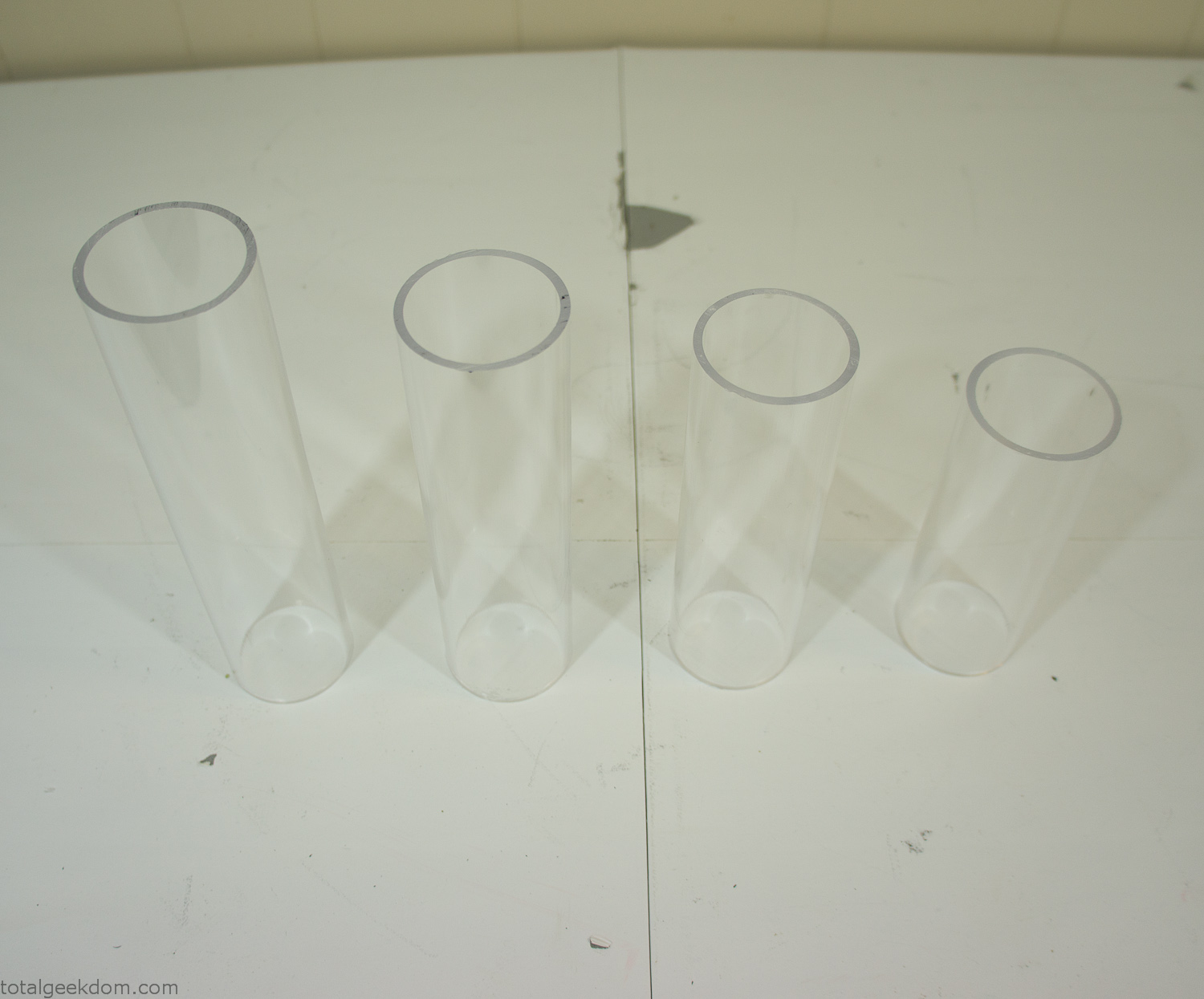
Acrylic Tubes
The next step was sealing up the bottom of the acrylic tubes. I looked at a couple of different options before realizing that the discs I had cut out of the acrylic case to fit the tubes would be almost the perfect size. Using a bench grinder and a test piece of tube I slowly ground each disc to the perfect size for a tight fit all the way around. I placed the clear acrylic discs into the bottom of each tube and repeated the same cementing and silicone caulking procedure to ensure they were water-tight. After a couple of days’ worth of drying I tested the case by filling it with water overnight and checking in the morning to make sure that no leaks had popped up.
In order to hold the weight of the acrylic case after adding soil, I drilled and installed a machine screw with a rubber cap at each corner of the computer case to bear the weight of the acrylic case.
Once all the work was done with the acrylic case section I started reinstalling all the components. The motherboard, hard drive and power supply were added and then wired up.
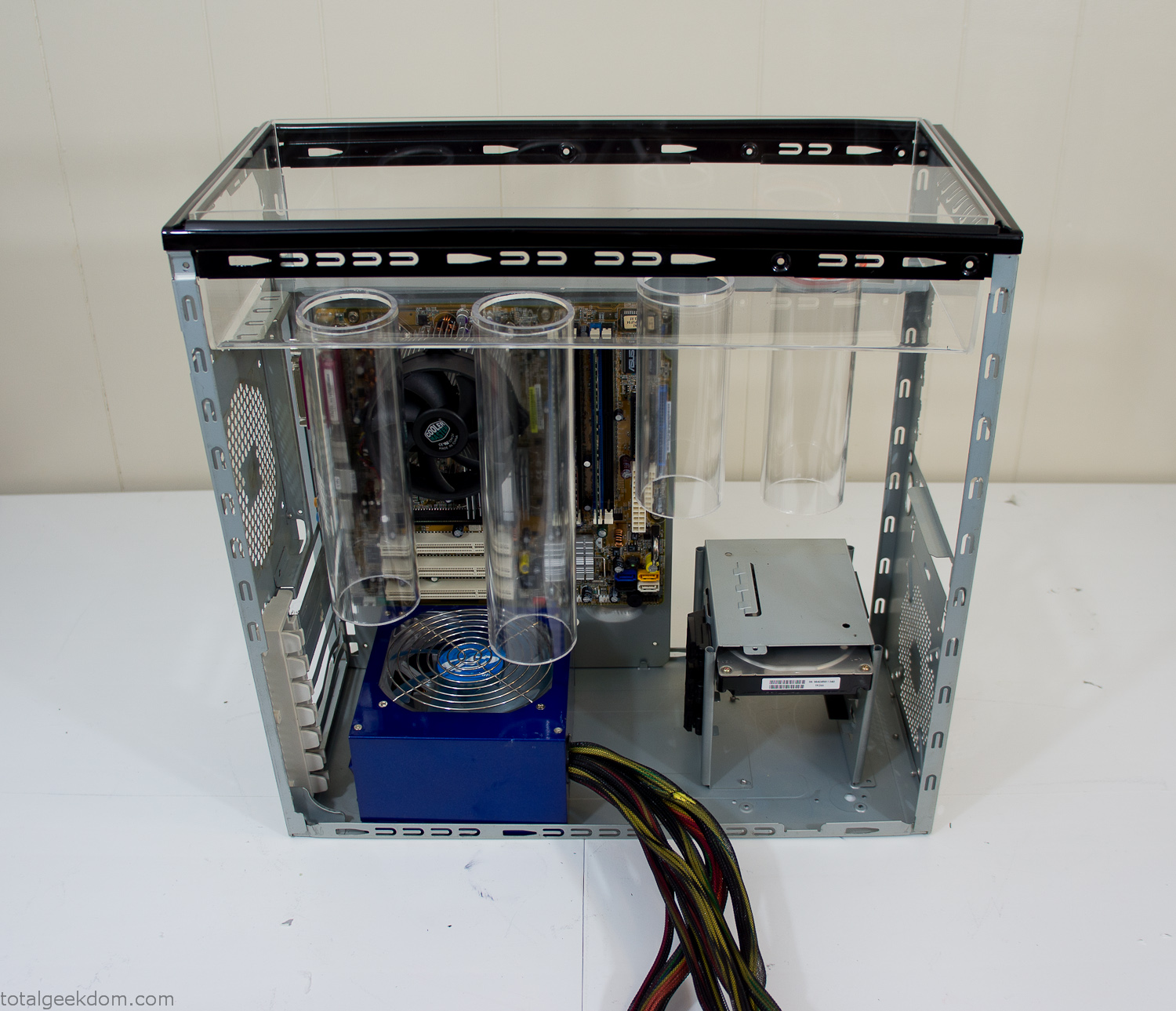
Mocked Up Computer Case
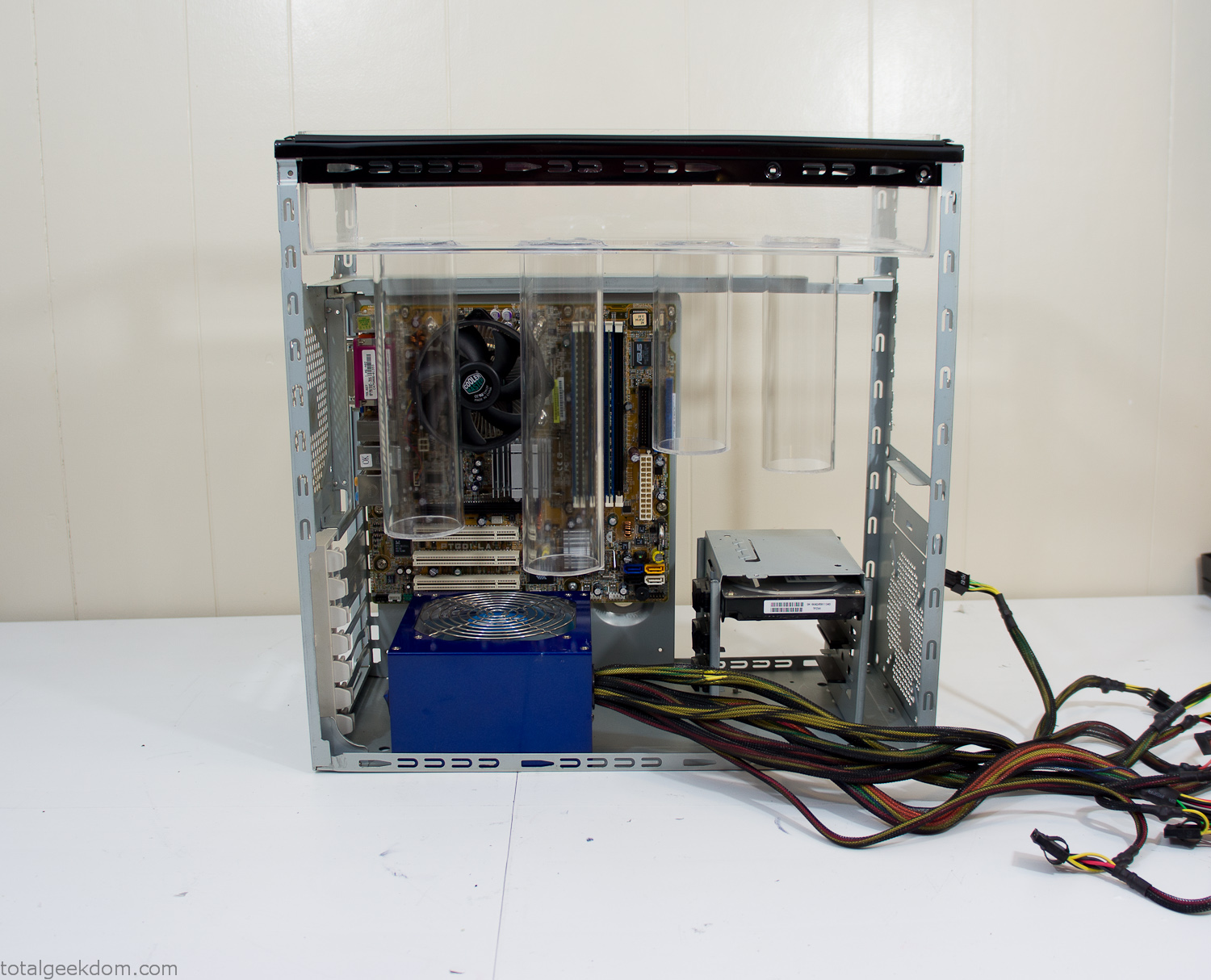
Power Supply Mockup
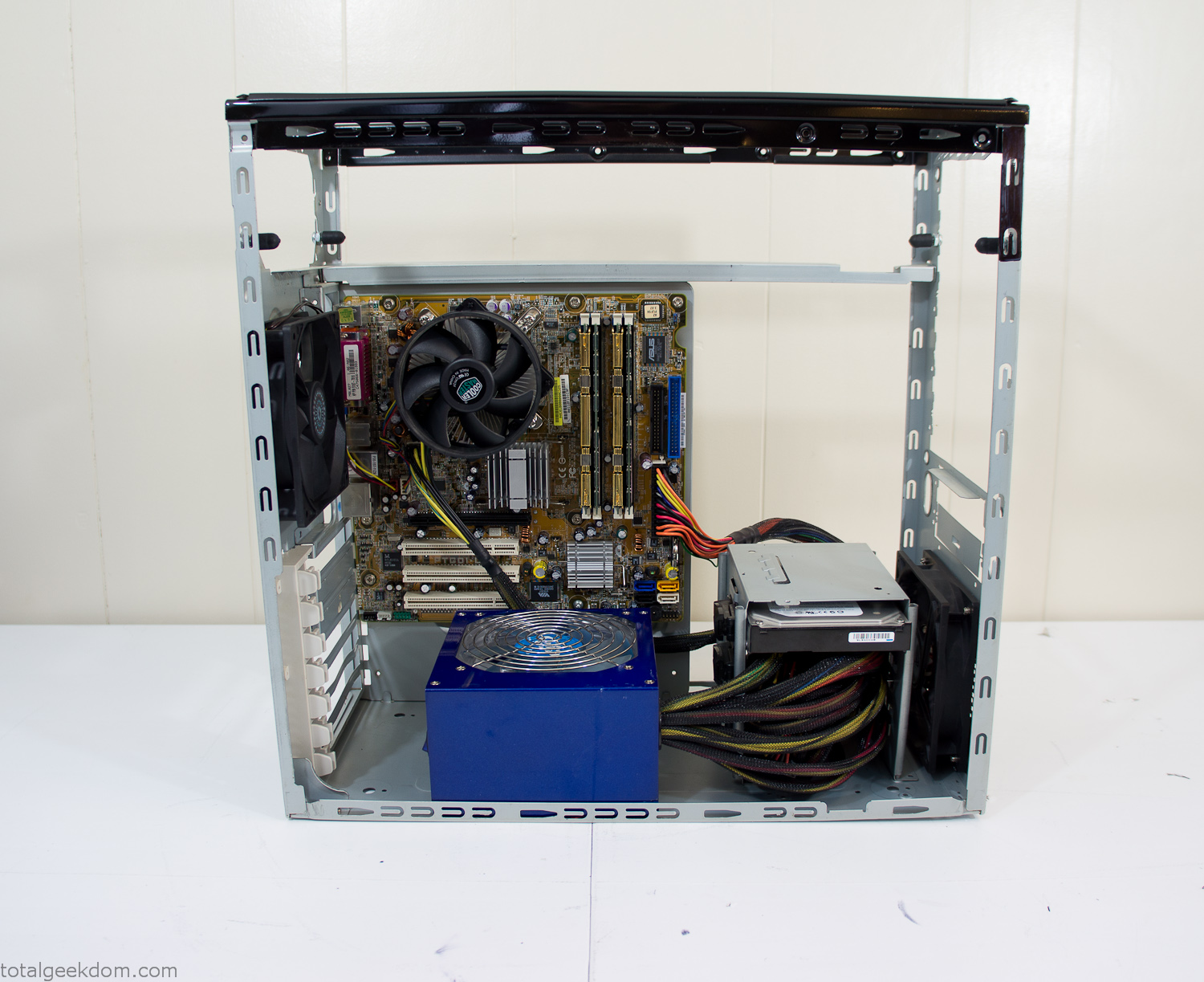
Computer Components Wired
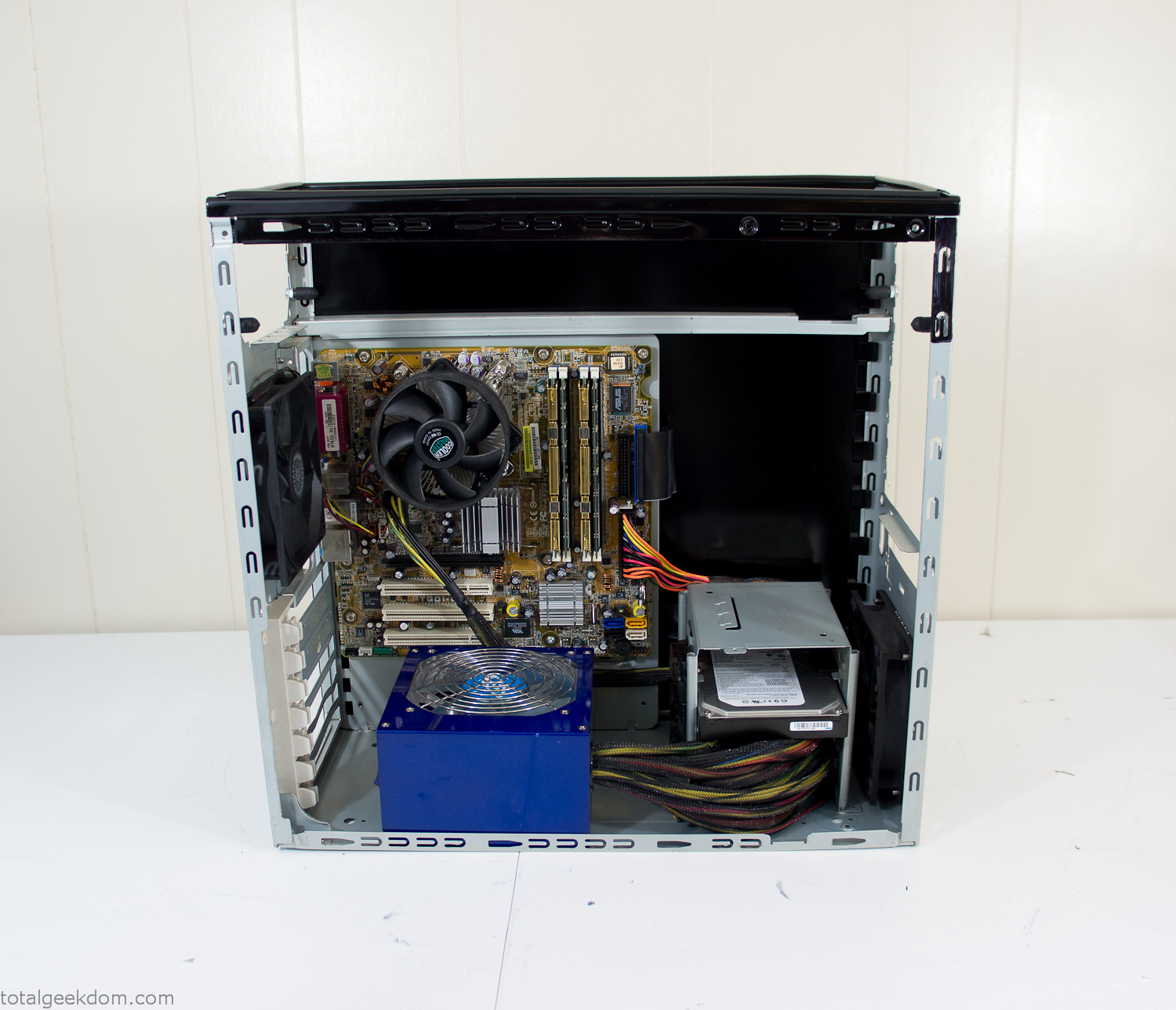
Case Panel Installed
At this point all that was left was to make a clear panel for the side of the case. I had some left over acrylic sheets from a different project that were really close to the right size, after test fitting, marking and cutting I then had a clear side panel to see into the case. (I left this off for the pictures because it caused a reflection)
The final step was filling the case with soil and adding some wheatgrass. I had been test growing other samples of wheatgrass during the build process. So I had already a couple of different patches of grass growing. I tried to keep the soil level just below the top of the acrylic case edge to make it a little more seamless.
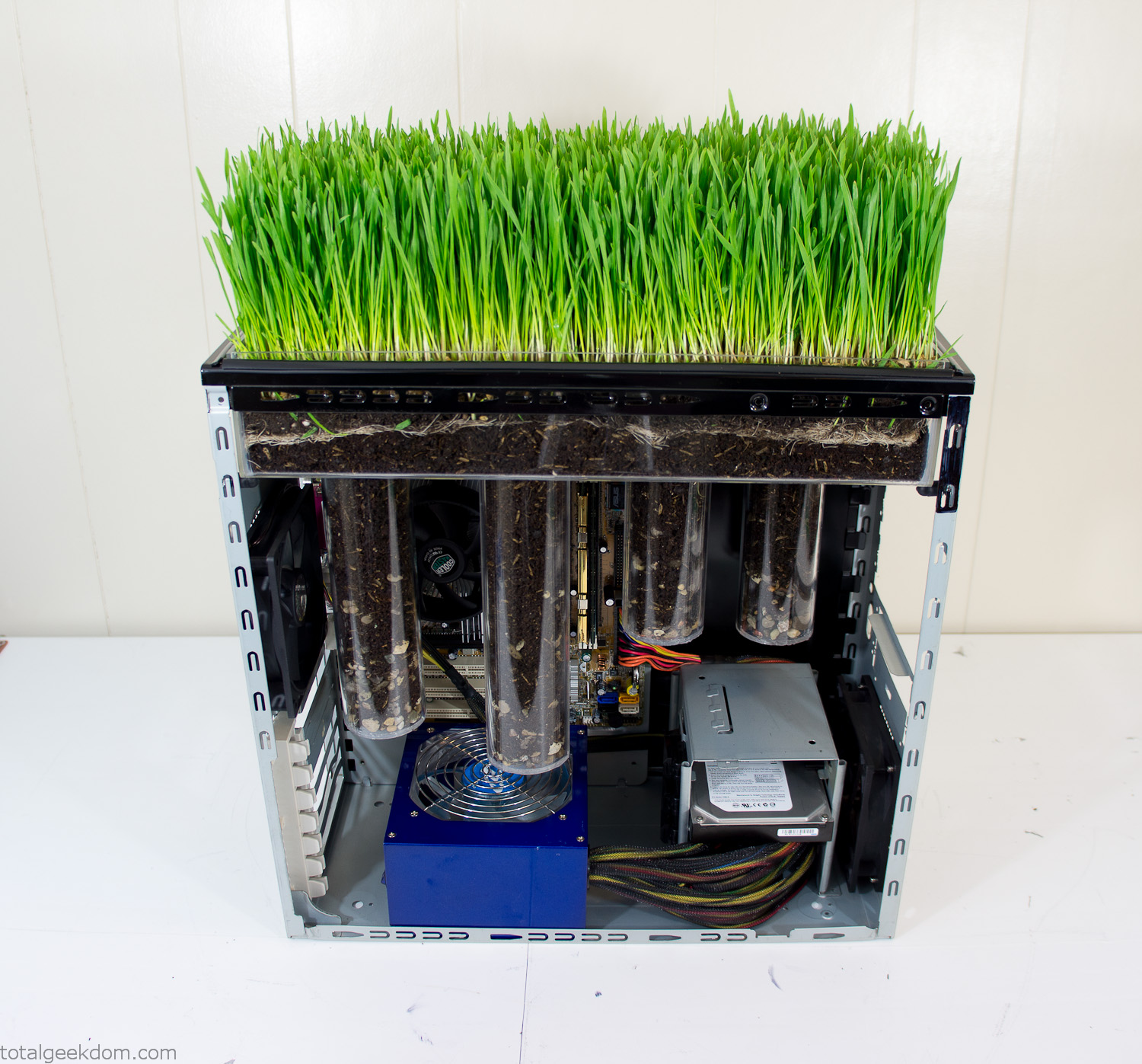
Grass Planted in Computer
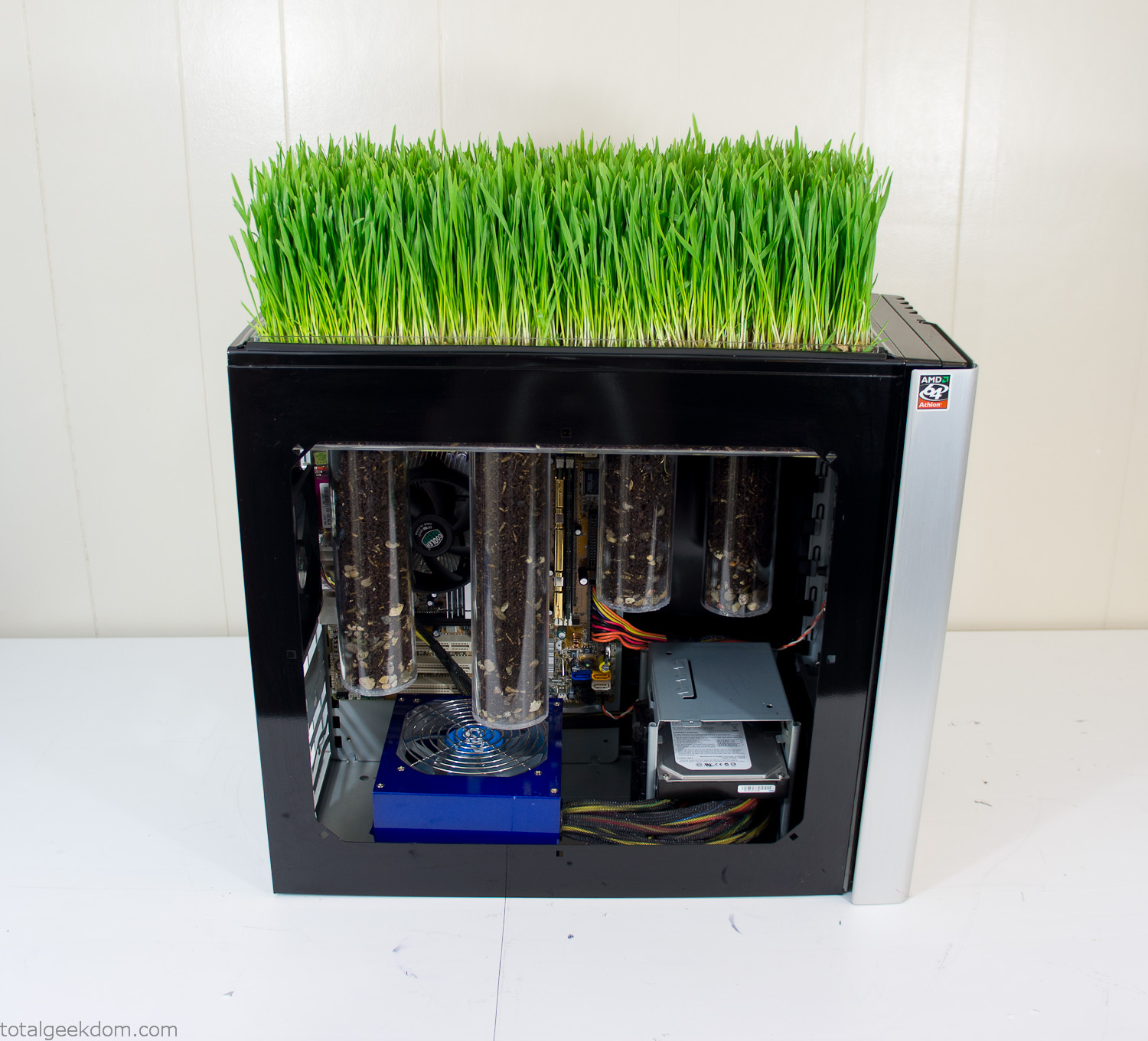
Grass and Case Panel Installed

Grass in Computer
For the computer itself I ended up installing Windows as well as Linux in a dual boot setup. Since the computer was going to be used by my son as something to play with I figured I should put both on there so he can tinker with them and learn as he goes. Besides, for important life decisions like picking an OS (Operating System) I think any good parent should present the options and then let their kid decide for themselves.
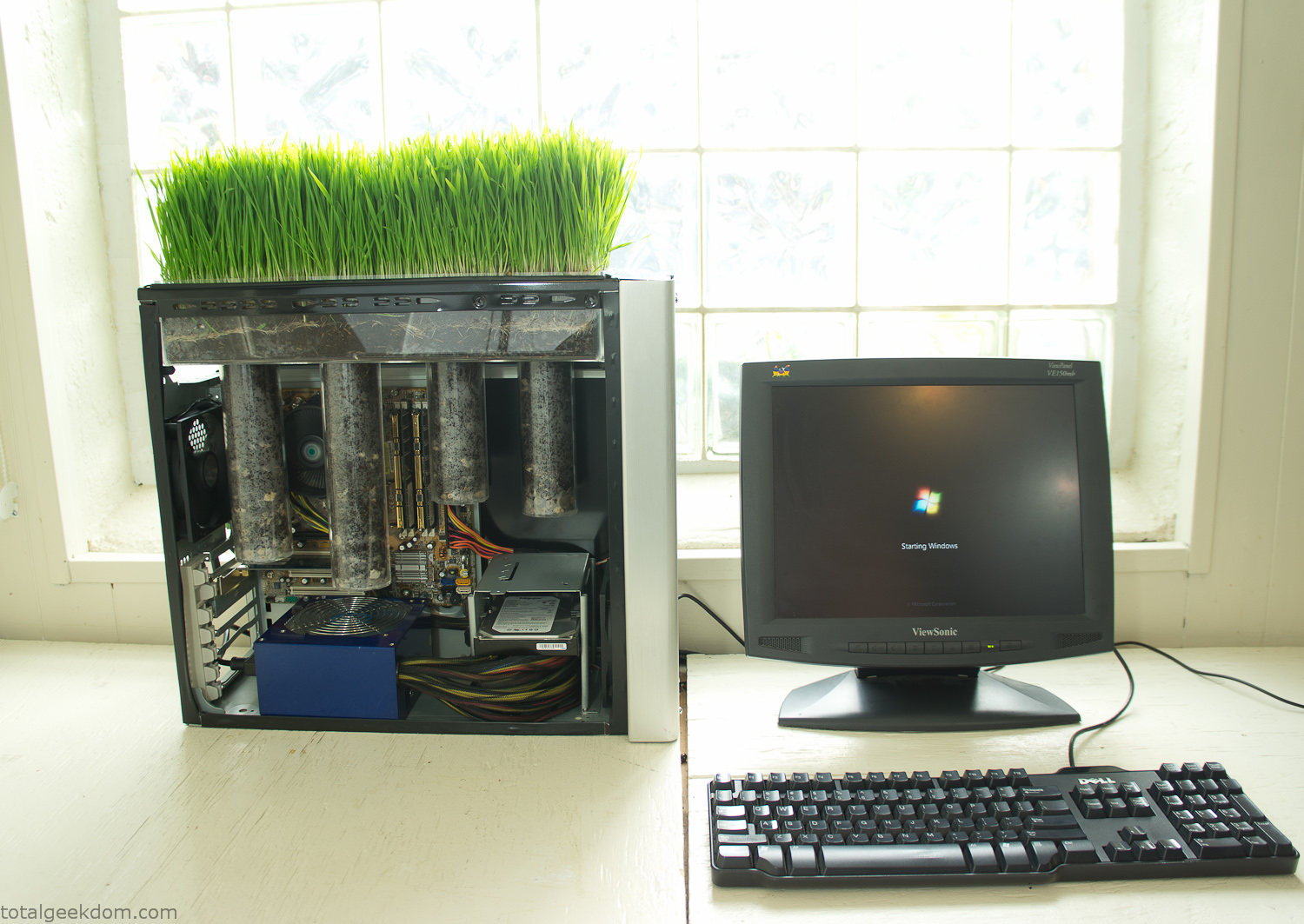
Starting Windows
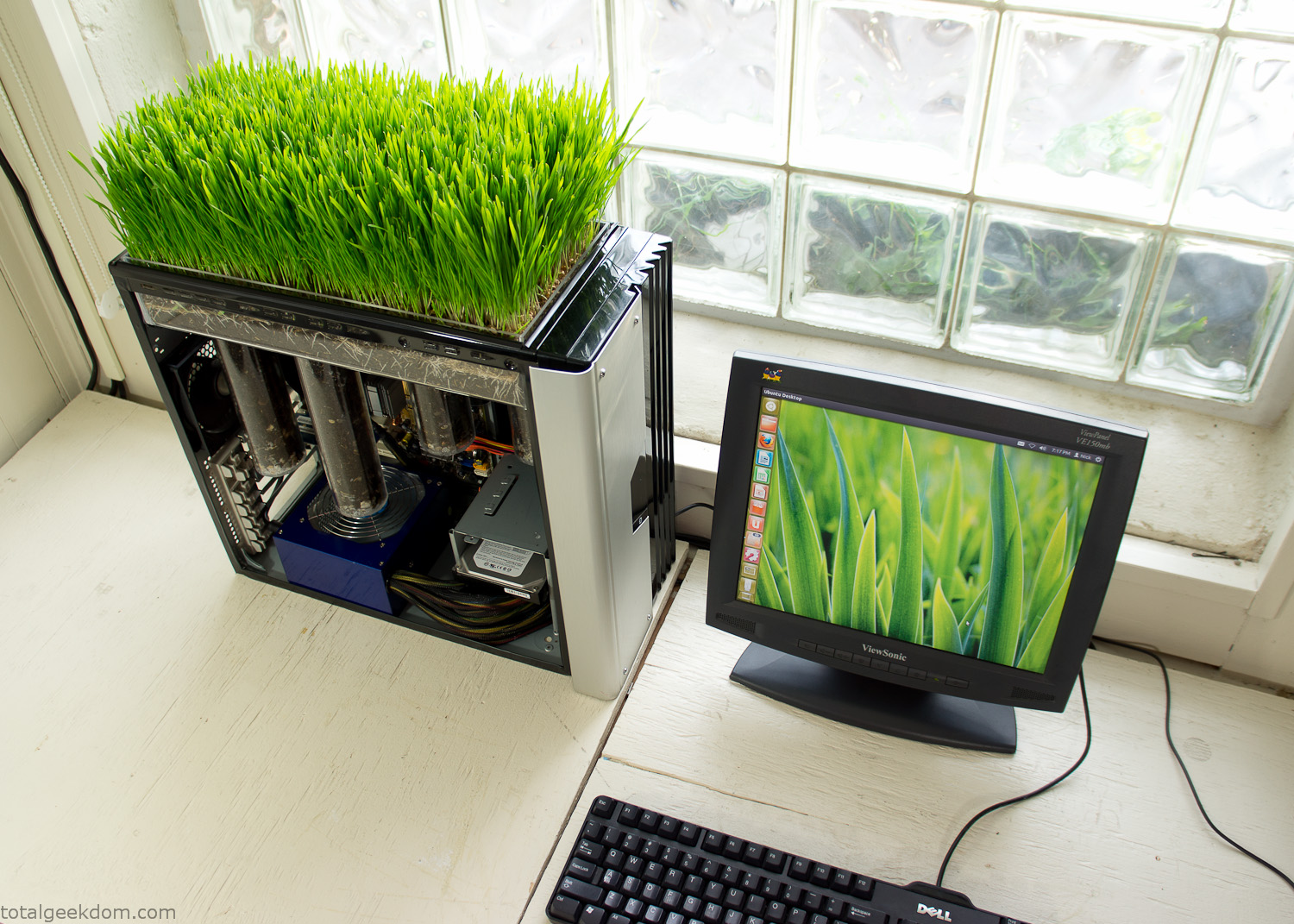
Linux Running
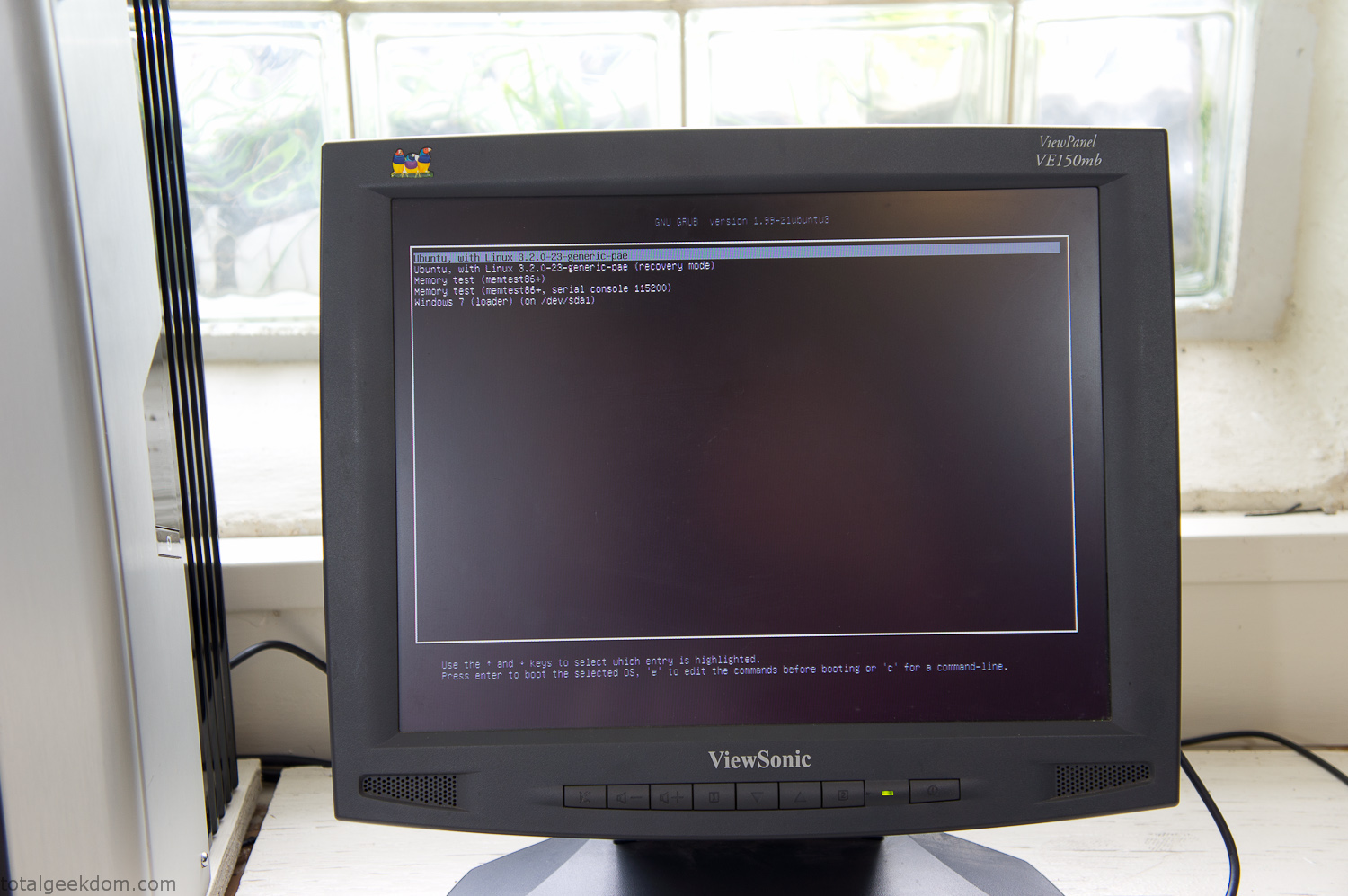
Dual Boot Screen
In the end I’m happy with the result of the project. It’s been fun experimenting with growing wheatgrass and I like how the natural look of grass is blended with the very modern, inorganic case.
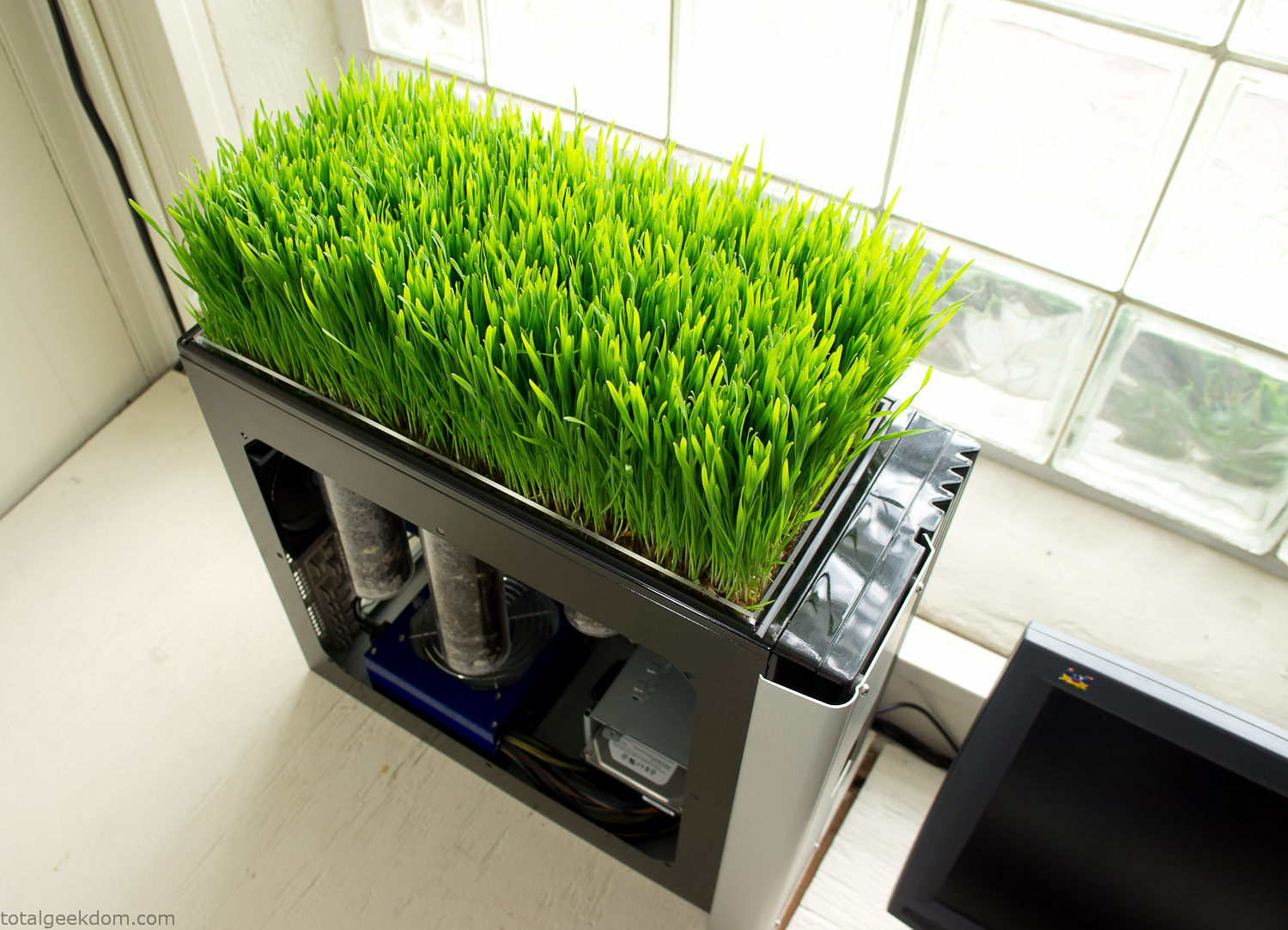
Computer Grass Growing
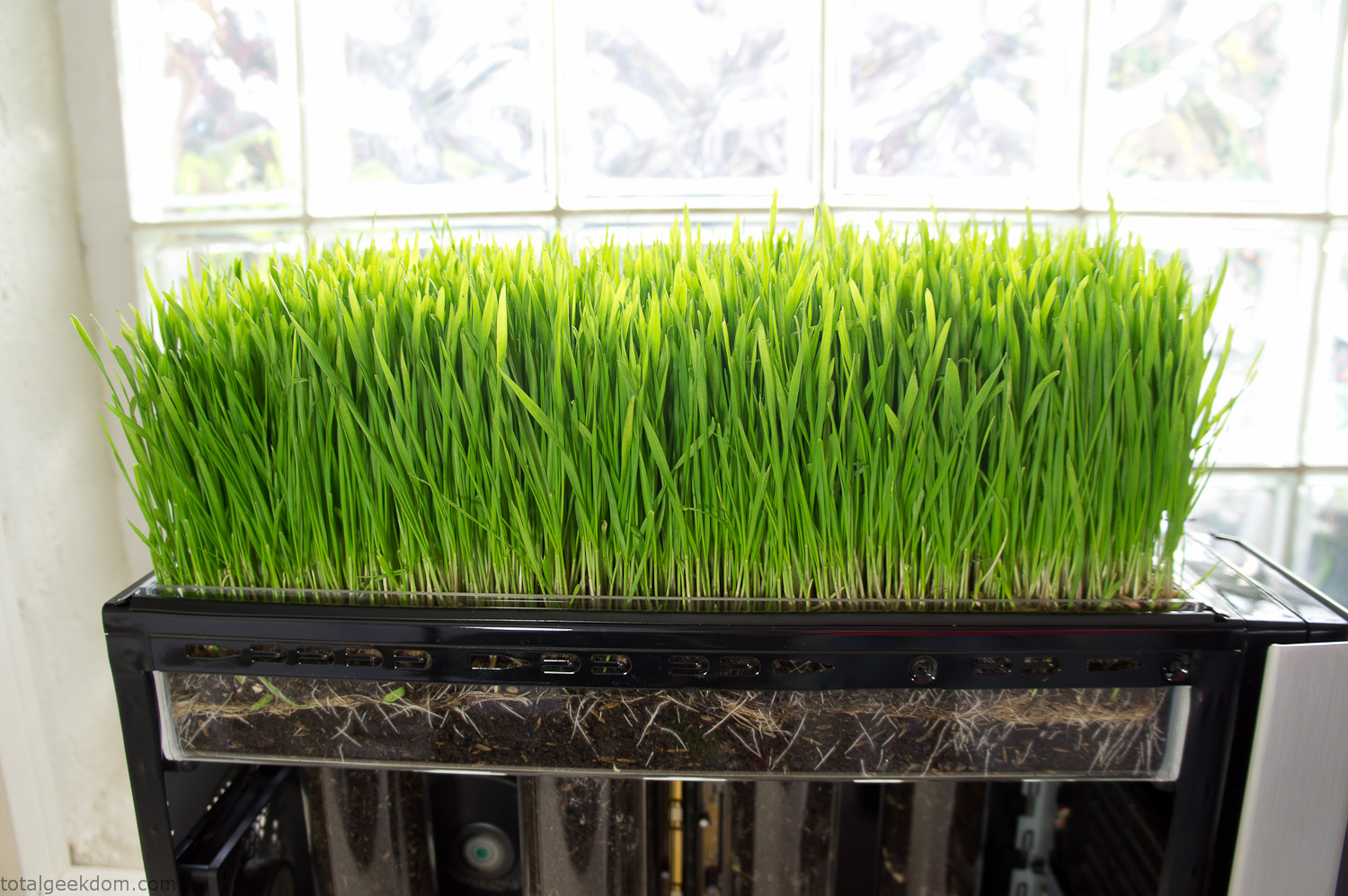
Grass in Computer Section
Notes
Temperature Testing
In testing the case temperature versus the soil temperature I found it was easiest to control the case temperature by using a variable fan speed control on both the inlet and outlet fans. By turning the fan speed down I could increase the temperature inside the case and correspondingly raise the soil temperature.
In order to maximize output of heat during these tests I used Prime95 to run the CPU at 100% load.
Using this method to control the case and soil temperature I played around with adjusting the soil temperature and then tracking the rate of growth of the Wheatgrass. The target temperature for peak growth seemed to fall around 66°F (19°C).
Using the fans to control the case temperature allowed me to vary the temperature inside the case from a low of 75°F (24°C) to a high of 91°F (33°C). In order to achieve the desired increase in soil temperature, I had to run the case temperature toward the higher end of the scale.
When the soil temperature was too high, the growth of the wheatgrass would slow.
Wheatgrass
The wheatgrass I used for my tests was nothing special, it can be found as seeds (berries) in a lot of health food stores and it grows relatively easily.
Caring for the wheatgrass is just a matter of keeping it watered. It’s a pretty easy plant to work with and doesn’t require any special skills.
Wheatgrass is often used as a nutritional supplement; it can be juiced and mixed into smoothies and other beverages. I plan on harvesting some of the grass and making some juices.
Plant Options
While wheatgrass offers a nice, attractive and easily grown option I do plan on trying other plants as well in the future. Since I already have the “planter” built all I have to do is add a different plant and see how it goes. I’m sure there will be some plants that don’t like the lower light environment, but it will be fun experimenting with other plants as well and seeing how they take.
Materials
Donated Computer- Free
Clear Acrylic Display Case- $5
Clear Acrylic Tube- $5
Plexiglass Side Panel- Free
Total- $10
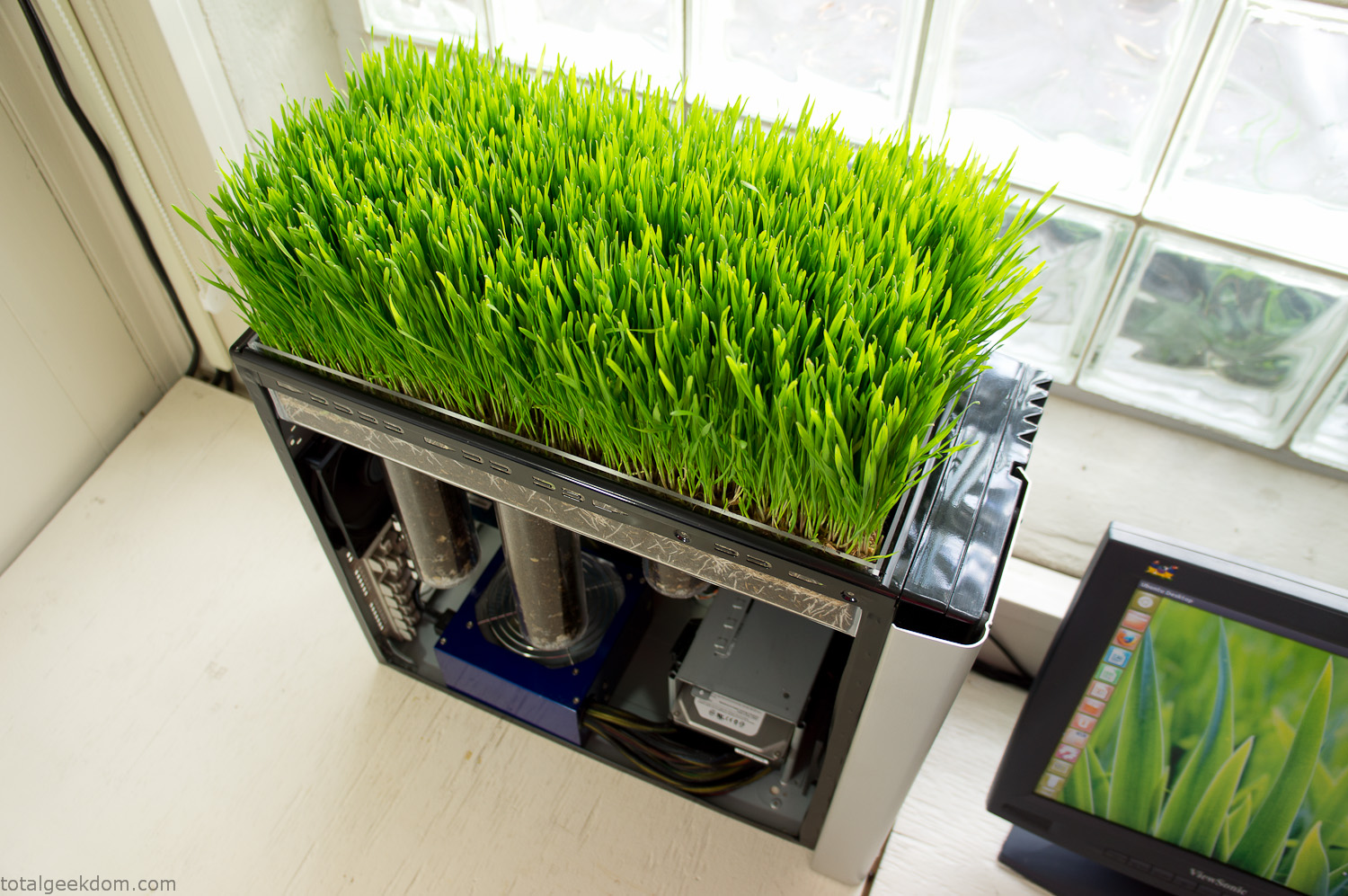
Bio Computer Running
 29.2k
29.2k
 13.2k
13.2k 7.1k
7.1k

 2.1k
2.1k 813
813 2.6k
2.6k
Comments 54,501
Сервис «Железнодорожная Логистика» является справочно-информационным каталогом экспедиторских компаний, железнодорожных и контейнерных терминалов, также собственников вагонов и контейнеров. Наша задача – найти клиентов для вас. Ищете станция тучково? Gdlog.ru – тут о том расскажем, что для того нужно, чтобы получить или отправить по железной дороге груз. Любой грузовладелец, когда попадает на сервис «Железнодорожная Логистика» сможет подобрать интересующую услугу, предоставляемую экспедитором. Будем рады вас видеть на страничке нашего портала!
Hey fellow photographers! If you’re looking for a reliable way to protect your gear, https://theg-raphy.com/ camera bags and backpacks are a fantastic choice. With rugged designs, customizable compartments, and comfortable wearability, they make carrying equipment easy. Perfect for urban shoots or outdoor adventures, G-Raphy keeps your gear secure and accessible wherever you go!
https://talisman-65.ru
Фигурка дота
https://sqlmaxipro.pro/#footer
Лучшие бонусы в онлайн казино без депозита при регистрации.
Лучшие онлайн казино без регистрации в 2025 году
dragon money
https://sqlmaxipro.pro/#footer
https://sqlmaxipro.pro/
драгон мани зеркало
https://form.typeform.com/to/lmF2bg36
Игровые автоматы с бездепозитным бонусом за регистрацию с выводом Бонусы за регистрацию
I could practice my languages with everyone who came to visit me at my place, doing [url=https://datescloud.com/?_out=aHR0cHM6Ly9zZXhidWxlLnh4eC90YWdzL2Zpbm5pc2g]https://datescloud.com/?_out=aHR0cHM6Ly9zZXhidWxlLnh4eC90YWdzL2Zpbm5pc2g[/url] – for free!
https://www.provenexpert.com/en-us/countertops-in-charleston/
Looking for best exchange rate? p2pchange.is is an exchange of BTC for others after zero network confirmation, as well as instant automatic exchange 24/7/365. Choose the direction of exchange and instantly exchange the necessary currencies and cryptocurrencies, wherever you are. Reliable support service and automatic exchanger!
https://roomstyler.com/users/pscountertops
Hallo zusammen! Kennt ihr schon die Mobel und Wohnaccessoires von https://dashomcom.de/ ? Ihre Produkte sind auf Komfort und Funktionalitat ausgelegt und ideal fur jedes Zuhause. Von ergonomischen Burostuhlen bis hin zu platzsparenden Aufbewahrungslosungen gibt es viele tolle Optionen. Die Qualitat und das moderne Design uberzeugen. Welche Erfahrungen habt ihr mit Homcom?
Ищете ремонт компьютеров? Магазин обоев Piterra piterra.ru/catalog/oboi/ – широкий выбор обоев в СПб и МСК. У нас вы отыщите обои под покраску, обои для кухни, обои на стену. Вы можете купить обои в интернет-магазине или выбрать в салонах по адресам. У нас на обои выгодные цены, широкий выбор и лояльная доставка. Не знаете, где отыскать обои в МСК или СПб? Заходите в наш каталог, сравнивайте цены и выбирайте идеальные обои для вашего интерьера!
milf live
lesbian sexcam
Top casino с выводом спины за регистрацию без депозита с выводом
free live porn cam
https://scrapbox.io/pscountertops/Countertops_in_Charleston,_SC
ДолгХ – компания, которая по сопровождению физических лиц в процедуре банкротства с 2018 года оказывает услуги. Нашей главной целью является избавление от долгов общества. Оказываем первоклассный сервис клиентам на всех этапах работы. Поможем избавиться от назойливых звонков коллекторов. Ищете торг по банкротству? Dolgx.ru – здесь можете за одну минуту проверить возможность списания долгов. На сайте вы узнаете, как проходит процедура банкротства. 8500 граждан нам решение своих финансовых проблем уже доверили. Обращайтесь к нам, готовы помочь вам в короткие сроки.
Hello everyone! If you’re looking to add style and functionality to your kitchen, the https://thealaza.com/ kitchen mat is a must-have. With vibrant designs and cushioned support, it makes cooking more comfortable while elevating your decor. Explore Alaza’s collection and find the perfect mat to brighten your culinary space!
There is an option for organic invest-company.net soil fertilization by growing plants.
Buckwheat crops are planted on poor construction-rent.com soils to increase the content of phosphorus and potassium.
lesbian cam girls
live blowjob
ebony female stripchat
https://pscountertops.weebly.com/
розы
live gay porn
Hey everyone! Have you tried, https://night-owl-optics.com/ ? Their night vision devices make low-light adventures way clearer. Whether for outdoor trips or security, they offer sharp visuals and solid performance. It’s amazing how much detail you can see in the dark. Is anyone using them for night hikes or stargazing?
В этом что-то есть. Спасибо за объяснение, я тоже считаю, что чем проще тем лучше…
insurance and financing: Although insurance coverage may be limited, the COST of STEM CELL THERAPY may vary, and various settlement plans and financing options may [url=https://sman3ngabang.sch.id/2023/06/18/beranda/]https://sman3ngabang.sch.id/2023/06/18/beranda/[/url] affordable.
new female cams
indian gay sex chat
https://hackmd.io/@pscountertops/BypttAA9Je
Hey everyone, https://thesailnovo.com/ has some interesting products—car roof bags for road trips, emergency kits for safety, and even egg incubators for those raising chickens. Their pasta maker looks solid, and the metal detector seems fun for treasure hunting. Has anyone tried their bedside sleeper? Looks like a practical choice for parents!
На сайте https://hyggehouse23.su/ забронируйте номер в «HYGGE HOUSE». Вас очаруют изысканные и живописные виды природы. Оказавшись здесь, вы почувствуете себя на природе, вдали от городской суеты. Вы сможете взять с собой на отдых и домашнего питомца, который тоже оценит приятную обстановку. Животные будут чувствовать себя так, как дома. На территории находится огромное количество различных развлечений на любой вкус. Имеется баня, комфортный бассейн, эндуро. На территории «HYGGE HOUSE» находятся комфортабельные домики.
https://astv.ru/news/materials/dostavka-iz-lenty-onlajn-osobennosti-i-preimushestva
365newss.net
https://www.lasso.net/go/link/pEp8Cf
Hello everyone! If you’re looking for exercise equipment that really fits your lifestyle (and your space), https://gymaxonline.com/ has everything you need. Whether you like to run, play games, golf, or just want to keep the kids active, you’ll find something for you. Treadmills are compact but powerful, game tables turn any family night into a competition, and outdoor gear is perfect for the adventurous. Plus, it’s all built to last and not cost a fortune.
bezdep получить 1000 рублей бесплатно за регистрацию
I like the helpful info you provide in your
articles. I’ll bookmark your weblog and check again here frequently.
I’m quite certain I’ll learn lots of new stuff right here!
Good luck for the next!
Looking for gold bullion market? Godbex.io, which combines cryptocurrency and gold bullion trading. You have the opportunity to: buy cryptocurrency for fiat currency or a troy ounce of gold, trade gold bullion in real time, etc. 4 modules are available to the client: gold bullion market, exchange, digital bank, asset management. More detailed information on the website.
https://justpaste.me/p7Vs2
Юридическая помощь при оформлении документов для проживания в столице: сделать временную регистрацию в москве цена
Ресурс turkline-tv.com вашего внимания точно заслуживает. Турецкие сериалы на русском языке онлайн можете смотреть в хорошем качестве абсолютно бесплатно. Звуком будете довольны. Погружайтесь прямо сейчас в удивительный мир турецкой культуры, традиций и привычек. Ищете сериалы комедии турецкие онлайн? Turkline-tv.com – тут стабильно плеер работает, удостоверьтесь в этом лично. У нас найдете то, что вас интересует. Предоставляем легкий доступ к большим коллекциям. Будем рады видеть вас в числе постоянных пользователей. Получайте удовольствие от турецких сериалов уже сегодня!
Как же круто, что сериалы можно смотреть онлайн!
https://yz2-bbs.q1.com/home.php?mod=space&uid=233659097
https://scrapbox.io/pscountertops/Countertops_in_Charleston,_SC
бонусы за регистрацию фриспины за регистрацию
Быстрое оформление регистрации для комфортного проживания в городе https://rega-msk99.ru/
Юридическое оформление места проживания в столице https://registratsija-v-mosow177.ru/vremennaya-registratsiya-v-moskve/
https://scrapbox.io/pscountertops/Countertops_in_Charleston,_SC
Hallo zusammen! Kennt ihr schon die Uhren von https://daslige.de/ ? Sie verbinden Stil und Funktionalitat und passen zu jedem Anlass. Dank robuster Materialien und praziser Zeitmessung sind sie zuverlassig und elegant. Wer eine stilvolle und praktische Uhr sucht, trifft mit LIGE eine gute Wahl!
Understanding the Iranian Forex Market at https://forex-iran.net/ is about navigating the Iranian Forex market and requires a deep understanding of its unique characteristics and challenges. Traders should become familiar with this fundamental knowledge, which is critical to developing a trading plan that can withstand market volatility and regulations.
Где найти сериалы в хорошем качестве?
https://forum.openbadania.pl/memberlist.php?sd=a&sk=c&start=29025
Смотреть сериалы онлайн с друзьями – классно!
http://empyrethegame.com/forum/memberlist.php?first_char=r&g=2&sk&start=9475
https://www.yumpu.com/user/pscountertops
Чем смотреть сериалы по ТВ, лучше онлайн!
http://nexia-club.com.ua/index.php?showuser=18646
Hello! Thehttps://thefranklinbrass.com/Kinla Bathroom Accessory Kit is a must-have for a coordinated bathroom look. This 5-piece set includes a towel bar, toilet paper holder, and robe hook, all in a gorgeous oil-rubbed bronze finish. Functional and stylish, it’s perfect for an instant bathroom upgrade!
Hemos agrupado para tu orientación preguntas esenciales de audiencia chilena sobre https://winchile.irlandaintercambio.com/ y sus soluciones.
Casino bonus bonus casino
Сериалы онлайн – спасение от скуки.
https://forum.openbadania.pl/memberlist.php?sd=d&sk=d&start=51250
покупать цветы советую в этой доставке, просто вышка
Сериалы онлайн – моя зависимость!
http://empyrethegame.com/forum/memberlist.php?mode=viewprofile&u=156033
Hello! https://thebgsd.com/ leather blazers and jackets provide the perfect blend of rugged durability and sleek design. Made from 100% authentic leather, these pieces add a chic, timeless edge to any wardrobe. Designed for comfort and durability, BGSD coats and jackets are a great choice for everyday wear.
Люблю онлайн-сериалы за их доступность.
http://toycarland.com/blog.php?aidx=123827