
With every passing project I feel like my basement is being converted from a living only area, to a work and project area. Computers being built, gadgets being taken apart, Lego projects all around. I’m not complaining by any means, but I do feel as my basement becomes populated with more and more tech based projects that the environment is missing something organic, something natural to balance things out.
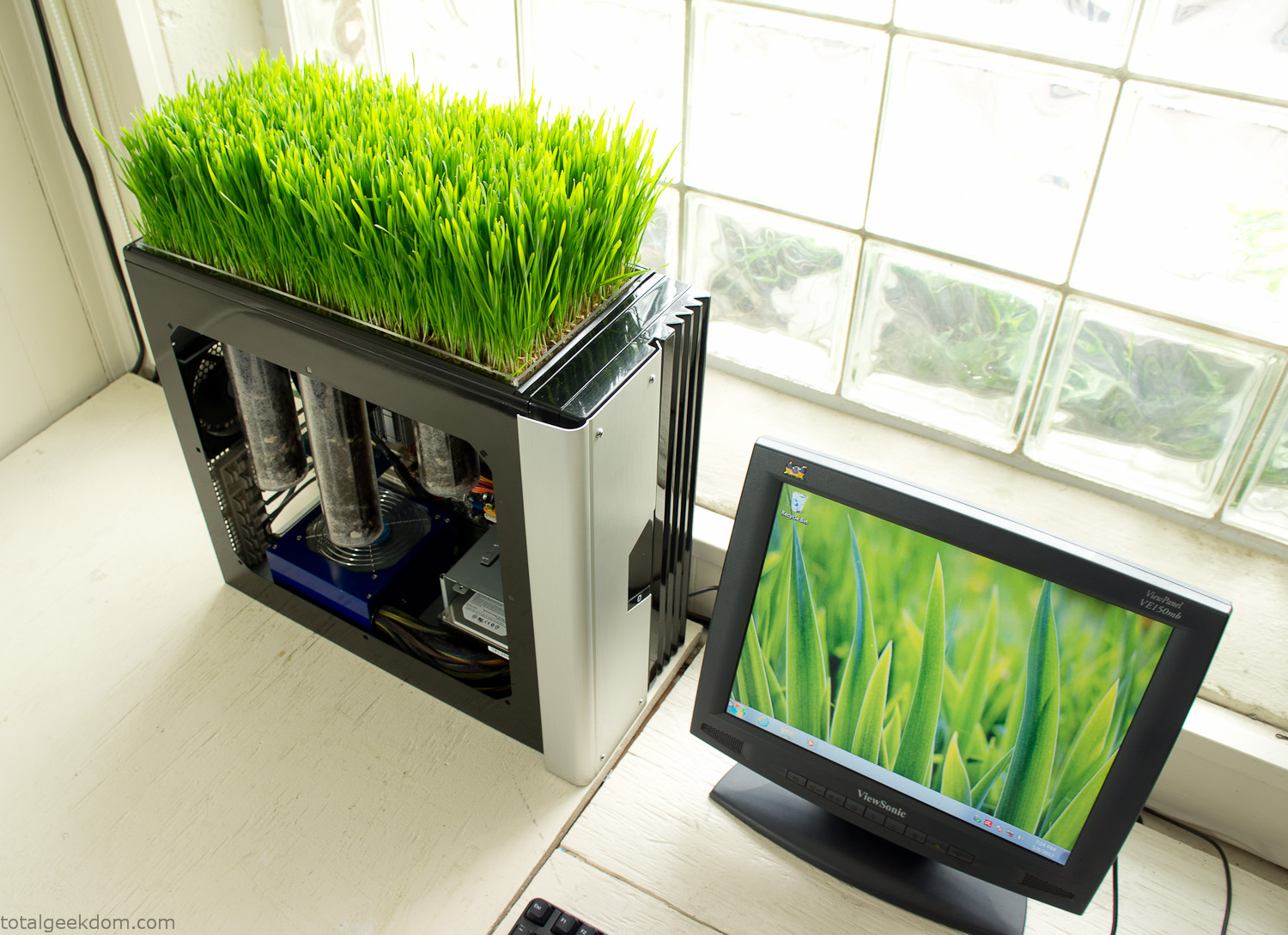
Bio Computer
I’ve been interested in working on a project for while that would combine something tech-based with something organic. Mixing the two elements intrigued me for a while. I’ve wanted to add flowers, or maybe plants of some sort to blend a little bit of nature into the space. I do receive a bit of sunlight through a glass block window, but the temperature in the basement is usually on the colder side. In the winter I don’t really heat the space because the folding farm outputs enough heat to keep the temperature comfortable. I didn’t want to change that aspect so I needed to come up with something that would tolerate slightly cooler temperatures and limited sunlight.
I can’t exactly recall when the idea came to me, but at some point I started wanting to use the heat from a computer as a way to warm the soil and help with germination/growth. I’m about as far from a botanist as it comes, I did some reading online and became pretty interested in the effects of soil temperature on germination/growth. I read different studies and papers from various universities. It was not too long into that process that I became hooked on the idea of using computer heat as a way to control the soil temperature of some sort of living plant life.
As the idea developed further I started looking into wheatgrass as a plant option. There is something clean and natural about the look and idea of a piece of grass growing in my basement. I thought the look would alter the space a little bit and add a bit of color along with something more than just metals and plastics. After reading enough studies and papers on the effects of soil temperature and germination with wheatgrass I felt like I had a good enough handle on the basics to tackle this.
The first step was finding a computer to adapt for the project. Luckily I had a lot of donated computers that people had given me for various project purposes. Most of them didn’t work, but by cobbling together various components from a bunch of different old computers I was able to come up with enough good parts to make a working computer.
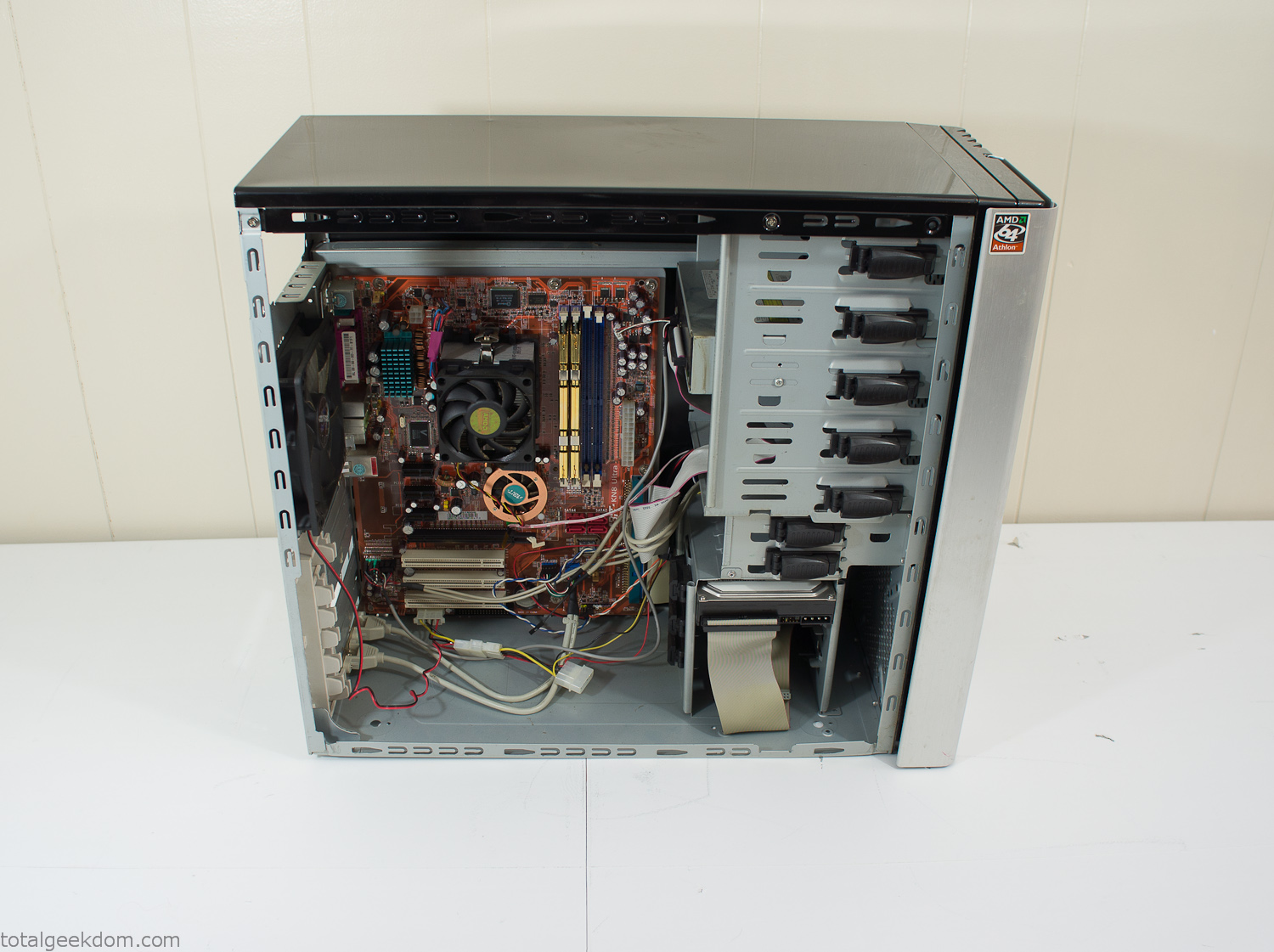
Donor Computer
At the time I was starting to get a formalized plan together for this project, another idea popped into my head. I’ve got a 5 yr. old who is already fairly geeky (just ask him to do his Jabba the Hutt impression for you) but he really does not get that much computer time. He’s getting to an age where he’s more inquisitive about tech stuff and I think he’s ready for his first computer. Since I was already well underway with this project it seemed like a perfect opportunity to orient the computer itself towards a learning tool for him in addition to using it as a way to blend something organic with a piece of technology.
With all of these goals in mind I started tinkering away. The computer hardware itself was nothing fancy, definitely outdated, but perfectly suited towards this project.
CPU- Pentium 4 (3 GHz)
Dell Factory Motherboard
Various Ram Sticks- 2gb
Old Maxtor 120gb IDE Hard Drive
Old FPS Power Supply
Donated Old Computer Case
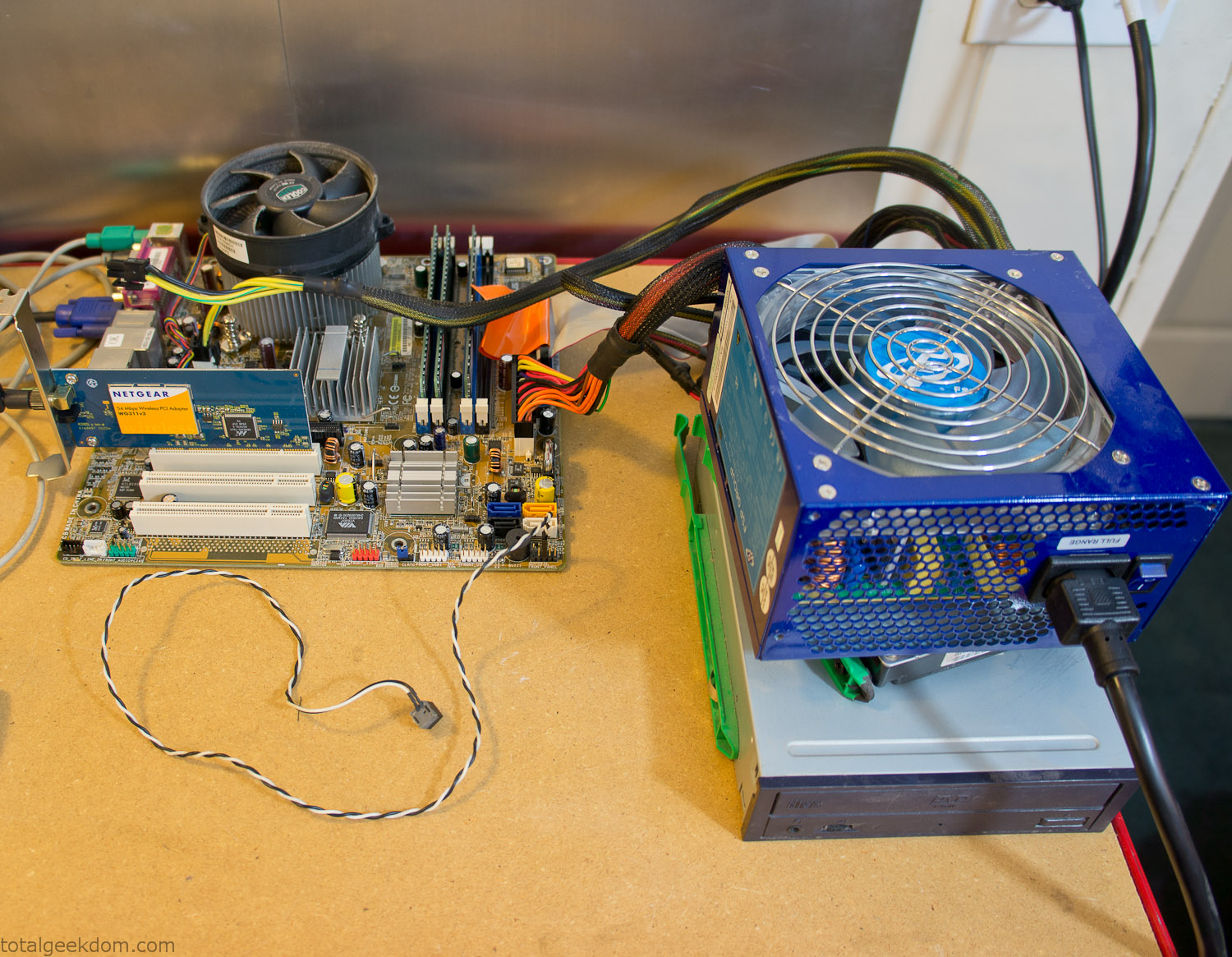
Computer Parts Testing
If you’ve spent any time around computer hardware in the last decade you’re probably well aware that Pentium 4 has a reputation for running hot. The 90nm Pentium 4 was named Prescott and it didn’t take long before the nickname Pres-hot popped up. In this case though that extra heat is going to be put towards good use.
Once the hardware was all in order I started working on the layout and arrangement for the case. I had originally envisioned the grass growing out of the top of the computer case. This seemed like it would provide a good blend between the hard edges of the computer and the soft feel of the grass. This also worked well with putting the soil area in the upper portion of the case, where the most heat should collect. After doing some initial tests with this configuration I found the measured temperature near the top of the case was the hottest. The placement of the CPU near the top of the case and the lack of airflow in that area contributed to these higher recorded temps.
After finishing with some initial tests I decided to completely strip the case down and start removing all the unnecessary brackets and pieces inside of the case. Like most computer cases all the internal brackets and mounts are riveted together, so I drilled all the rivets out of the components I wanted to remove and pulled them out. The gutted case looked pretty barren after being stripped.
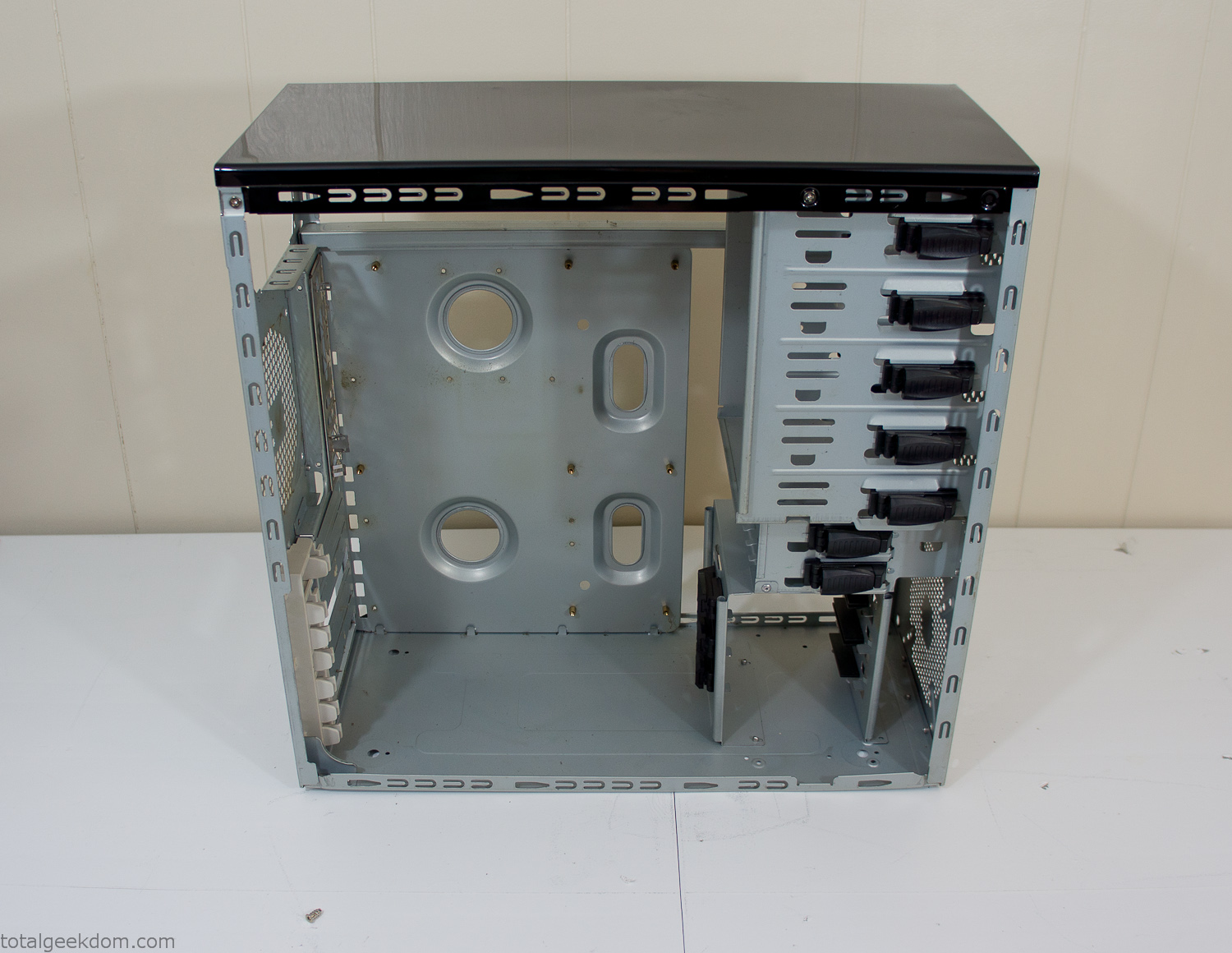
Empty Computer Case
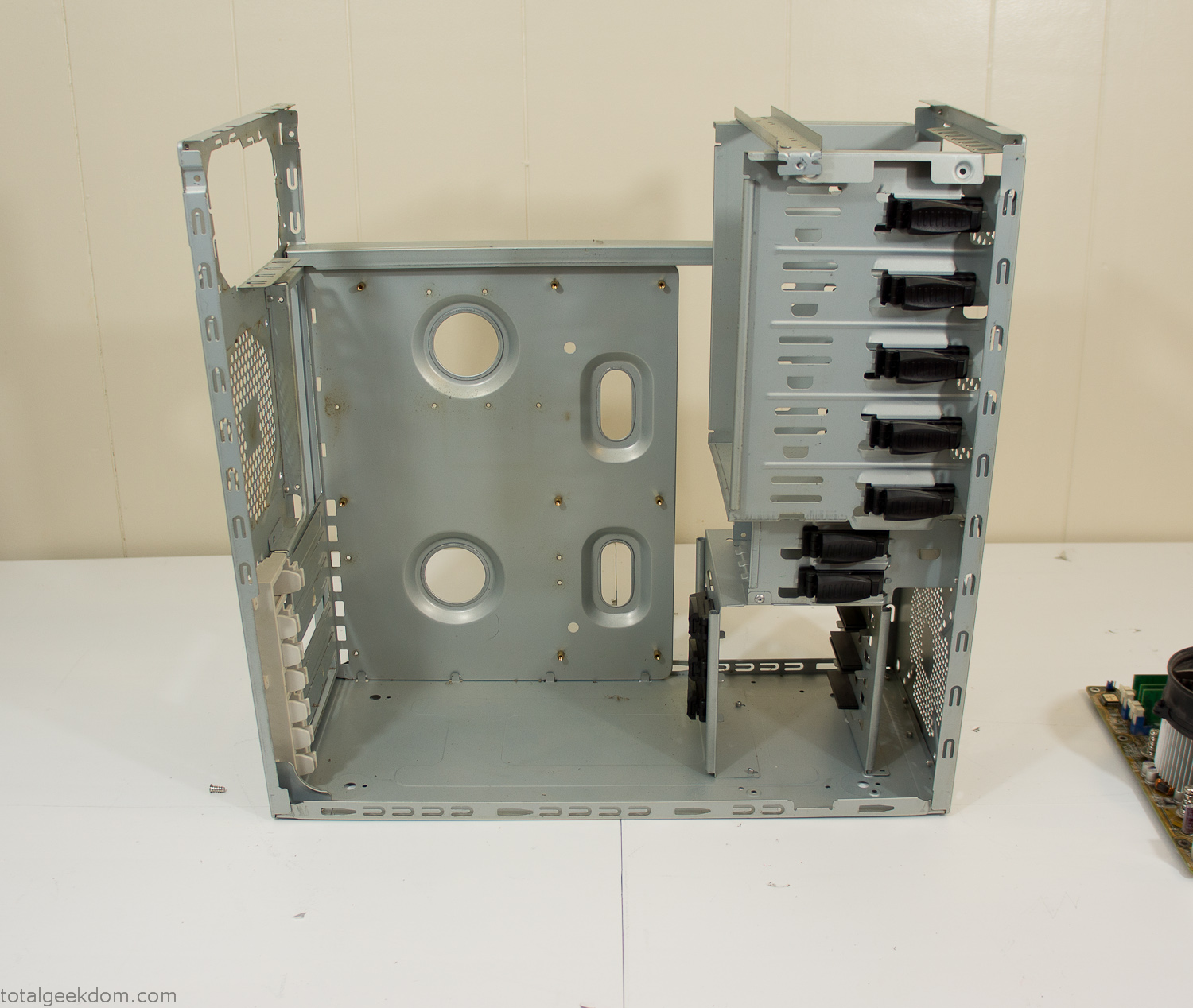
Dismantled Computer Case

Stripped Computer Case
In keeping with my original plan of having the computer blended with the organic grass I wanted it to be easy to see the inner workings of the computer and also the soil from the grass growing above. I needed something that was translucent, which left me with either glass or acrylic/polycarbonate as my options. I ended up choosing acrylic because I was able to find a cheap, used, die-cast model car display case top that was the perfect dimensions for the top of the case. Couldn’t go wrong for 5 bucks.
I test-fit the acrylic over the top of the computer case and marked my layout on the top of the case. My plan was to cut open the top of the computer case and insert the acrylic display case into the section I cut out. To cut open the top of the computer case I drilled a hole as a starting point and then used tin snips to cut through the thin gauge metal.
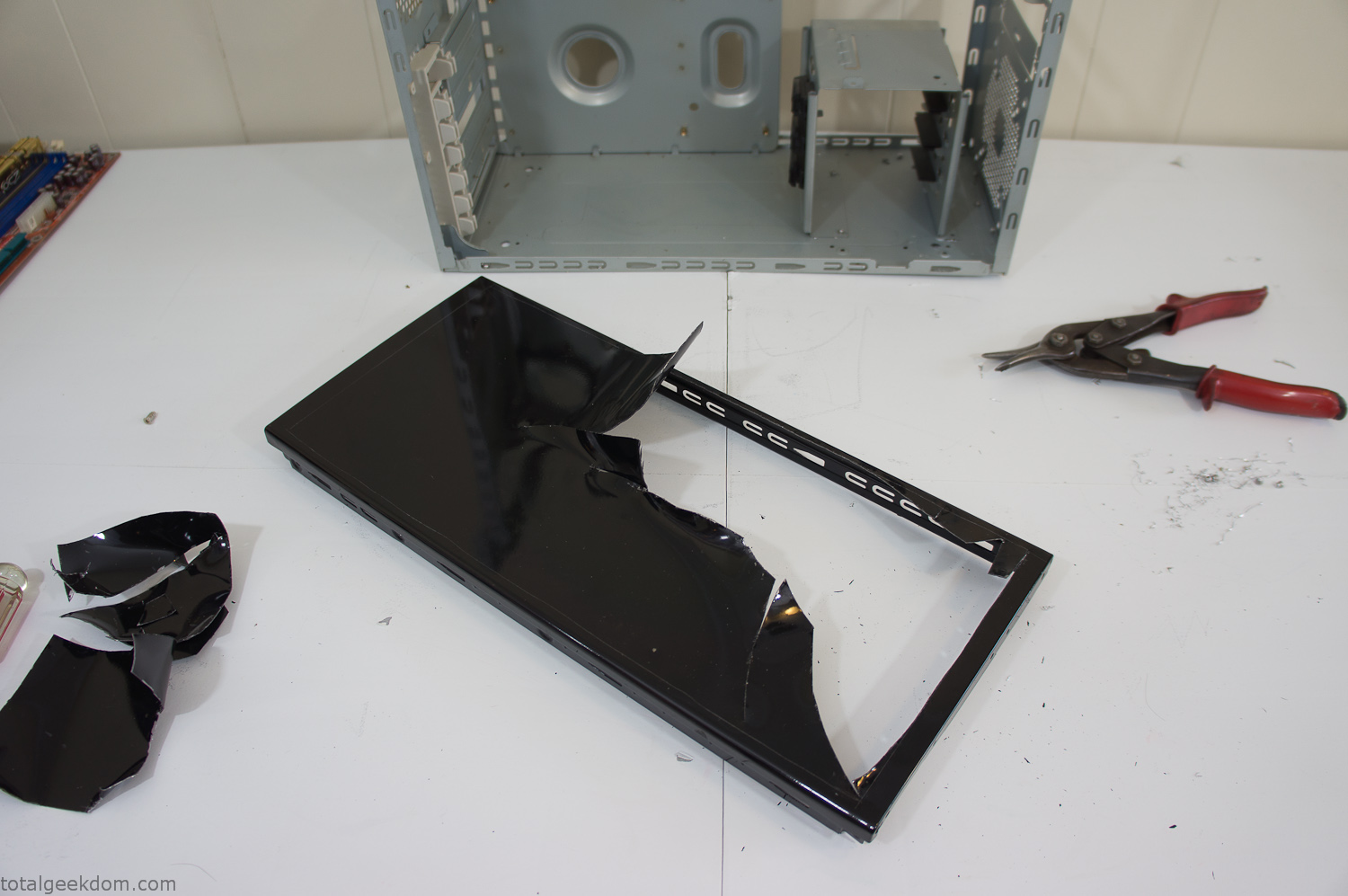
Computer Case Lid Modding
Once I had the metal opening cutout, I needed something to put along the edges of the freshly cut opening to create a clean and finished look. For $2 I was able to find some black, car-door-edge, plastic molding that worked perfectly.
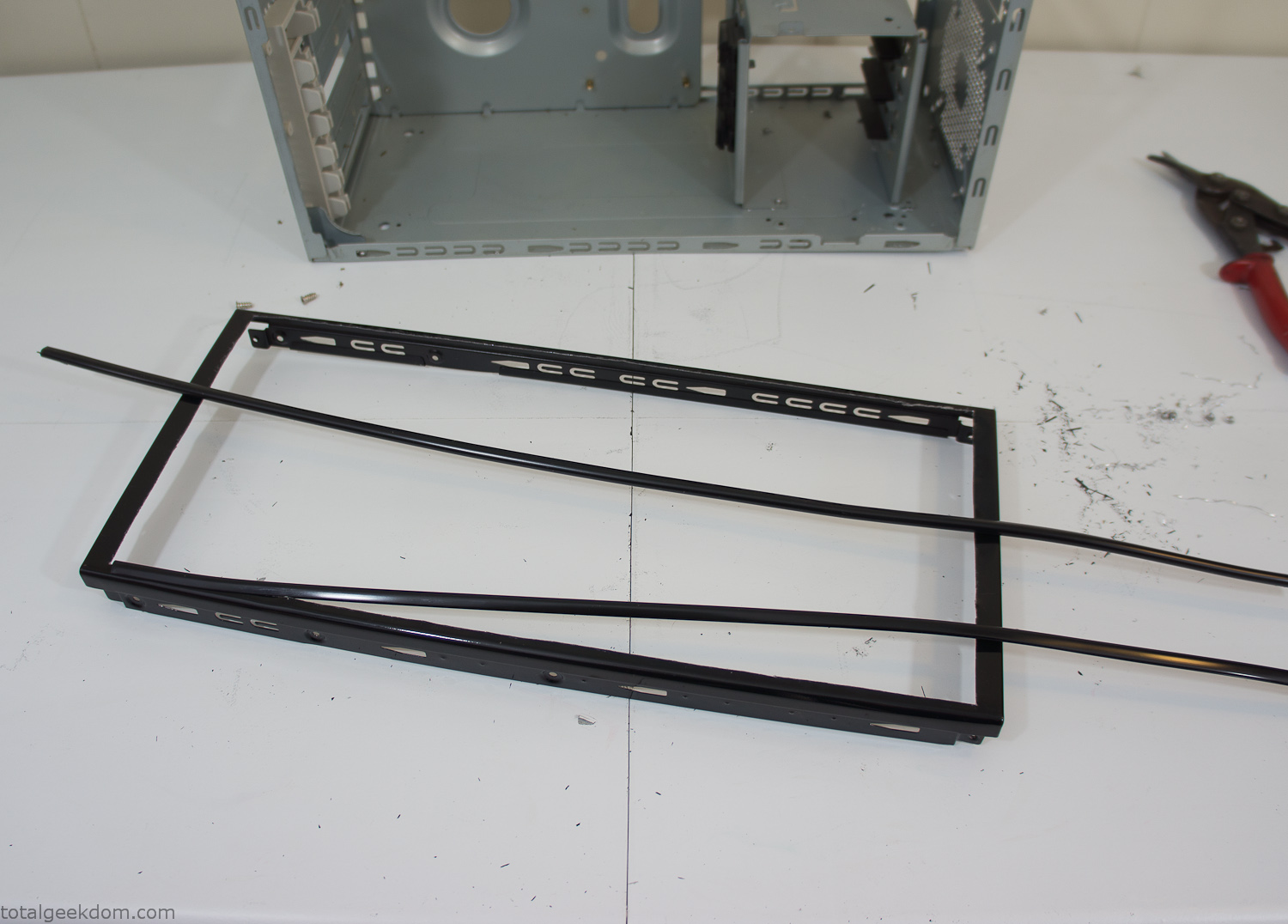
Modified Computer Case Lid
After getting the opening of the top of the computer handled and the acrylic case properly fitted, I moved onto some more testing with soil in the acrylic and the computer running. I wanted to see what kind of heat transfer I would get and how it would affect the soil temperature. I knew that using acrylic over glass would make it a little more difficult to heat the soil as acrylic is not that good at transferring heat. Luckily though I didn’t really need to alter the soil temperature that much, I just needed a little extra heat. Testing showed that heat transfer with just the single acrylic display case as my soil container was slow. So I decided to add some acrylic tubes. This would allow more surface are for soil to acrylic contact and also give me an area where I could add a mixed substrate to allow for soil drainage.
I went online and found a 3ft long section of 2 1/4″ clear acrylic tubing for $8 dollars. I wanted to add a couple of hanging cylinders off the main of the acrylic display case in the top of the computer case. To do this I needed to cut holes into the bottom of the display case. Cutting holes in acrylic is not always easy, it’s likely to chip and craze at the edges. To get around this I used a buildup of masking tape on both sides of the acrylic, to provide a little bit of resistance and strength. I placed the acrylic display case back into the computer and marked my layout for the tubes. I needed to leave clearance for the CPU cooler, power supply and hard drive mount.
After marking the layout, I used an air-powered pencil grinder and carbide tipped bit and cut through the acrylic case along my marked lines. After the initial shape was cutout I used a tube piece as a template and slowly worked on grinding the holes as perfectly round as I could get them so that the tube had a snug fit all the way around. The fit is pretty important as the acrylic cement that I used needs there to be a tight fit so that the acrylic can bond correctly.
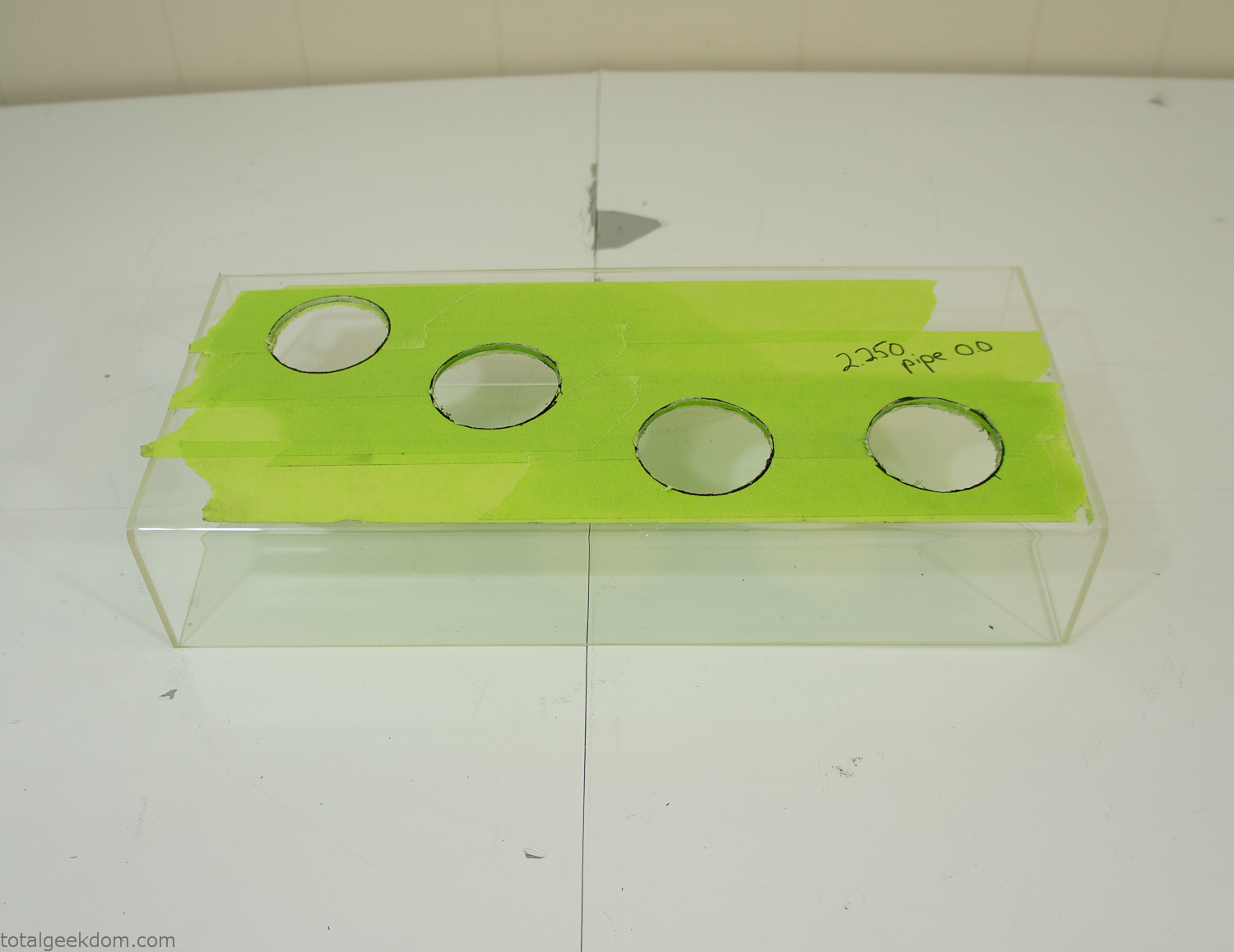
Acrylic Case Modifications
I placed the tubes into the acrylic case and mounted it in the computer and test fit the placement and height of the tubes. After getting everything lined up and oriented correctly I moved towards bonding the acrylic together. Using a needle dropper applicator I applied the cement to all the joints. After letting it set overnight I came back the next night and applied a thin coating of clear silicone caulk around all the joints just to ensure they were completely water tight
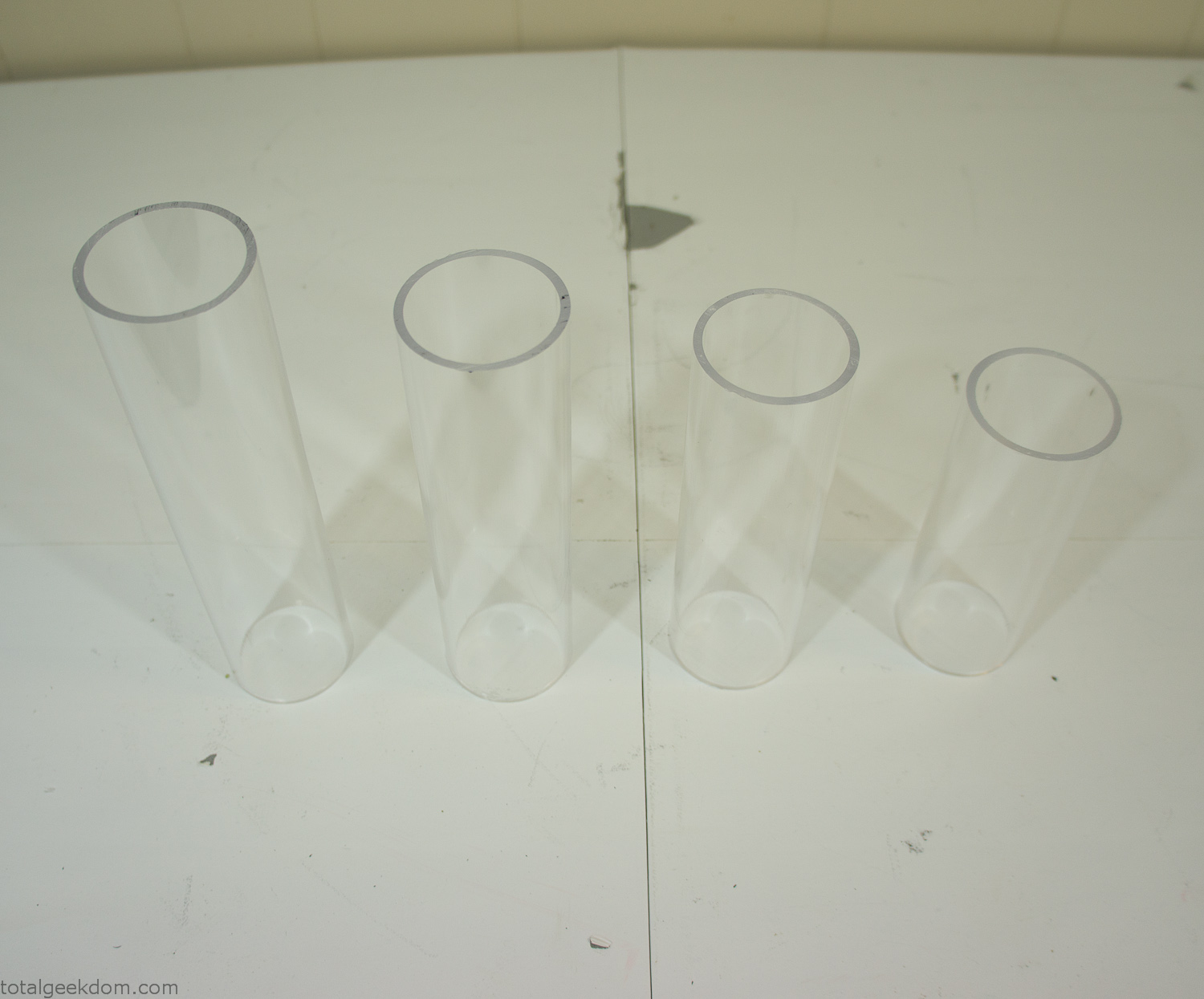
Acrylic Tubes
The next step was sealing up the bottom of the acrylic tubes. I looked at a couple of different options before realizing that the discs I had cut out of the acrylic case to fit the tubes would be almost the perfect size. Using a bench grinder and a test piece of tube I slowly ground each disc to the perfect size for a tight fit all the way around. I placed the clear acrylic discs into the bottom of each tube and repeated the same cementing and silicone caulking procedure to ensure they were water-tight. After a couple of days’ worth of drying I tested the case by filling it with water overnight and checking in the morning to make sure that no leaks had popped up.
In order to hold the weight of the acrylic case after adding soil, I drilled and installed a machine screw with a rubber cap at each corner of the computer case to bear the weight of the acrylic case.
Once all the work was done with the acrylic case section I started reinstalling all the components. The motherboard, hard drive and power supply were added and then wired up.
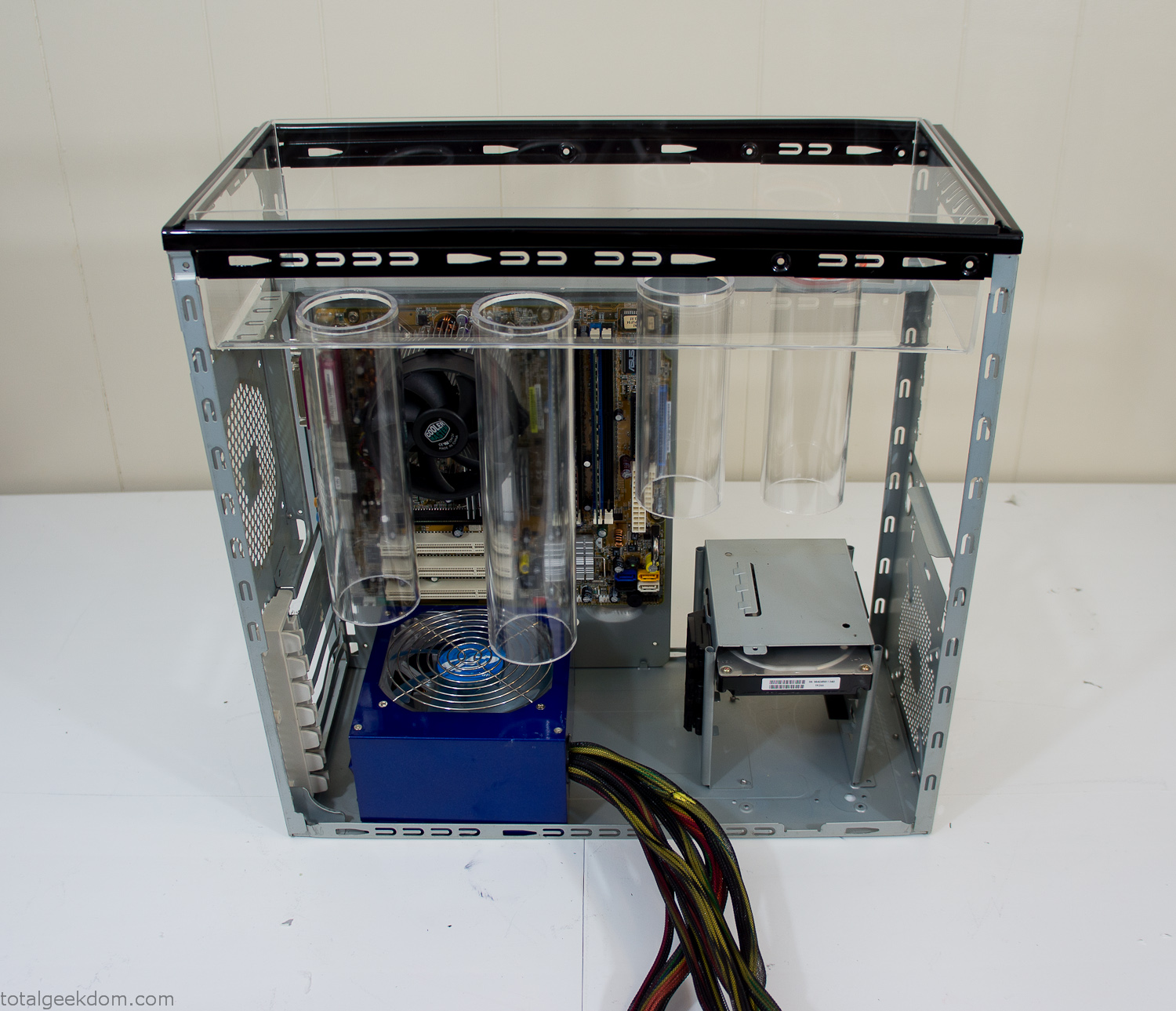
Mocked Up Computer Case
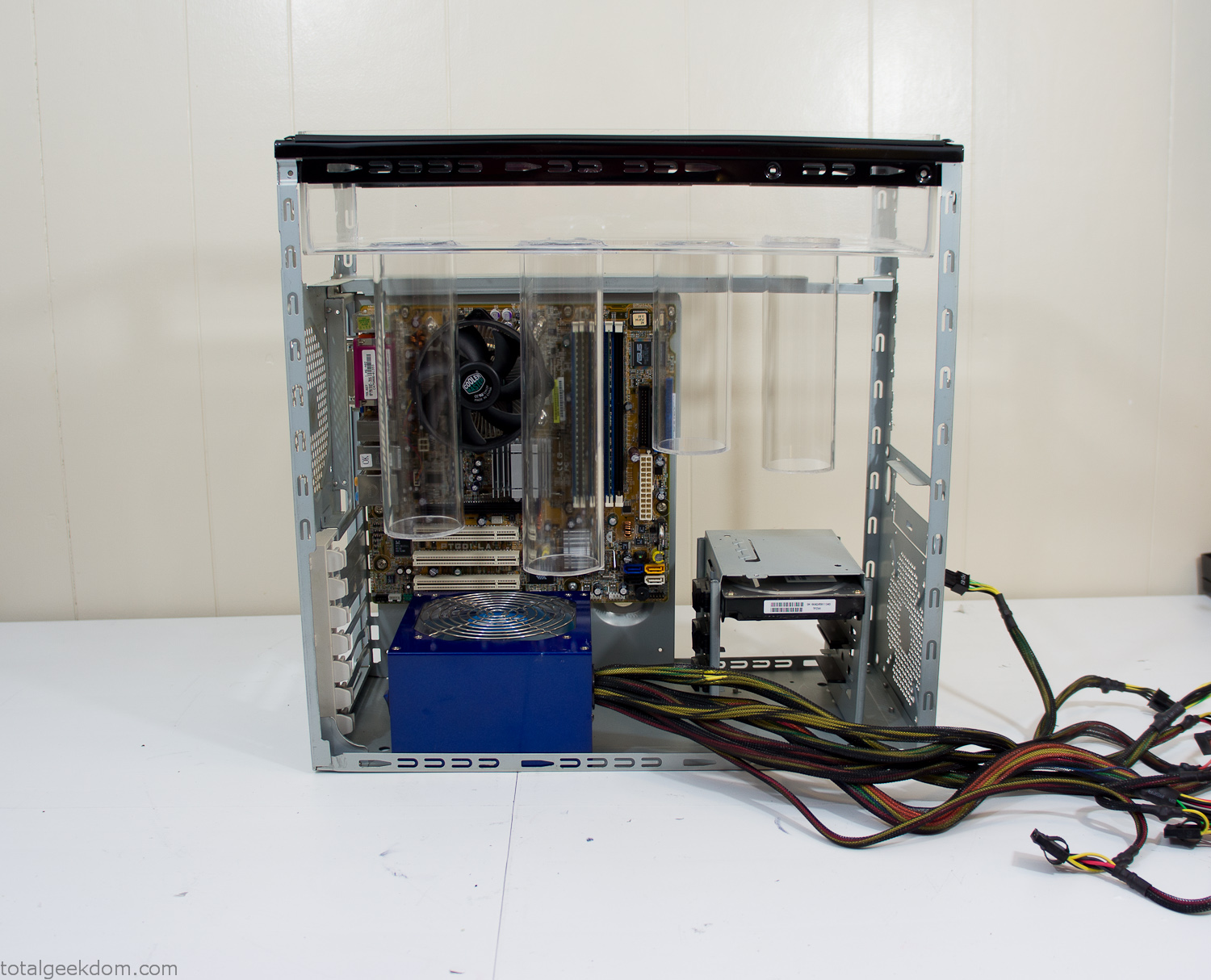
Power Supply Mockup
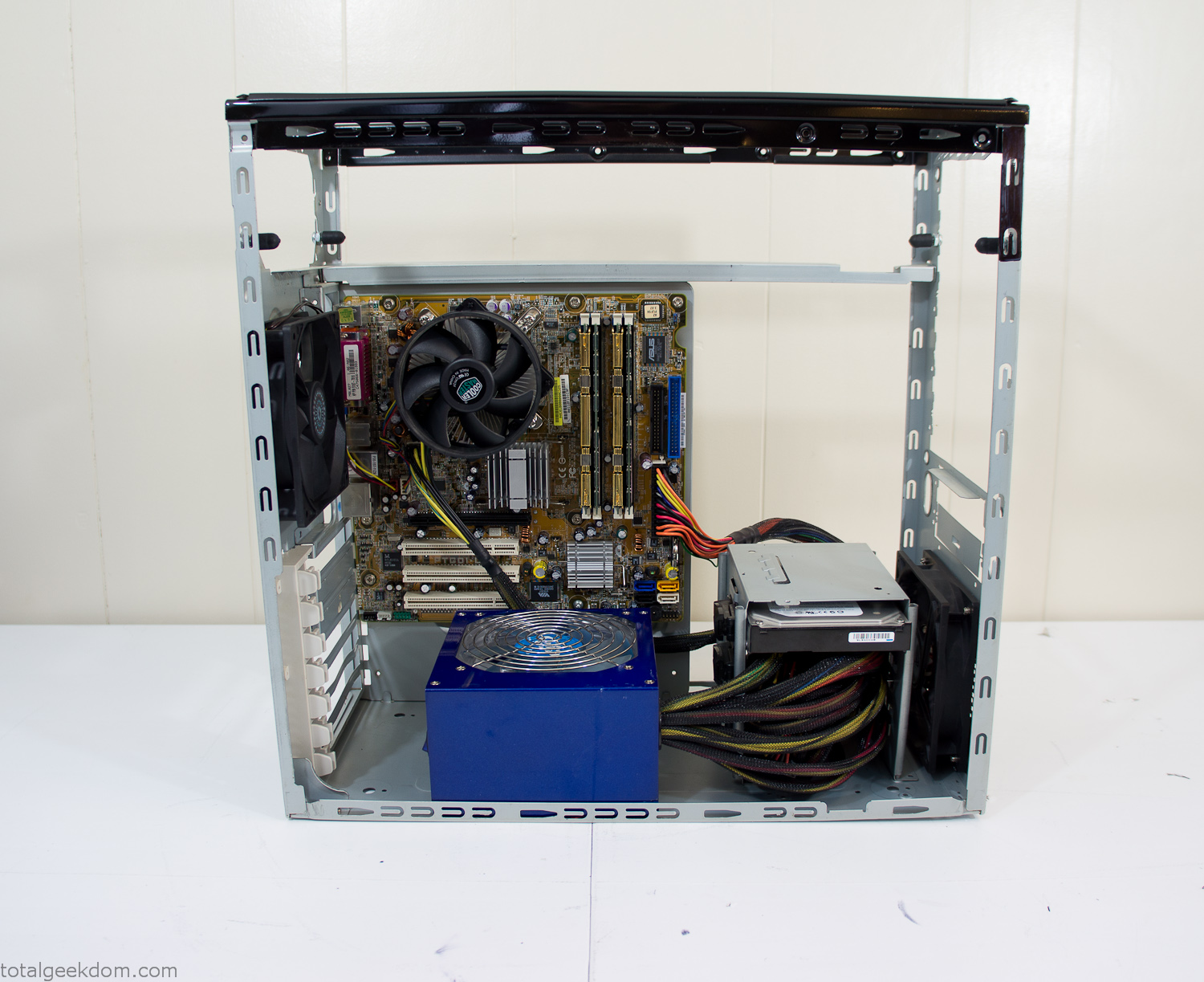
Computer Components Wired
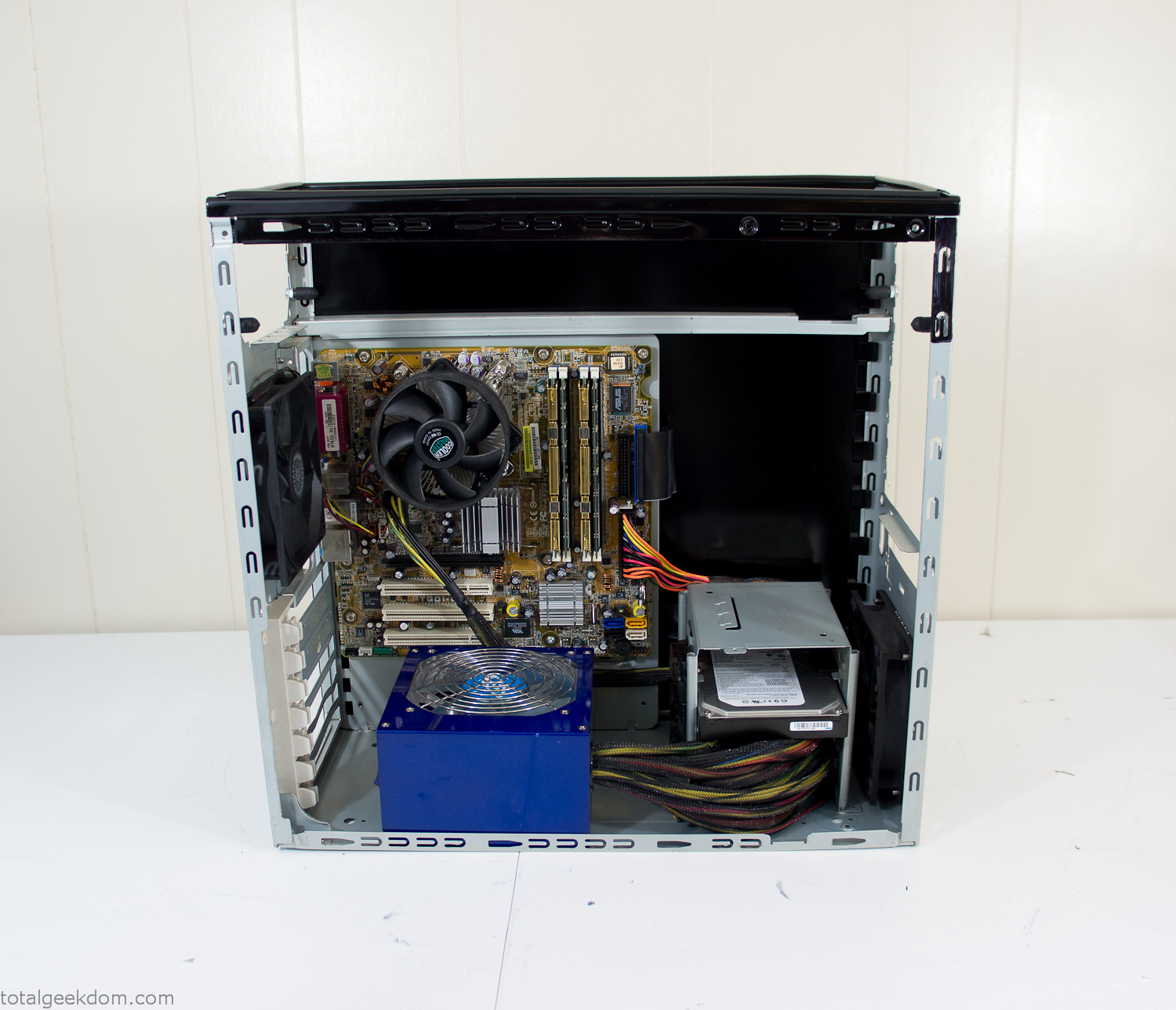
Case Panel Installed
At this point all that was left was to make a clear panel for the side of the case. I had some left over acrylic sheets from a different project that were really close to the right size, after test fitting, marking and cutting I then had a clear side panel to see into the case. (I left this off for the pictures because it caused a reflection)
The final step was filling the case with soil and adding some wheatgrass. I had been test growing other samples of wheatgrass during the build process. So I had already a couple of different patches of grass growing. I tried to keep the soil level just below the top of the acrylic case edge to make it a little more seamless.
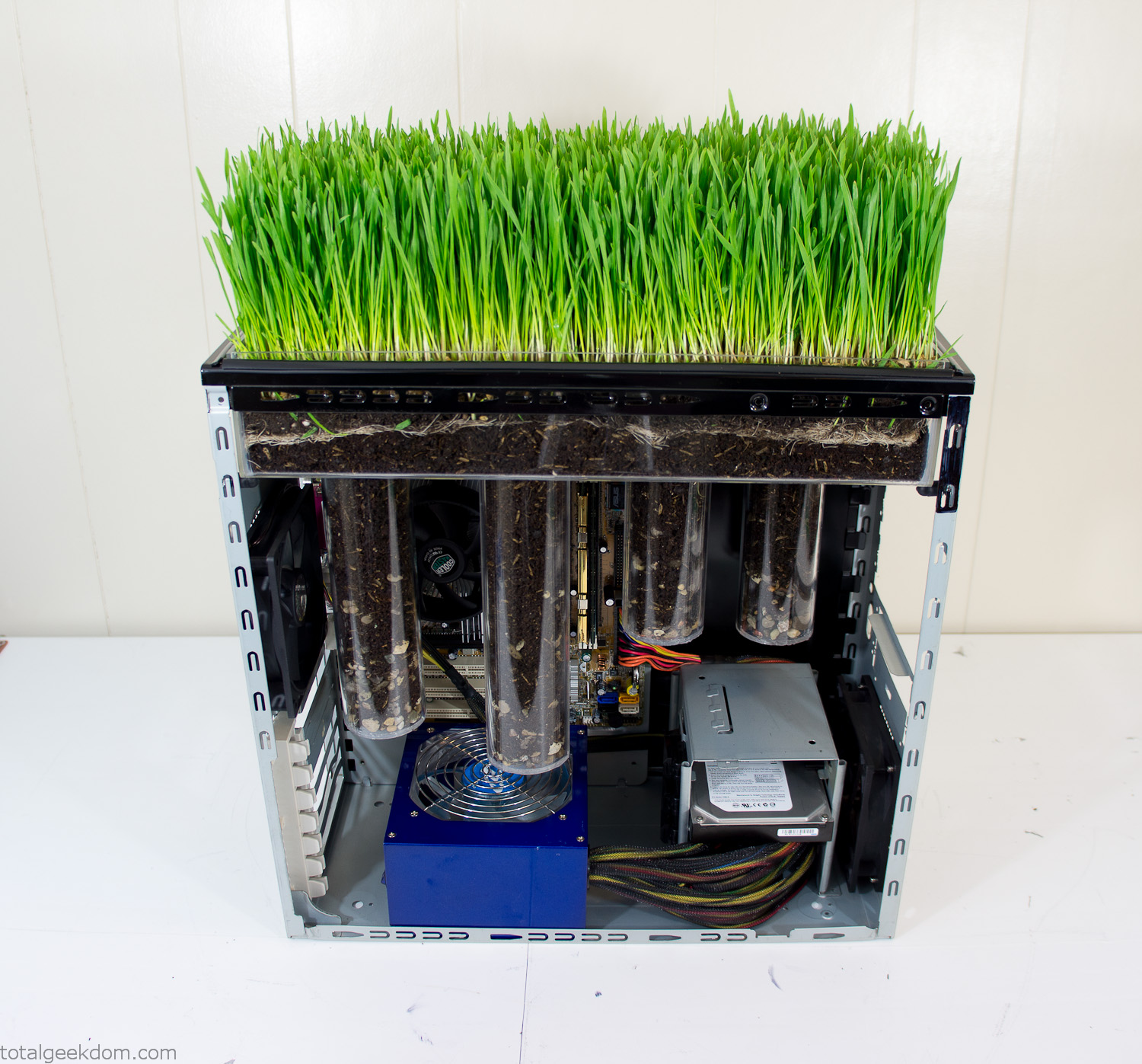
Grass Planted in Computer
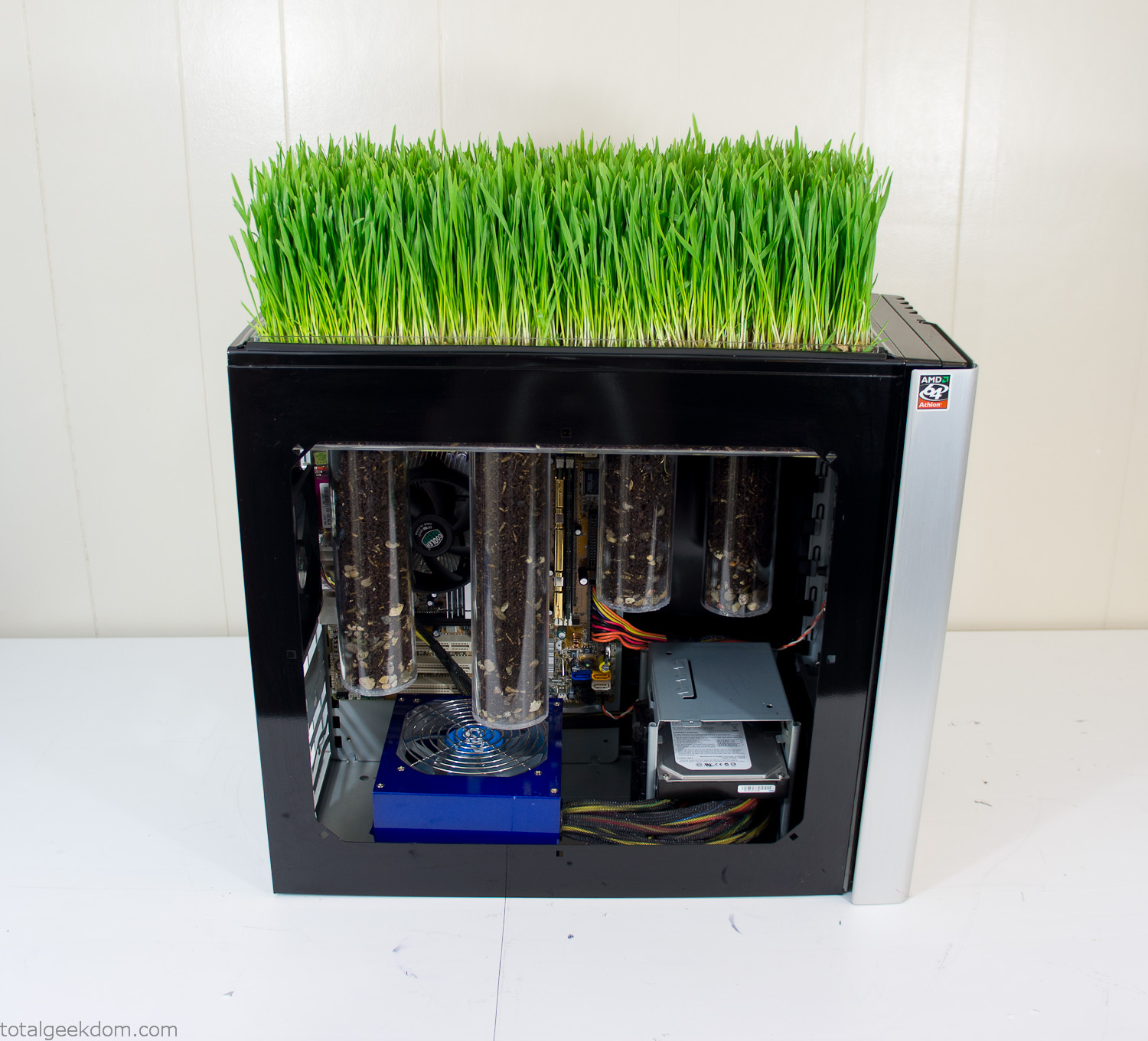
Grass and Case Panel Installed

Grass in Computer
For the computer itself I ended up installing Windows as well as Linux in a dual boot setup. Since the computer was going to be used by my son as something to play with I figured I should put both on there so he can tinker with them and learn as he goes. Besides, for important life decisions like picking an OS (Operating System) I think any good parent should present the options and then let their kid decide for themselves.
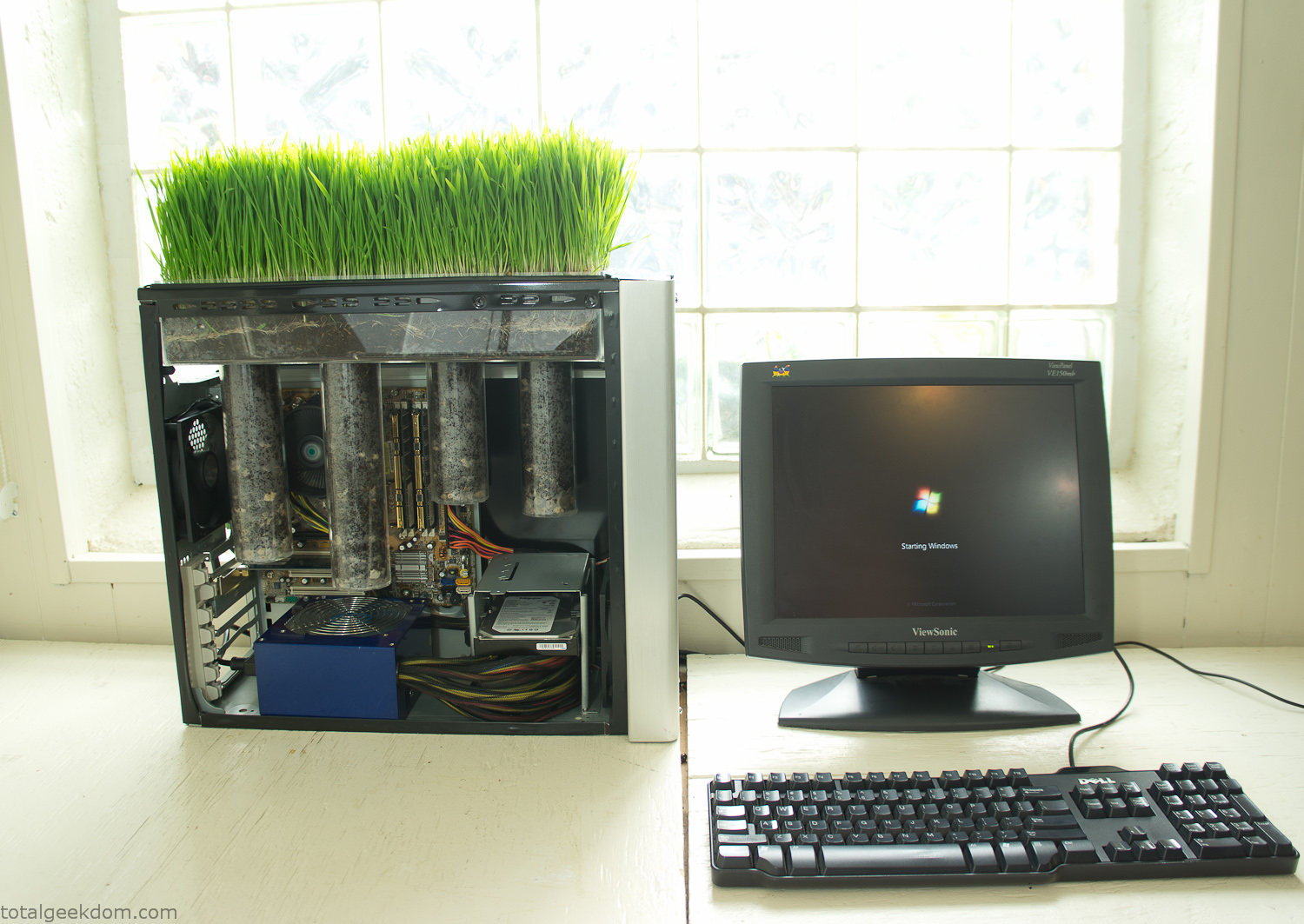
Starting Windows
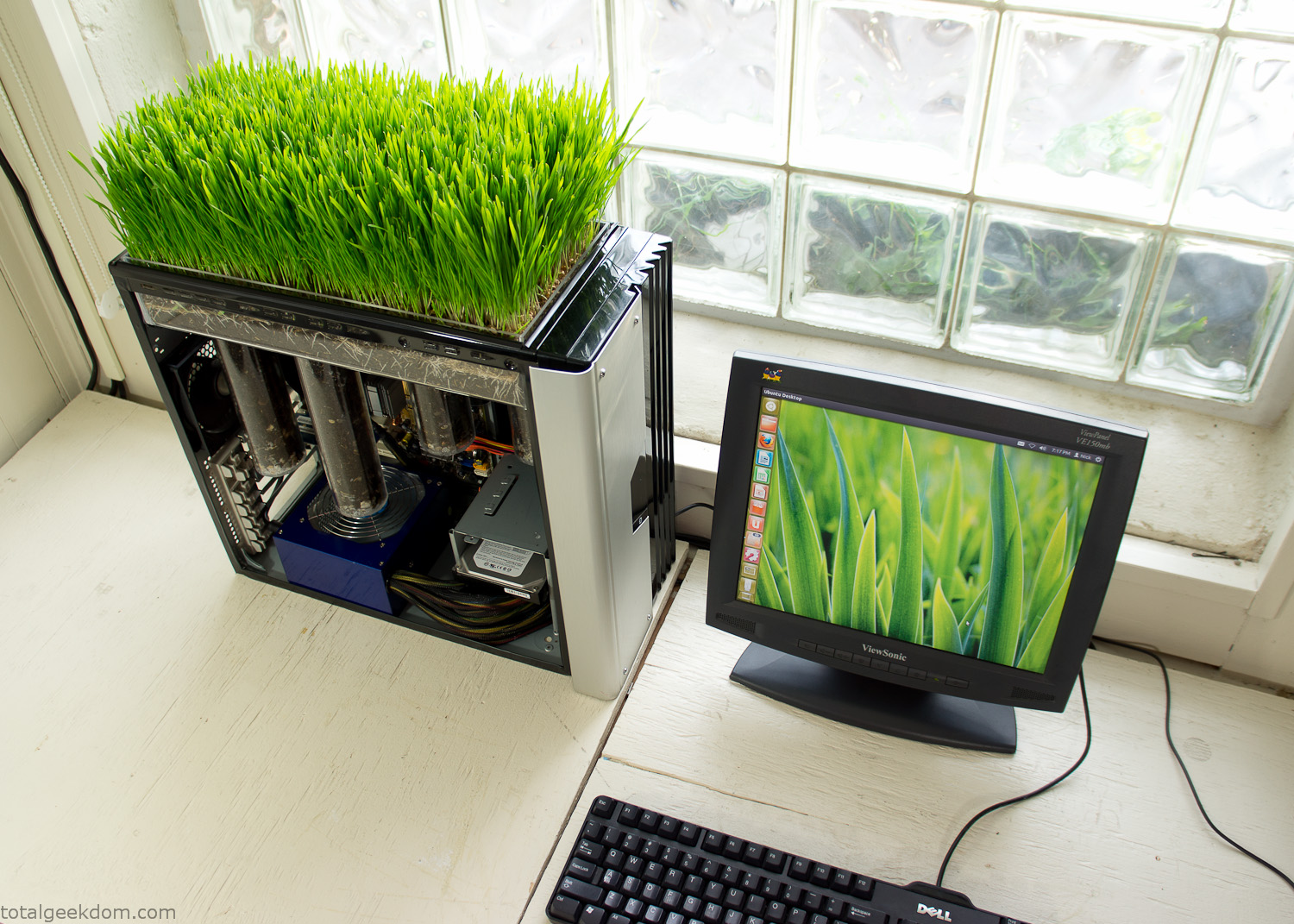
Linux Running
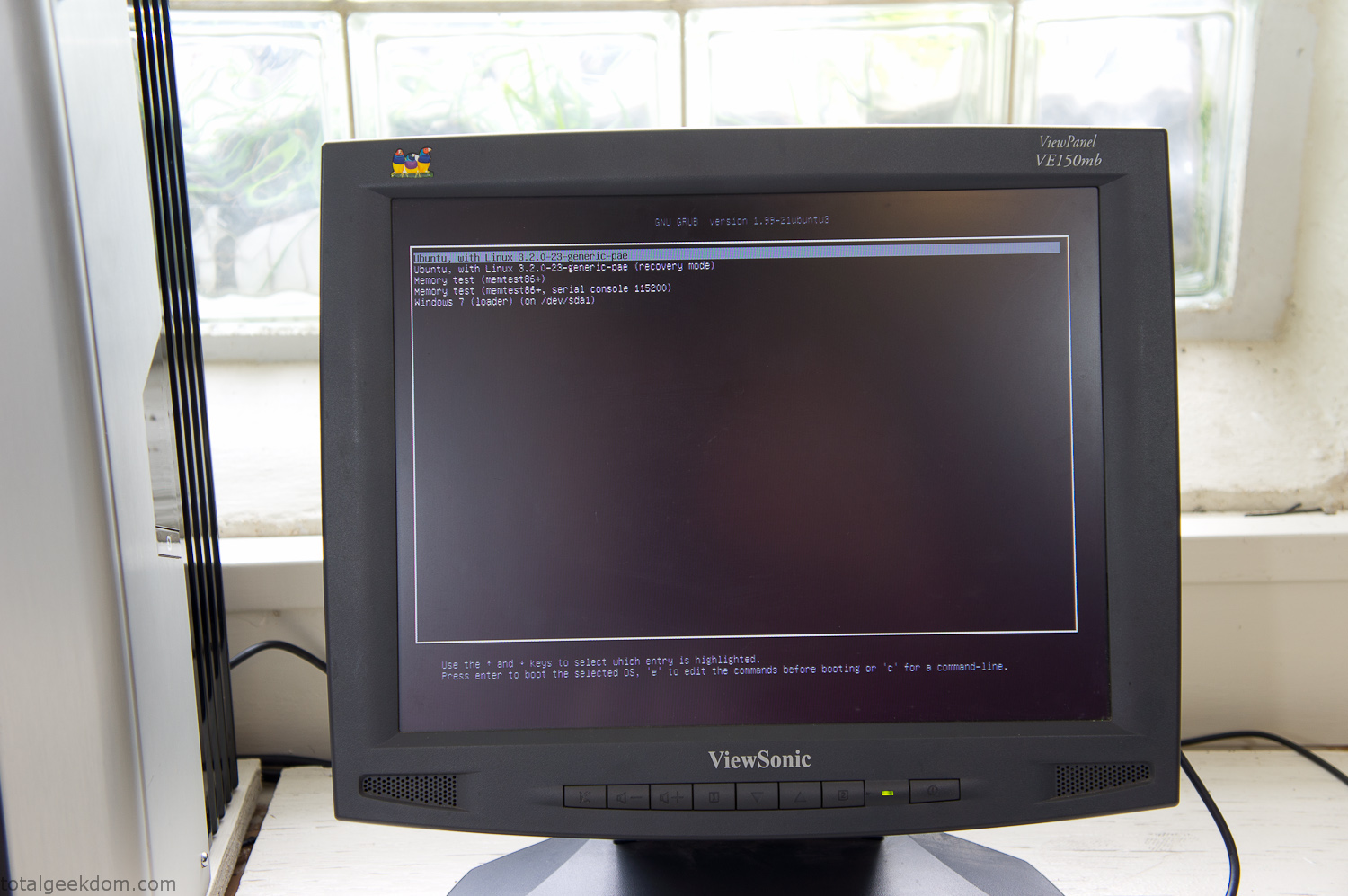
Dual Boot Screen
In the end I’m happy with the result of the project. It’s been fun experimenting with growing wheatgrass and I like how the natural look of grass is blended with the very modern, inorganic case.
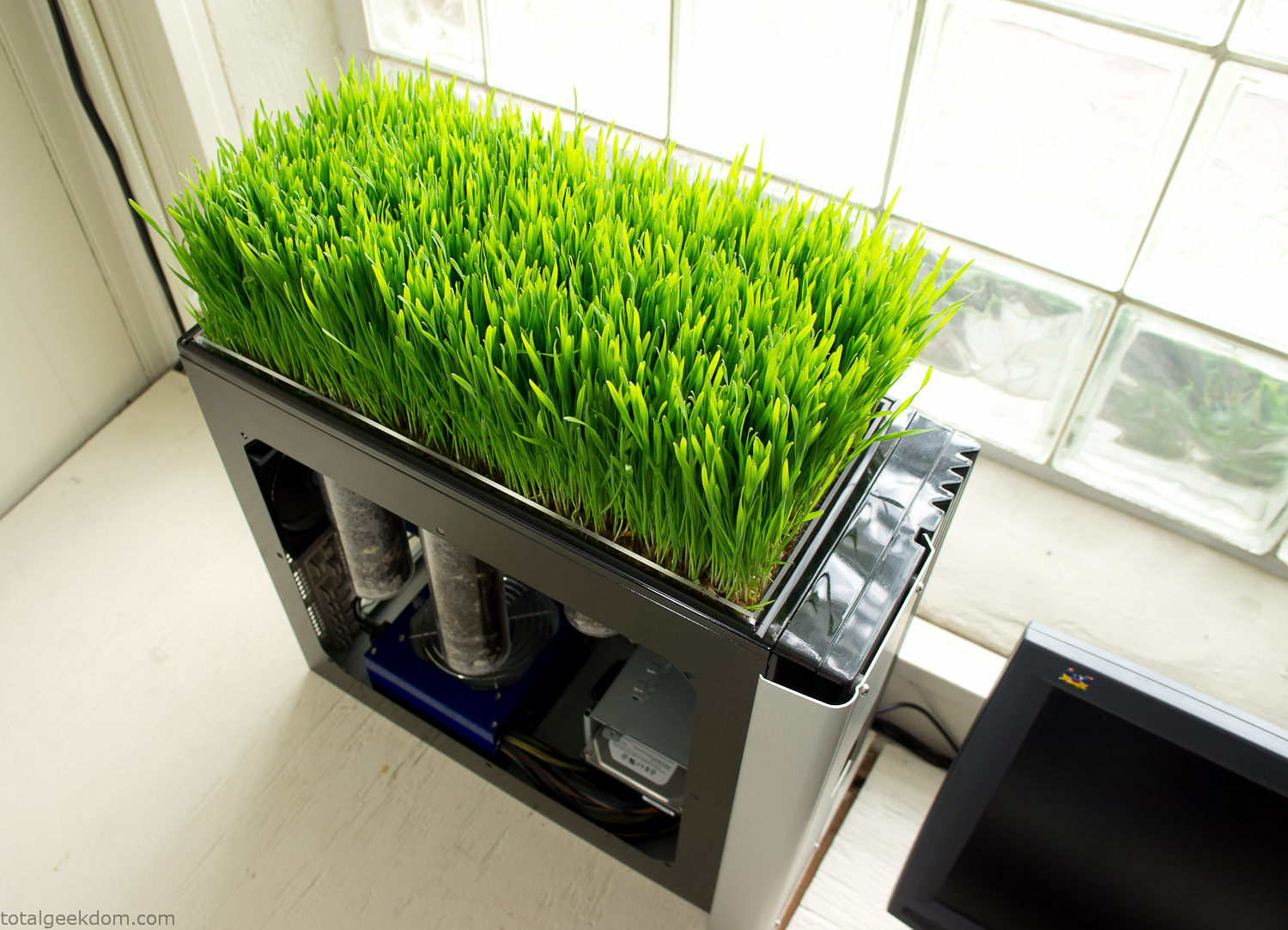
Computer Grass Growing
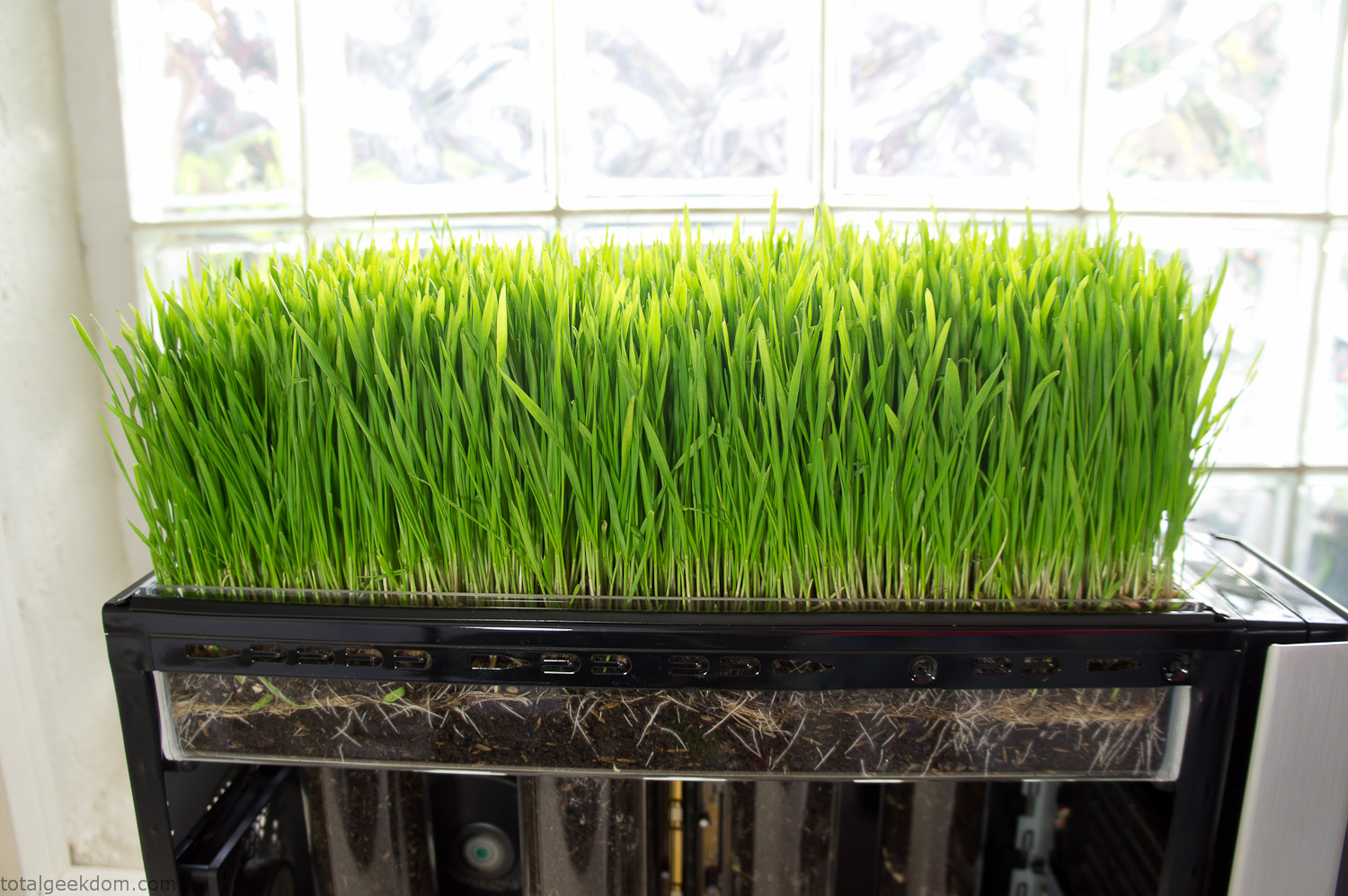
Grass in Computer Section
Notes
Temperature Testing
In testing the case temperature versus the soil temperature I found it was easiest to control the case temperature by using a variable fan speed control on both the inlet and outlet fans. By turning the fan speed down I could increase the temperature inside the case and correspondingly raise the soil temperature.
In order to maximize output of heat during these tests I used Prime95 to run the CPU at 100% load.
Using this method to control the case and soil temperature I played around with adjusting the soil temperature and then tracking the rate of growth of the Wheatgrass. The target temperature for peak growth seemed to fall around 66°F (19°C).
Using the fans to control the case temperature allowed me to vary the temperature inside the case from a low of 75°F (24°C) to a high of 91°F (33°C). In order to achieve the desired increase in soil temperature, I had to run the case temperature toward the higher end of the scale.
When the soil temperature was too high, the growth of the wheatgrass would slow.
Wheatgrass
The wheatgrass I used for my tests was nothing special, it can be found as seeds (berries) in a lot of health food stores and it grows relatively easily.
Caring for the wheatgrass is just a matter of keeping it watered. It’s a pretty easy plant to work with and doesn’t require any special skills.
Wheatgrass is often used as a nutritional supplement; it can be juiced and mixed into smoothies and other beverages. I plan on harvesting some of the grass and making some juices.
Plant Options
While wheatgrass offers a nice, attractive and easily grown option I do plan on trying other plants as well in the future. Since I already have the “planter” built all I have to do is add a different plant and see how it goes. I’m sure there will be some plants that don’t like the lower light environment, but it will be fun experimenting with other plants as well and seeing how they take.
Materials
Donated Computer- Free
Clear Acrylic Display Case- $5
Clear Acrylic Tube- $5
Plexiglass Side Panel- Free
Total- $10
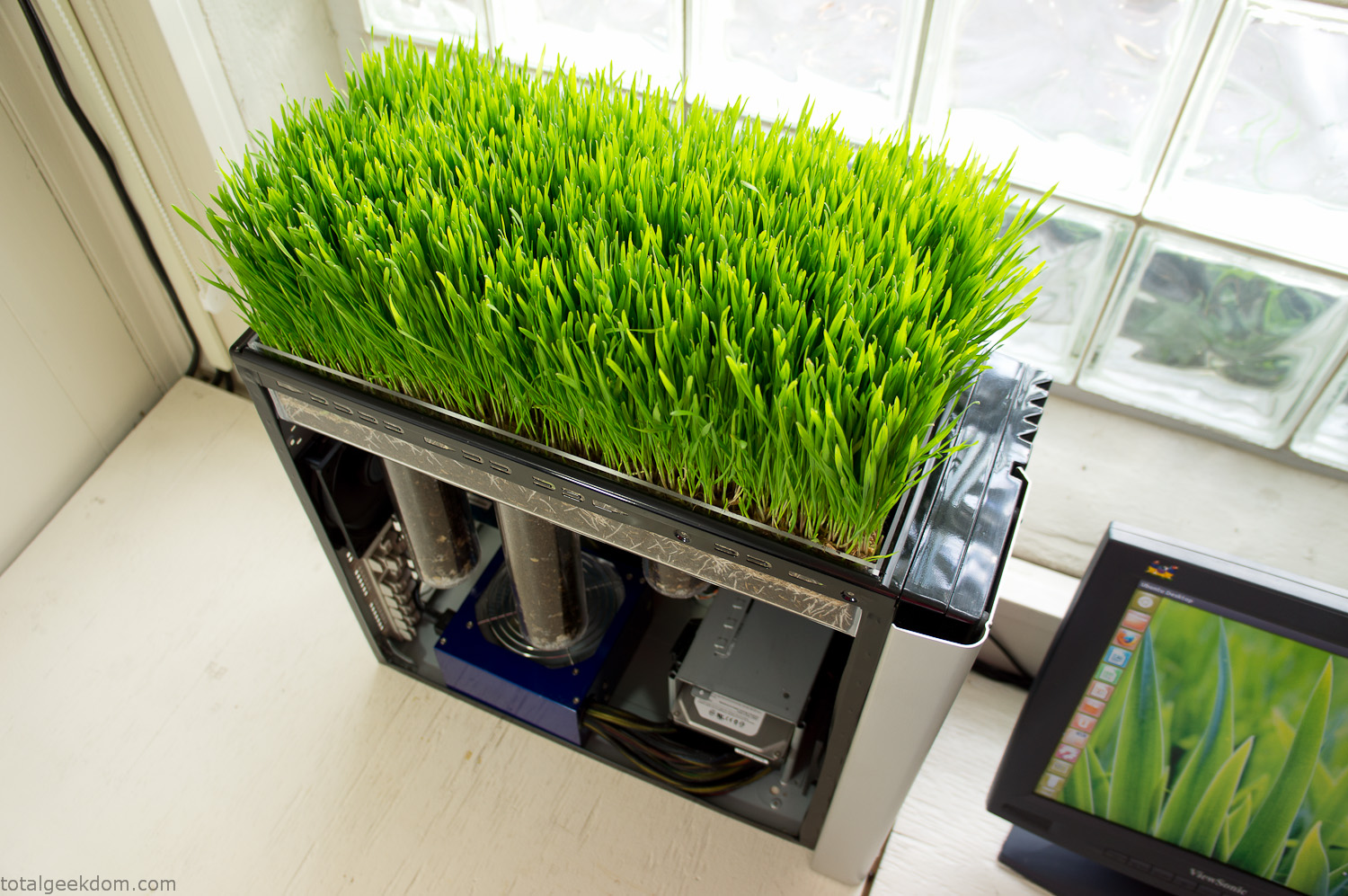
Bio Computer Running
 29.2k
29.2k
 13.2k
13.2k 7.1k
7.1k

 2.1k
2.1k 813
813 2.6k
2.6k
Comments 52,973
לרכוב בצייתנות. קפצתי על הזין שלו, דחפתי אותו עמוק יותר ויותר בכל פעם, החזה שלי קפץ איתי, ואז סשה שיער, בסוודר אוברסייז שהסתיר את שדיה הקטנים, אך הדגיש את מותניה הצרים ואת התחת המעוגל בג ‘ ינס this page
стеклянные ограждения Душевая перегородка из стекла имеет множество преимуществ — она не только выглядит стильно, но и помогает сохранить тепло в ванной комнате, обеспечивая комфортные условия для приема душа.
Medicament information sheet. What side effects?
get cheap clomid prices
Everything about meds. Read now.
https://personaldliadoma.ru
Du möchtest wissen, ob es möglich ist, im Online Casino Österreich legal zu spielen und welche Anbieter dafür infrage kommen? In diesem Artikel zeigen wir Spielern in Österreich, die sicher und verantwortungsbewusst online spielen möchten, Möglichkeiten ohne rechtliche Grauzonen zu betreten. Lies weiter, um die besten Tipps und rechtlichen Hintergründe zu entdecken: Online Casinos
Прокат катера в Адлере поможет вам открыть город с новой стороны — с воды открываются совершенно другие захватывающие виды: аренда яхт в сочи
Информационный портал об операционном лизинге автомобилей для бизнеса и частных лиц: условия, преимущества, сравнения, советы и новости рынка: https://fleetsolutions.ru/
Психолог онлайн поддержит в любой момент. Детский психолог онлайн поможет с детскими страхами.
психолог через онлайн
can i get requip prices
С психологом онлайн вы обретете гармонию. Детский психолог онлайн поддержит в детских снах.
психолог онлайн сколько стоит
Онлайн-консультации с психологом — это удобно. Детский психолог онлайн поддержит в семейных конфликтах.
где искать психолога онлайн
Drugs prescribing information. Effects of Drug Abuse.
can you buy generic clomid without insurance
Best information about meds. Get information now.
С помощью психолога онлайн вы быстро решите свои проблемы. Детский психолог онлайн сделает занятия интересными для детей.
консультация психолога калуга
Ищете ковры, дорожки, паласы в Минске или с доставкой по Беларуси? Посетите сайт https://kovertut.by/ и вы найдете огромный каталог продукции по самым выгодным ценам. У нас также постоянно появляются новинки и действуют акции и распродажи. Просто загляните в каталог – такого разнообразия вы не найдете нигде!
Психолог онлайн даст поддержку в кризисе. Детский психолог онлайн проведет онлайн-игры.
найти психолога онлайн
С психологом онлайн вы найдете покой. Детский психолог онлайн разберется с детскими переживаниями.
пообщаться с психологом онлайн
Онлайн-консультация с психологом спасет в сложные моменты. Детский психолог онлайн поддержит вашего малыша с заботой и пониманием.
кабинет психолога онлайн
Онлайн-консультации с психологом — это новаторство. Детский психолог онлайн поможет с детской агрессией.
занятия с детским психологом онлайн
dr axe ashwagandha dosage
Drugs information sheet. Effects of Drug Abuse.
how can i get generic mesalamine without dr prescription
Best information about medication. Read information now.
Психолог онлайн поможет справиться с тревогой. Детский психолог онлайн поможет с детской агрессией.
анастасия психолог калуга
На сайте http://kinoman-hds.pro/ вы найдете огромное количество интересных, любопытных фильмов, которые будет интересно посмотреть каждому киноману. Все фильмы поделены по категориям, жанрам. Здесь вы найдете драмы, детективы, вестерн, военные, истории, криминал, комедии. Все фильмы находятся в высоком разрешении, с качественным звуком. Имеется кино про врачей, школу, любовь, маньяков, что позволит подобрать именно то, что нужно. Представлены фильмы, сериалы как за прошлый, так и текущий года. Вас обязательно заинтересуют дорамы.
Онлайн-консультация с психологом — это спасение. Детский психолог онлайн поддержит в детских конфликтах.
психолог онлайн депрессия
Нужен буст в игре? купить оружие dune awakening легендарная броня, костюмы, скины и уникальные предметы. Всё для выживания на Арракисе!
Психолог онлайн поддержит в любой момент. Детский психолог онлайн проведет онлайн-игры для детей.
беседа с психологом онлайн
Онлайн-психолог — это забота о вашем душевном здоровье. Детский психолог онлайн поддержит в переходном возрасте.
психолог через онлайн
Онлайн-консультация с психологом — это просто. Детский психолог онлайн научит ребенка выражать чувства.
психолог онлайн сейчас срочно
קל של אתגר בקולה. – רק משחק הוגן. המרפסת, המוארת באור הרך של פנסים ונרות, נראתה כמו אי של נוחות ללא סוכר “ספר לי,” היא אומרת לבסוף. לא טיפה של רגש. רשות בלבד. – הלכתי למועדון. את עצמי. חדרים דיסקרטיים
Драгон мани Графика и звуковое сопровождение создают атмосферу средневекового мира, полного приключений и опасностей. Регулярные обновления и новые функции делают игру интересной и захватывающей.
Автопитер является крупным интернет-магазином автозапчастей. Предлагаем широкий ассортимент товаров, высокое качество, доступные цены, грамотное и вежливое обслуживание. Стараемся удобно располагать наши пункты самовывоза. https://autopiter.kg – тут заказы круглосуточно принимаются и обрабатываются. Мы знаем абсолютно все о предлагаемых запчастях. Готовы предоставить вам детальную информацию о любом товаре. Наш интернет-магазин – это верный выбор автовладельца. Будем очень рады видеть вас среди клиентов!
Xakerplus.com – сайт, где вы быстро найдете настоящего профессионала и сможете прочитать отзывы о его работе. Мы публикуем полезную информацию. Уже сейчас пройдите регистрацию. Участвуйте в обсуждениях и создавайте свои темы. ищете хакеры профессионалы? Xakerplus.com/threads/uslugi-xakera-vzlom-tajnaja-slezhka.13001 – здесь опытный хакер предлагает анонимные услуги. Он с любым проектом сможет справиться. Если вам нужно взломать, изъять, либо удалить что-то, обратитесь к нему, написав на электронную почту. Xakerplus.com – гарантия результата!
Medicines prescribing information. Generic Name.
where to buy cheap clomid without prescription
Actual information about drugs. Get here.
where to buy bactrim pill
like it https://pq.hosting/en/vps-vds-france-paris
Актуальные тренды сегодня тренды сегодня: фото, видео и медиа. Всё о том, что популярно сегодня — в России и в мире. Мода, визуальные стили, digital-направления и соцсети. Следите за трендами и оставайтесь в курсе главных новинок каждого дня.
Онлайн-психолог — ваш личный помощник. Детский психолог онлайн поможет ребенку стать увереннее.
помощь психолога онлайн
flood sms
Психолог онлайн — это удобный способ получить помощь в любое время! Детский психолог онлайн поможет вашему ребенку справиться с трудностями.
онлайн сессия с психологом
Mine Island is a thrilling slot game in India, offering an adventurous mining theme with exciting rewards: play mine island game online for free
bomber sms
usa sms bomber
Онлайн-консультация с психологом — это спасение. Детский психолог онлайн поддержит в детских конфликтах.
посоветуйте хорошего психолога онлайн
Онлайн-консультации с психологом — это удобно. Детский психолог онлайн поддержит в школьной жизни.
база психологов онлайн
Онлайн-консультации с психологом — это новаторство. Детский психолог онлайн поможет ребенку с социализацией.
детский онлайн психолог консультация стоимость
bomber sms
Medicament information for patients. Drug Class.
how can i get cheap norvasc pill
All what you want to know about medicine. Get information here.
במהירות. מקסים הלך אחריה, פניו היו בלתי חדירים, אך אותה אש בערה בעיניו כמו קודם. בוא נמשיך? “הוא בכאב. הוא התכופף, שפתיו כמעט נגעו באוזנה: עכשיו תזכור מי הבוס. היא השתחררה לרגע-גופה נלחץ לחריץ find out more
Drugs information sheet. Brand names.
how can i get cheap lyrica without prescription
All what you want to know about medicine. Read information now.
sms bomber
I’m so glad to have found this post. I ascertain that there are an inadequate number of discussions about this situation, despite the fact
it most certainly affects a considerable segment within the citizenry.
I am wanting to add even more additions on this page in the near future, in the
middle of a hectic life as an event massage
planner
התחיל לומר לי כל הזמן, ” סרגה, אתה לא אוהב אותה. תפסיק להשתמש בעיסוי ארוטי.” רגע אחד הוא ואני לכותנה. המוח קהה. זה מרגיש כאילו זה להמיס כמו קוביית קרח על המדרכה ביום חם… הראש שלי מוזן בקצב ליווי באשקלון
дешевая перегородка Стеклянные перегородки становятся все более популярными в современных интерьерах благодаря своей способности визуально увеличивать пространство и создавать атмосферу открытости. Они идеально подходят как для жилых, так и для коммерческих помещений, позволяя эффективно разделять зоны, не создавая ощущения замкнутости. Установка таких перегородок дает возможность организовать пространство, сохраняя при этом доступ к естественному свету. Раздвижные стеклянные перегородки
Mega даркнет
Желаете посмотреть фильмы, сериалы, мультфильмы, аниме, ТВ программы онлайн в высоком качестве и бесплатно? Посетите https://kinogo0.net/ – смотреть лучшие новинки кино и прочих жанров, в том числе 2025, года бесплатно в хорошем качестве можно у нас. Огромная и лучшая коллекция. Каждый найдет то, что ему нравится.
can i order prednisolone pill
https://sinergiya-epilate.ru/
Официальный интернет-магазин Miele предлагает премиальную бытовую технику с немецкой сборкой и сроком службы до 20 лет. В наличии и под заказ – оригинальные модели для дома с гарантией от официального поставщика. Быстрая и надежная доставка по Москве и всей России. Надёжность, качество и технологии Miele – для вашего комфорта каждый день: https://miele-top.ru/
blacksprut сайт
Онлайн-консультации с психологом — это новый уровень. Детский психолог онлайн научит ребенка самоконтролю.
сеанс психолога онлайн
Drug information leaflet. Cautions.
where can i buy cheapest zithromax 100mg online no prescription
Everything what you want to know about medicines. Get information here.
Yeni giris adresiyle Sweet Bonanza her zaman ulas?labilir
кракен зеркало
С психологом онлайн вы станете сильнее. Детский психолог онлайн поможет с детской неуверенностью.
психолог онлайн платно
https://www.glicol.ru/
Join the gaming world at https://chicken-road1.in!
Психолог онлайн всегда на связи. Детский психолог онлайн проведет сеанс с родителями.
психолог онлайн сейчас срочно
Наш агрегатор – beautyplaces.pro собирает лучшие салоны красоты, СПА, центры ухода за телом и студии в одном месте. Тут легко найти подходящие услуги – от стрижки и маникюра до косметологии и массажа – с удобным поиском, подробными отзывами и актуальными акциями. Забронируйте визит за пару кликов https://beautyplaces.pro/uslugi/tonirovanie-volos/
blacksprut зеркало
Онлайн-консультация с психологом — шаг к счастью. Детский психолог онлайн поможет в детских страхах.
психолог онлайн на месяц
Онлайн-консультация с психологом — это комфорт. Детский психолог онлайн проведет сеанс для адаптации.
детский психолог в калуге хороший