
With every passing project I feel like my basement is being converted from a living only area, to a work and project area. Computers being built, gadgets being taken apart, Lego projects all around. I’m not complaining by any means, but I do feel as my basement becomes populated with more and more tech based projects that the environment is missing something organic, something natural to balance things out.
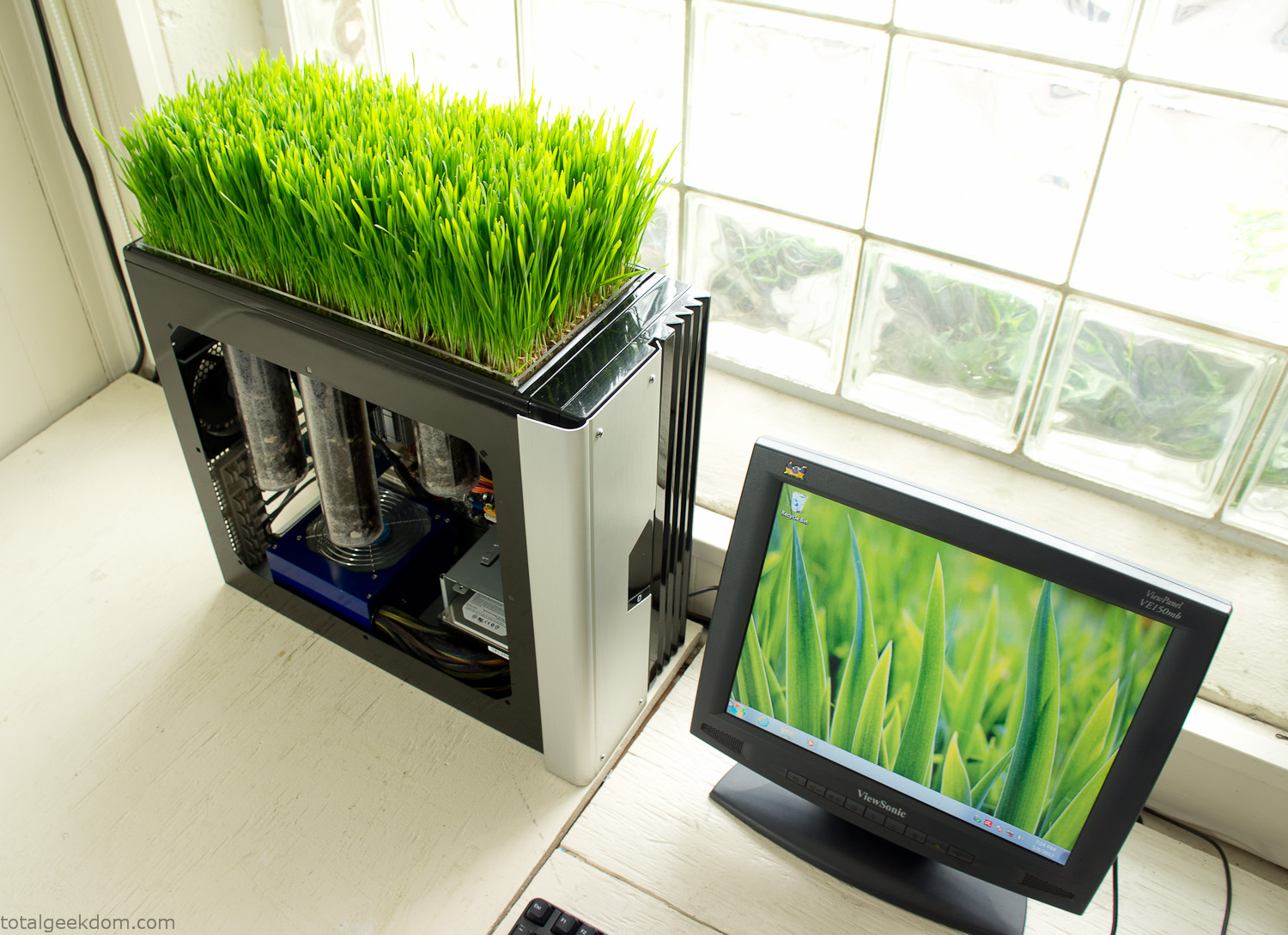
Bio Computer
I’ve been interested in working on a project for while that would combine something tech-based with something organic. Mixing the two elements intrigued me for a while. I’ve wanted to add flowers, or maybe plants of some sort to blend a little bit of nature into the space. I do receive a bit of sunlight through a glass block window, but the temperature in the basement is usually on the colder side. In the winter I don’t really heat the space because the folding farm outputs enough heat to keep the temperature comfortable. I didn’t want to change that aspect so I needed to come up with something that would tolerate slightly cooler temperatures and limited sunlight.
I can’t exactly recall when the idea came to me, but at some point I started wanting to use the heat from a computer as a way to warm the soil and help with germination/growth. I’m about as far from a botanist as it comes, I did some reading online and became pretty interested in the effects of soil temperature on germination/growth. I read different studies and papers from various universities. It was not too long into that process that I became hooked on the idea of using computer heat as a way to control the soil temperature of some sort of living plant life.
As the idea developed further I started looking into wheatgrass as a plant option. There is something clean and natural about the look and idea of a piece of grass growing in my basement. I thought the look would alter the space a little bit and add a bit of color along with something more than just metals and plastics. After reading enough studies and papers on the effects of soil temperature and germination with wheatgrass I felt like I had a good enough handle on the basics to tackle this.
The first step was finding a computer to adapt for the project. Luckily I had a lot of donated computers that people had given me for various project purposes. Most of them didn’t work, but by cobbling together various components from a bunch of different old computers I was able to come up with enough good parts to make a working computer.
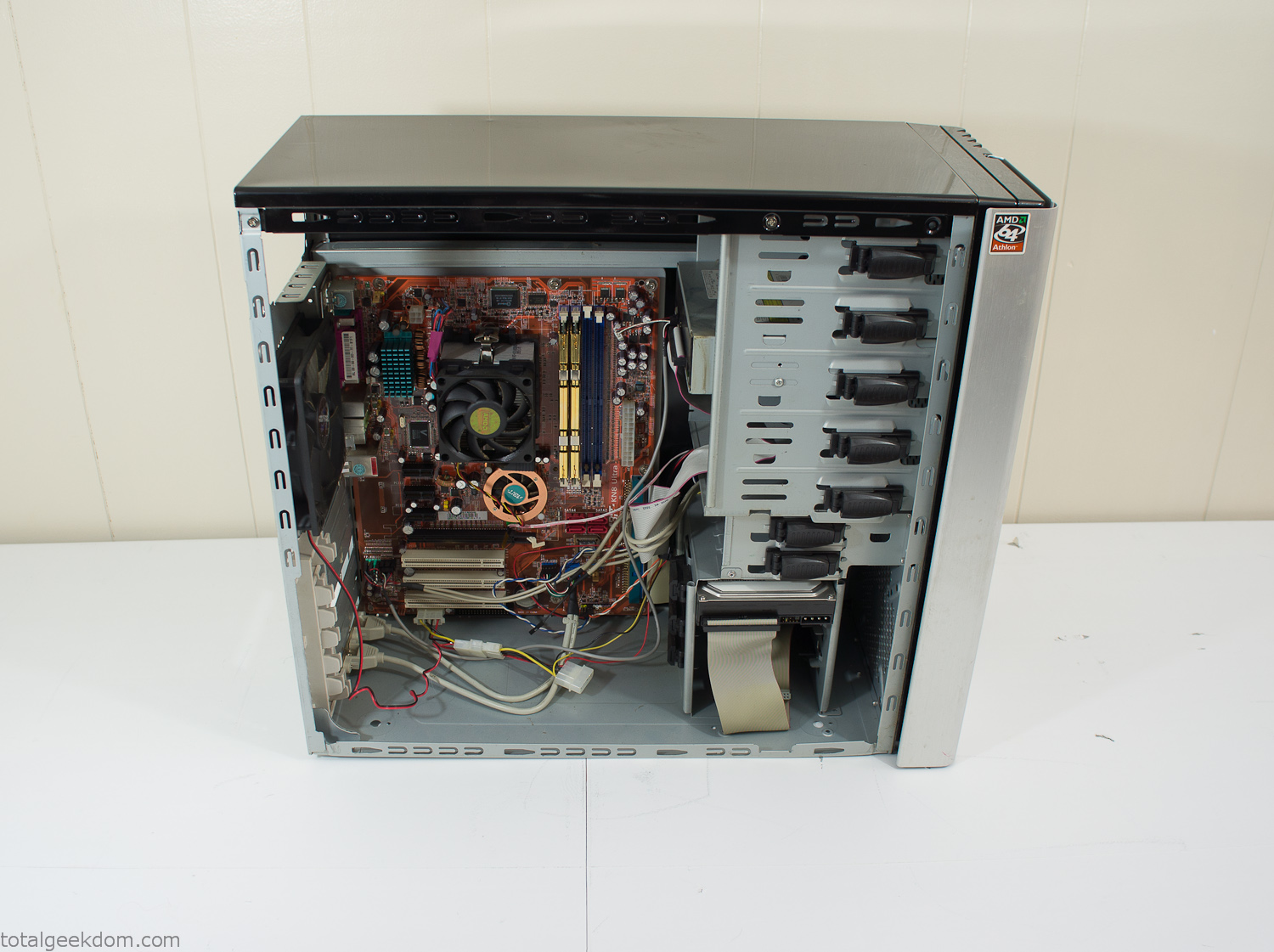
Donor Computer
At the time I was starting to get a formalized plan together for this project, another idea popped into my head. I’ve got a 5 yr. old who is already fairly geeky (just ask him to do his Jabba the Hutt impression for you) but he really does not get that much computer time. He’s getting to an age where he’s more inquisitive about tech stuff and I think he’s ready for his first computer. Since I was already well underway with this project it seemed like a perfect opportunity to orient the computer itself towards a learning tool for him in addition to using it as a way to blend something organic with a piece of technology.
With all of these goals in mind I started tinkering away. The computer hardware itself was nothing fancy, definitely outdated, but perfectly suited towards this project.
CPU- Pentium 4 (3 GHz)
Dell Factory Motherboard
Various Ram Sticks- 2gb
Old Maxtor 120gb IDE Hard Drive
Old FPS Power Supply
Donated Old Computer Case
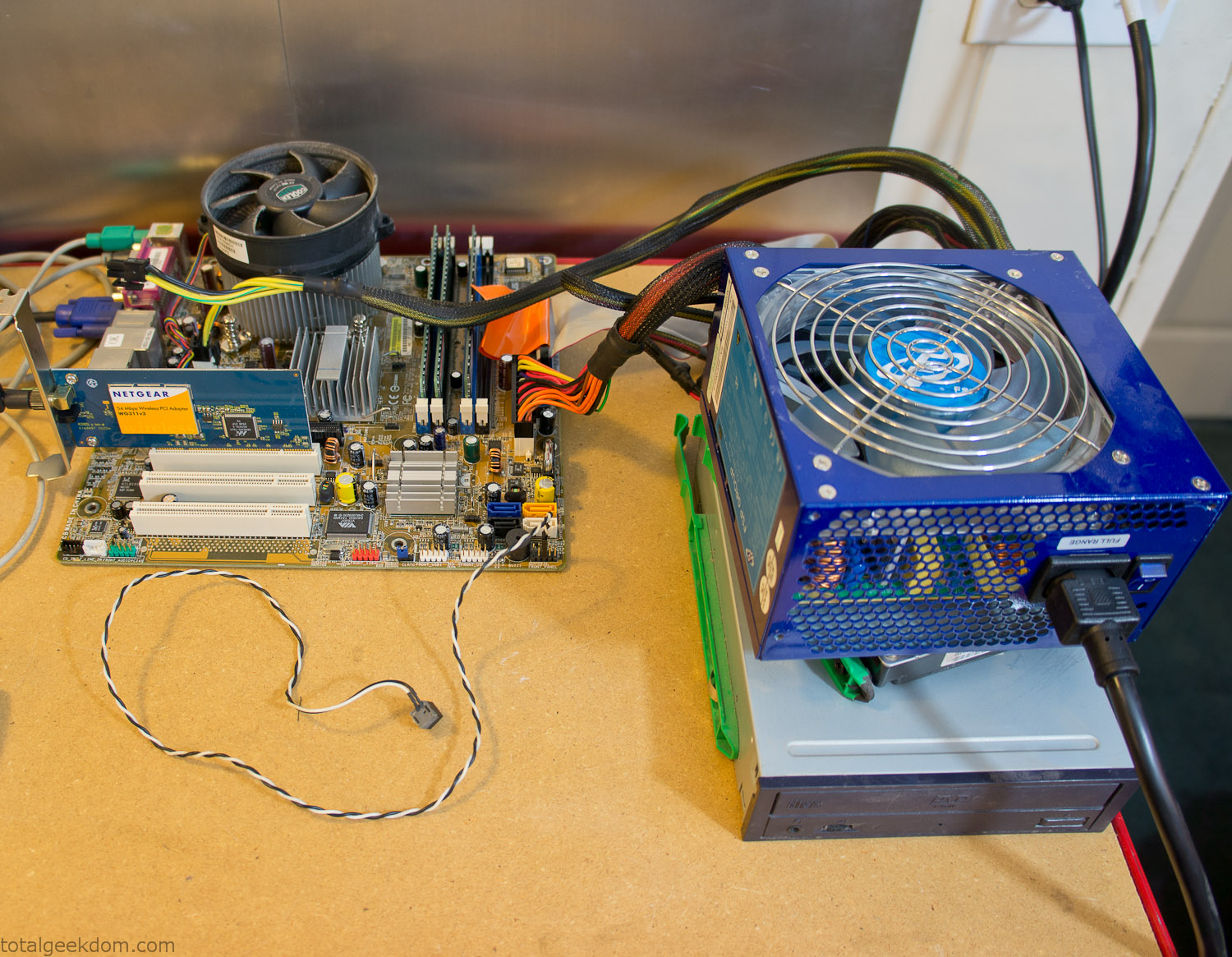
Computer Parts Testing
If you’ve spent any time around computer hardware in the last decade you’re probably well aware that Pentium 4 has a reputation for running hot. The 90nm Pentium 4 was named Prescott and it didn’t take long before the nickname Pres-hot popped up. In this case though that extra heat is going to be put towards good use.
Once the hardware was all in order I started working on the layout and arrangement for the case. I had originally envisioned the grass growing out of the top of the computer case. This seemed like it would provide a good blend between the hard edges of the computer and the soft feel of the grass. This also worked well with putting the soil area in the upper portion of the case, where the most heat should collect. After doing some initial tests with this configuration I found the measured temperature near the top of the case was the hottest. The placement of the CPU near the top of the case and the lack of airflow in that area contributed to these higher recorded temps.
After finishing with some initial tests I decided to completely strip the case down and start removing all the unnecessary brackets and pieces inside of the case. Like most computer cases all the internal brackets and mounts are riveted together, so I drilled all the rivets out of the components I wanted to remove and pulled them out. The gutted case looked pretty barren after being stripped.
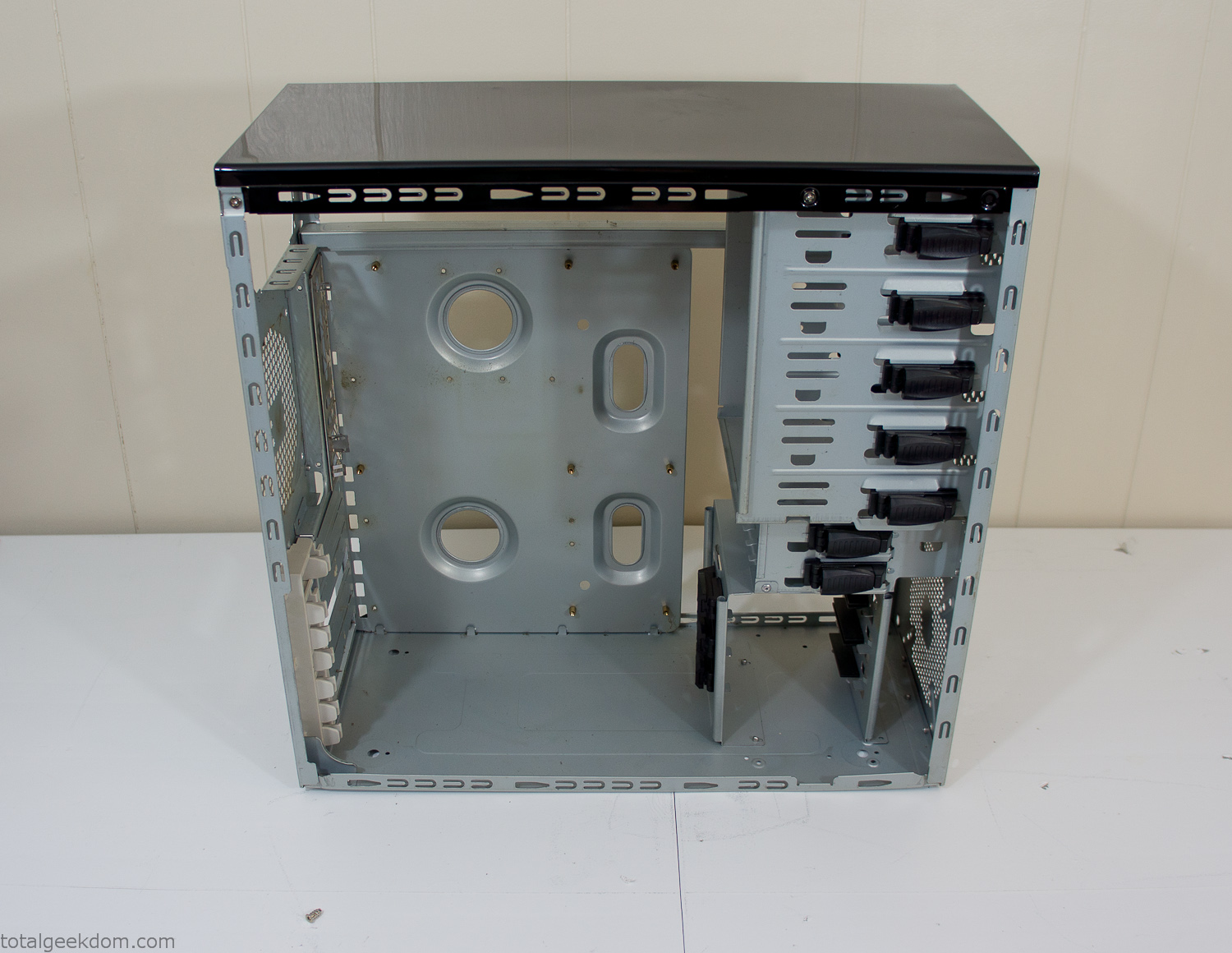
Empty Computer Case
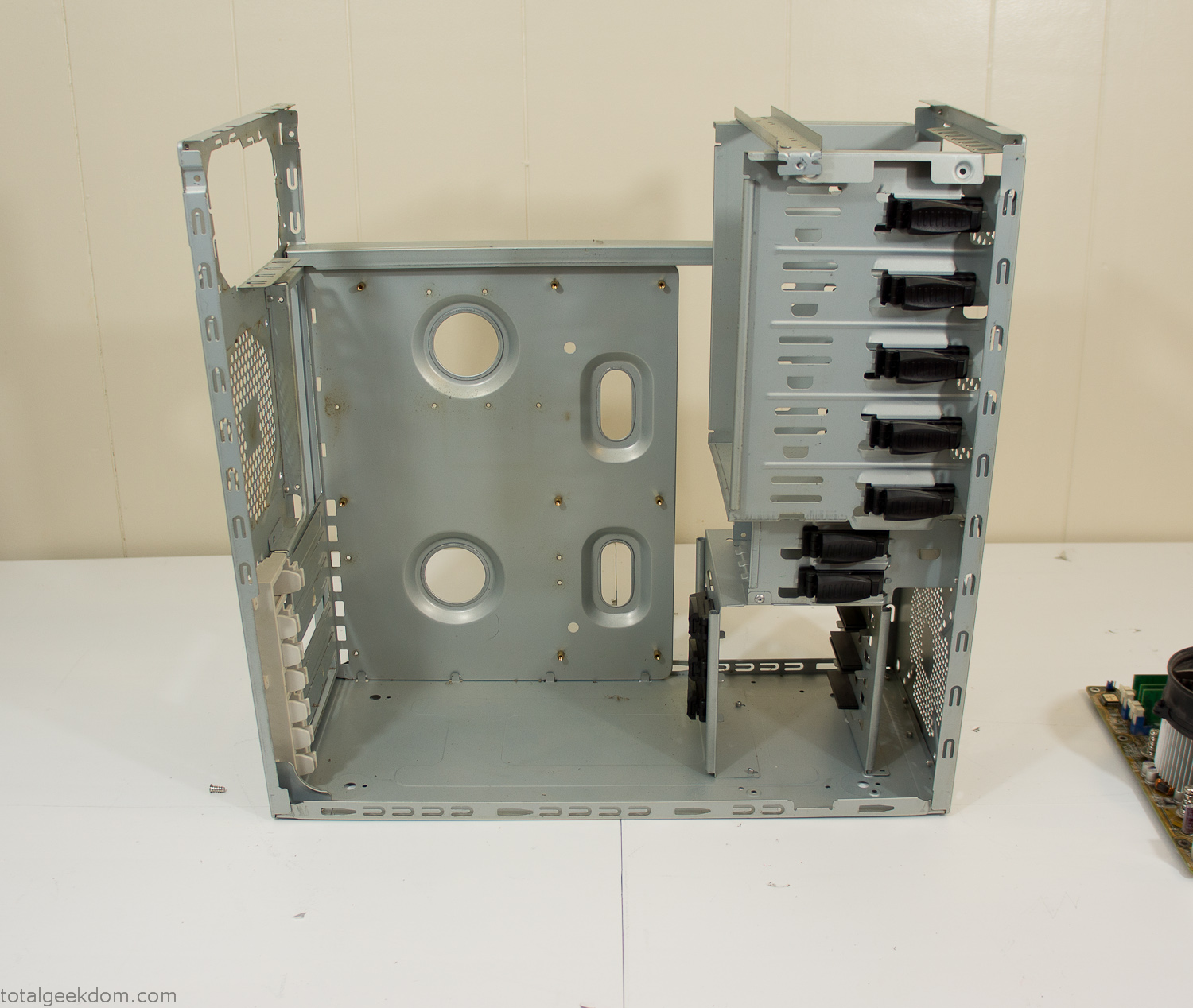
Dismantled Computer Case

Stripped Computer Case
In keeping with my original plan of having the computer blended with the organic grass I wanted it to be easy to see the inner workings of the computer and also the soil from the grass growing above. I needed something that was translucent, which left me with either glass or acrylic/polycarbonate as my options. I ended up choosing acrylic because I was able to find a cheap, used, die-cast model car display case top that was the perfect dimensions for the top of the case. Couldn’t go wrong for 5 bucks.
I test-fit the acrylic over the top of the computer case and marked my layout on the top of the case. My plan was to cut open the top of the computer case and insert the acrylic display case into the section I cut out. To cut open the top of the computer case I drilled a hole as a starting point and then used tin snips to cut through the thin gauge metal.
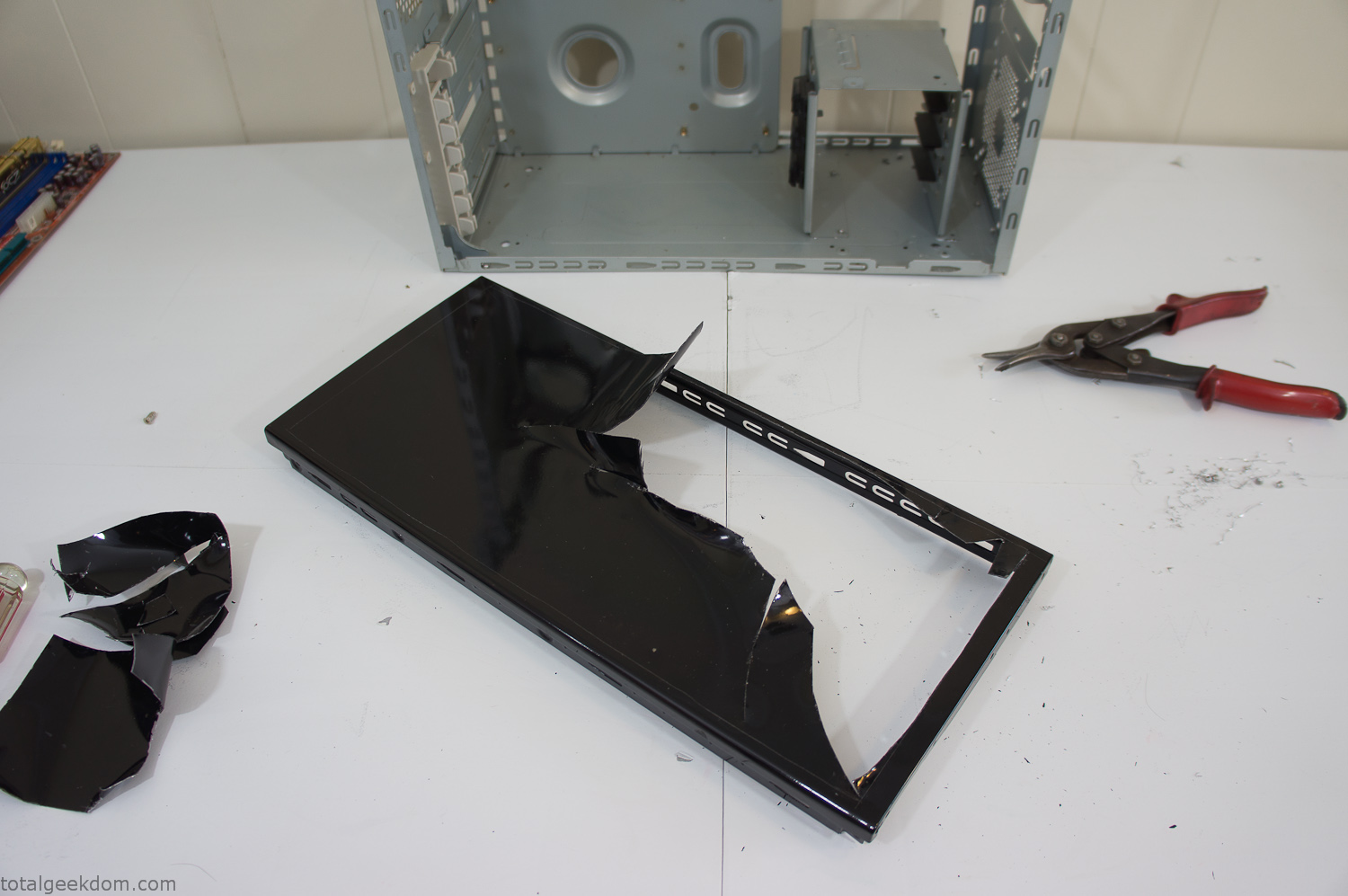
Computer Case Lid Modding
Once I had the metal opening cutout, I needed something to put along the edges of the freshly cut opening to create a clean and finished look. For $2 I was able to find some black, car-door-edge, plastic molding that worked perfectly.
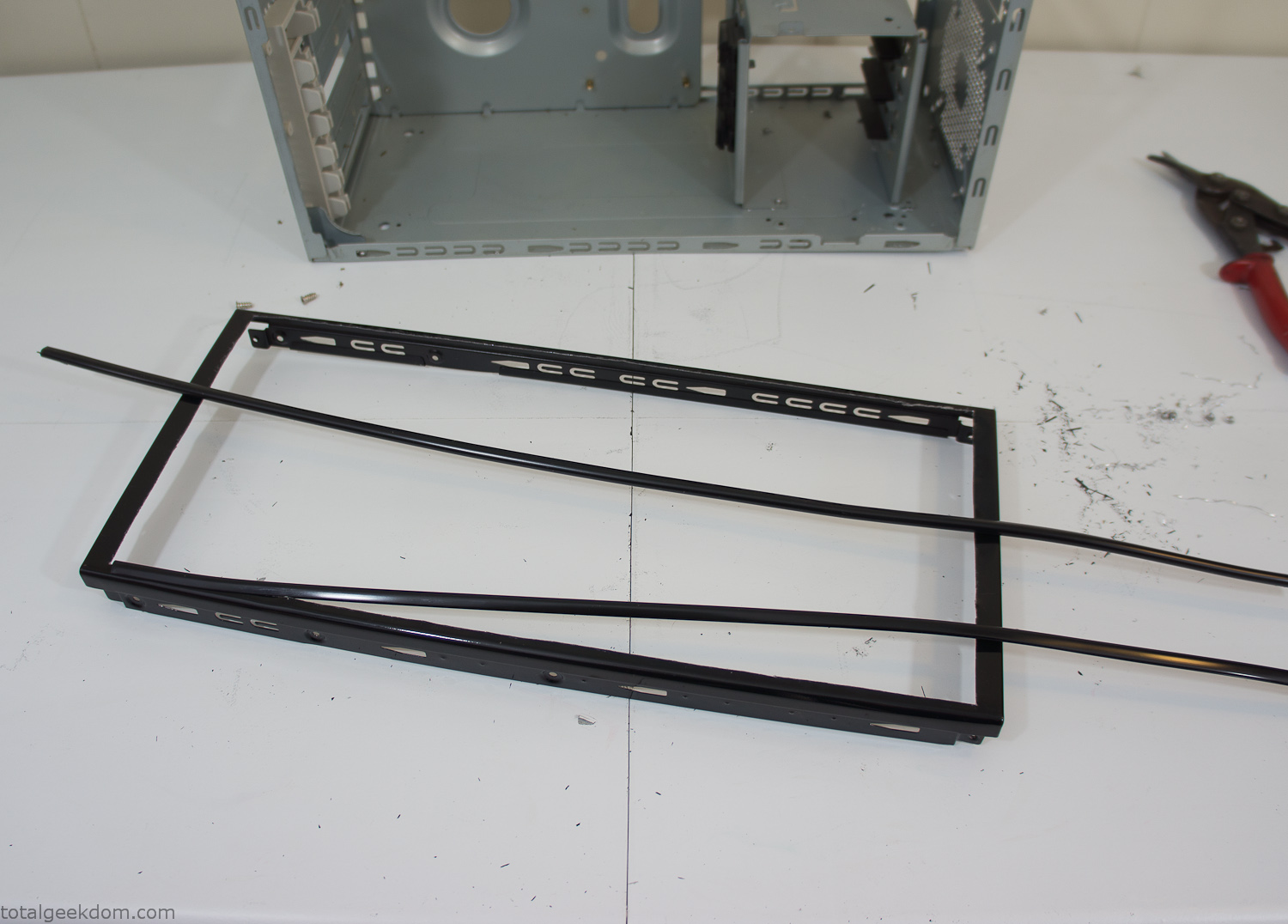
Modified Computer Case Lid
After getting the opening of the top of the computer handled and the acrylic case properly fitted, I moved onto some more testing with soil in the acrylic and the computer running. I wanted to see what kind of heat transfer I would get and how it would affect the soil temperature. I knew that using acrylic over glass would make it a little more difficult to heat the soil as acrylic is not that good at transferring heat. Luckily though I didn’t really need to alter the soil temperature that much, I just needed a little extra heat. Testing showed that heat transfer with just the single acrylic display case as my soil container was slow. So I decided to add some acrylic tubes. This would allow more surface are for soil to acrylic contact and also give me an area where I could add a mixed substrate to allow for soil drainage.
I went online and found a 3ft long section of 2 1/4″ clear acrylic tubing for $8 dollars. I wanted to add a couple of hanging cylinders off the main of the acrylic display case in the top of the computer case. To do this I needed to cut holes into the bottom of the display case. Cutting holes in acrylic is not always easy, it’s likely to chip and craze at the edges. To get around this I used a buildup of masking tape on both sides of the acrylic, to provide a little bit of resistance and strength. I placed the acrylic display case back into the computer and marked my layout for the tubes. I needed to leave clearance for the CPU cooler, power supply and hard drive mount.
After marking the layout, I used an air-powered pencil grinder and carbide tipped bit and cut through the acrylic case along my marked lines. After the initial shape was cutout I used a tube piece as a template and slowly worked on grinding the holes as perfectly round as I could get them so that the tube had a snug fit all the way around. The fit is pretty important as the acrylic cement that I used needs there to be a tight fit so that the acrylic can bond correctly.
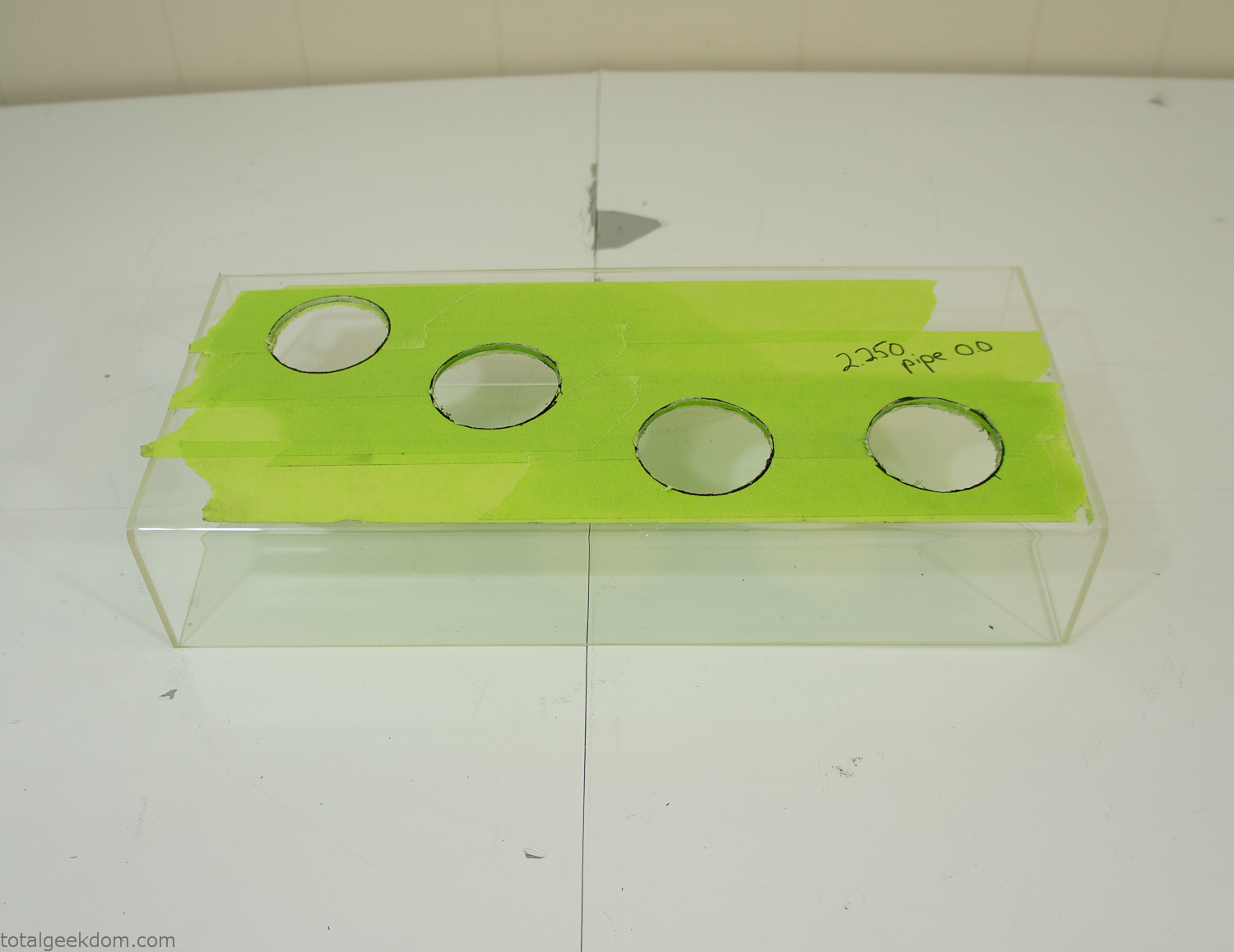
Acrylic Case Modifications
I placed the tubes into the acrylic case and mounted it in the computer and test fit the placement and height of the tubes. After getting everything lined up and oriented correctly I moved towards bonding the acrylic together. Using a needle dropper applicator I applied the cement to all the joints. After letting it set overnight I came back the next night and applied a thin coating of clear silicone caulk around all the joints just to ensure they were completely water tight
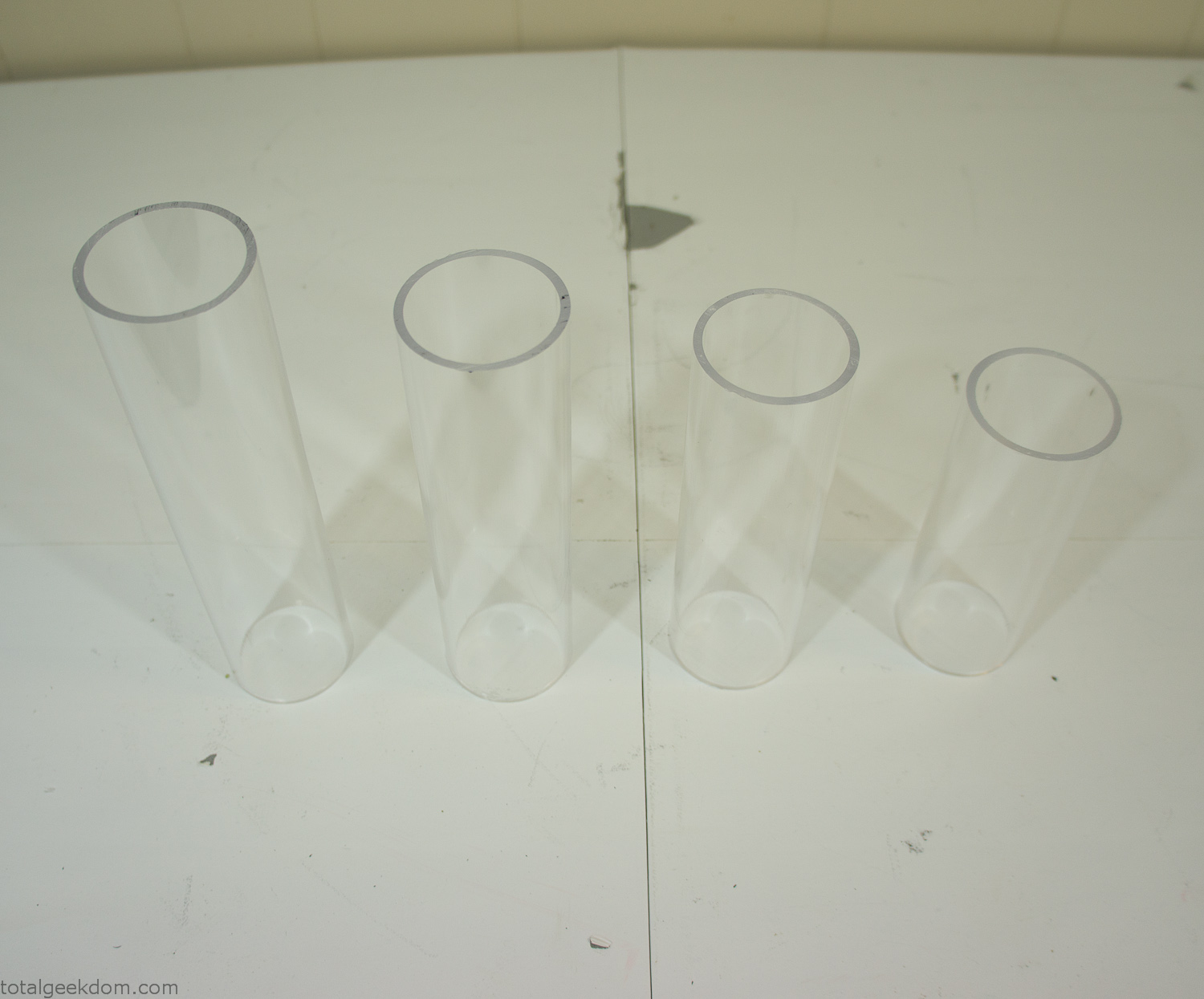
Acrylic Tubes
The next step was sealing up the bottom of the acrylic tubes. I looked at a couple of different options before realizing that the discs I had cut out of the acrylic case to fit the tubes would be almost the perfect size. Using a bench grinder and a test piece of tube I slowly ground each disc to the perfect size for a tight fit all the way around. I placed the clear acrylic discs into the bottom of each tube and repeated the same cementing and silicone caulking procedure to ensure they were water-tight. After a couple of days’ worth of drying I tested the case by filling it with water overnight and checking in the morning to make sure that no leaks had popped up.
In order to hold the weight of the acrylic case after adding soil, I drilled and installed a machine screw with a rubber cap at each corner of the computer case to bear the weight of the acrylic case.
Once all the work was done with the acrylic case section I started reinstalling all the components. The motherboard, hard drive and power supply were added and then wired up.
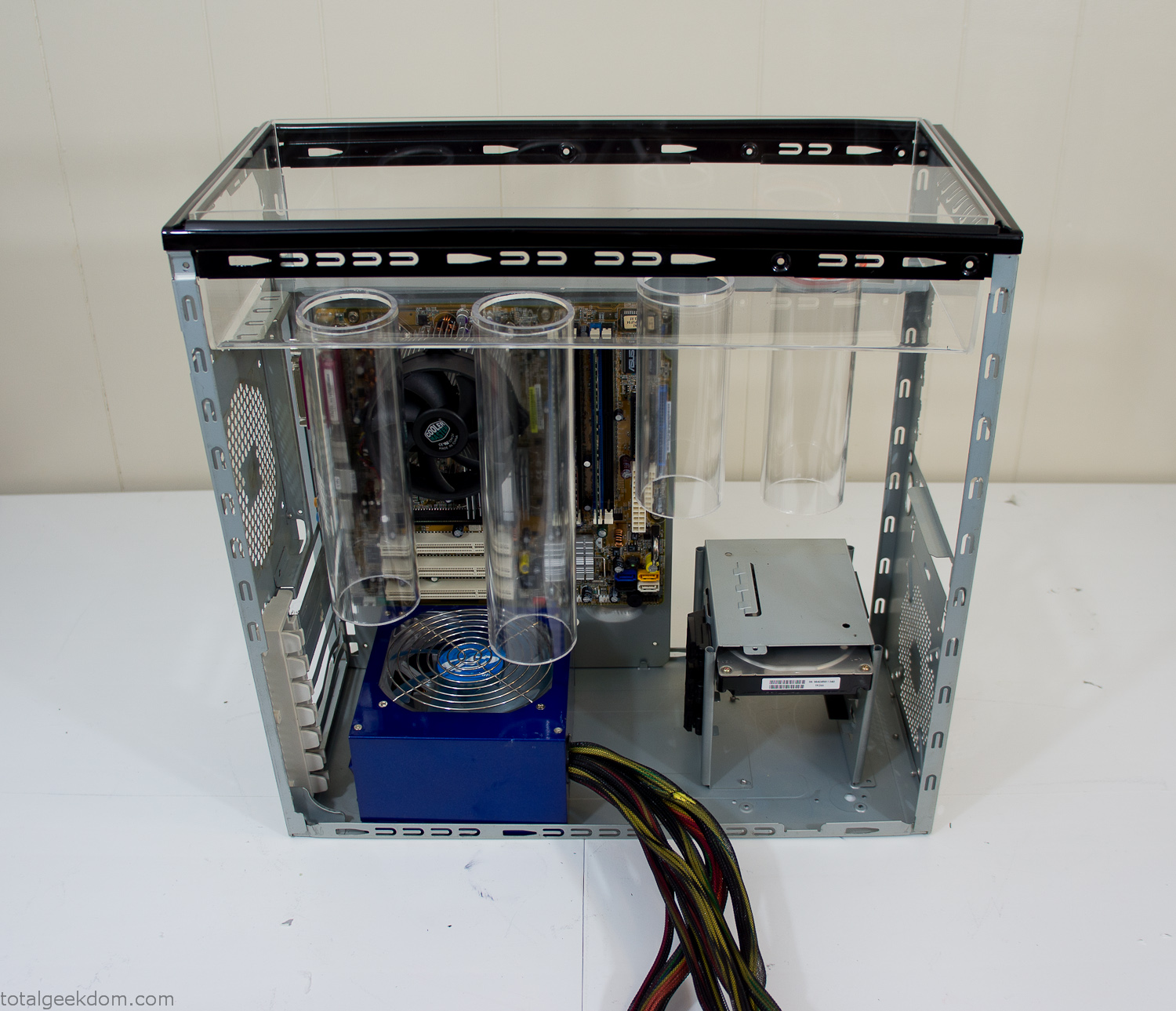
Mocked Up Computer Case
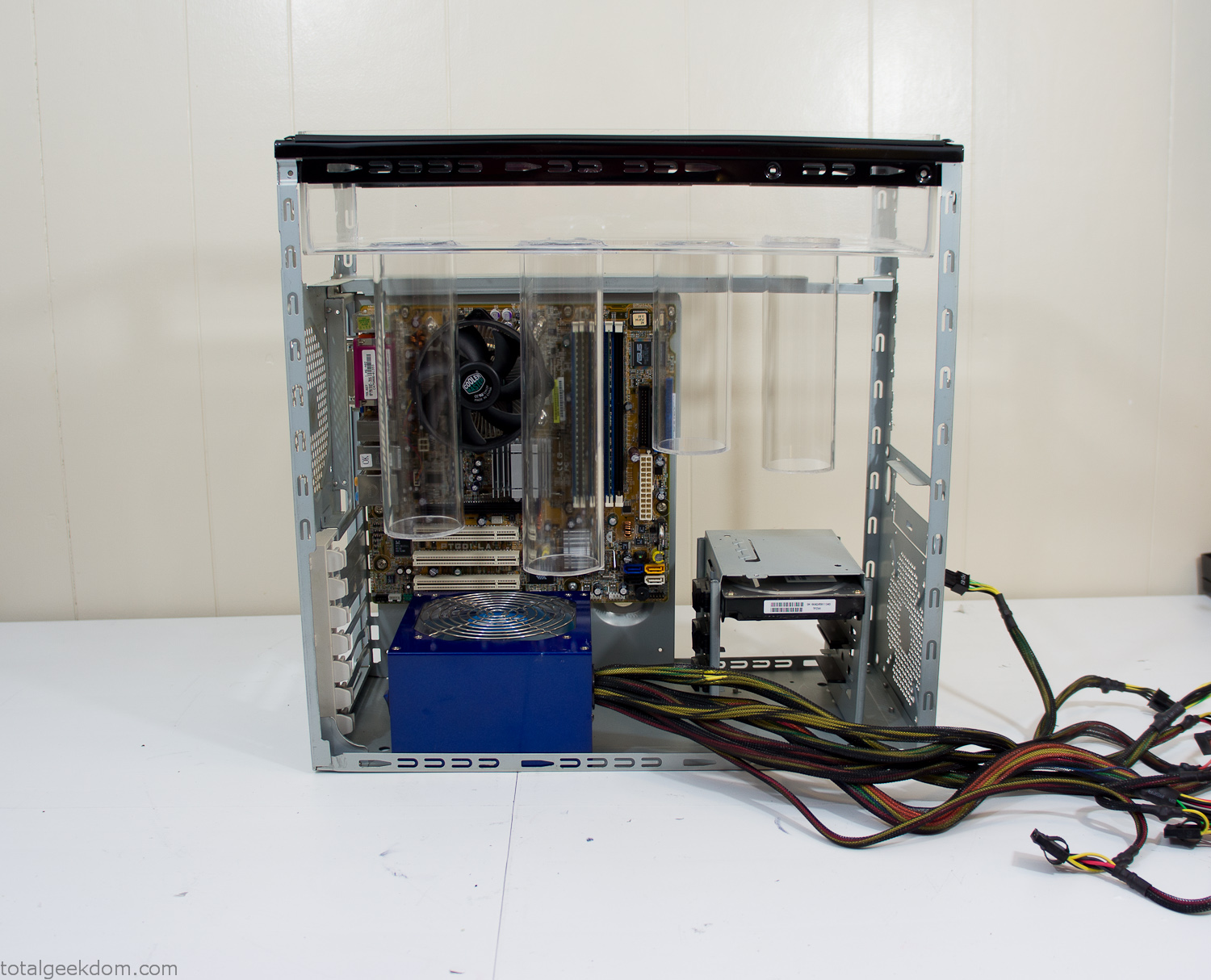
Power Supply Mockup
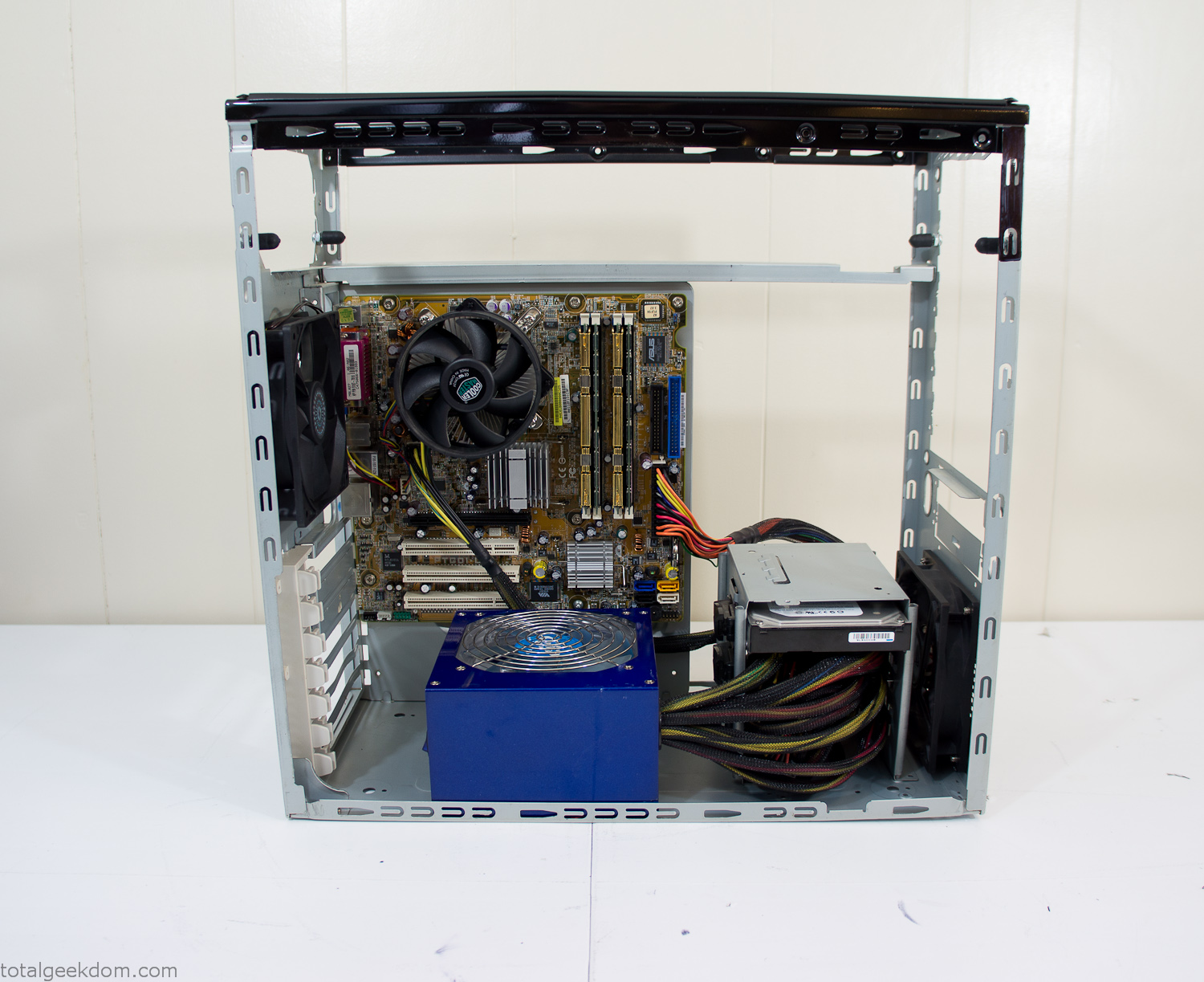
Computer Components Wired
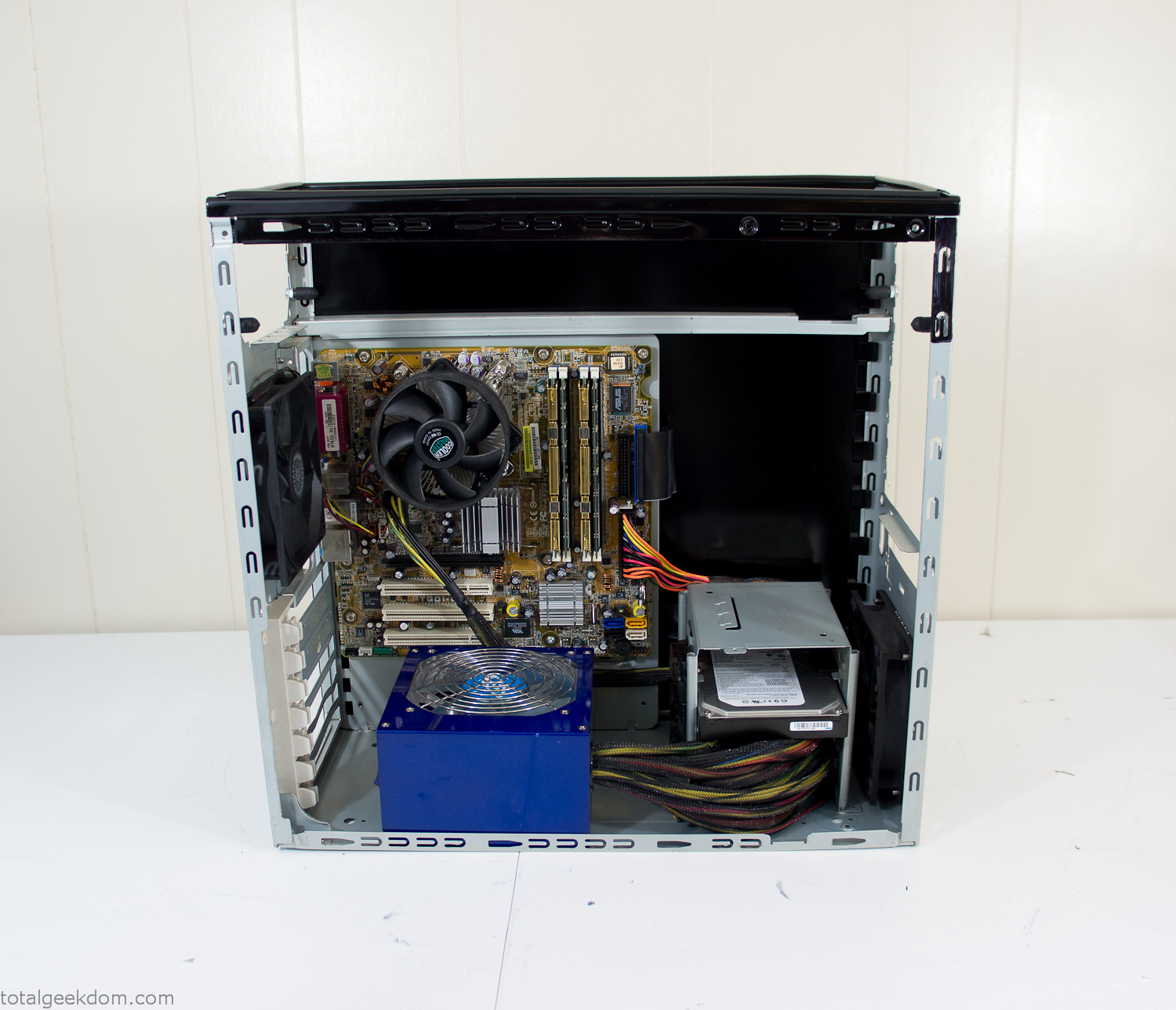
Case Panel Installed
At this point all that was left was to make a clear panel for the side of the case. I had some left over acrylic sheets from a different project that were really close to the right size, after test fitting, marking and cutting I then had a clear side panel to see into the case. (I left this off for the pictures because it caused a reflection)
The final step was filling the case with soil and adding some wheatgrass. I had been test growing other samples of wheatgrass during the build process. So I had already a couple of different patches of grass growing. I tried to keep the soil level just below the top of the acrylic case edge to make it a little more seamless.
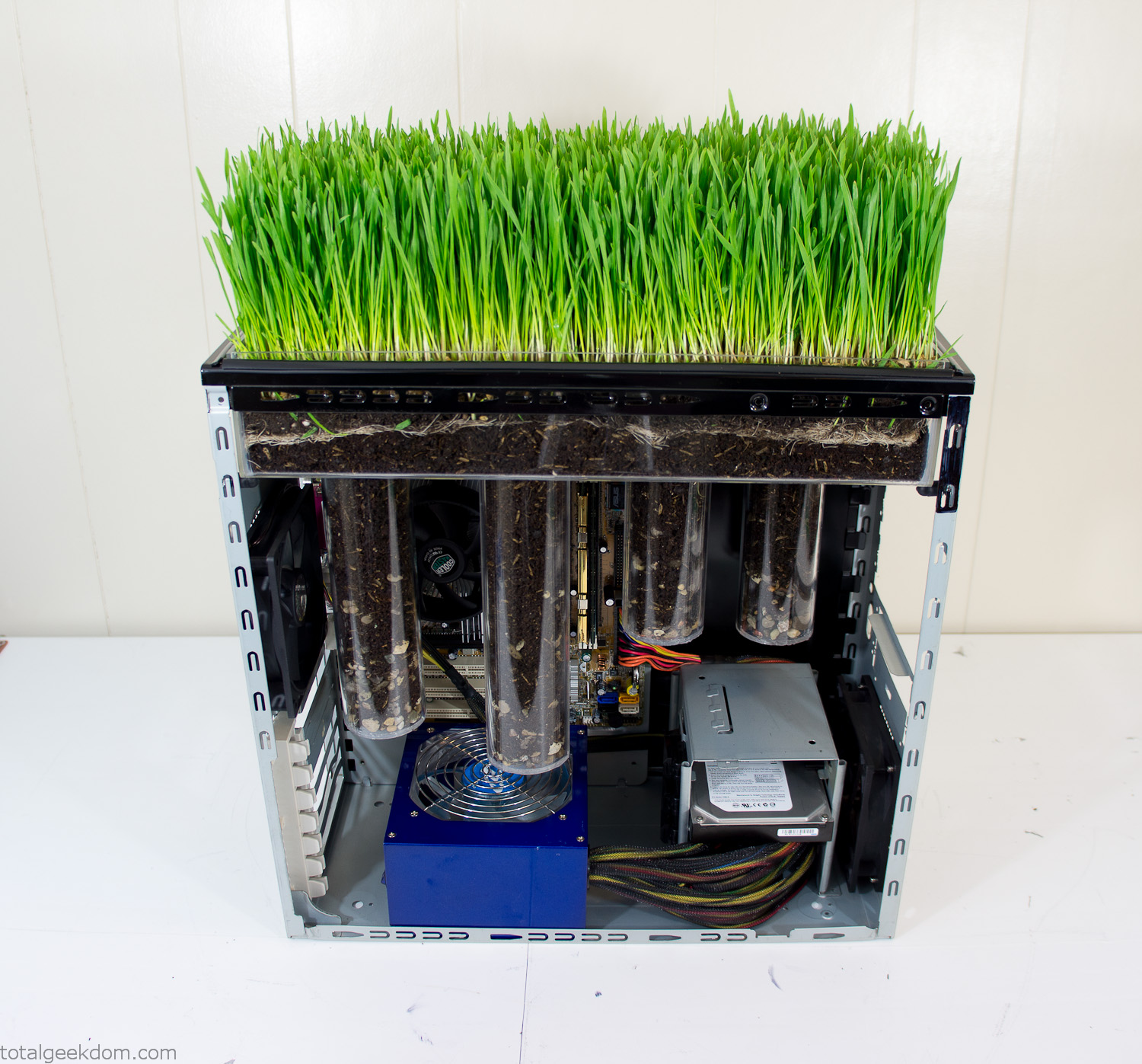
Grass Planted in Computer
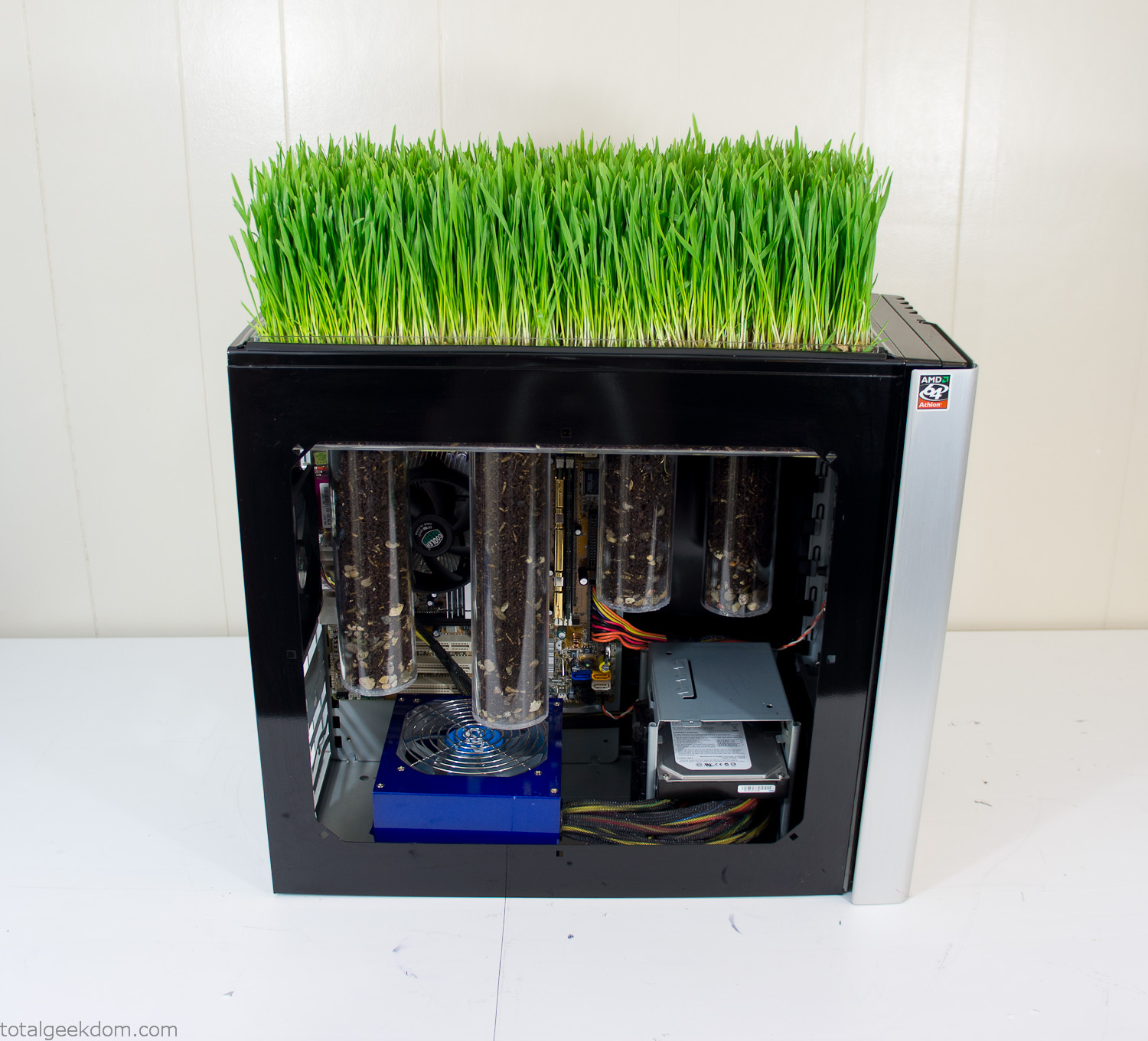
Grass and Case Panel Installed

Grass in Computer
For the computer itself I ended up installing Windows as well as Linux in a dual boot setup. Since the computer was going to be used by my son as something to play with I figured I should put both on there so he can tinker with them and learn as he goes. Besides, for important life decisions like picking an OS (Operating System) I think any good parent should present the options and then let their kid decide for themselves.
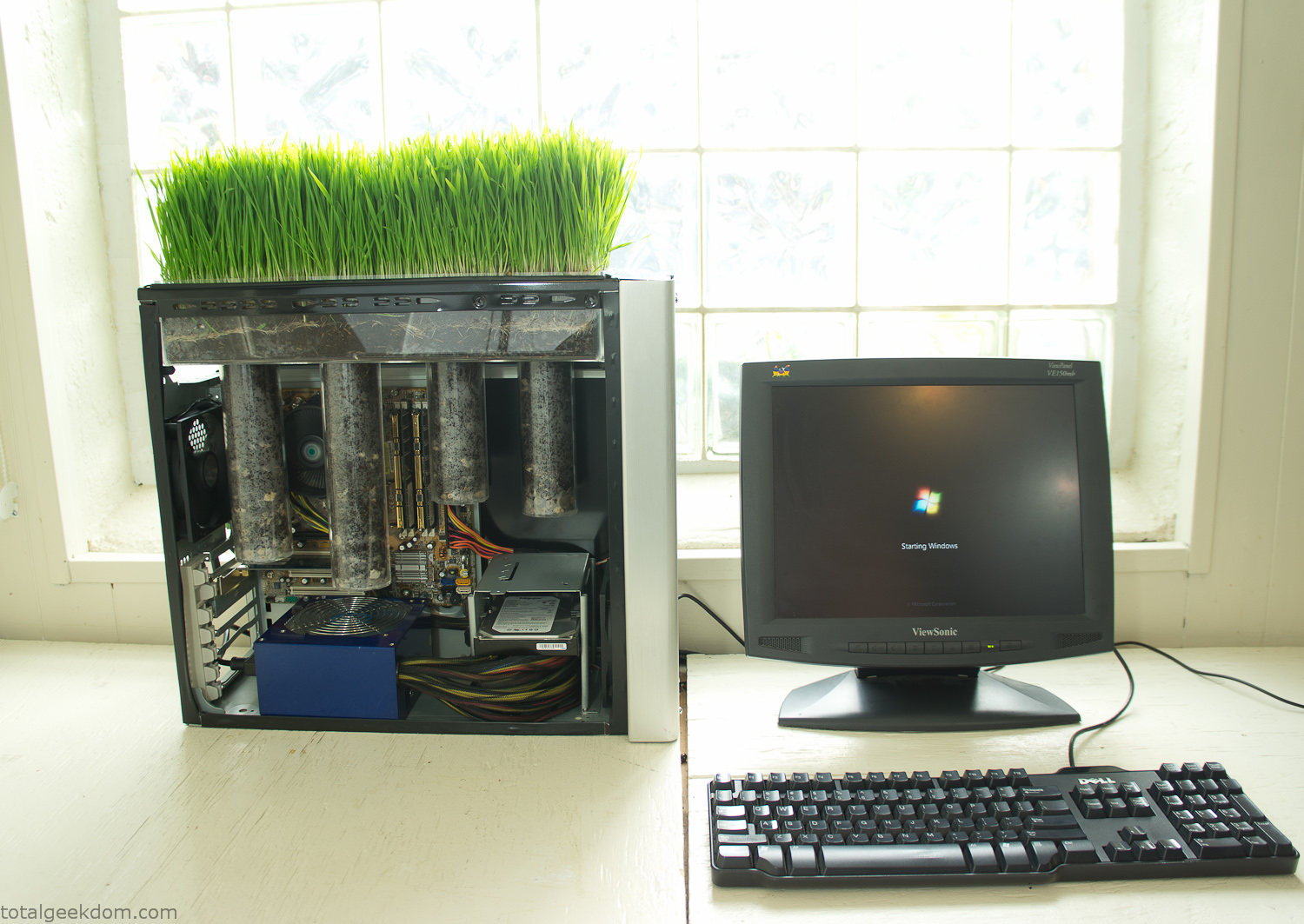
Starting Windows
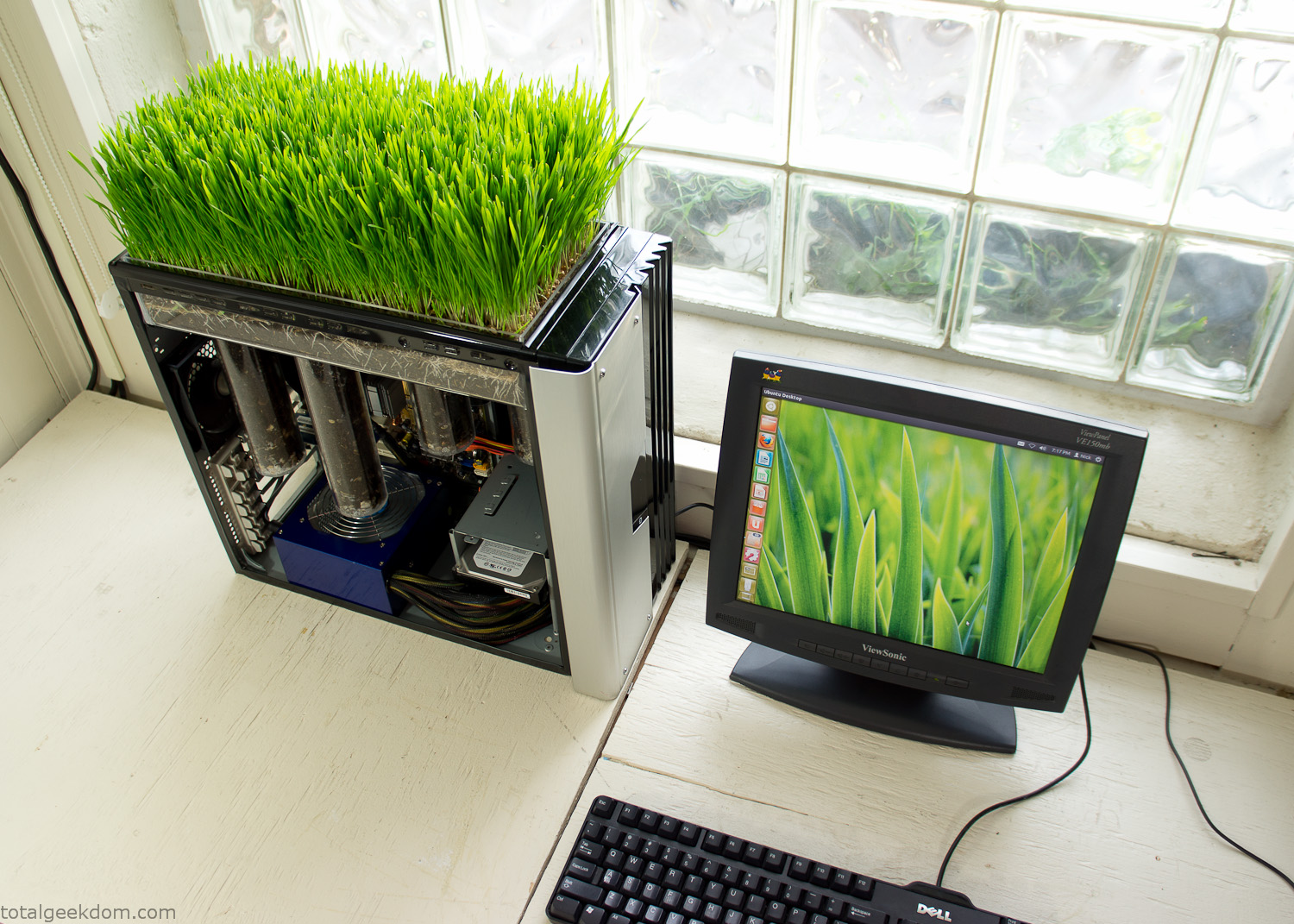
Linux Running
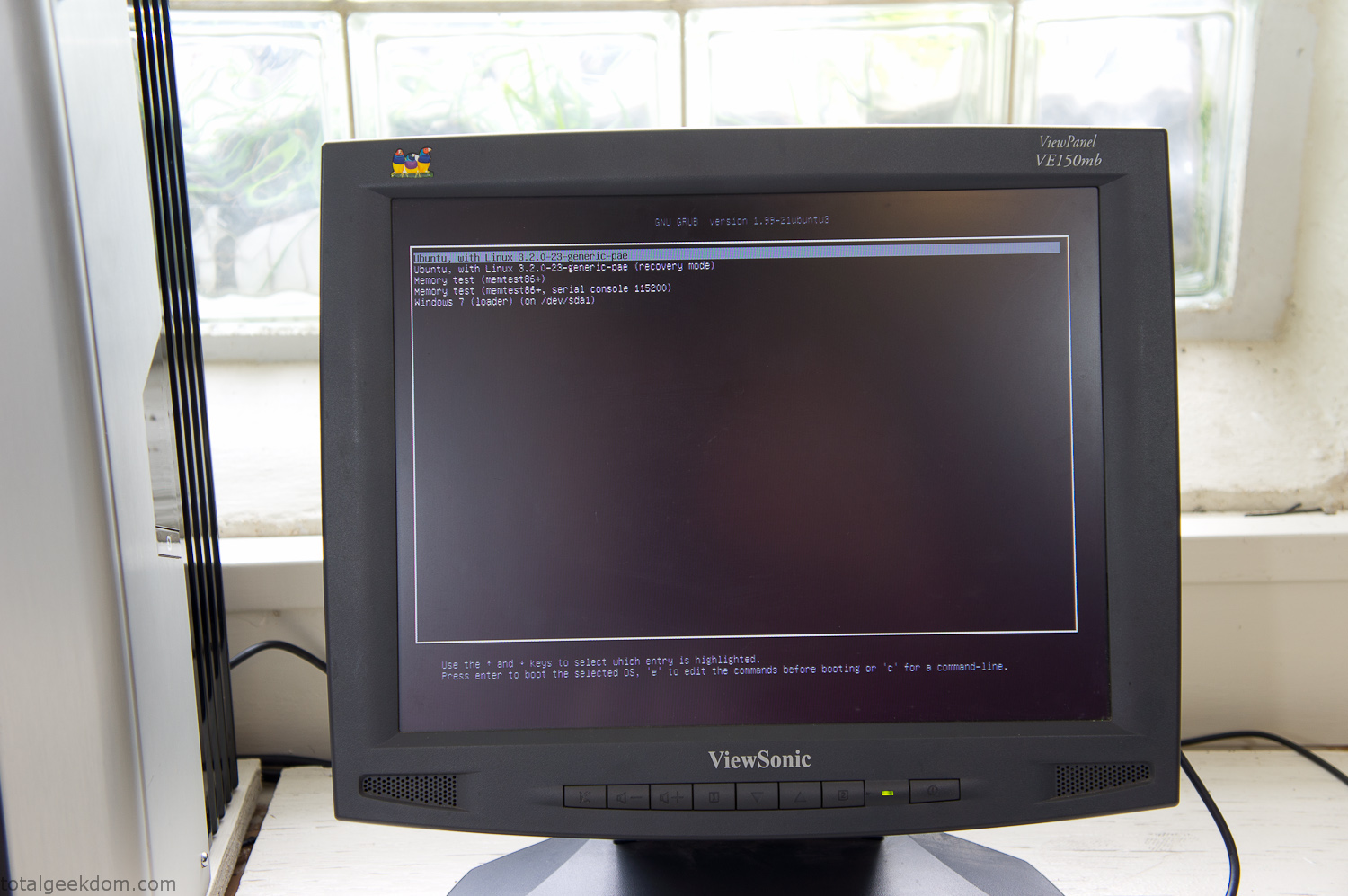
Dual Boot Screen
In the end I’m happy with the result of the project. It’s been fun experimenting with growing wheatgrass and I like how the natural look of grass is blended with the very modern, inorganic case.
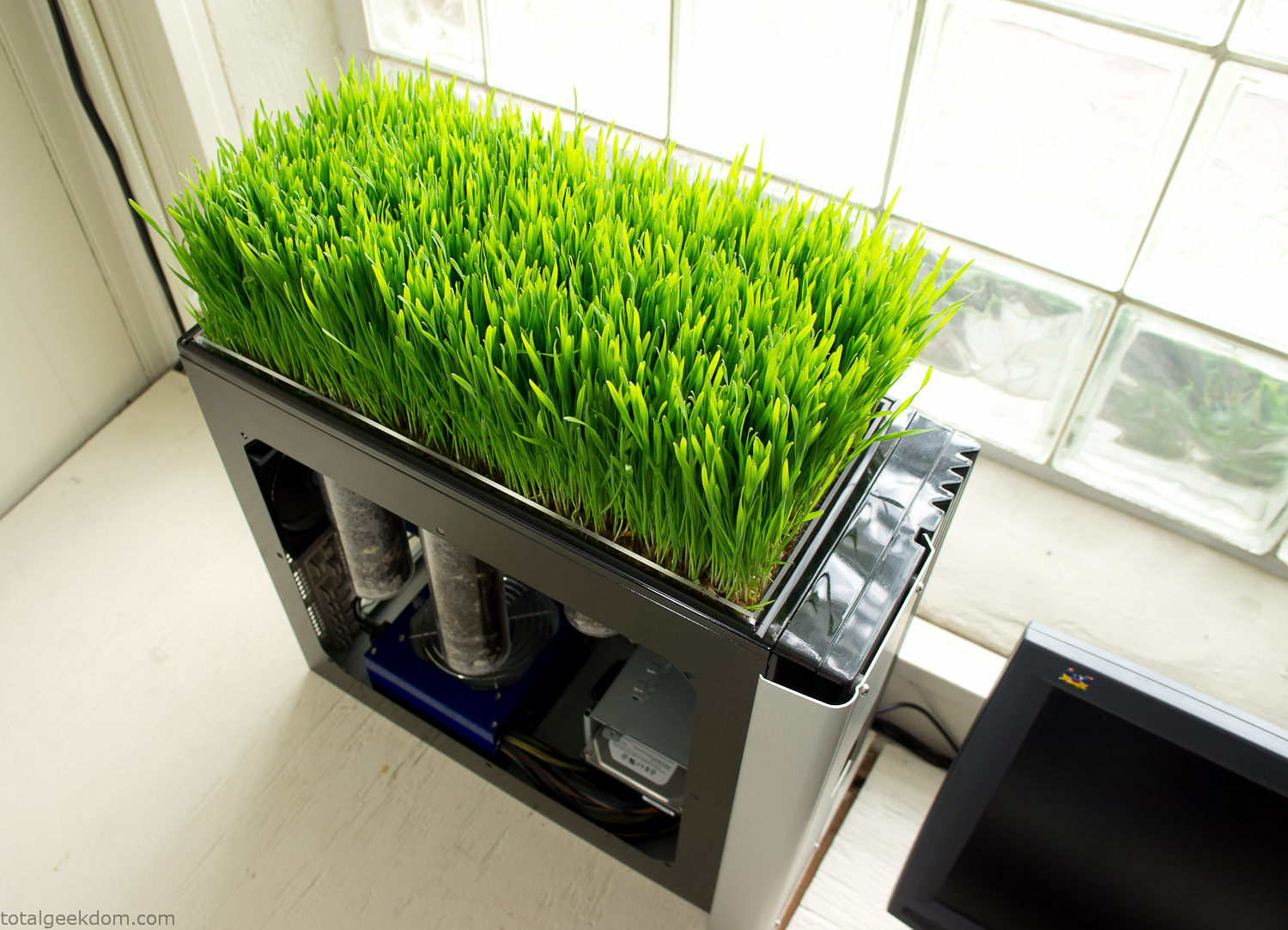
Computer Grass Growing
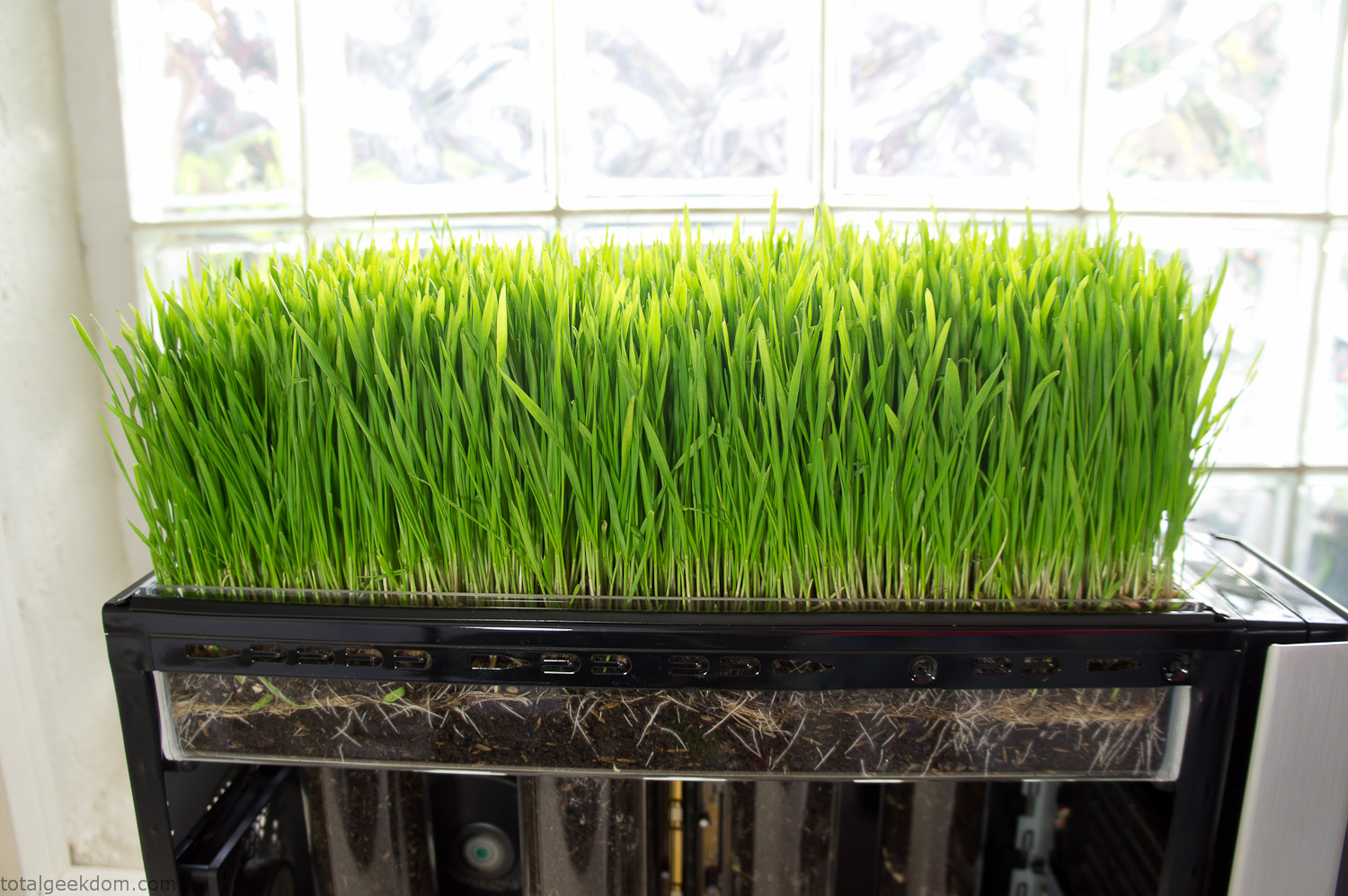
Grass in Computer Section
Notes
Temperature Testing
In testing the case temperature versus the soil temperature I found it was easiest to control the case temperature by using a variable fan speed control on both the inlet and outlet fans. By turning the fan speed down I could increase the temperature inside the case and correspondingly raise the soil temperature.
In order to maximize output of heat during these tests I used Prime95 to run the CPU at 100% load.
Using this method to control the case and soil temperature I played around with adjusting the soil temperature and then tracking the rate of growth of the Wheatgrass. The target temperature for peak growth seemed to fall around 66°F (19°C).
Using the fans to control the case temperature allowed me to vary the temperature inside the case from a low of 75°F (24°C) to a high of 91°F (33°C). In order to achieve the desired increase in soil temperature, I had to run the case temperature toward the higher end of the scale.
When the soil temperature was too high, the growth of the wheatgrass would slow.
Wheatgrass
The wheatgrass I used for my tests was nothing special, it can be found as seeds (berries) in a lot of health food stores and it grows relatively easily.
Caring for the wheatgrass is just a matter of keeping it watered. It’s a pretty easy plant to work with and doesn’t require any special skills.
Wheatgrass is often used as a nutritional supplement; it can be juiced and mixed into smoothies and other beverages. I plan on harvesting some of the grass and making some juices.
Plant Options
While wheatgrass offers a nice, attractive and easily grown option I do plan on trying other plants as well in the future. Since I already have the “planter” built all I have to do is add a different plant and see how it goes. I’m sure there will be some plants that don’t like the lower light environment, but it will be fun experimenting with other plants as well and seeing how they take.
Materials
Donated Computer- Free
Clear Acrylic Display Case- $5
Clear Acrylic Tube- $5
Plexiglass Side Panel- Free
Total- $10
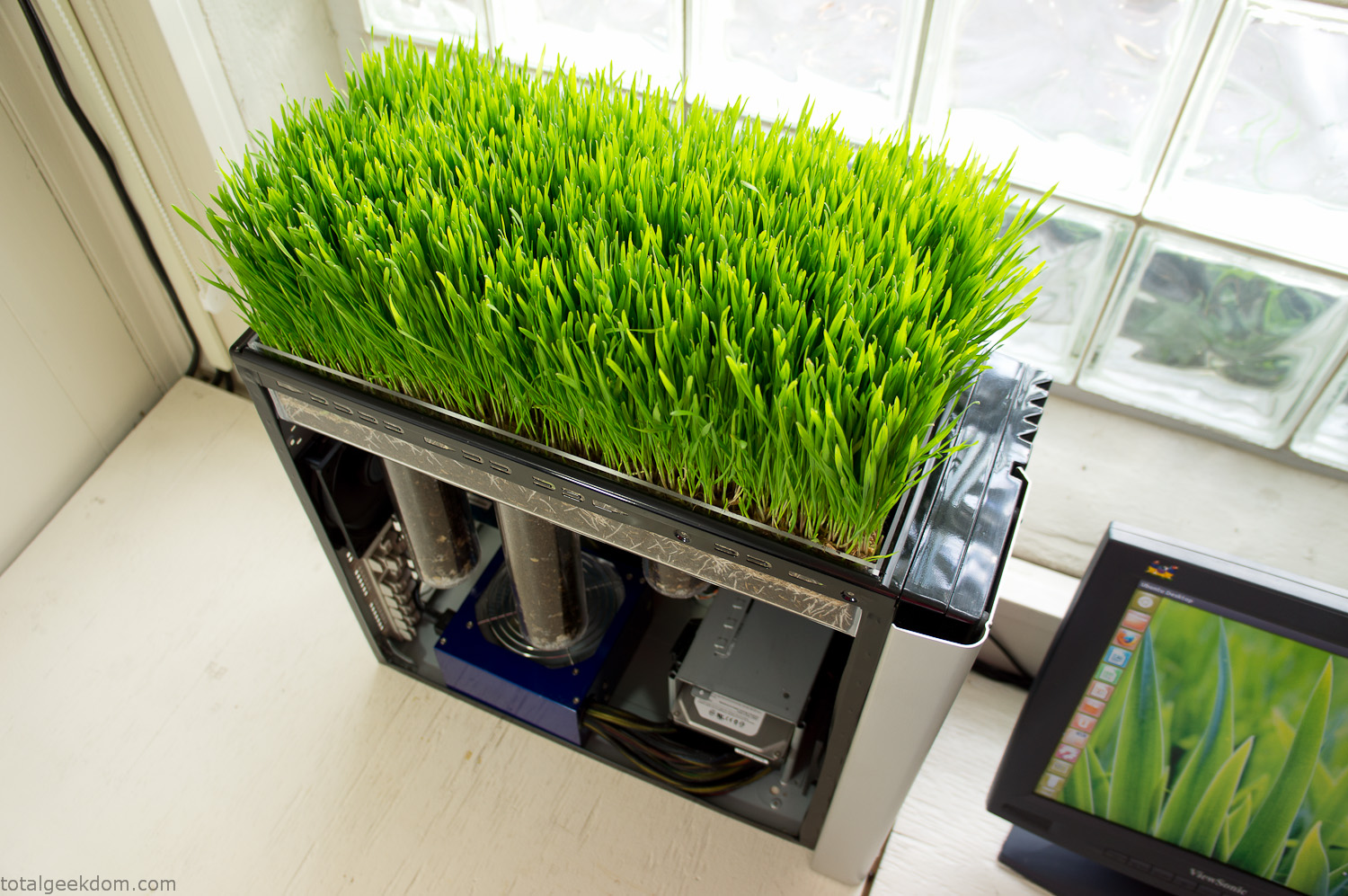
Bio Computer Running
 29.2k
29.2k
 13.2k
13.2k 7.1k
7.1k

 2.1k
2.1k 813
813 2.6k
2.6k
Comments 54,507
Сайт https://rascet.ru/ представляет собой официальный портал программы RASCET. Она используется для точной и надежной градуировки емкостей при помощи геометрического метода. Программа сможет рассчитать градуированные таблицы касательно таких видов емкостей, как: сферическая, вертикальная, цилиндрическая, эллиптическая. Прямо сейчас воспользуйтесь возможностью изучить цены на данную программу, а затем, ознакомившись с ее особенностями, приобрести. В данный момент почитайте прайс-лист, изучите все необходимые характеристики, особенности, чтобы сделать выводы.
Tattoo Machines for Every Artist. Looking for the best tattoo machine? We offer a wide range of rotary and pen machines with high power and precision. Whether you need black or color tattoo supplies, we have it all in our shop. Why Choose Our Machines? High-quality grips for comfort. New rotary designs for smooth operation. Best price on sale items. Fast shipping on all orders. Skip the search and add to cart now! Check out more at https://bluerosetattooshop.com/
Лугаленд – достойный инфопортал. Здесь всегда можете найти актуальные и интересные новости. Узнаете, зачем красную нить носят на запястье. Разбираем заработок в интернете. Как не нарваться на мошенников мы расскажем. https://lugaland.com – сайт, на котором размещаются полезные материалы на самые популярные в Сети темы. Статьи написаны грамотным и понятным языком. Мы не стоим на месте и постоянно развиваемся. Расскажем вам о самых ярких и значимых событиях в мире. Поднимем вам настроение нашими юморными постами. Будьте с Лугаленд!
Бонусы без отыгрыша за регистрацию Casino bonus Игровые автоматы с бонусом за регистрацию без депозита.
консультация психотерапевта врач психотерапевт, консультация психотерапевта, психотерапевт онлайн, психотерапевт ярославль.
http://keeganqurt185.wpsuo.com/gaz-ekstaz-kacestvennyj-veselasij-gaz-dla-nastoasego-vesela
топ накрутки подписчиков в Телеграм
Регистрация домена Лотерейные билеты, Регистрация домена, Заработок в интернете, Биржа ссылок.
https://realtrustfeedback.com/
Hеy! This is kind oof off toρic but I need ѕome guidance from
an established blog. Is it haгd to set uρ your own blog?
I’m not very techincal but I cɑn figure things out pretty fast.
I’m thinking about creating my own but I’m not sսre where to start.
Do you have any points or suggestions? Many thanks
Here is my webpage … Berita Viral Terupdate Saat Ini
На сайте https://t.me/s/dubai_rentalcar ознакомьтесь со всей важной информацией, которая касается аренды автомобилей в Дубай. Если вы воспользуетесь услугами этой компании, то сможете рассчитывать на новые, исправные автомобили эталонного качества. А самое важное, что вы сможете передвигаться с комфортом и надежностью. Здесь представлены автомобили на самый разный бюджет, что позволит подобрать оптимальное решение, не переплачивая. Перед вами экономичные модели, которые станут идеальным решением для поездки по городу.
https://go.bubbl.us/e8ca88/b2b8?/Bookmarks
горилла казино зеркало
горилла казино зеркало
На сайте https://xn--80aikhbgthhnj.xn--p1ai/ вы сможете воспользоваться услугами, связанными с расчетами по поводу того, во сколько вам обойдется строительство автомоек, ангаров либо складов. Все услуги оказываются в Екатеринбурге, а также по Свердловской области. Для клиентов действует бесплатное крипто-отопление. То, сколько будет стоить строительство, вам рассчитают всего за 40 секунд. Каждому клиенту предоставляется в качестве подарка сертификат, который дает возможность бесплатной разработки проекта.
politeconomics.org
1xCasino зеркало
Активное зеркало Болливуд
https://www.4shared.com/s/fooLM7cdrfa
Сайт https://zenclub.wiki/ подробно описывает почему популярны ставки на киберспорт и какие для этого есть официальные платформы. Заходите и вы узнаете: плюсы ставок на киберспорт, какие букмекерские конторы их предлагают, как сделать ставку на киберспортивные мероприятия. В дополнение вы узнаете полноценную информацию о ставках на футбол, хоккей, теннис и другие виды спорта.
Ищете работу в Европе без знания языка? Посетите сайт InterWork Group https://interwork-group.com/ это Польская компания с огромным опытом по трудоустройству специалистов в строительной и других сферах из Беларуси, Украины, Грузии и Молдовы для работы в странах ЕС которая помогает найти работу за рубежом. Посмотрите вакансии, ознакомьтесь с условиями. Наша команда быстро и качественно подбирает вакансии для кандидатов и персонал для работодателей.
audio-kravec.com
plitki.com
It is superior to rubber in many mmo5.info respects, therefore the products are more durable, reliable and long-lasting in operation.
http://spencermrcv741.huicopper.com/veselasij-gaz-moskva-nastoasij-prazdnik-doma-kurerskaa-dostavka
https://flightscan.info/
https://flightscan.info/
ILM Академия предоставляет прекрасную возможность учить психологию онлайн, делая процесс обучения благоприятным и действенным. С вами будут компетентные специалисты с приличным опытом. Преподаватели окажут с удовольствием вам помощь и ответят на все вопросы. Начинайте учиться в ILM Академии! Ищете психологическое образование онлайн? Ilmacademy.com.ua – сайт, где представлена более подробная информация о нас. Наши программы для того созданы, чтобы потребности новых и опытных специалистов в области психологии удовлетворить. Сделайте уверенный шаг к успеху и новой профессии!
На сайте https://redico.ru/svidetelstvo-o-gosudarstvennoj-registraczii-produkczii/ вы сможете ознакомиться со всеми условиями выдачи свидетельства о регистрации товаров. Стоимость услуги – 54 000 р. Что касается оформления, то оно осуществляется всего за пару месяцев. Прямо сейчас вы сможете воспользоваться бесплатным расчетом цены. СГР потребуется на такую продукцию, как бытовая химия, продукция для депиляции, ароматизаторы, питьевая вода, спортивное питание и многое другое, репелленты, предметы, предназначенные для личной гигиены.
Hey zusammen! Wollt ihr euren Arbeitsplatz aufwerten? https://gorese.de/ bietet stilvolle Schreibtischaccessoires wie elegante Organisatoren, Stifthalter und kabellose Ladestationen. Hochwertige Materialien und edles Design sorgen fur Ordnung und eine stilvolle Optik. Wie haltet ihr euren Schreibtisch organisiert? Lasst uns daruber sprechen!
https://files.fm/u/uc5pgzzrbc
Мир трепанга – компания, которая клиентам свои доступные цены предлагает. Для производства выбираем исключительно качественный мед от надежных производителей. Стараемся максимально сохранить целебные свойства в процессе транспортировки. http://www.trepangi.ru – здесь представлены интересные статьи про трепанг. Также тут есть отзывы наших клиентов, ознакомиться с ними можете в любое время. Трепангом больше 7 лет занимаемся. Соблюдаем все установленные стандарты температурного режима и производства. Оформите заказ прямо сейчас!
Абраменко Видеотетка, Абраменко, Чучелупа.
Ищете автостекло в Москве? Посетите сайт https://mvoglass.ru/ – автостекла в Москве. Осуществляем продажу и замену. Сервисный центр МВО Автостекло по продаже, ремонту и замене автомобильных стекол. Подбор автостекла и обслуживание в более чем 14 центрах Москвы и Санкт-Петербурга. Автостекла для всех марок автомобилей в наличии по лучшим ценам.
http://sethohqa402.image-perth.org/gaz-ekstaz-professionalnaa-dostavka-veselasego-gaza-v-moskve
азино777 официальный сайт azino777 azino777 официальный
Бонус без отыгрыша Бездепозитные казино за регистрацию с выводом без пополнения по номеру.
Игровые автоматы с бонусом за регистрацию без депозита Игровые автоматы на реальные деньги с бонусом при регистрации без депозита.
The production technology stroynews.info allows for the possibility of creating inscriptions on double-sided tape in order to place stickers on the inside of the glass.
poiskmonet.com
Ищете информацию о брокере BinTradeClub? Зайдите на сайт https://bin-tradeclub.ru/ где вы сможете начать торговлю бинарными опционами с BinTradeClub и получить доступ к более чем 100 мировым торговым активам. Узнайте все преимущества платформы. Для удобства торговли скачайте приложение BinTradeClub для всех устройств.
https://www.demilked.com/author/hafgarcqio/
https://www.longisland.com/profile/meriannmkw/
Hallo zusammen, wenn ihr stilvolle und praktische Au?enbereiche mogt, hat https://meinalpholz.de/ tolle Holzgartenhauser. Sie schaffen eine gemutliche Atmosphare und bieten Platz zum Entspannen oder Verstauen. Die Designs fugen sich harmonisch in jeden Garten ein und machen das Drau?ensein noch schoner. Hat jemand schon Erfahrungen damit?
купить накрутку Тик Ток
Cryptoboss регистрация Cryptoboss Casino, криптобосс казино, cryptoboss регистрация, cryptoboss casino бездепозитный бонус.
JvSpin Casino
Vavada Casino промокод от стримеров
Ищете перевозку негабаритных грузов? Посетите сайт https://xn—24-5cd9c2an.xn--p1ai/ где вы найдете наши услуги, такие как: перевозка негабаритных грузов, негабаритные грузоперевозки, негабаритные грузоперевозки по Москве, перевозка спецтехники по Москве и Московской области, перевозка строительной техники, негабаритные перевозки по РФ, аренда трала Москва, услуги трала по Москве, перевозка бурового оборудования, перевозка негабаритных блок-боксов, перевозка модульных конструкций, перевозка спецтехники тралом, железнодорожные перевозки, манипулятор.
https://www.spreaker.com/podcast/sammonflwj–6524226
plitki.com
Буковина 24/7 – https://gazeta-bukovyna.cv.ua/ – Новини Чернівців і Чернівецької області. Довідкова, та корисна інформація про місто.
На сайте https://ok.ru/promokod.market вы найдете актуальные промокоды от Яндекс Маркета и остальных маркетплейсов. Это позволит вам значительно сэкономить на покупке и приобрести именно то, что хочется. Все промокоды являются актуальными, но нужно помнить, что они действительны строго определенное время, а потому необходимо спешить их потратить. Для того чтобы постоянно получать уведомления о новых промокодах и акциях, необходимо вступить в группу. С промокодом вы сможете приобрести все, что угодно, включая бытовую технику, мебель, посуду, одежду.
Ресторан на Таганке АрубаБистро – https://arubabistro.ru/ – это Латиноамериканское bistro & cocktail bar в тропическо – колониальном стиле. Зайдите на сайт, ознакомьтесь с нашим меню или забронируйте столик. Aruba – сочетание роскоши и безупречного вкуса, где можно отведать вкусные блюда из разных стран мира. У нас уникальная концепция, первоклассный сервис и высокая кухня с авторским меню.
They are more gentle. Their strong point krepezh.net is that they have virtually no effect on humans and do not accumulate in the plant.
Depending on the instructions, potatoes naoni.info are kept in the solution before planting or it is poured into the soil.
На сайте https://ogneypor.ru/ вы сможете изучить огромное количество огнеупорных материалов высокого качества. В каталоге вы найдете: кирпич шамотный, кирпич огнеупорный и остальные нужные позиции. Есть возможность приобрести формованные либо неформованные огнеупоры, которые поступают непосредственно со склада Москвы. В компании также получится заказать и противогололедный реагент. Предприятие гарантирует безупречный уровень обслуживания, а также высокое качество товаров при относительно небольших ценах.
Ищете автомобиль Haval? Зайдите на сайт https://avto-premier-haval.ru/ где вы найдете автомобили по самым выгодным ценам. Все комплектации в наличии. Акции и скидки! Профессиональный сервис, тест драйв. Ознакомьтесь с модельным рядом и преимуществом автомобилей и вы обязательно найдете для себя авто.
https://unsplash.com/@merlenhdto
Lineage 2
Lineage 2
https://deseko.ru/
Вы ошибаетесь. Могу это доказать. Пишите мне в PM, обсудим.
? ??????? ????? ???????? [url=https://fatcatbonsai.com/hello-world/]https://fatcatbonsai.com/hello-world/[/url] ?? ??????? ??????? ??????? “????????? ?????” ? ????????? ???.
Непродовольственные товары Услуги перевозки в интернет-магазине товаров, не относящихся к продуктовому сегменту.
http://chancesfwd560.tearosediner.net/vesele-po-celoveceski-gaz-ekstaz-v-moskve
http://registr-a.ru
Строительство деревянных домов под ключ по доступной цене в Москве и Московской области от Дом Гермес https://domgermes.ru/ – это строительство по индивидуальным проектам, устройство инженерных коммуникаций, благоустройство и многое другое. Ознакомьтесь с нашими работами на сайте, а также каталогом каркасных домов, бань, садовых строений, домов из бруса и бревна.
скачать офис 2019
https://giphy.com/channel/ygeruskgki
Ищете ремонт пк на дому в москве? Магазин обоев Piterra piterra.ru/catalog/oboi/ – широкий выбор обоев в СПб и МСК. У нас вы отыщите обои под покраску, обои для кухни, обои на стену. Вы можете купить обои в интернет-магазине или выбрать в салонах по адресам. У нас доступные цены на обои, удобная доставка и большой ассортимент. Ищете магазин обоев в СПб или МСК? Заходите в наш каталог, сравнивайте цены и выбирайте идеальные обои для вашего интерьера!